Contents:
Course on the topic: "ChatGPT. Practical Course"
Learn moreLast week, social media was filled with a large number of images inspired by popular cartoons and well-known franchises. Users actively shared reworked historical photos, memes, and family archives created using artificial intelligence technologies. Even the official account of the US government joined this trend, which highlights the growing popularity and influence of AI in the modern digital space.
The ChatGPT update was a key moment in the development of the technology. OpenAI engineers implemented new features that allow the neural network to edit user photos and create realistic images. We tested the latest version of the chatbot and in this article we take a detailed look at its main features and functionality.
Optimizing content for search engines is an important aspect of successful website promotion. Proper use of keywords, creating unique and informative text, and structuring content help improve search engine visibility.
Keywords should fit seamlessly into the text to avoid distracting the reader while remaining visible to search algorithms. Content uniqueness plays a significant role in its evaluation, so avoid copying information from other resources.
Furthermore, it's important to consider text structure: using subheadings, lists, and highlighting keywords makes content more readable and engaging for users. The relationship between different parts of the text is also important, as it helps improve the user experience and retain attention on the site.
In conclusion, high-quality content optimization not only contributes to higher positions in search results, but also helps create a useful resource for users.
- Context: what is the new generator
- How to access
- How to generate an image
- Image styling
- Generation from sketches
- ChatGPT in interface design
- Infographics from a neural network
- Disadvantages and limitations
Context: what is the new generator
On March 25, 2025, OpenAI presented an updated image generator in ChatGPT. Previously, image generation was handled by a separate DALL-E model, but now all image generation functions are fully integrated into the multimodal GPT-4o model. This update allows users to generate images directly within a conversation, improving interaction and expanding creative content capabilities. ChatGPT can now not only generate text but also create visual content, opening up new horizons for users and developers.
Neural networks have learned to remember character images, allowing them to apply different styles, process text, add details, and generate photorealistic images. ChatGPT has also improved its ability to create graphs, drawings, and infographics. Users can send the chatbot any text and request that key ideas be summarized in a single visual sketch. This opens up new possibilities for information visualization and simplifies the process of data presentation.
Read also:
OpenAI has released an update to the image generator in ChatGPT. This update significantly improves the quality of generated images and expands the user experience. A new image processing algorithm generates more detailed and realistic images based on text queries. Users can expect greater accuracy in interpreting their ideas and concepts, making interactions with ChatGPT even more efficient and creative. The update also includes improved editing features, allowing users to make changes to existing images. These innovations make the image generator in ChatGPT a powerful tool for designers, artists, and anyone interested in visual content.
How to access
Initially, access to the image generator was open to all users, but due to increased load on OpenAI's servers, restrictions had to be implemented. Currently, the neural network is only available to subscribers of the ChatGPT Plus and ChatGPT Pro plans. However, authorized users without a subscription can take advantage of three free image generations per day.
It is interesting to note that even paid versions of neural networks may still have issues. Users sometimes experience slow performance and low-quality images. Therefore, Sam Altman urged users to exercise restraint and not overuse image generation.
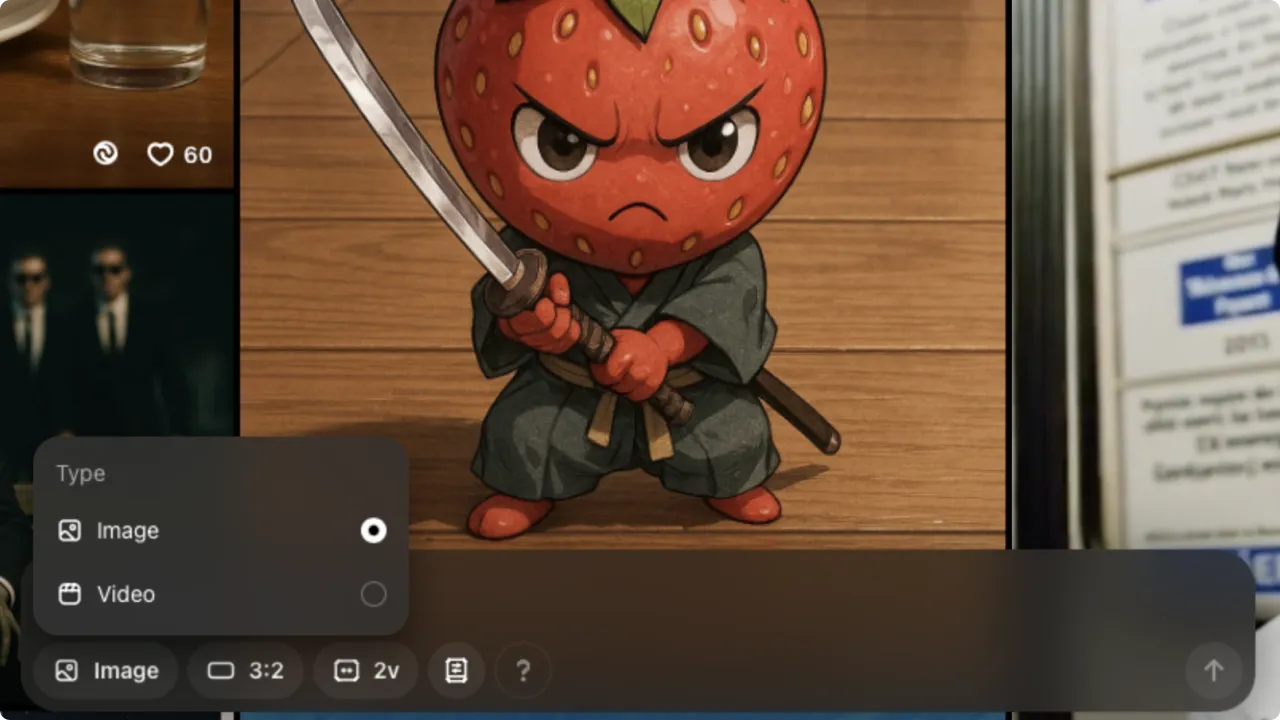
To access the new image generator, visit the ChatGPT website, log in, and select the GPT-4o model. The generator is also available on the Sora service, where you should select the "Image" option in the search field. In addition to standard image manipulation functions, Sora offers the ability to convert images into videos.
ChatGPT currently does not provide official access to users in Russia. To use the service, you must be located outside the country, for example, in Germany or the Netherlands. This restriction is due to political and legal considerations, so it's important to consider your location when accessing the platform.
To improve visibility in search engines and improve the quality of content, the text can be reformulated as follows:
Read also:
Dive into additional materials that will expand your knowledge on this topic. We invite you to explore a series of articles that will help you gain a deeper understanding of the main aspects and nuances. Don't miss the opportunity to get useful information and advice from experts.
ChatGPT is a modern neural network designed for processing and generating text. It is based on the GPT (Generative Pre-trained Transformer) architecture, which allows it to understand context and create meaningful responses. By training on a huge amount of text information, ChatGPT can perform a variety of tasks, including writing articles, creating dialogues, assisting with learning, and much more.
ChatGPT's core capabilities lie in its ability to support conversations, answer questions, generate creative texts, and propose solutions to various problems. Use cases include blog content creation, script development, customer support automation, and research.
This neural network also shows significant potential in the field of education, helping students learn new topics and master complex concepts. ChatGPT is becoming an indispensable tool for professionals in various fields, simplifying tasks and increasing productivity.
How to generate an image
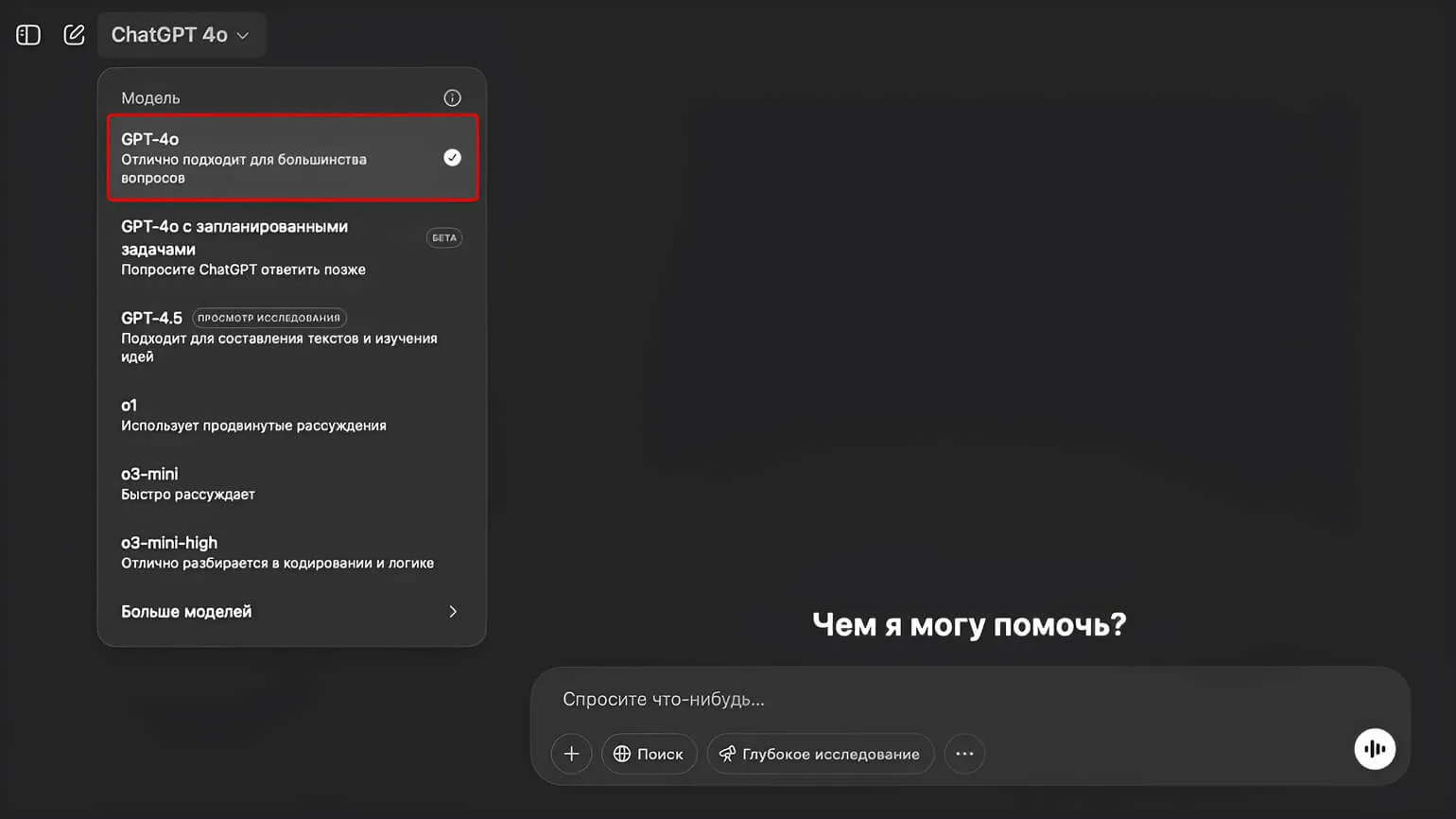
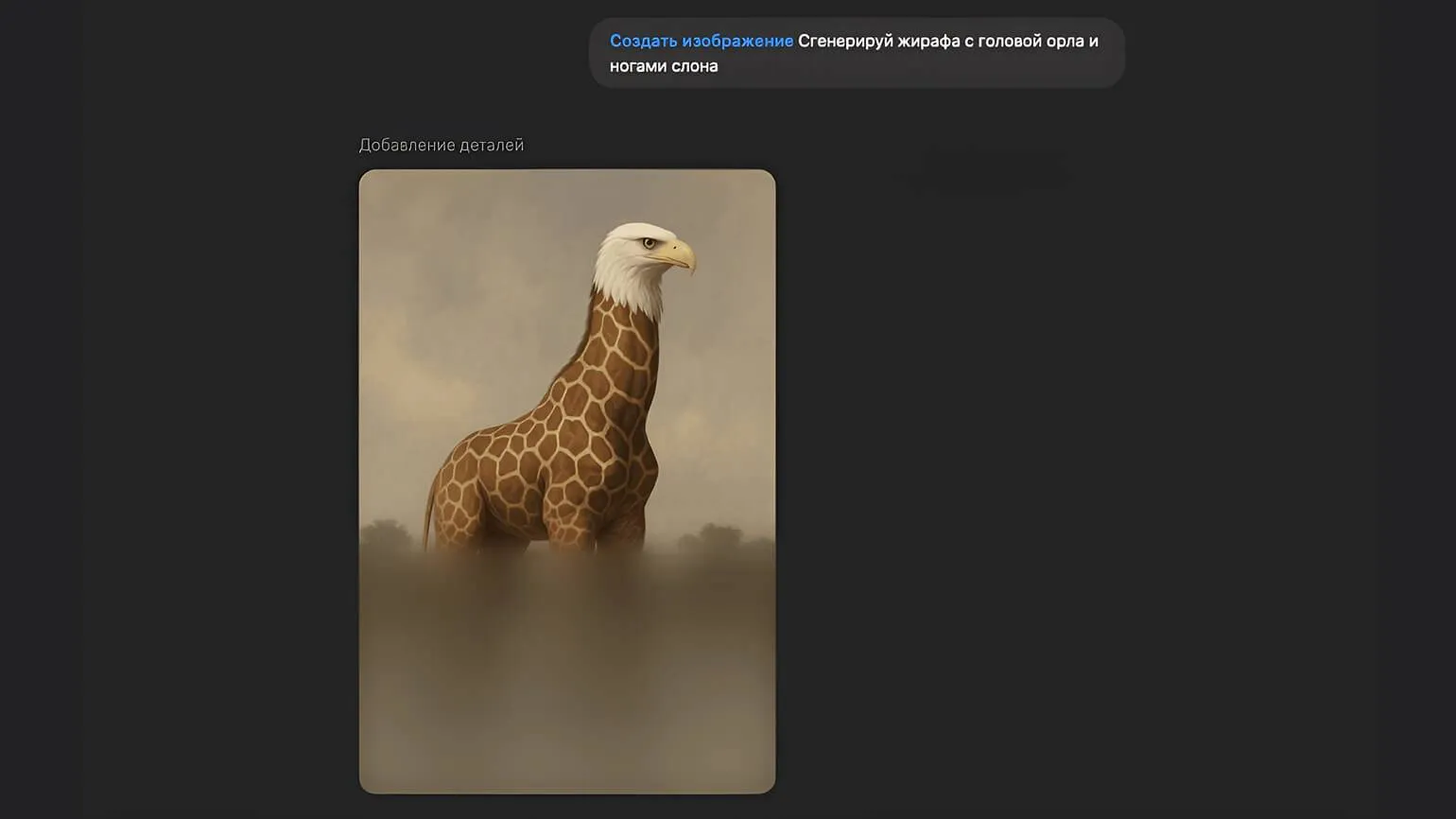
Image generation is available exclusively in chat with the GPT-4o model. Image generation is not possible in other versions. Below is a step-by-step guide to generating images in the new version of ChatGPT.
- Step 1. Go to the official ChatGPT website, but remember about territorial restrictions.
- Step 2. In the top drop-down menu, select the GPT-4o model.
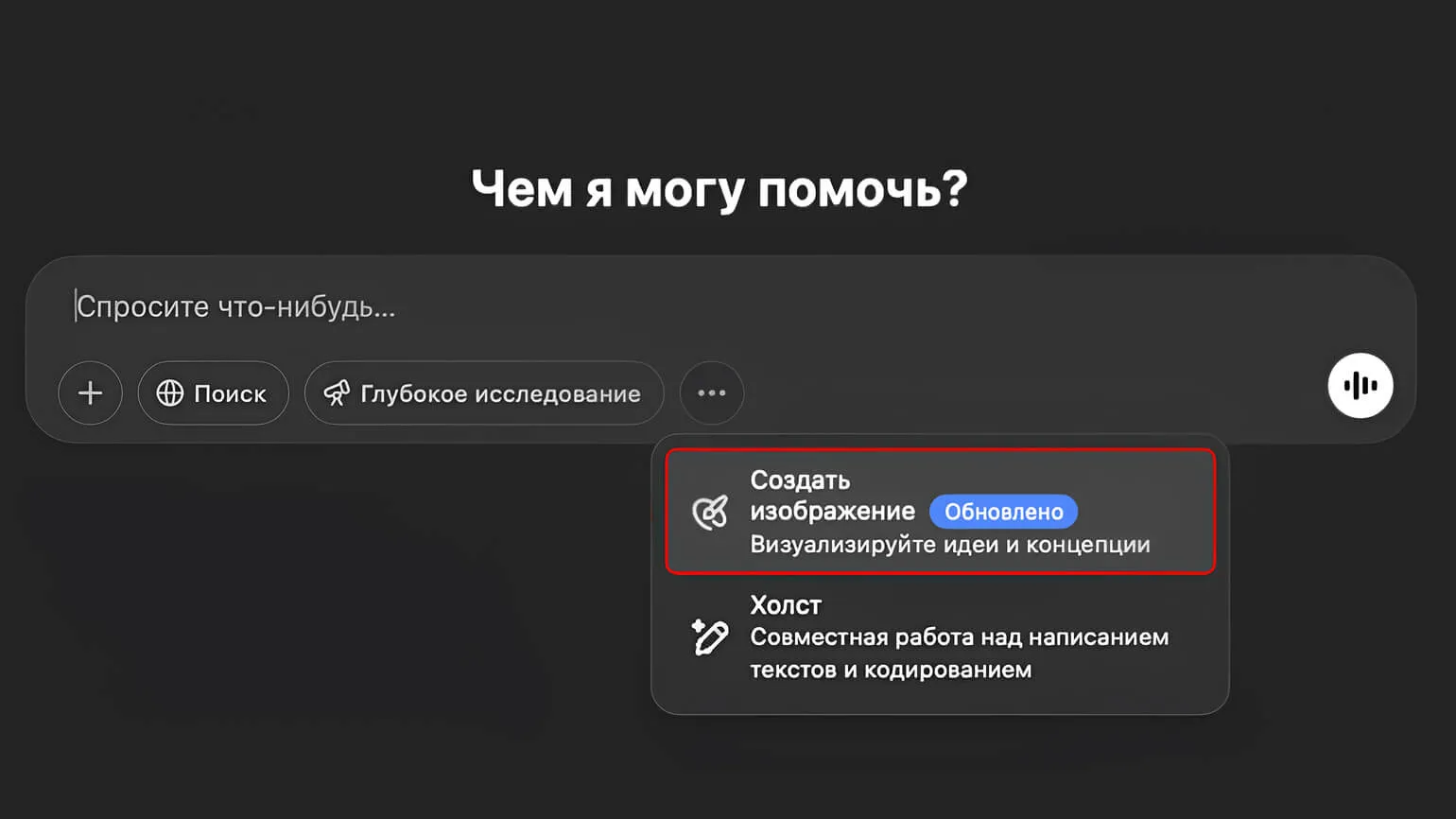
- Step 3. In the input field, click the three dots and select the "Create image" option from the drop-down list.
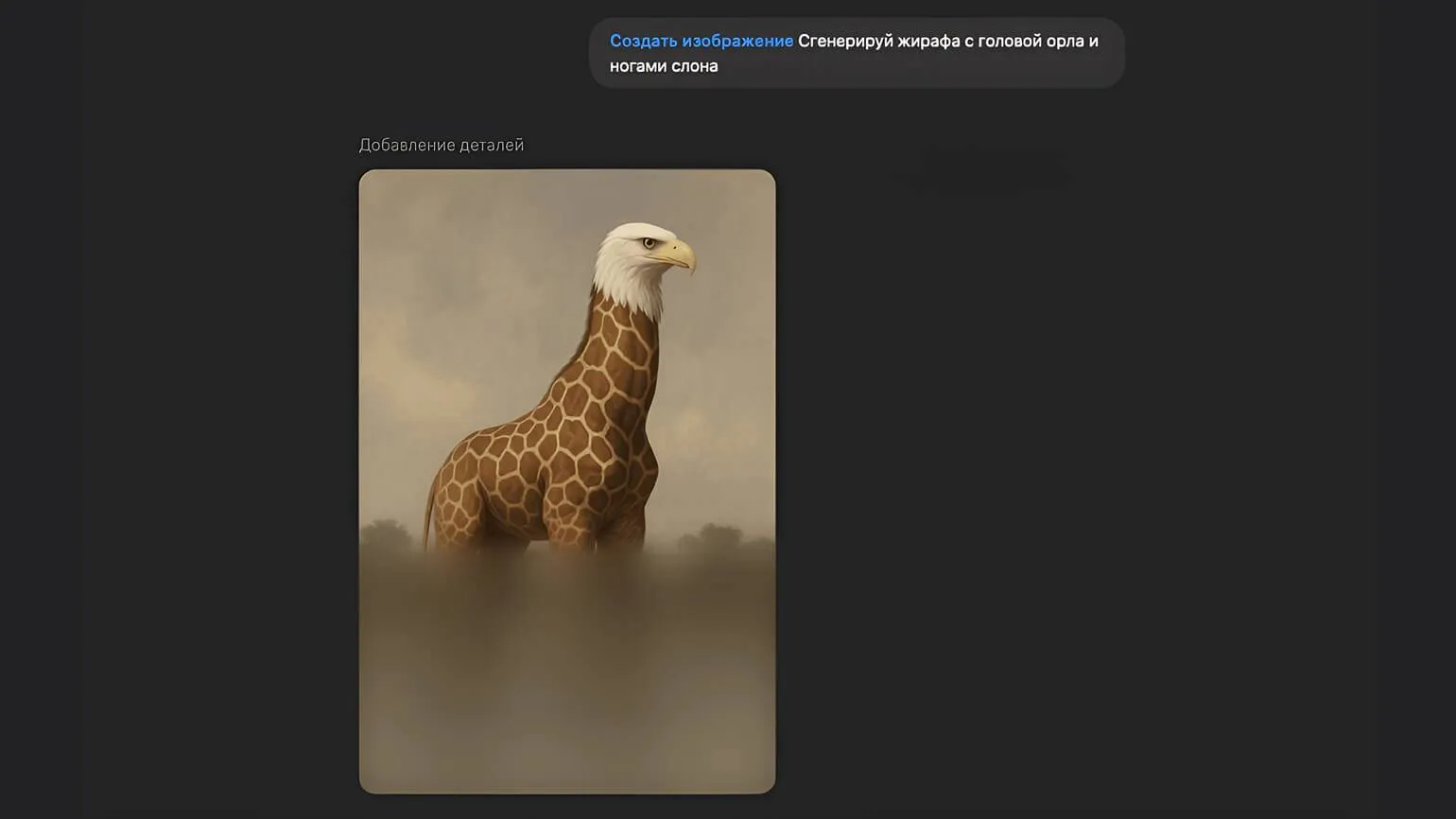
- Step 4. Enter the prompt and wait for the generation to complete.
- Step 5. Download the finished image or make edits. To do this, click on the image in the chat, select the pencil icon and select the area you want to edit.
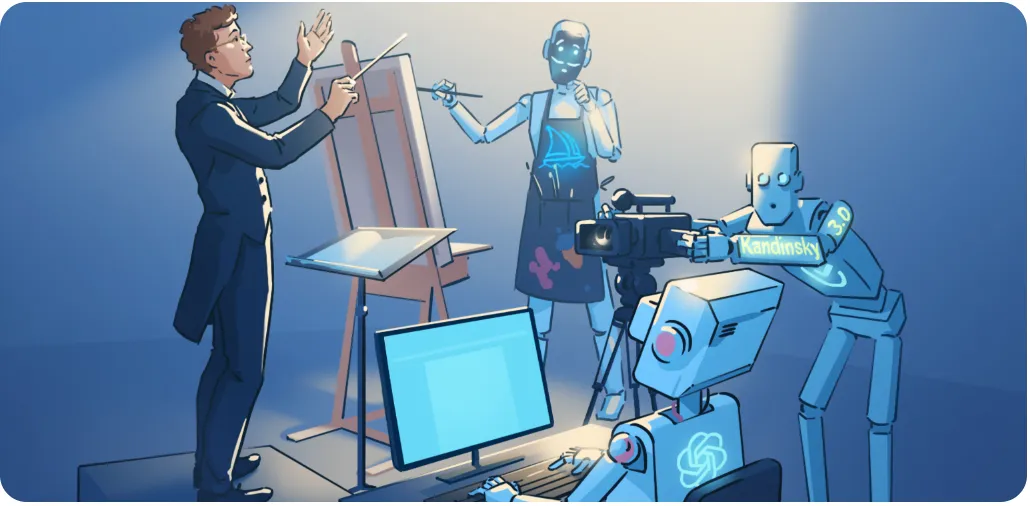
Reworked text:
Explore interesting materials and useful articles on our website. We offer a variety of topics to help you expand your knowledge and skills. Our goal is to provide quality content that is relevant and informative. Don't miss the opportunity to check out our latest publications and improve your knowledge in the areas that interest you. Read also:
Prompts for Neural Networks: How to Effectively Formulate Queries for ChatGPT and Other Neural Networks
Correctly formulating queries for neural networks like ChatGPT plays a key role in obtaining high-quality and relevant answers. To achieve optimal results, it is important to consider several aspects. First, try to be as specific as possible in your requests. Clear and detailed prompts will help the neural network better understand your expectations and provide more accurate information.
Second, use context to clarify your requests. If you are asking a question or requesting a task, adding additional information can significantly improve the quality of the answer. For example, specify the purpose for which you need an answer or what style of presentation is preferred.
It is also helpful to use examples in your requests. Referring to specific cases or situations will help the neural network better understand your expectations and offer a more appropriate answer. Remember that using keywords related to your topic can improve the relevance of your answers.
Finally, experiment with your wording. Sometimes small changes to your query can lead to completely different results. Don't be afraid to try different options to find the best way to interact with the neural network.
By following these guidelines, you will be able to more effectively use the capabilities of ChatGPT and other neural networks to obtain the information you need and solve problems.
Image Stylization: Guide and Examples
According to social media posts, users are particularly interested in the process of re-styling celebrity photos, reimagining memes, and transporting pop culture characters into new universes. These creative approaches contribute to the creation of unique content and attract audience attention. Interest in transforming visual content and redesigning memes continues to grow, opening up new opportunities for creativity and self-expression in the digital space.
To edit an image in the style you want, follow these steps: First, choose a suitable image editor that suits your needs. Then, upload the desired image and determine the style you want to apply. Use the editing tools to adjust brightness, contrast, and saturation. Apply filters or effects to help achieve the desired result. Don't forget to save your changes in the correct format and quality for future use.
- Step 1: Open a chat with the GPT-4o language model and select "Create Image."
- Step 2: Click the plus icon and upload your image. You can select multiple images, for example, if you want to mix styles or transfer characters from one photo to another.
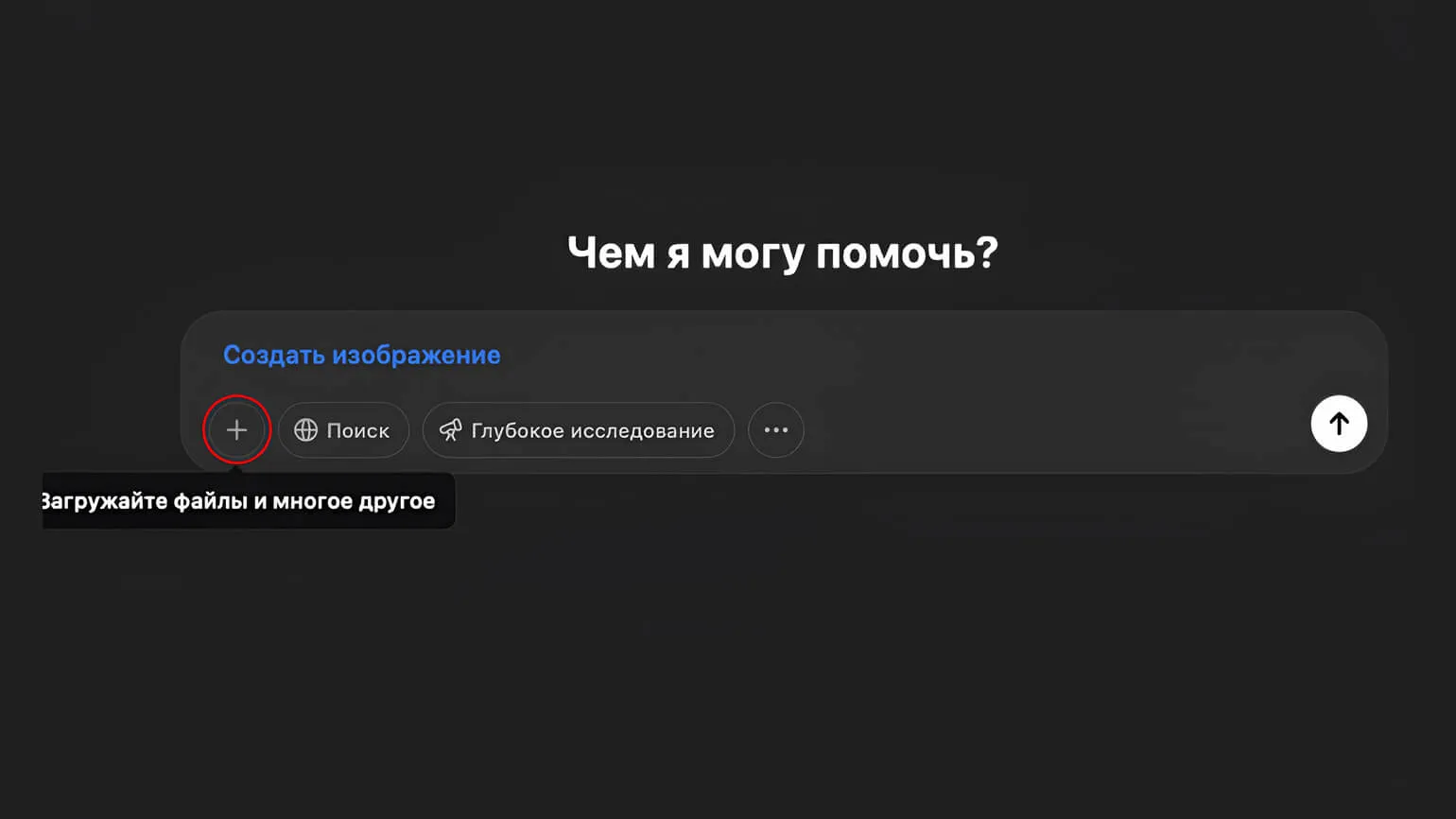
- Step 3. Detail your desired output. To stylize an image, simply specify the style of the final image.
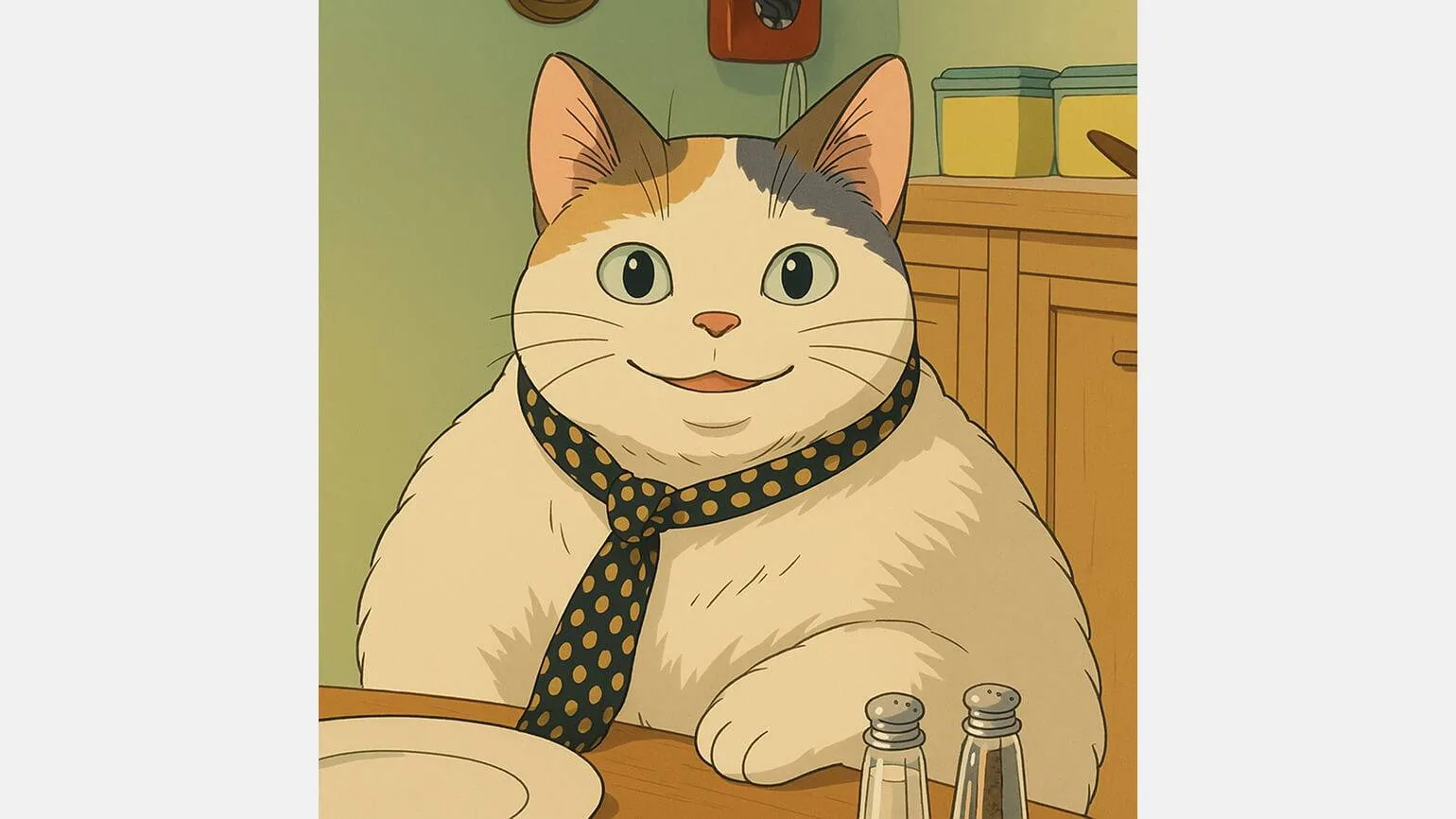
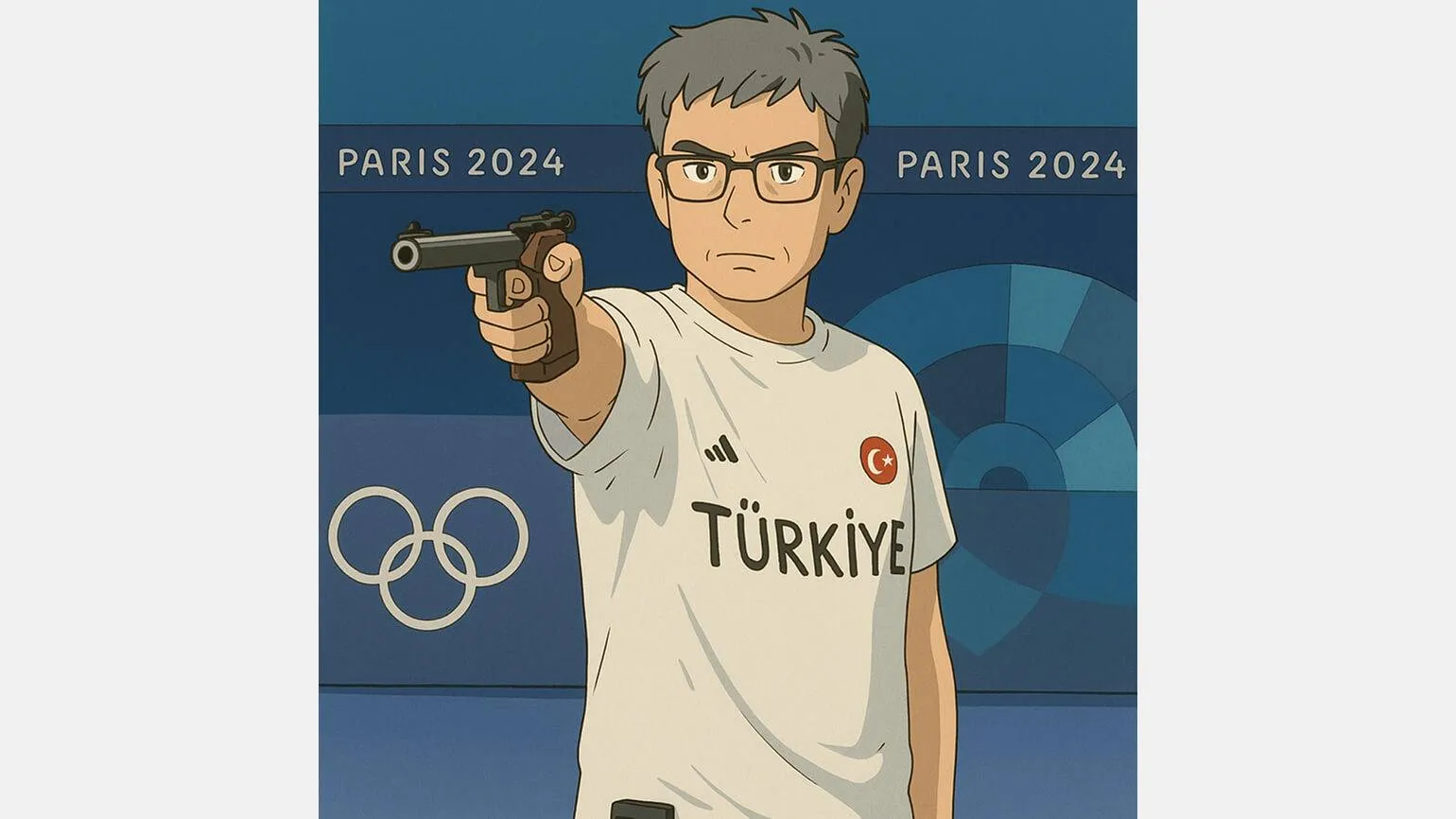
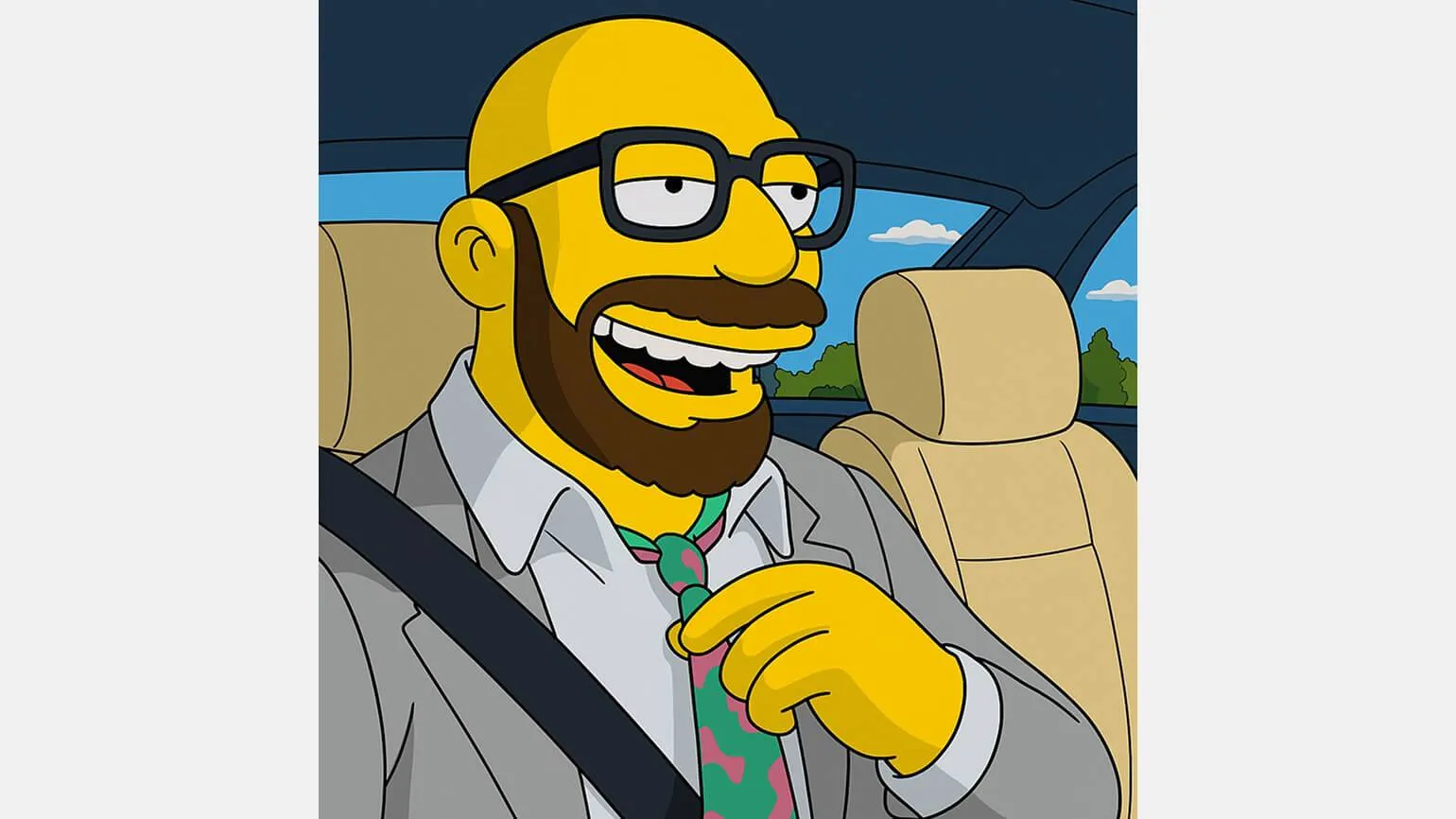
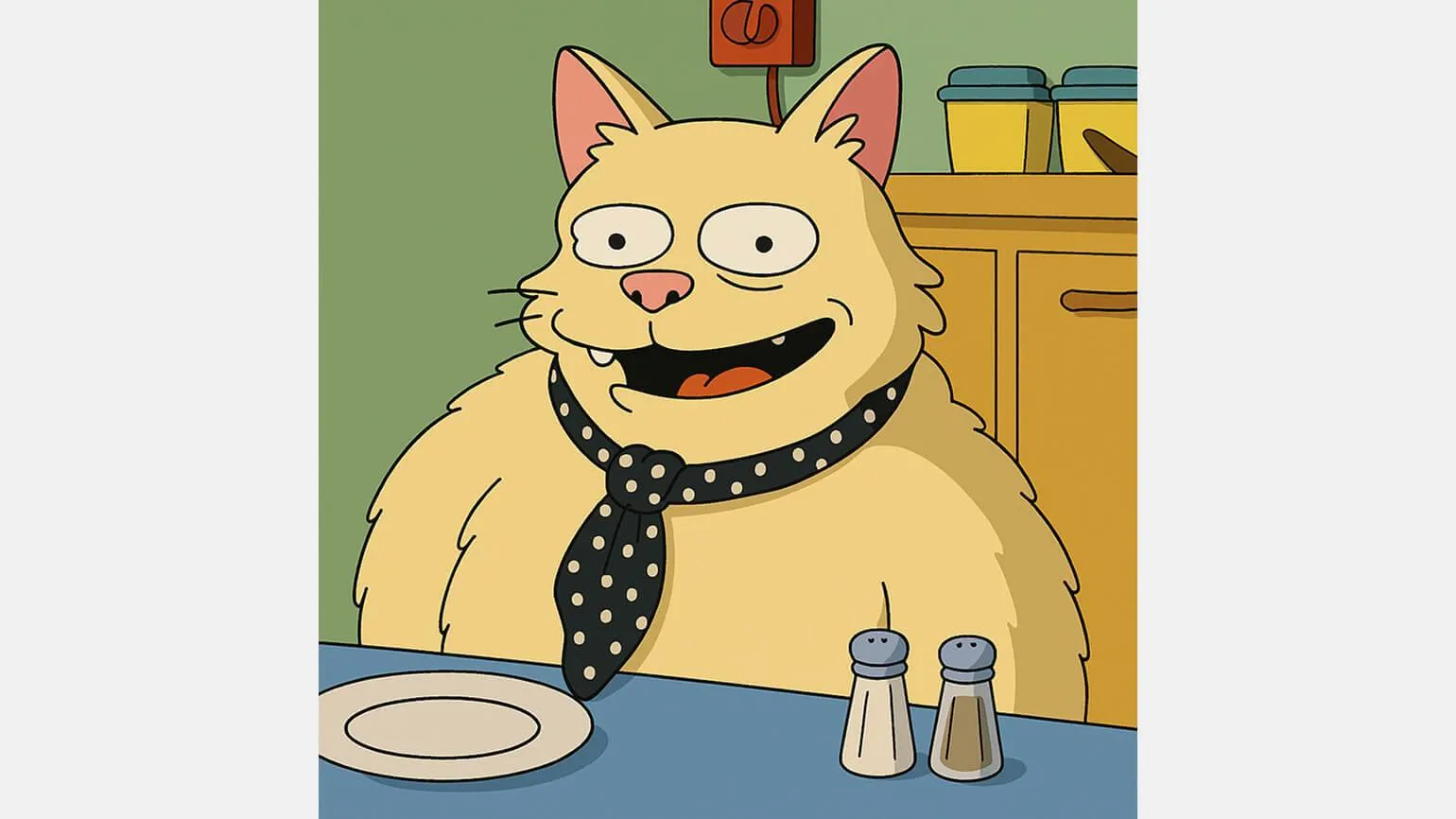
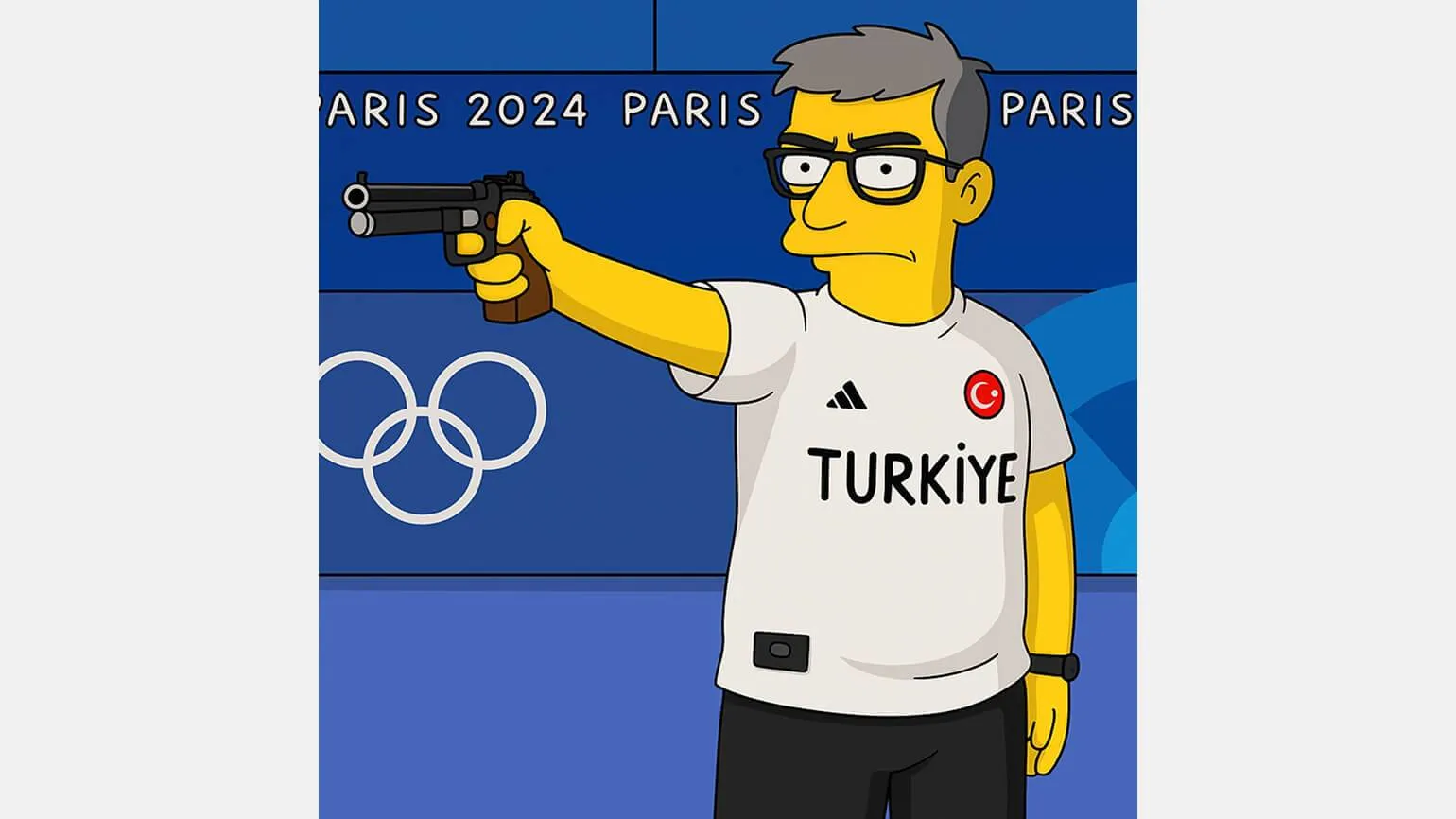
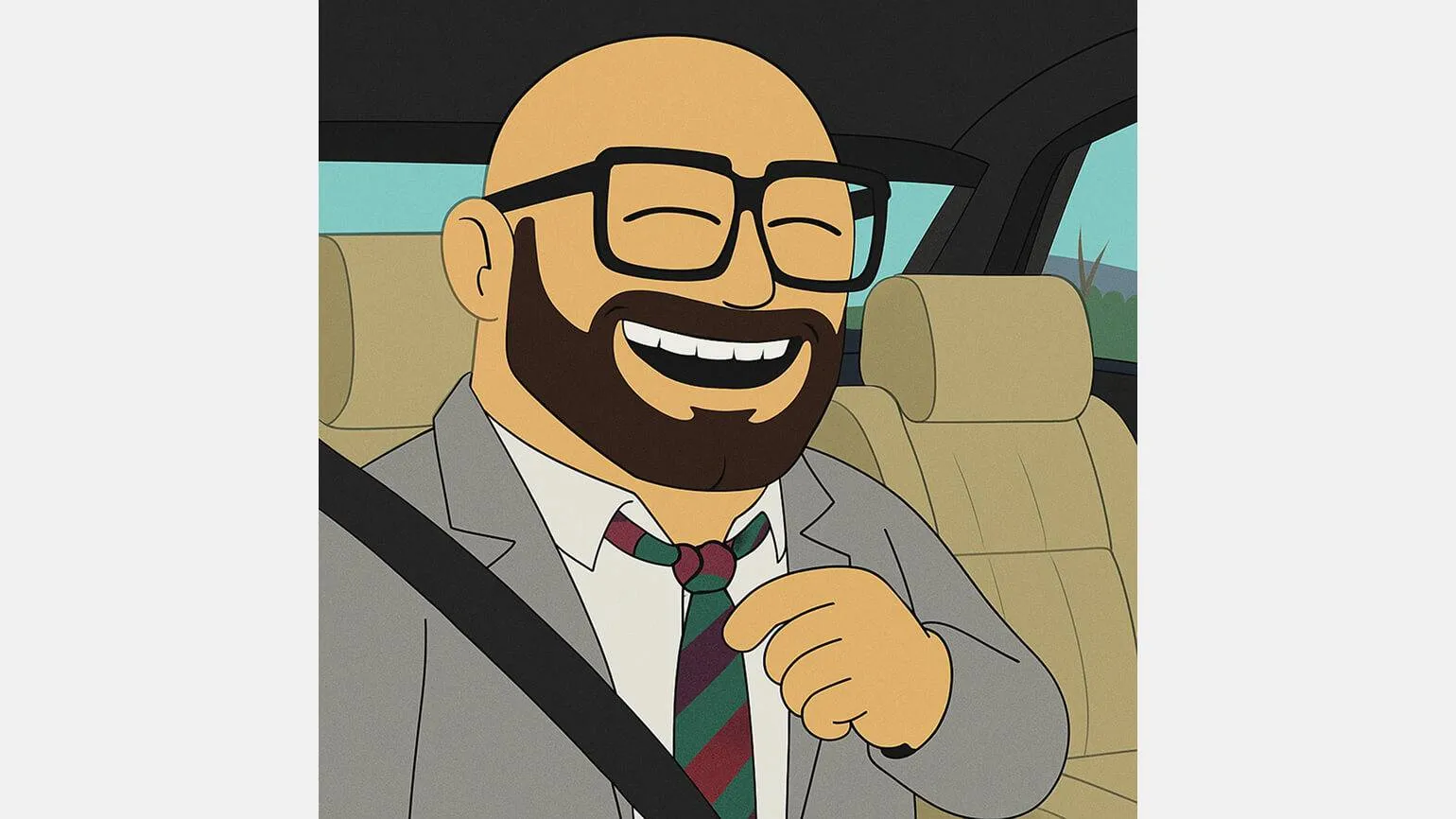
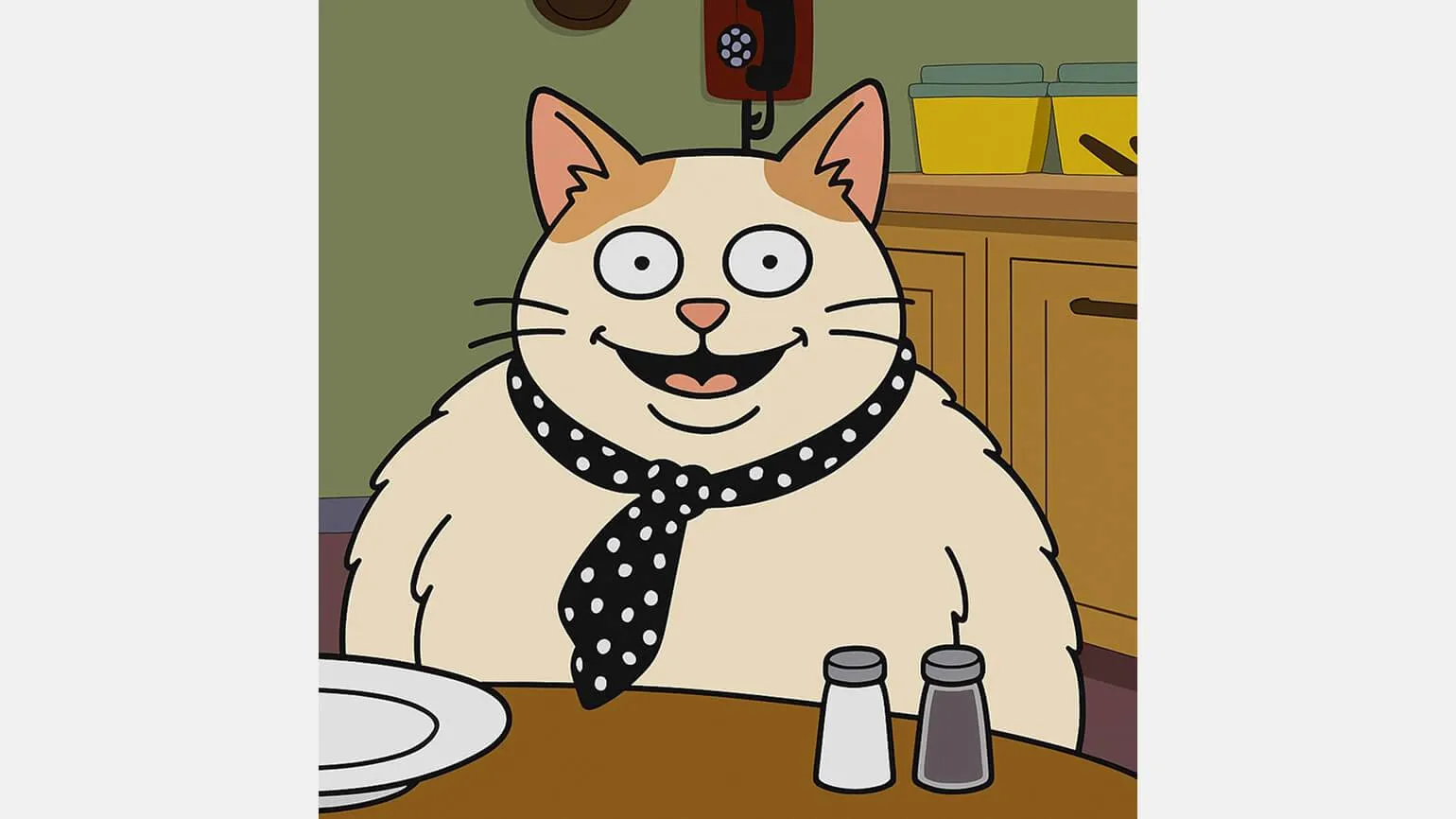
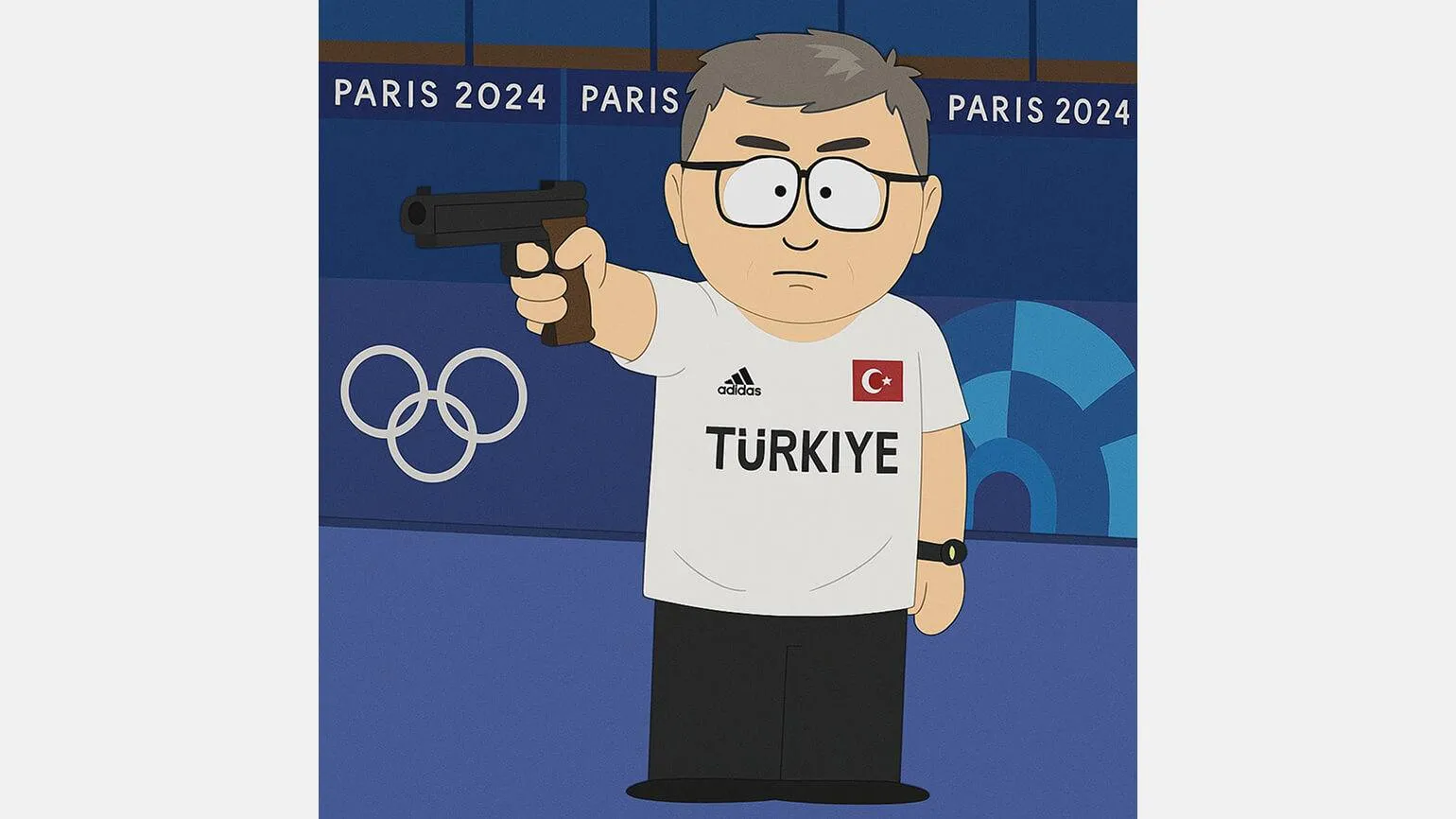
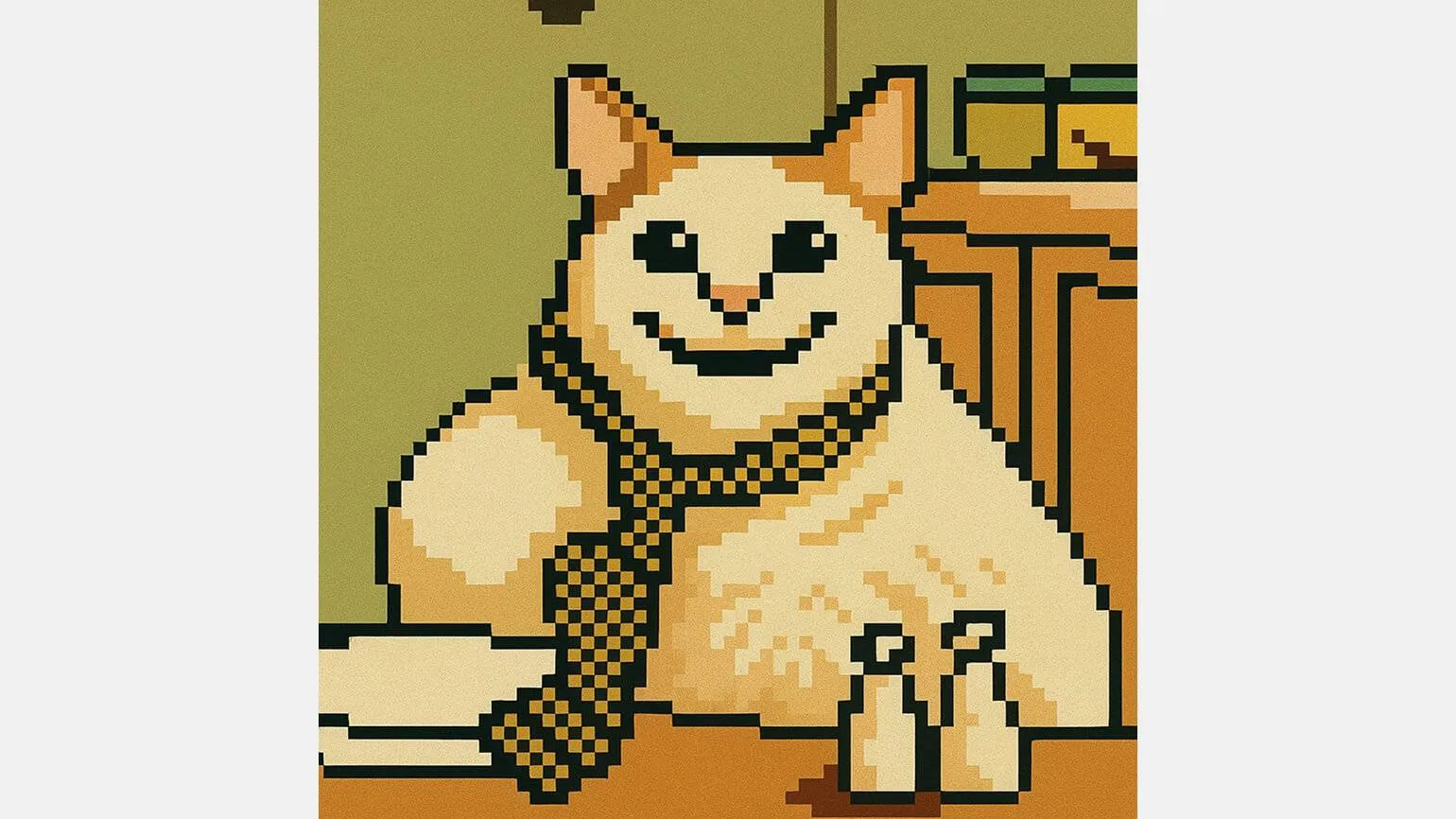
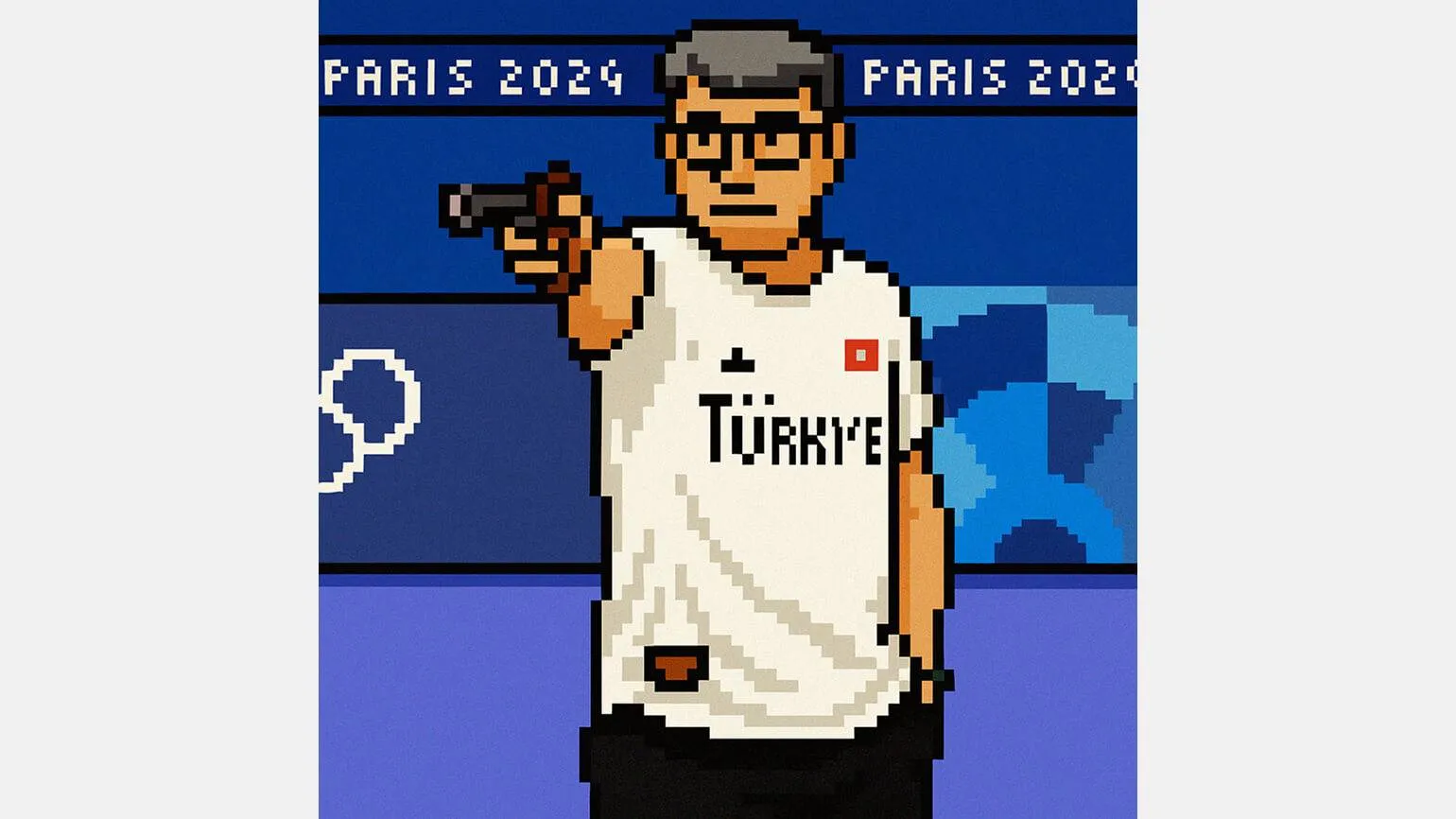
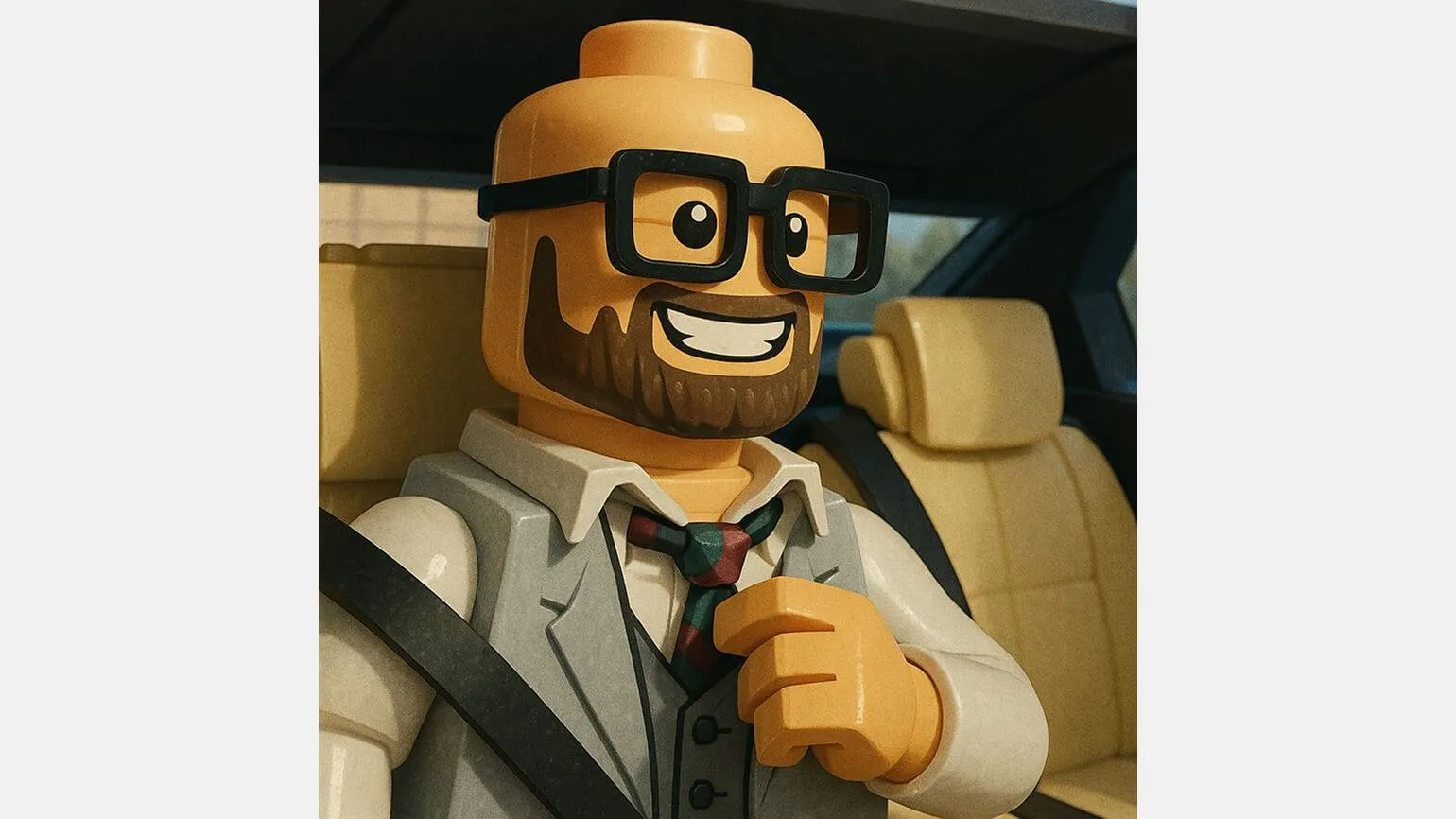
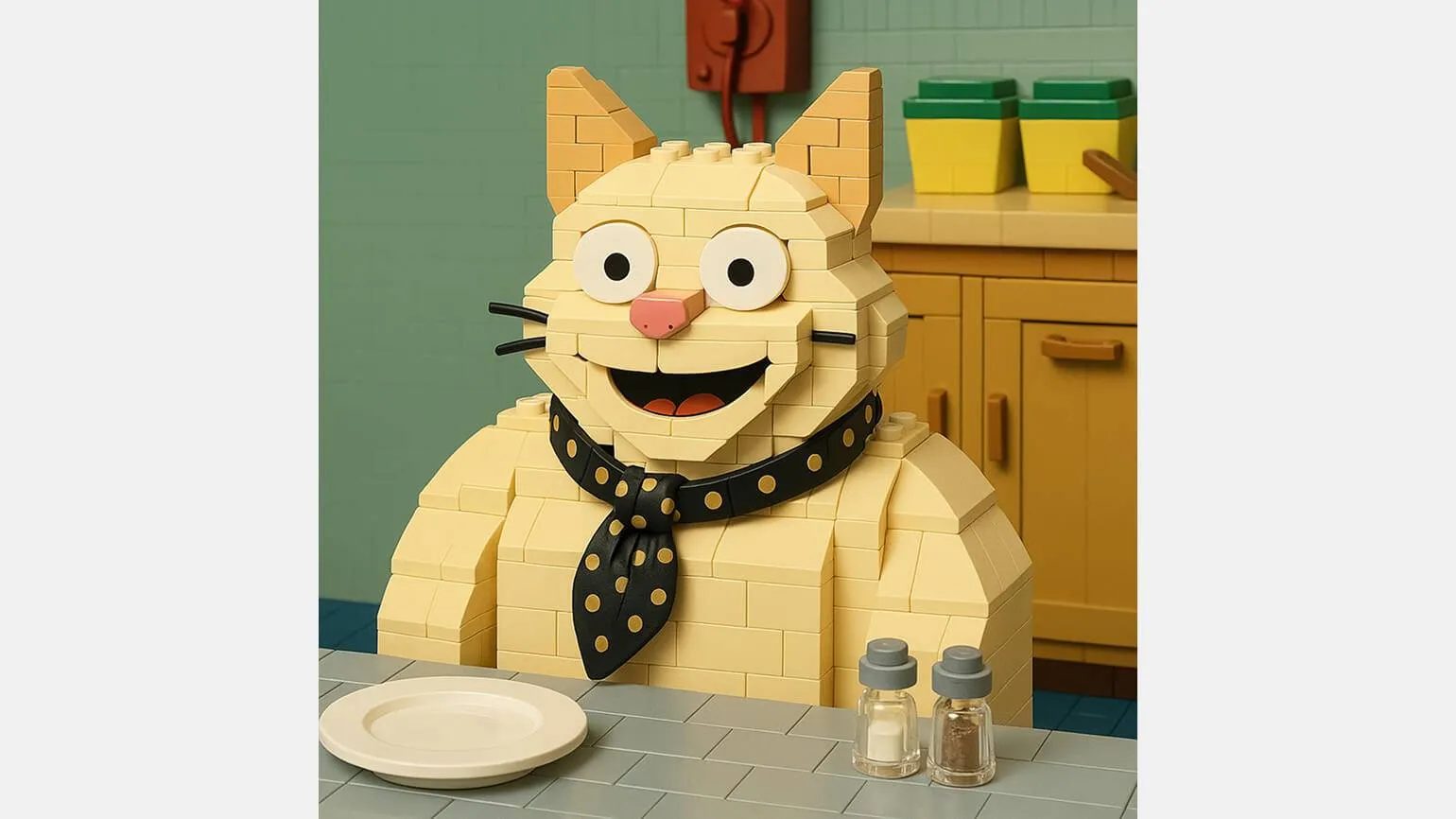
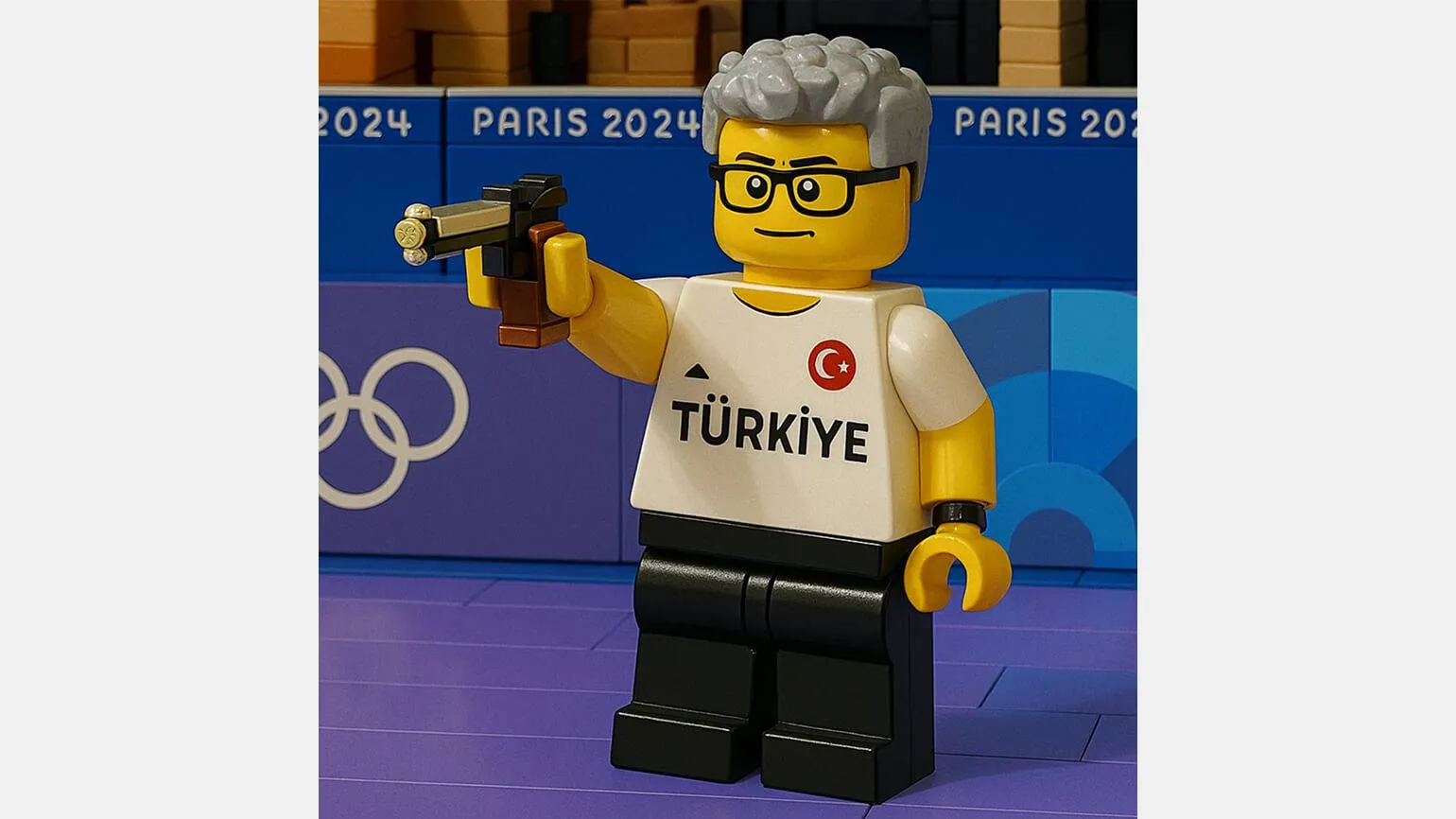
Let's explore ChatGPT's stylization capabilities using well-known memes, such as the puppet cat from the American show TV Funhouse, the image of Turkish shooter Yusuf Dikeç, and the ever-smiling Nikolai Vasilenko. These examples demonstrate how content can be adapted and transformed using unique visual elements and characteristic features of memes. Stylization not only adds creativity but also improves audience engagement by leveraging familiar images and associations.
Following the release of the updated generator, reworked historical photographs, memes, and film stills in the style of Studio Ghibli anime have begun to appear on the X social network. This led one Canadian developer to create a browser extension that completely removes anything remotely resembling the studio's work from webpages.
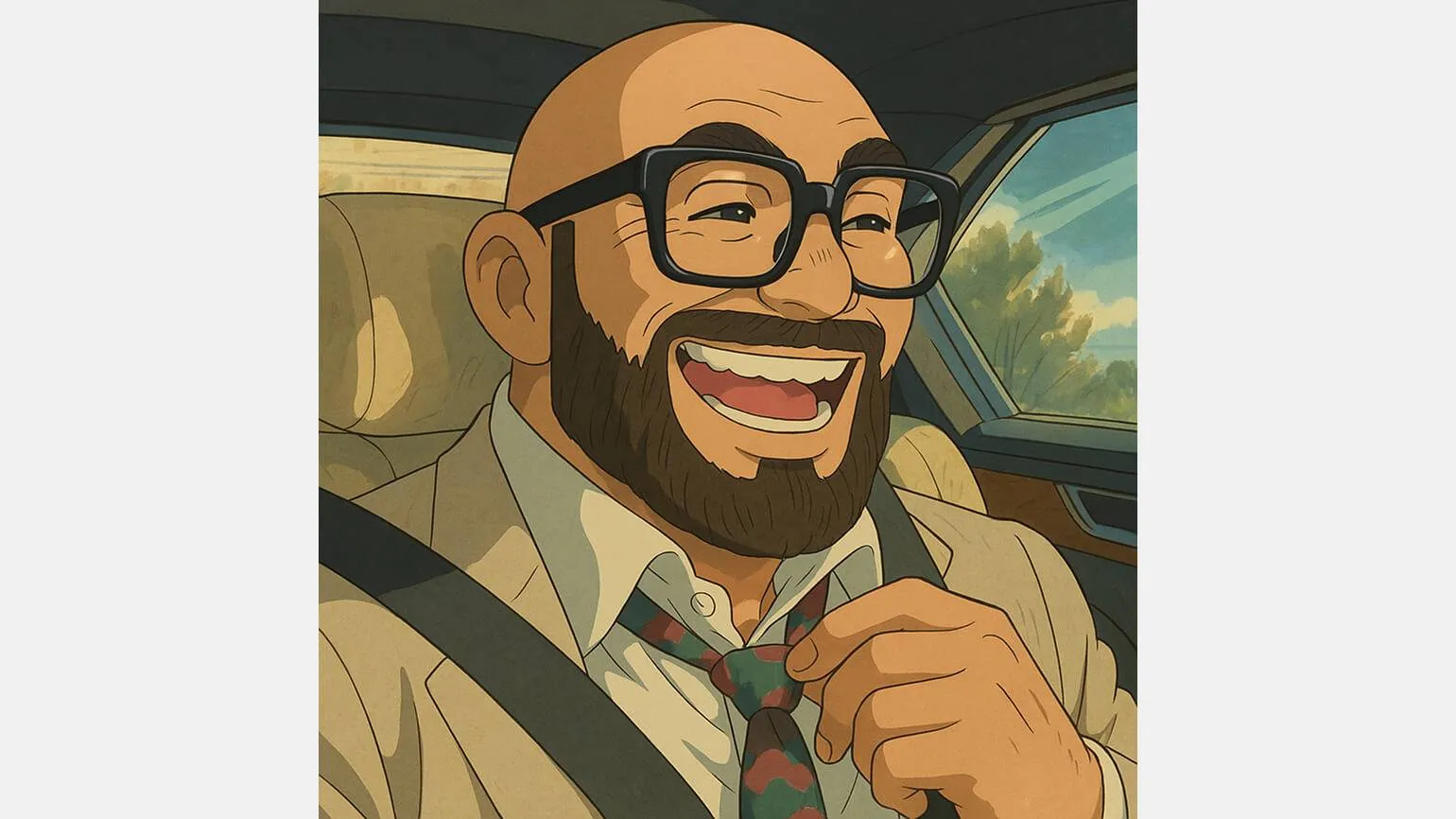
The second most popular online generations are in the style of "The Simpsons." Interestingly, the neural network does not simply apply a yellow filter to the skin, but recreates the unique features of the characters. Imagine what our memes would look like if they ended up in Springfield. This approach allows you to create original content that attracts attention and generates interest among users.
The characters of "South Park" have not gained as much popularity on social media as many other cartoon characters. This may be due to the variety of drawing styles used in the different seasons of the series. It's possible that the ChatGPT training dataset included footage from different periods, which could also have affected the perception of the characters. The lack of a unified visual identity could hinder their memorability and audience engagement.
We decided to experiment with styles and pay attention to 3D memes inspired by claymation cartoons. This technique was used in famous Soviet cartoons such as "Last Year's Snow Was Falling" and "Plasticine Crow". Memes created in this style amazingly convey the atmosphere and aesthetics of classic animation, combining nostalgia with modern trends.
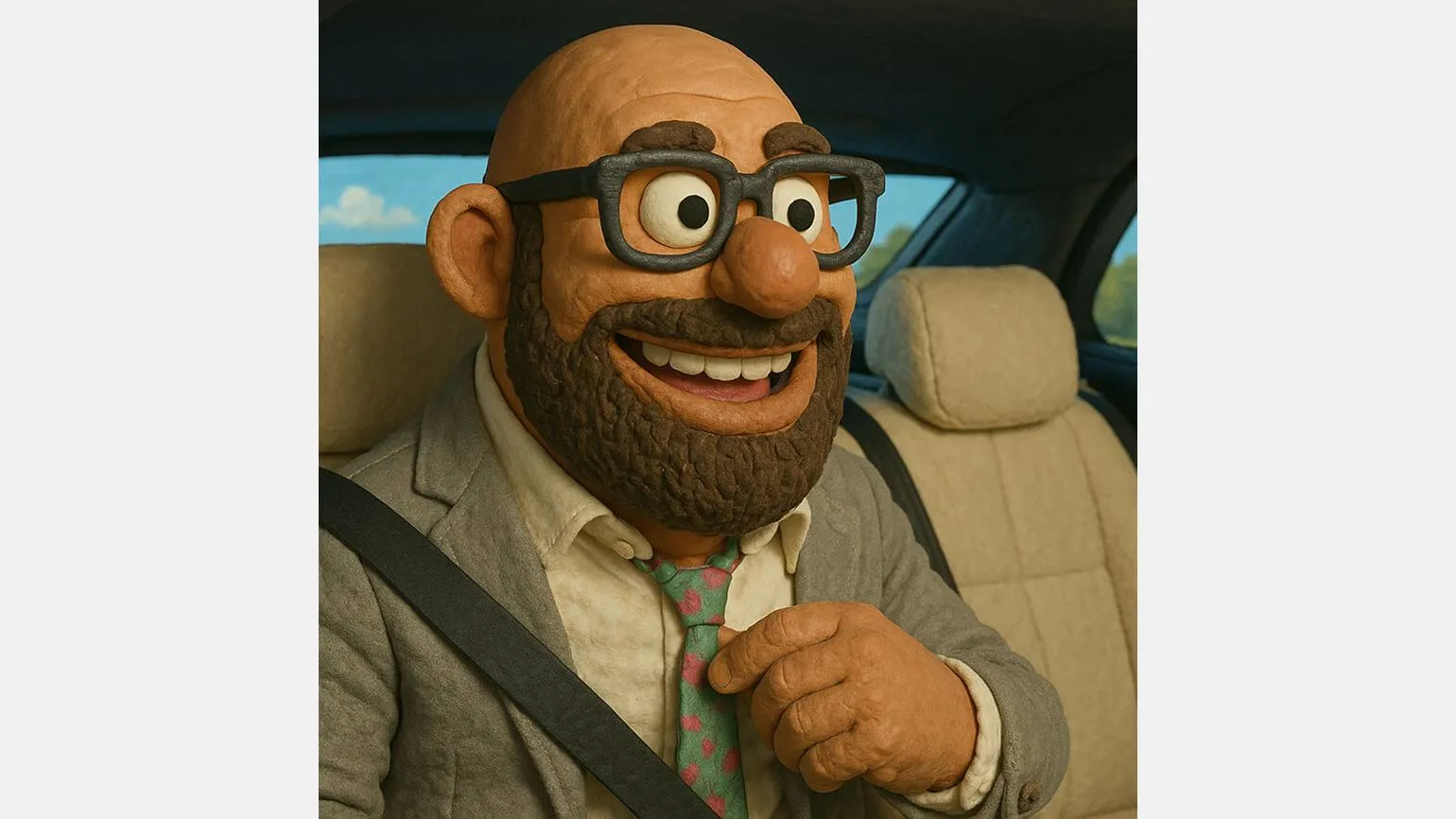
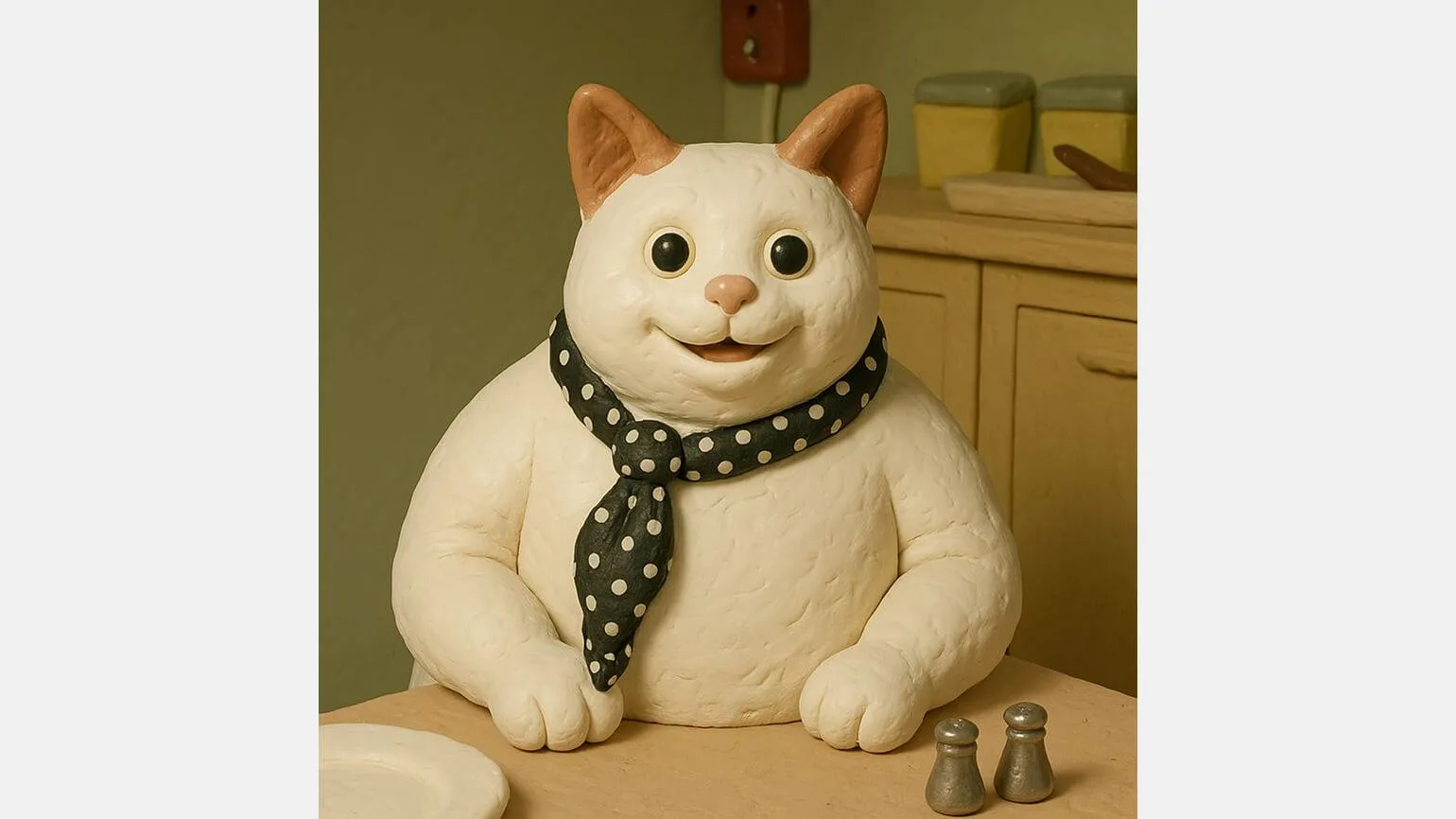
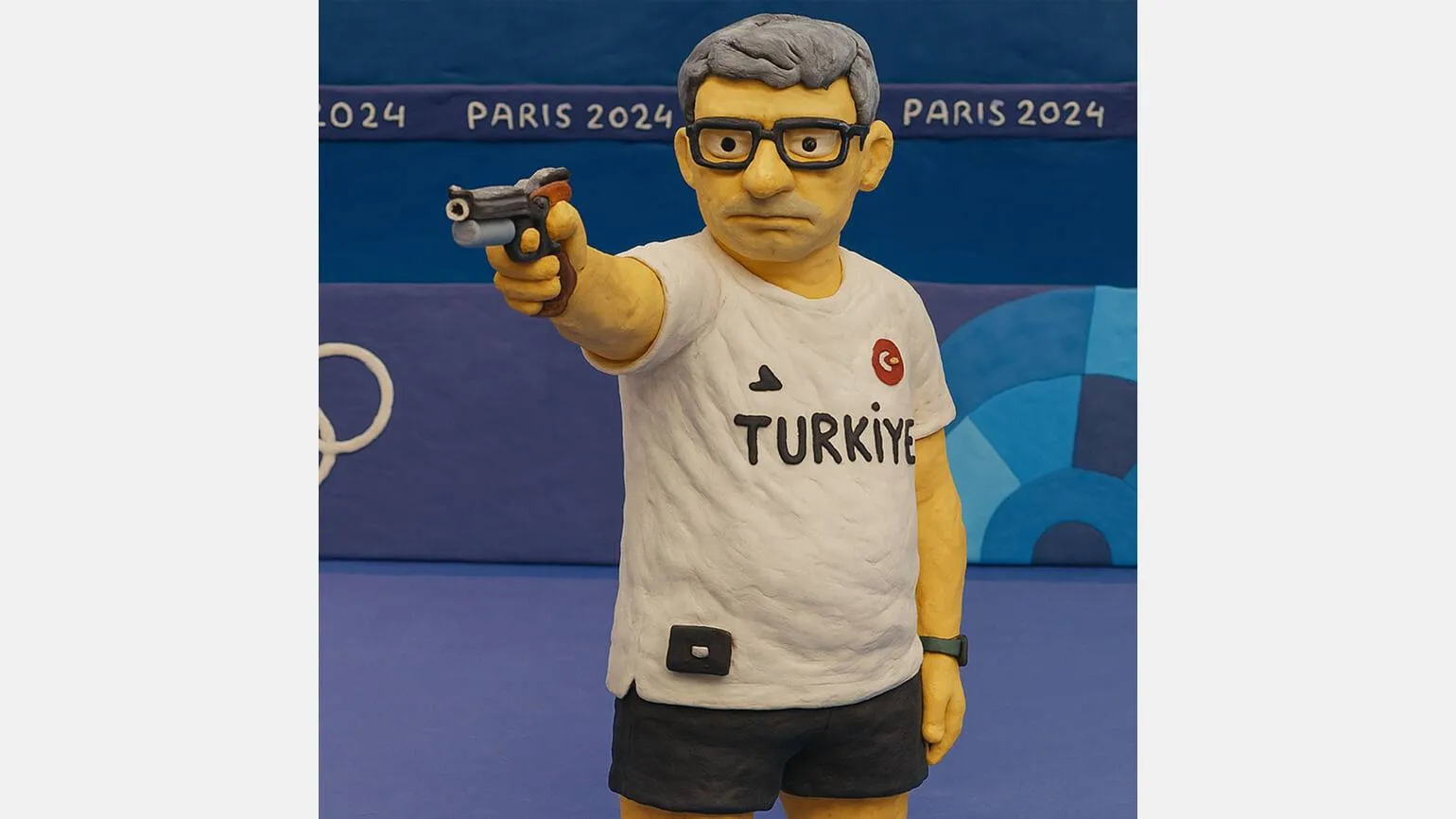
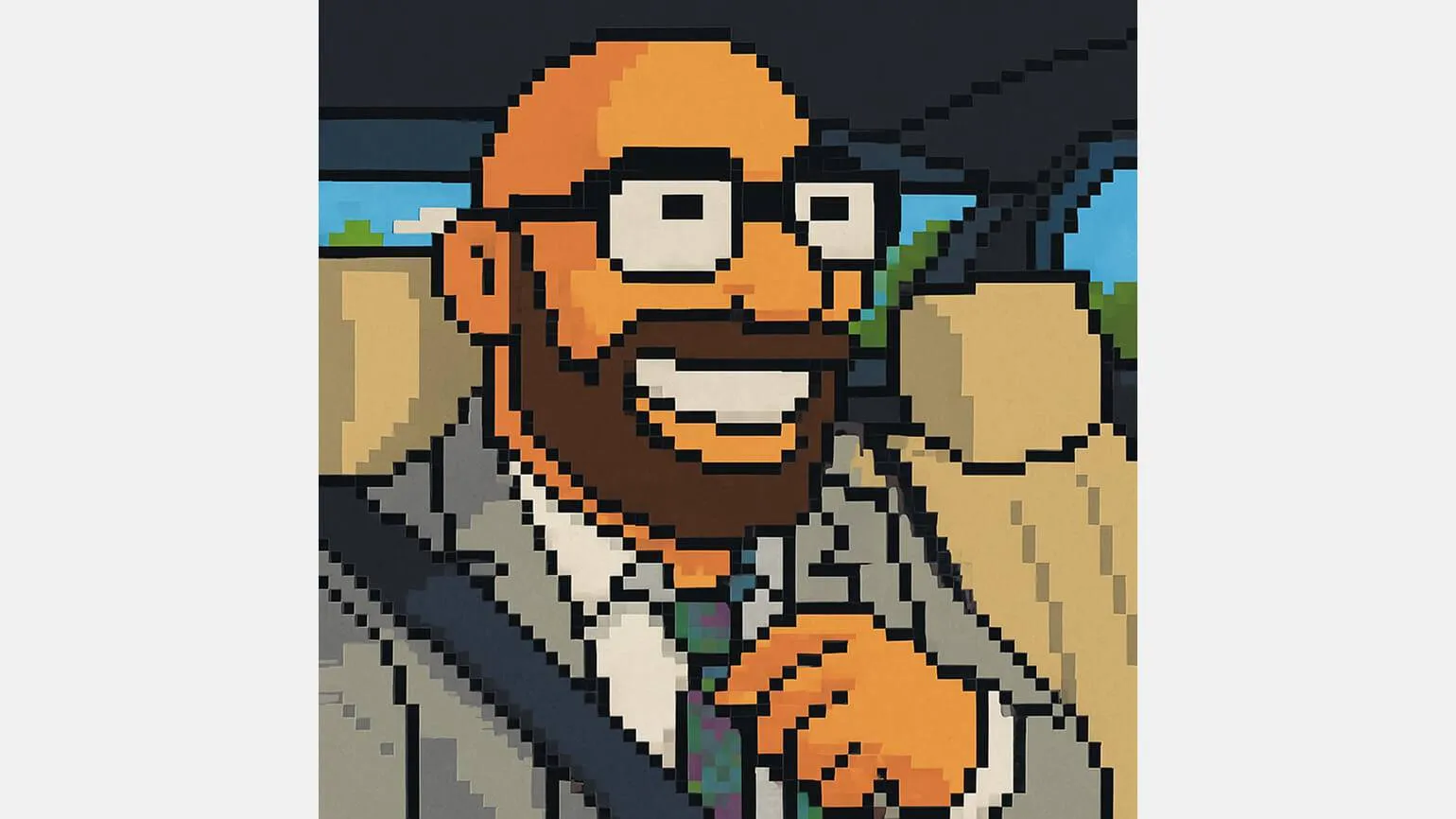
Moving from 3D art to 8-bit graphics of the Super Mario era, it is worth noting that ChatGPT has successfully accomplished this task. The 8-bit graphics, personifying that era, bring a unique aesthetic and nostalgic feel. Super Mario's visual style has become iconic in the video game world, creating vibrant imagery and memorable levels. Using a limited color palette and simple shapes, the developers were able to effectively convey the game's atmosphere. ChatGPT demonstrates the ability to adapt to various styles and concepts, making it a valuable tool in creating graphic content, including 8-bit art.
With ChatGPT, you can transform any photo into a scene inspired by the world of LEGO construction sets. The neural network sometimes adds additional elements to the figures, which gives them a more realistic and lively look. This allows you to create unique and interesting compositions that fit perfectly with the LEGO style. This approach opens up new possibilities for creativity and allows users to easily visualize their ideas in a format reminiscent of favorite childhood toys.
Generation from sketches
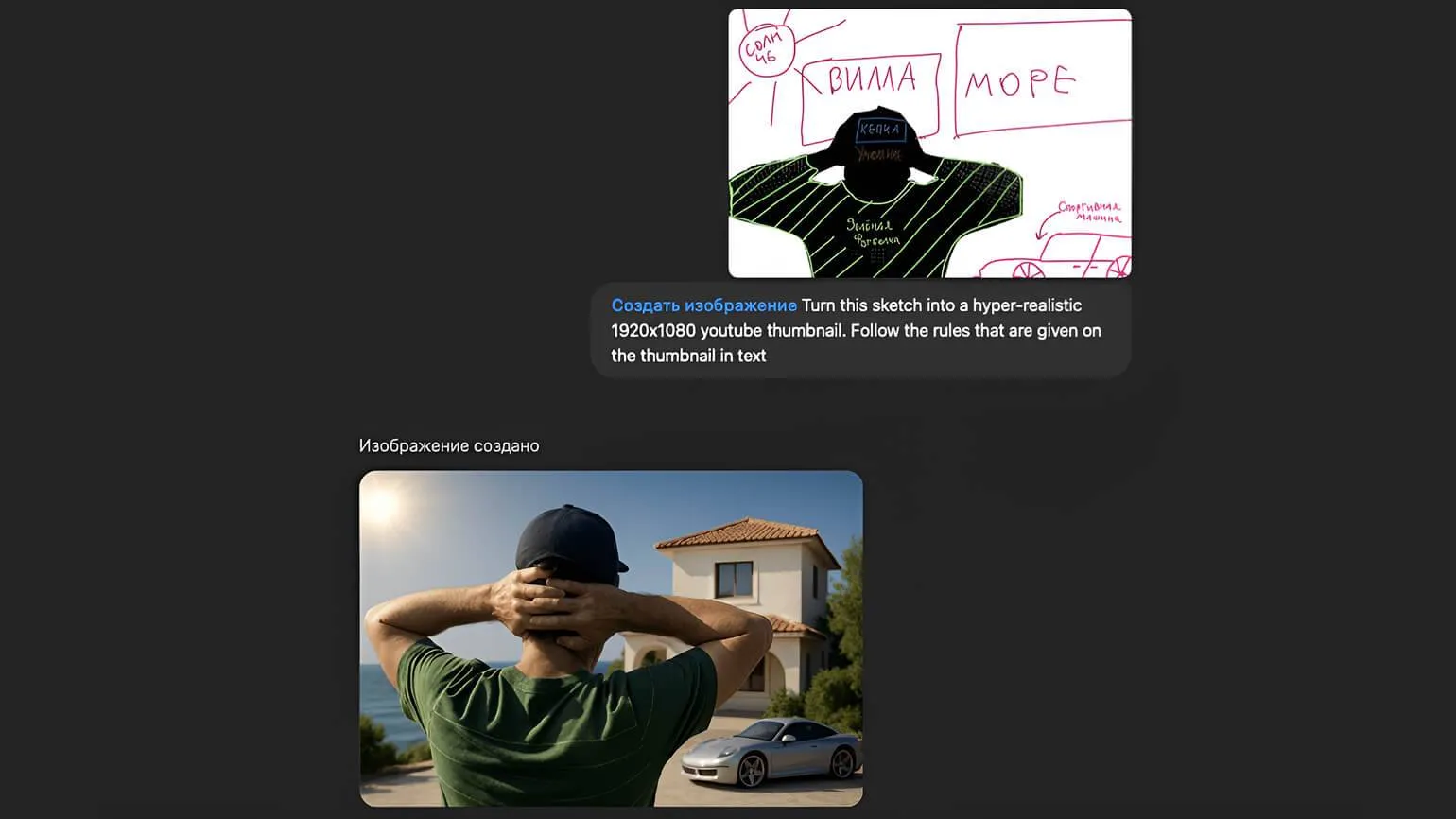
ChatGPT can now analyze images uploaded by the user and take their content into account when generating texts. This allows users to submit sketches to the chatbot and receive high-quality and creative results. Using this feature opens up new possibilities for artists and designers, allowing them to experiment with ideas and improve their projects.
If you need to create a cover for a YouTube video, simply draw it and upload it to ChatGPT, asking to use it as a reference. You can use the following prompt as a basis:
Create a hyper-realistic 1920x1080 YouTube thumbnail based on the provided sketch. Make sure to strictly follow all the guidelines in the thumbnail text.
Turn this sketch into a hyper-realistic 1920x1080 YouTube preview. Be sure to follow the guidelines in the text for the best result. Ensure the image is attractive and of high quality to attract viewers and increase click-through rates.
The neural network offers a variety of solutions and opportunities in various fields. It can process large volumes of data, analyze it, and identify patterns, making it an indispensable tool in business, science, and the arts. Neural networks are used for text generation, image processing, and even game development. They are able to learn from the data provided and adapt to new conditions, ensuring a high level of accuracy and efficiency. With each new stage of technological development, neural networks become increasingly accessible and useful to a wider range of users. Their influence on various spheres of life is expected to only grow in the future.
Read also:
Top 12 free neural networks for generating and editing images
In the modern world, artificial intelligence and neural networks are becoming important tools in the field of graphic design. There are many free platforms that offer capabilities for generating and editing images. In this article, we'll look at the 12 best free neural networks that will help you create unique images and edit them to your liking.
These tools are suitable for both professionals and amateurs, allowing you to easily implement creative ideas. Using neural networks to work with images opens up new horizons in design, simplifying the creation and editing process. Each of the presented platforms has its own unique features and advantages, making choosing the right tool even more diverse.
Check out our list and find the neural network that best suits your image generation and editing needs.
ChatGPT in Interface Design
ChatGPT has now significantly improved its design capabilities. For example, if you have a collection of widgets for a mobile app designed in light colors, you can easily adapt it for users who prefer a dark theme. This will provide a more comfortable interface and improve the user experience. Using dark colors not only provides aesthetic appeal but also helps reduce eye strain when using the app in low-light conditions.
You can redraw the entire layout manually, but there's a more effective way. Take a screenshot of your design, upload it to ChatGPT, and request a design change. The neural network delivers impressive results without adding unnecessary details. This approach allows you to quickly get an updated visual, which is especially useful for designers and developers looking to save time and resources.
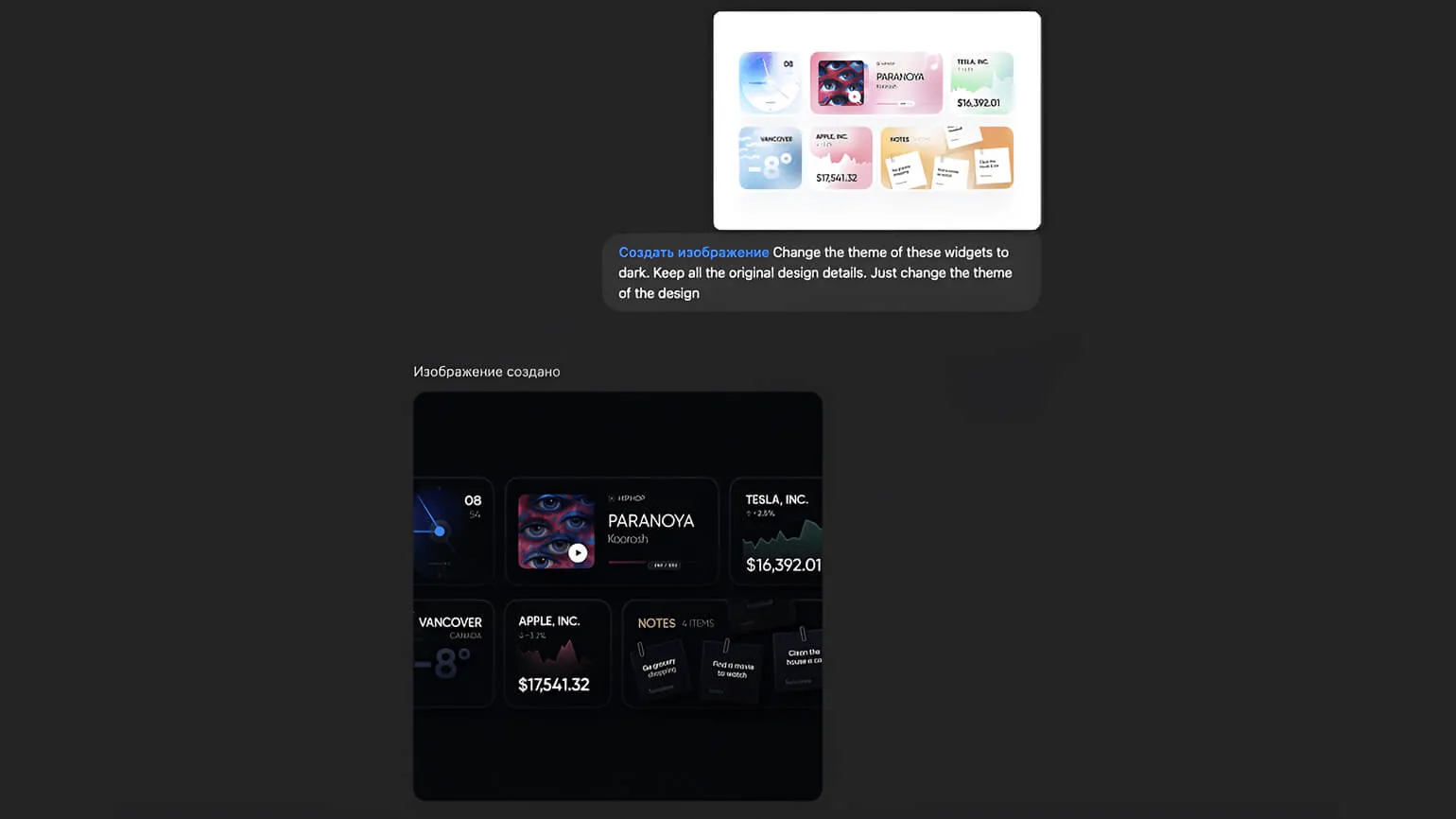
A design created with ChatGPT can be easily transferred to Figma and broken down into individual elements. Even if you intend to implement the project yourself, the chatbot will be a great assistant in visualizing your ideas. Using ChatGPT to generate designs helps save time and produce high-quality concepts that can be refined in Figma. This not only allows you to create a unique and attractive interface but also streamlines the development process, making it more efficient and structured.
Change the theme of these widgets to dark. Keep all the original design elements. You only need to change the color scheme to dark.
Please change the color scheme of these widgets to dark, keeping all the original design elements. Simply replace the subject.
Infographics from a neural network
OpenAI engineers have significantly improved image text generation, allowing ChatGPT to now add captions to images. For example, in the image shown, ChatGPT transformed the description of a random teapot into an informative infographic. The language model highlighted key ideas and important product benefits, displaying them on the card. While the text contains some minor typos, this does not detract from the technology's strengths. Improved generation of text on images opens up new possibilities for visual content and increases its informativeness.
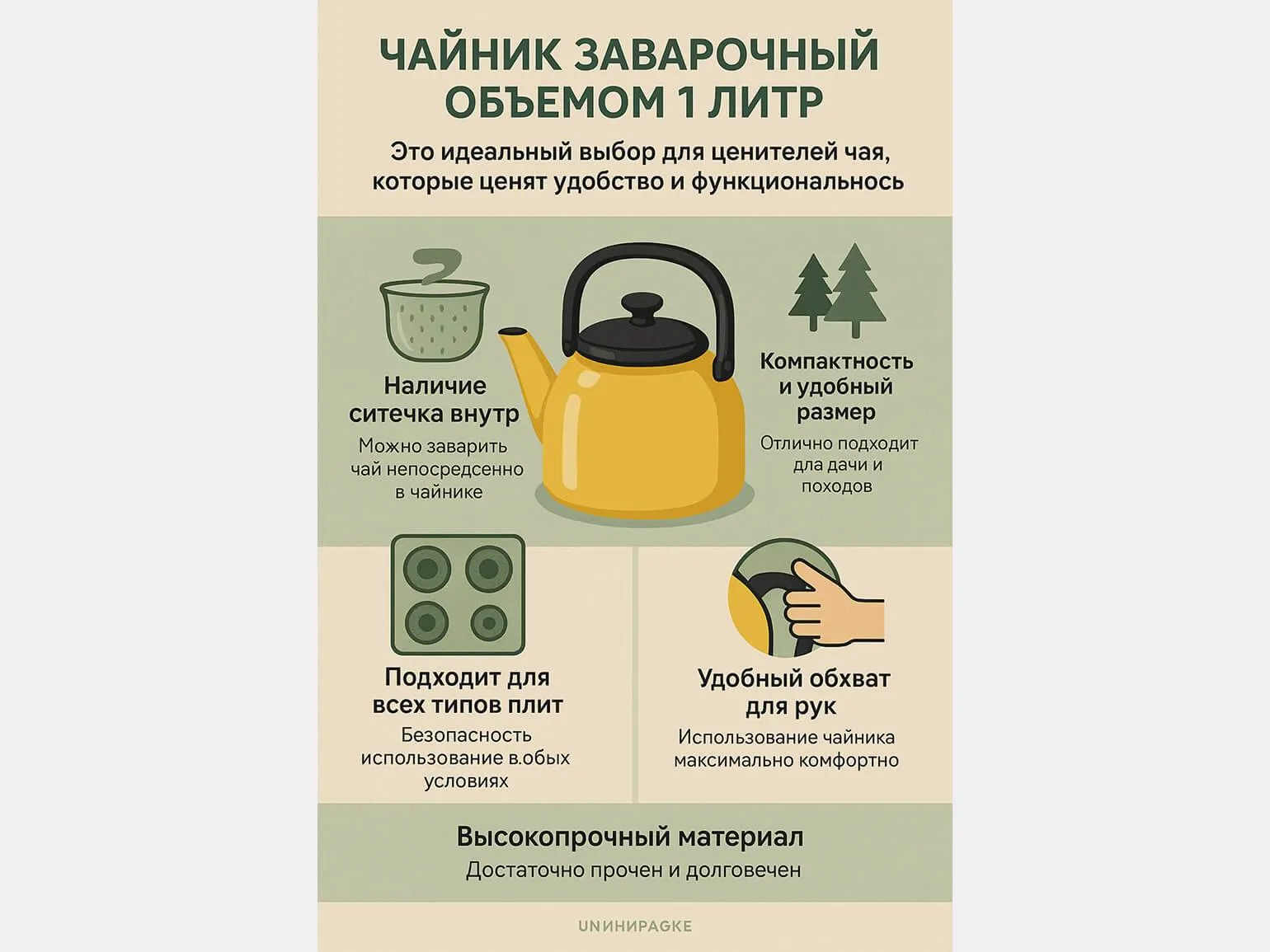
The chatbot can create diagrams, posters, and presentation slides, making the text on the images easy to read. This makes information easier to digest and makes visual materials more effective. Users can use such tools to enhance their presentations, captivating their audience and improving the memorability of the content they present.
Rework the text, but stay on-topic. Don't add unnecessary information. Optimize the text for SEO and consider expanding the content a bit. Don't enter emojis or unnecessary characters. Don't use separators like 1, 2, 3, or *. Just provide plain text.
Read also:
In 2024, there are many free ChatGPT alternatives that offer users a variety of opportunities for communication and information gathering. These tools can be useful for both personal and professional needs. Let's look at several popular free ChatGPT alternatives that provide high-quality interaction and a user-friendly interface.
One of the most notable competitors is a model developed by OpenAI, which offers various features for generating text and answering questions. It's also worth considering platforms that use machine learning technologies to efficiently process and generate text queries.
Other free ChatGPT alternatives include models developed by independent developers and universities. These tools may vary in functionality, but most offer a user-friendly interface and the ability to adapt to specific tasks. Using free ChatGPT alternatives in 2024 opens new horizons for users looking to produce high-quality text content without significant investment. These platforms provide access to powerful tools that can improve productivity and speed up the solution of various tasks. Model Disadvantages and Limitations OpenAI's image generator, despite its obvious advantages, has a number of significant drawbacks. Key issues include limited context understanding, which can lead to incomplete or inappropriate results. Furthermore, image generation can take a significant amount of time, especially at high resolutions. Finally, the quality of some images can vary, making it difficult to obtain consistent results. These shortcomings are important to consider when using the generator for various projects.
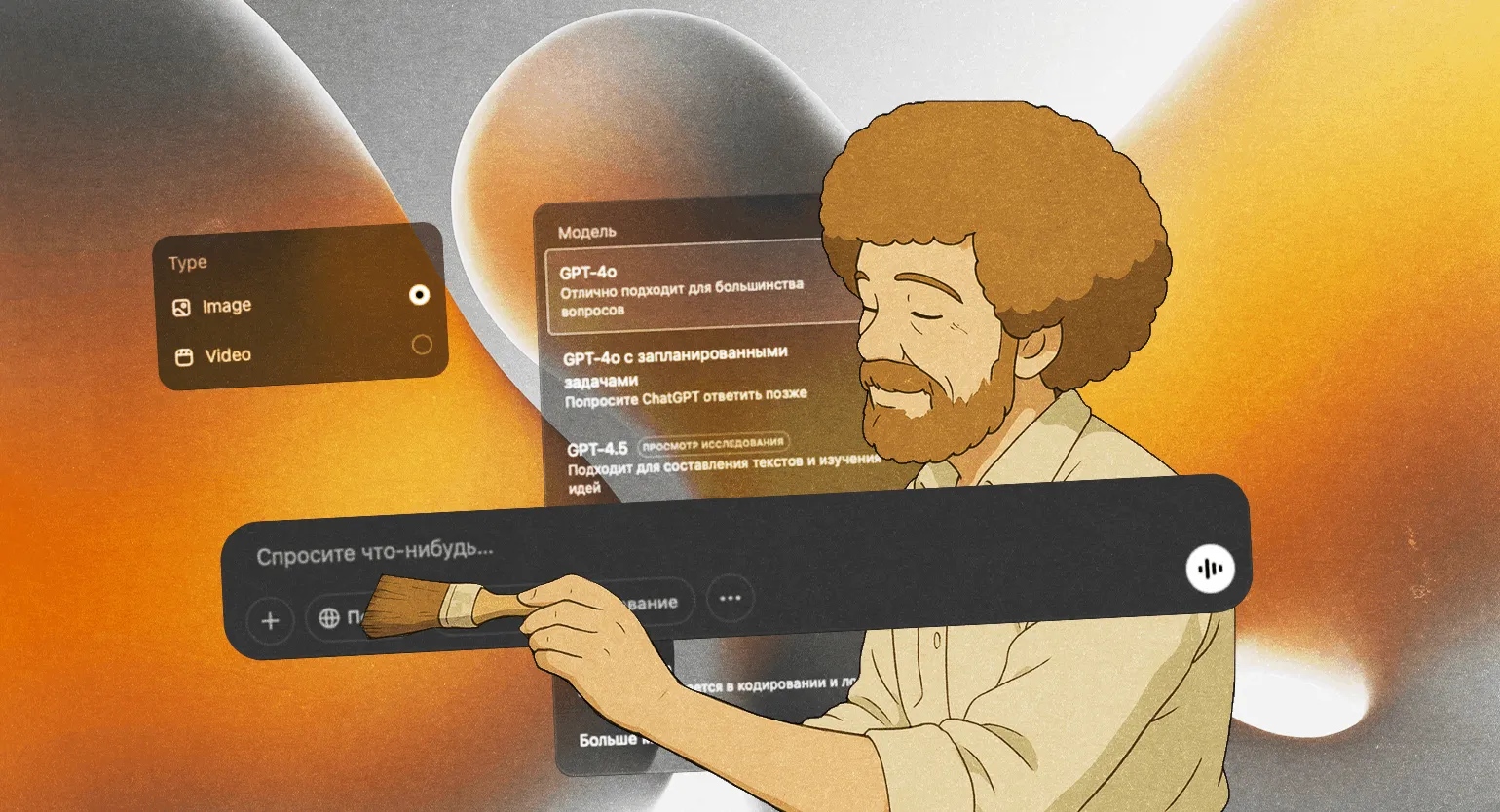
- The neural network still makes frequent mistakes—for example, it can generate a person with four fingers on one hand or draw Bob Ross without any colors in the palette. 🙂
- Only owners of paid Pro and Plus subscriptions can create images without restrictions.
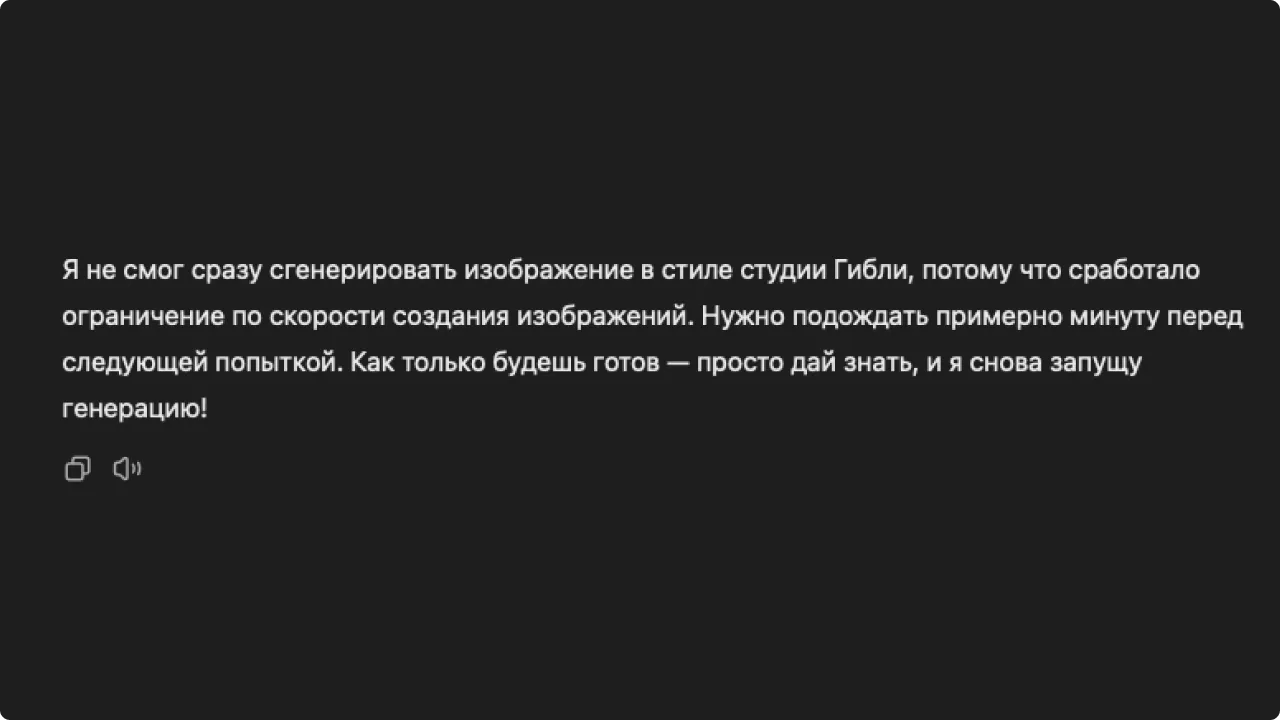
- Sometimes the neural network refuses to generate images in the style of famous franchises due to copyright issues. This is impossible to predict: for example, ChatGPT generates several images in the style of Studio Ghibli, and then suddenly remembers that they are protected by copyright.
- Overloaded servers prevent image creation from proceeding quickly. In some cases, the service asks you to take a 10-15 minute break — apparently so that others can also generate their own Simpsons-style avatar.
The Bottom Line
- OpenAI has updated its image generation feature in ChatGPT. Users loved the new options and capabilities, but not everyone can test the neural network.
- The updated generation feature is only available to ChatGPT Plus and Pro users.
- Even with a paid subscription, the service isn't always stable: there are too many users, and the servers can't handle the load.
- Using the generator in ChatGPT, users turn photos into stills from famous cartoons and transport celebrities to alternate universes.
Learn more about the world of code in our Telegram channel. Subscribe to stay up to date with interesting content and helpful tips!
Also read:
- Top 12 Free Neural Networks for Generating and Editing Images
- Neural Networks Are Out of Their Minds: AI Schizophrenics and Mentally Ill Chatbots
- Prompts for Neural Networks: How to Correctly Write Queries to ChatGPT and Other Neural Networks