

Where to start your IT career? Get a detailed guide for free on our Telegram channel! Click on the banner and visit the channel—you'll find the guide pinned.
Learn moreRandom access memory, also known as RAM (random access memory), plays a key role in how your computer operates. It stores executable machine code and the data programs currently need. Insufficient RAM can lead to system slowdowns and computer freezes. However, memory capacity isn't the only factor to consider when choosing RAM. It's also important to consider the memory speed, type, and compatibility with your motherboard. Choosing the right RAM can significantly improve your device's performance and ensure more stable program operation.
In this article, we'll discuss key aspects of the topic. We'll cover key concepts and points in detail to help you better understand the subject. We'll also provide helpful tips and tricks to help you apply your new knowledge effectively. Read on to delve deeper and discover new possibilities.
- What is RAM?
- What types of RAM are there?
- What characteristics does it have?
- How to choose RAM?
- What to remember about RAM?
What is RAM?
Random access memory, also known as random access memory (RAM), is a key computer component that temporarily stores executable machine code and data needed for processing by the processor. It ensures system performance, allowing programs and applications to run efficiently. RAM plays a vital role in overall computer performance, as the larger the RAM capacity, the more data and processes the system can process simultaneously.
Random-access memory (RAM) consists of memory chips that can be installed directly on the motherboard or on PCBs using the necessary SMD components. The former is often found in single-board computers and some laptops. In desktop computers, RAM is most often implemented as individual modules, which allows for easier memory replacement and upgrades. RAM plays a key role in computer performance, as it is responsible for temporarily storing data needed to perform current tasks and run programs.
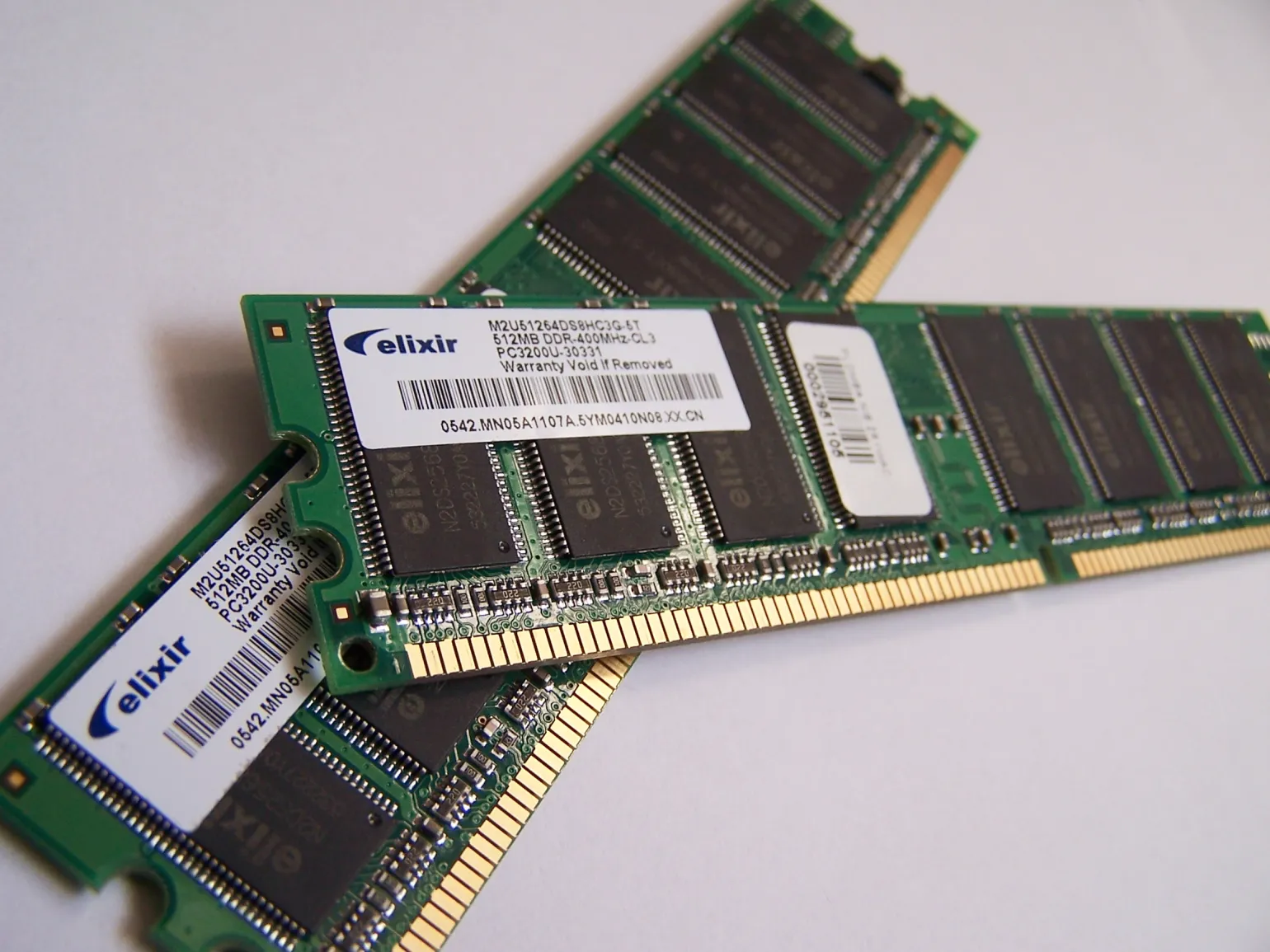
Random-access memory (RAM) significantly outperforms non-volatile storage devices such as hard drives and solid-state drives (SSDs) in terms of performance. For example, a modern M.2 NVMe SSD with a PCI-E 5.0 interface can transfer data at speeds of up to 15 GB/s. Meanwhile, DDR5 RAM, even at a minimum frequency of 4800 MHz, reaches a data transfer rate of 56 GB/s. This creates a 3.7-fold performance difference, highlighting the importance of RAM for the efficient operation of modern computers and their performance in tasks that require high data processing speeds.
The processor accesses RAM (RAM) to retrieve the necessary data, rather than non-volatile memory. If it interacted directly with an SSD or HDD, routine calculations would take significantly longer. RAM provides fast access to data, which allows the processor to efficiently perform tasks and improve overall system performance.
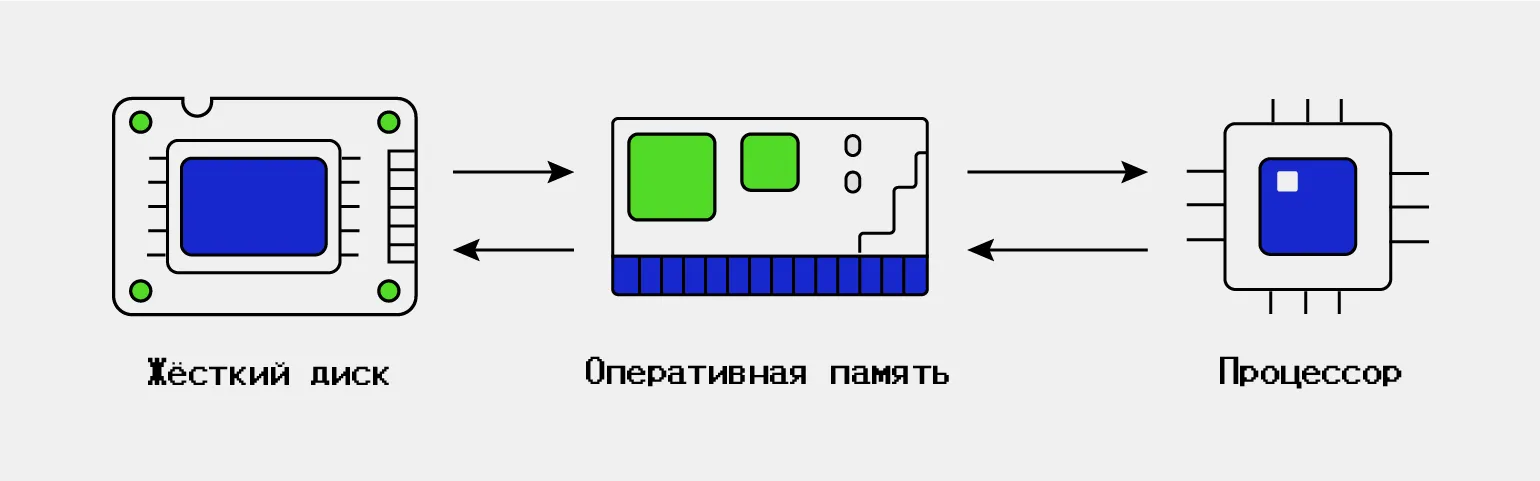
RAM acts as a link between the processor and persistent storage devices. It provides temporary storage for data and instructions needed to perform current tasks. This allows the processor to quickly access information, significantly speeding up data processing and improving overall system performance. Without RAM, a computer would run significantly slower, as the processor would not be able to effectively interact with slow storage devices.
When a program is closed, the operating system frees up the RAM it occupied, as the data is no longer required by the processor. This process frees up resources for other programs that the user may run in the future. Effective RAM management plays a key role in system performance, as it allows for the optimal distribution of resources between active applications and improves the overall user experience.
Random-access memory (RAM) differs from persistent storage devices such as hard drives, SSDs, and USB drives in that it is volatile. When the power is lost, such as when the computer is turned off, all information stored in RAM is erased. This makes RAM an important component for quickly accessing data while the system is running, but it is not intended for long-term information storage.
Types of RAM
RAM devices can be classified into two main types: SRAM and DRAM. These two types differ in the data storage technology they use. SRAM (static random-access memory) provides higher access speeds and is used primarily in processor caches. DRAM (dynamic random-access memory), on the other hand, is more common in modern computers and devices, as it offers higher storage density and is cost-effective, despite slow access times and the need for periodic data refreshes. Understanding the differences between SRAM and DRAM is important when choosing the right memory for specific applications and devices.
SRAM, or static random-access memory, is a type of memory that stores information in cells composed of 4-6 transistors and capacitors. In this design, the transistors form an electrical feedback loop, which maintains the cell's charge. Because of this, SRAM doesn't require external refresh to maintain its charge, making it faster and more reliable than other memory types. This type of memory is widely used in processor caches and other high-speed applications where data access speed is critical.
Dynamic random access memory (DRAM) is a vital component of modern computer systems. Each memory cell typically consists of a single transistor and a single capacitor. The capacitor in DRAM is small and discharges quickly, making it vulnerable to data loss. Memory refresh is required to prevent this. During this process, a dedicated microcontroller on the memory chips continuously refreshes the information in the cells, ensuring data retention. This makes DRAM an effective solution for storing temporary data in computers and other devices.
SRAM is faster than DRAM, but more expensive to produce. Therefore, SRAM is used in critically high-performance components, such as processor cache. Unlike SRAM, DRAM is more readily available and slower, but its speed is sufficient for the RAM of modern computers. Therefore, DRAM is most often used in RAM modules.
Random-access memory (RAM) is classified by form factor, and the modern standard is DIMM, which has replaced the outdated SIMM. In SIMM, contacts were arranged symmetrically in a single row, with closed contacts on opposite sides. In contrast, in DIMM, contacts are located on both sides and function independently of each other. This allows DIMM to provide higher data transfer rates. Currently, RAM with the SIMM form factor is practically never used and is not found in modern devices.
DIMM is a general name for a group of RAM modules used in desktop computers and servers. This memory is divided into three main subtypes. Each has its own characteristics and purposes, allowing users to choose the optimal option depending on the requirements of their system. Choosing the right DIMM memory type can significantly impact device performance and stability.
R-DIMM is server-grade RAM with a built-in mechanism for automatically detecting and correcting random bit errors. This technology ensures increased reliability and stability in server operations, which is critical for their functioning. R-DIMM typically operates at relatively low frequencies, as server environments prioritize hardware stability and fault tolerance over high processor data transfer rates. Using R-DIMM in server systems significantly reduces the risk of errors and ensures the smooth operation of mission-critical applications.
U-DIMM is a type of RAM designed for standard desktop computers. Unlike R-DIMM, U-DIMM lacks a buffer register and error correction. This makes it more affordable and suitable for a wider range of users. U-DIMM is often used in home and office systems, providing sufficient performance for everyday tasks.
SO-DIMM is a type of RAM similar to U-DIMM, but with a smaller footprint. This type of memory is widely used in laptops and mini PCs, as well as, although less commonly, in desktop computers with Mini-ITX motherboards. Thanks to its compact size, SO-DIMM allows for efficient use of space inside devices, providing high performance and optimized power consumption.
RAM Characteristics
Now that we've covered the different types of RAM, let's look at its key characteristics: memory type, capacity, clock speed, and timings. Understanding these parameters will help you choose the optimal RAM for your needs, whether it's for gaming, graphics work, or office tasks. Choosing the right RAM can significantly impact your computer's performance.
Random-access memory (RAM) plays a key role in your computer's performance because it stores the machine code being executed and the data the processor currently needs. This avoids accessing slower permanent storage devices, such as the hard drive, significantly speeding up command execution and improving overall system performance. Efficient RAM ensures fast data processing and improves application responsiveness, which is especially important for resource-intensive tasks and multitasking.
The amount of RAM plays a key role in your computer's performance. When the data needed by the processor doesn't fit in RAM, it must read information from permanent memory. This leads to significant delays in command execution and slows down the system. To ensure your computer runs quickly and efficiently, it's important to optimize the use of RAM and ensure it has sufficient capacity.
Random-access memory (RAM) is measured in gigabytes, and the more it has, the more efficiently your computer runs. Today, the minimum amount of RAM for a home computer is 8 GB. This value is sufficient for basic tasks, such as working with text documents and web surfing. However, for more resource-intensive applications, such as video editing or gaming, at least 16 GB is recommended. Increasing RAM can significantly improve system performance and multitasking, which is especially important in today's computing environment.
The memory type used in modern random-access memory (RAM) is DDR (double data rate). This standard, introduced in 2000, remains relevant and in demand in the market. DDR provides high performance and data transfer efficiency, making it an ideal choice for modern computers and other devices. Through its evolution, including newer versions such as DDR2, DDR3, and DDR4, this memory standard continues to evolve, offering users ever-higher speeds and reduced power consumption.
The predecessor of DDR is SDR (single data rate), which operated as follows: a command was read at the moment of charge transition from 0 to 1. In DDR, the operating scheme was changed: now not only transitions from 0 to 1 are taken into account, but also reverse transitions from 1 to 0. This allows DDR to process two signals in the same period of time, unlike SDR, which processes only one signal. Thanks to this modernization, the data transfer rate doubled, which gave this type of memory its name. DDR significantly improves the overall performance of systems, making it the preferred choice for modern computer architectures.
DDR includes five generations, each of which is designated by its own number in the name of the memory type. These generations differ in the maximum memory capacity on a single die and the base frequency. Each new generation offers improved characteristics, enabling higher performance and system efficiency. The optimal choice of DDR memory type depends on the requirements of a specific device and its intended use.
RAM modules of different generations are not compatible with each other. This means that you cannot install a DDR3 module in a slot designed for DDR4. Be sure to take this into account when choosing components for your computer to avoid compatibility issues and ensure stable system operation.
The clock frequency of random access memory (RAM) indicates the number of operations it can perform in one second. A higher clock frequency means increased memory bandwidth, which has a positive effect on overall system performance. Optimizing the RAM clock frequency can significantly improve data processing efficiency and application performance.
The clock frequency of RAM depends on its generation. For DDR4, the standard figure is 2133 MHz. Some users try to increase this frequency through overclocking, similar to overclocking processors. For example, DDR4 can be overclocked to 3200 MHz, which increases the clock rate by almost 30%. However, it's important to keep in mind that overclocking on your own can lead to system instability and even RAM failure. Therefore, it's important to understand your capabilities and the risks associated with overclocking.
Some RAM modules may feature the designation XMP. XMP, or Extreme Memory Profiles, is a technology that allows manufacturers to pre-install a profile into the RAM controller, allowing the user to increase the memory frequency beyond the standard values specified in JEDEC specifications. XMP mode can be enabled through the computer's BIOS settings. Information on how to activate XMP is usually included in the RAM module's manual. Using this technology can significantly improve system performance, which is especially important for gamers and professionals working with resource-intensive applications.
Manufacturers of XMP-enabled modules perform factory overclocking and stability testing, significantly reducing the risk of failure. Unlike devices not designed for overclocking, these memory modules ensure reliability and high performance. Selecting XMP-enabled memory ensures optimized system performance and component longevity.
RAM timings represent the latency between sending a command and its actual execution, measured in clock cycles. To fully understand this concept, it is necessary to examine the physical structure of RAM. Timings play a key role in overall system performance, as they determine how quickly the memory can process requests. The lower the timings, the faster the RAM executes commands, which can significantly improve computer efficiency. Understanding these characteristics will help optimize the selection and configuration of RAM for maximum performance.
Data in RAM is stored as a table consisting of rows and columns. At the intersection of these rows and columns are cells, each of which contains a charge representing the physical form of a bit. When a command is received to read or write data, the RAM chip begins the process of searching for the necessary information by iterating through the rows of the table. This process is accomplished using cycles, or "steps." The number of steps required to reach the desired row and column determines the timing, or delay time between the command being sent from the RAM chip and its execution. Understanding these processes is important for optimizing your computer and improving its performance.
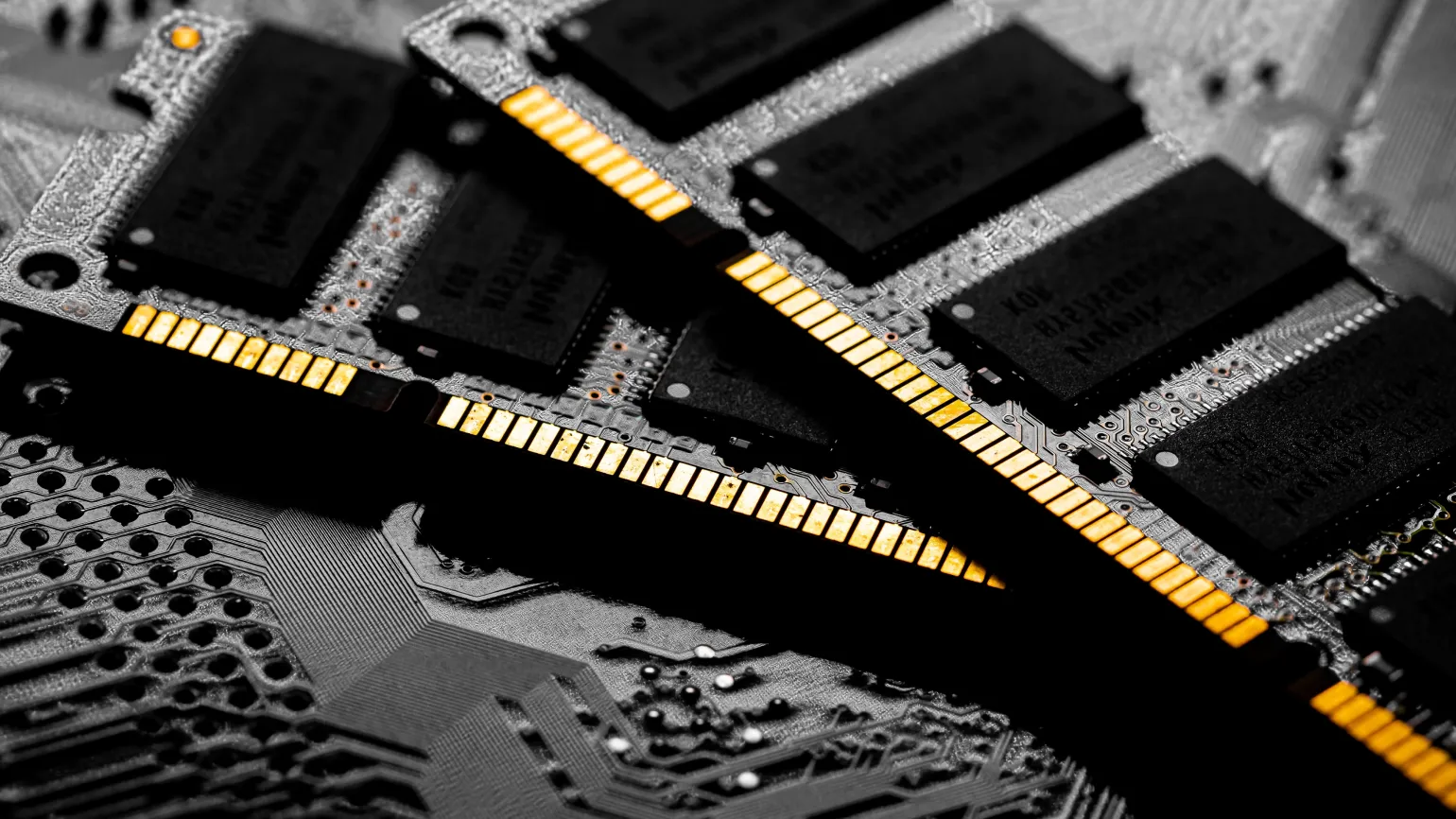
RAM specifications may vary Depending on the manufacturer or store, they may contain one or four numbers. These timings indicate the speed of various processes accessing data stored in memory cells. The first number is the most important, so timings are usually designated by its value. For example, RAM modules may be marked 14-16-16-35 or simply CL14, which in both cases means "timing fourteen." Choosing the right timings can significantly impact overall system performance. The numbers in this row have their own meaning and can be interpreted in various contexts. They can represent data, statistics, code values, or other important indicators. It is important to understand that each number can carry information that aids in analysis and decision making. Understanding the meaning of the numbers allows you to better understand the data presented and make informed decisions based on it.
CAS latency (CL) is a key parameter that determines the number of clock cycles required to execute a command after it is sent. This metric directly impacts RAM performance, as the lower the CL value, the faster data processing. Optimizing CAS latency plays a vital role in ensuring high system performance and improving application responsiveness. When choosing RAM, it is important to consider CAS latency, especially for tasks that require high information processing speeds, such as games and resource-intensive applications.
RAS to CAS latency is the number of clock cycles required to move from a selected row to the desired column in memory. This metric plays a key role in RAM performance, as it determines data access speed. The lower the RAS to CAS latency value, the faster information is retrieved from memory, which is especially important for high-performance computing tasks and games. Optimizing RAS to CAS latency can significantly improve overall system performance, which is an important consideration when choosing components for a computer.
RAS precharge is the number of clock cycles required to complete the current row before moving to the next row in RAM. This parameter plays a key role in memory performance, as it affects the speed of data access. Optimizing RAS precharge can significantly improve overall system efficiency, especially in tasks that require high memory bandwidth. Understanding this parameter helps developers and system administrators better configure hardware for maximum performance.
Row activate time is the number of clock cycles required to complete work with a specific row of memory. This parameter is critical for RAM performance, as it determines how long it takes to activate a row before performing read or write operations. Optimizing row activate time can improve system performance and increase overall data processing efficiency. Proper understanding and managing this time can significantly impact the performance of computing processes.
Low timings in RAM contribute to improved performance. When comparing two RAM sticks with the same frequency, the one with lower timings should be preferred. This is because lower timings allow RAM to process data faster, which in turn improves overall system efficiency. Choosing RAM with optimal timings can significantly impact performance in games and resource-intensive applications.
How to Choose RAM
When choosing RAM, consider compatibility with the installed processor and motherboard models. It is also important to pay attention to support for dual-channel mode, which can significantly improve system performance. Let's consider the key aspects influencing the choice of RAM.
Each processor is equipped with a RAM controller, which determines compatibility with different types of RAM. Ignoring this aspect may result in the purchased RAM stick not functioning in your computer. Therefore, it is important to check the processor specifications and compatible RAM formats in advance to avoid installation issues and ensure optimal system performance.
The RAM controller usually supports one, rarely two, DDR standards. When choosing RAM, it is important to focus on the most current type compatible with your processor. This will ensure optimal system performance and avoid compatibility issues.
If you are planning to build a computer with an inexpensive Ryzen 5 5600 processor, it is important to keep in mind that, according to the documentation, it supports DDR4 memory with a maximum frequency of 3200 MHz. Therefore, for optimal performance, any RAM with these characteristics will be suitable, for example, the AMD Radeon R7 Performance Series and its equivalent models. Choosing the right RAM will ensure the stability and performance of your system, which is especially important for budget builds.
The motherboard has memory slots, and it's important to note that they are only compatible with certain DDR generations. For example, a DDR3 slot cannot accommodate a DDR4 module, and vice versa. Therefore, before upgrading your computer's RAM, we recommend carefully reading your motherboard manual to determine which generations of RAM are supported. This will help you avoid mistakes when choosing new modules and ensure optimal system performance.
It's important to remember that when choosing RAM, lower timings are usually preferable. However, you shouldn't aim for the lowest values, such as CL14 for DDR4, as the performance difference between CL14, CL16, and CL18 timings is insignificant. However, the cost can vary significantly. For example, if you compare 16GB DDR4 modules with a frequency of 3200 MHz, a configuration with CL16 timings will cost around 7,500 rubles, while a model with CL14 can cost as little as 20,500 rubles. Therefore, a wise choice of timings can help optimize costs without a significant loss in performance.
Despite affordable prices, it is recommended to avoid using DDR4 RAM with timings of CL20 and higher. Such parameters can cause lag when playing modern video games and also complicate working with large projects in integrated development environments (IDEs) and video editing programs. Choosing RAM with lower timings will ensure stable performance and comfortable use of resource-intensive applications.
DDR5 memory differs from DDR4 not only in its high performance, but also in its higher timings. For example, the optimal timing value for DDR5 is 30. This is because DDR5 has a higher base frequency than DDR4, ensuring high performance despite the higher timings. Therefore, it is important to understand that comparing timings across different generations of RAM is inaccurate, as they have different architectural features and performance.
Volume is a concept that encompasses many aspects. In physics, volume refers to the space occupied by an object and is measured in cubic units. In business, volume can refer to the number of goods produced or sold in a given period. In the context of data, information volume can refer to the amount of data stored or processed. Understanding volume in various fields allows for more accurate resource assessment and informed decision-making. Optimizing storage capacity improves process efficiency, whether in manufacturing, sales, or data management.
- 8 GB is the minimum required for web surfing, office work, and undemanding gaming;
- 16 GB is sufficient for gaming and simple video editing and 3D graphics projects;
- 32 GB or more is suitable for serious tasks such as editing 4K and 8K video with numerous effects or for professional 3D modeling.
RAM can be accelerated by installing two or more memory modules simultaneously. This activates dual-channel mode, which parallelizes information exchange with the processor. As a result, memory bandwidth can double, significantly improving overall computer performance. The specific bandwidth gain depends on the motherboard specifications and the RAM used. Installing multiple RAM strips not only improves data processing speed, but also contributes to more efficient operation of the system as a whole.
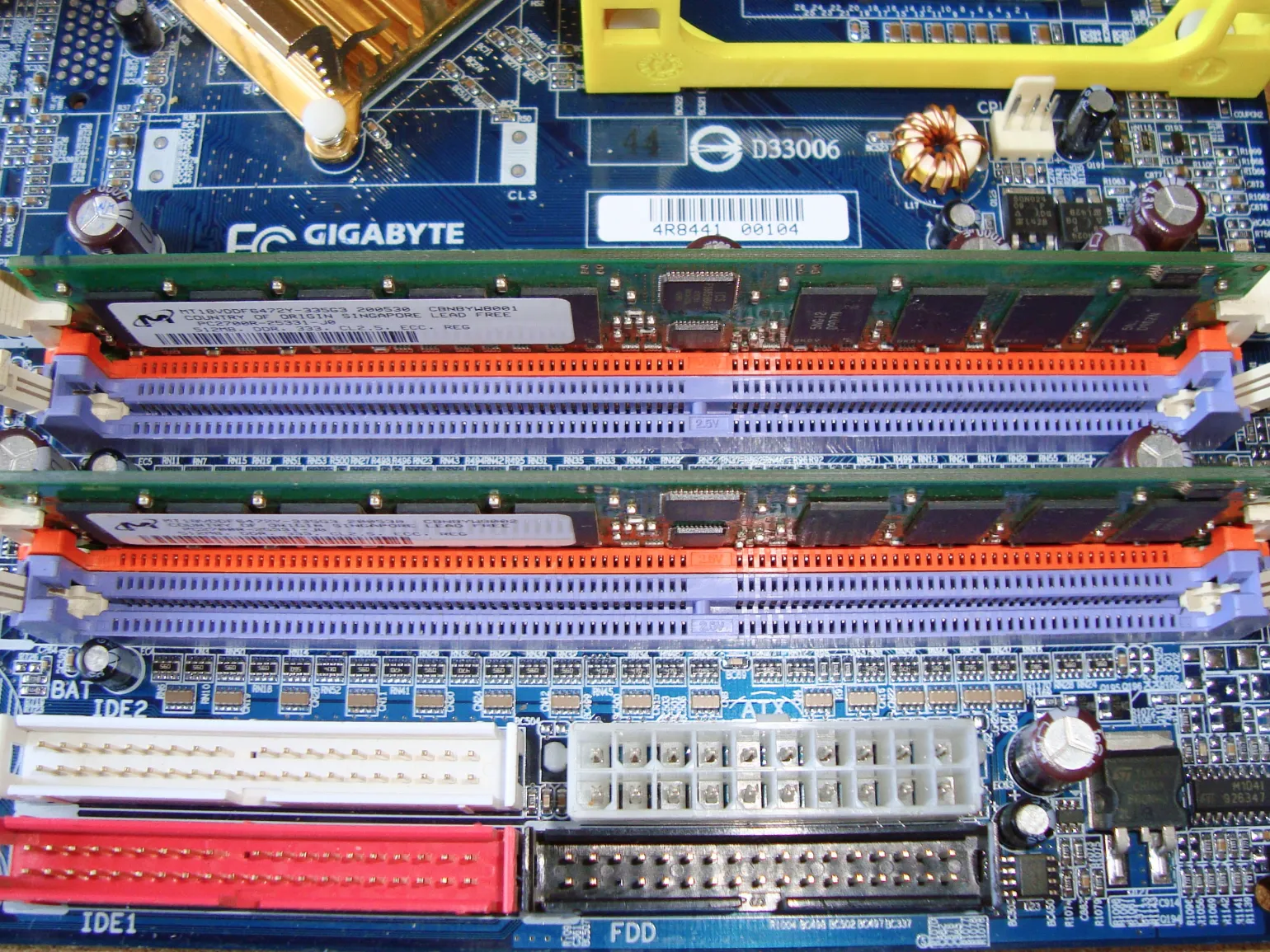
To correctly install and enable dual-channel memory, it is important to refer to your motherboard manual. This guide will provide information on which slots to install memory modules into to enable dual-channel mode. Following these recommendations will ensure optimal system performance and improve data processing speed.
What to Remember
This article discusses key aspects of the topic, including the main ideas and conclusions. It focuses on the importance of the presented data and its practical application. The advantages and disadvantages of different approaches are considered, as well as recommendations for using the information effectively. It also highlights how this knowledge can help solve current problems and improve results. In summary, the article offers readers valuable insights and practical advice that can be useful in their professional work.
- RAM, or random access memory, contains only the information necessary for the current operation of the operating system and running programs. This is a type of memory designed to quickly transfer data to the processor for processing.
- The DDR standard denotes a generation of RAM. The most modern are DDR4 and DDR5.
- RAM capacity is an indicator of how much data it can store and transfer to the processor. The larger the capacity, the lower the chance of program or game freezing.
- RAM clock speed determines how many operations per second the RAM can perform. The higher it is, the higher the memory bandwidth.
- RAM timings show the delay between sending a command and its actual execution, measured in cycles. The lower they are, the faster the RAM works.
- When choosing RAM for your computer, you need to pay attention to the motherboard and processor model, the required capacity and timings, as well as the module's ability to operate in dual-channel mode.
Learn more about coding and programming in our Telegram channel. Subscribe and stay up-to-date with the latest news and useful materials.
Reading is an important part of our lives, and it opens up many opportunities. Regular reading helps develop thinking, enriches vocabulary, and improves writing skills. Books, articles, and blogs allow us to gain new knowledge and expand our horizons. It is important to choose high-quality sources of information to get the most out of what you read. Don't forget that reading also helps strengthen concentration and attention. Create a habit of setting aside time for reading, and you will notice how it affects your overall development and success in life.
- Dictionaries in Python: What You Need to Know and How to Use
- The History of Chatbots: From Shoebox to ChatGPT
- String Methods and Functions in Python
Cybersecurity Specialist Profession
You will develop analytical thinking, learn to search for vulnerabilities and ensure the security of IT systems. Master an in-demand profession even with zero IT experience. The course program is the most comprehensive on the market!
Find out more