Contents:
Why Python is Used for Game Development
Python is often chosen for game development. The reason is the simplicity of the programming language. For example, this is what the code for outputting the string "Hello, world!" looks like. in C++:
#include <iostream>
int main() {
std::cout << «Hello, World!» << std::endl;
return 0;
}
And in Python:
print(‘Hello, world!’)
Python allows you to create simple and complex games. Beginners will appreciate that the language is easy to understand and use. With ready-made libraries, you can quickly implement ideas and develop projects.
💡 A libraryis pre-written code that makes developers' work easier and faster. The most popular libraries for creating games are Pygame and PyOpenGL.

Learn how to write a Telegram bot for a travel agency and start a career in development with the course "Python. Basic»
Learn moreIt happened historically
The release of Pygame marked the beginning of game creation in Python. Pygame is a library developed by programmer Pete Shinners in the early 2000s.
Pete's goal was to create a simple but powerful tool for everyone. He wanted developers and novice hobbyists to easily create games and multimedia applications without diving deep into the details of graphical programming.
Now Pygame helps create games in Python. Mainly used for developing simple 2D platformers.
💡 2D platformeris a game. Its main mechanic is jumping on different platforms. 2D means that all objects in the game are two-dimensional, that is, flat. The most popular project of the genre is Super Mario Bros.
With the development of technology, more powerful and convenient frameworks have emerged. One of them is Panda3D. The tool allows you to create 3D games.
💡3D gamesare games whose space is built from volumetric objects.
The next important step was the emergence of the Godot Engine, which supports Python through GDScript. The language made game creation even more accessible.
💡 GDScript is a programming language similar to Python.
💡 Game engine is the "foundation" of the game. Thanks to the engine, the developer does not need to write physics or interactions with objects in the code themselves. This can be done in the engine interface.
A Brief Overview of All Libraries and Frameworks for Games
Libraries and frameworks help create programs from ready-made components and tools. Solutions for working with graphics, sound, controls, and other game elements help developers out.
💡 A framework is a set of tools that serve as the basis of a program. In game development, tools help create an entire game, organize its structure, and manage its components.
Let's look at the main libraries and frameworks for games in Python:
- Pygame.Imagine drawing a picture on a computer. Pygame is like a set of paints and brushes that allow you to create images and animations. This library is focused on creating simple 2D games with graphics and sound.
- Panda3D. A set of tools for creating 3D models and scenes. The framework is suitable for creating 3D games with realistic graphics.
- Arcade. A library for creating 2D games, helps you quickly create games with simple graphics and animation.
- Godot. A game engine that can be used to create games in various programming languages, including Python. With its help, you can create a game of any type: from a 2D platformer to a 3D shooter.
By what criteria did the editors of Skillbox.by select games?
✅ Popularity. The game should be known to at least several thousand players.
✅ Innovation. The game should be different from others. For example, with interesting ideas, mechanics or graphics.
✅ Quality of implementation. The game must be stable, bug-free, and optimized.
✅ Player Reviews. User reviews on Steam and other game stores help us understand how much the audience likes the game and whether it has any downsides.
6 Best Python Games
No. 1. Vampires: the masquerade bloodline
In the game, the developers used a game engine written in the Python programming language.
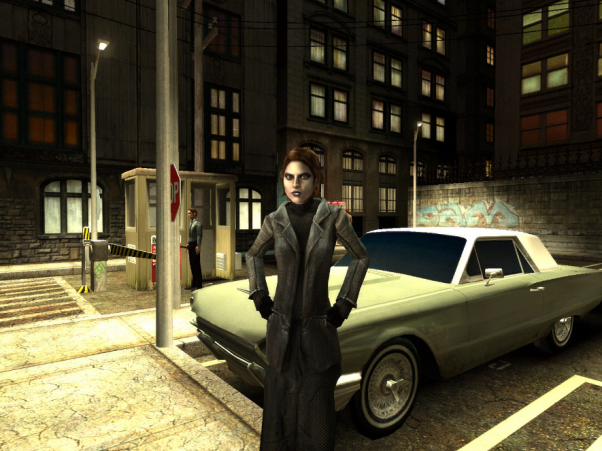
This is a large-scale RPG with an open world. The plot begins in Vegas. Here, the main character dies and comes back to life as a vampire. The player must complete missions and progress through a larger plot.
The controls are standard: WASD controls movement, the mouse controls camera rotation, and the left mouse button controls attack.
💡 RPG is a genre of games in which the player character is described by numerical characteristics. For example, strength, endurance, and health. These can be upgraded during the game.
№2. EVE Online
EVE Online is an online game about space and battles in it. Most of the code of this game is written in Python. The game galaxy contains more than seven thousand star systems. Here, users can join guilds, build their fleet, trade and capture other people's ships.
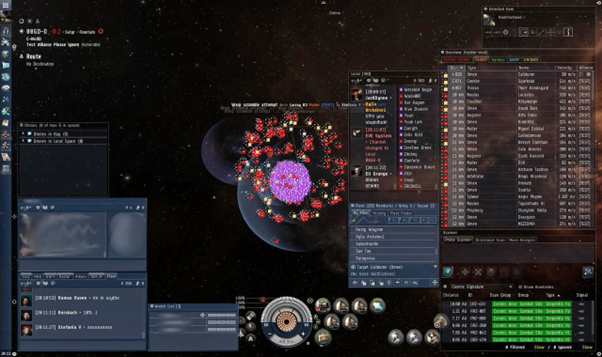
The main feature is one common server for all players. This allows 15-50 thousand users to connect simultaneously. The record is 65,303 players.
The game economy depends entirely on the players themselves. Exchange rates and commodity prices are formed by supply and demand. Just like in real life.
No. 3. MonkeyType
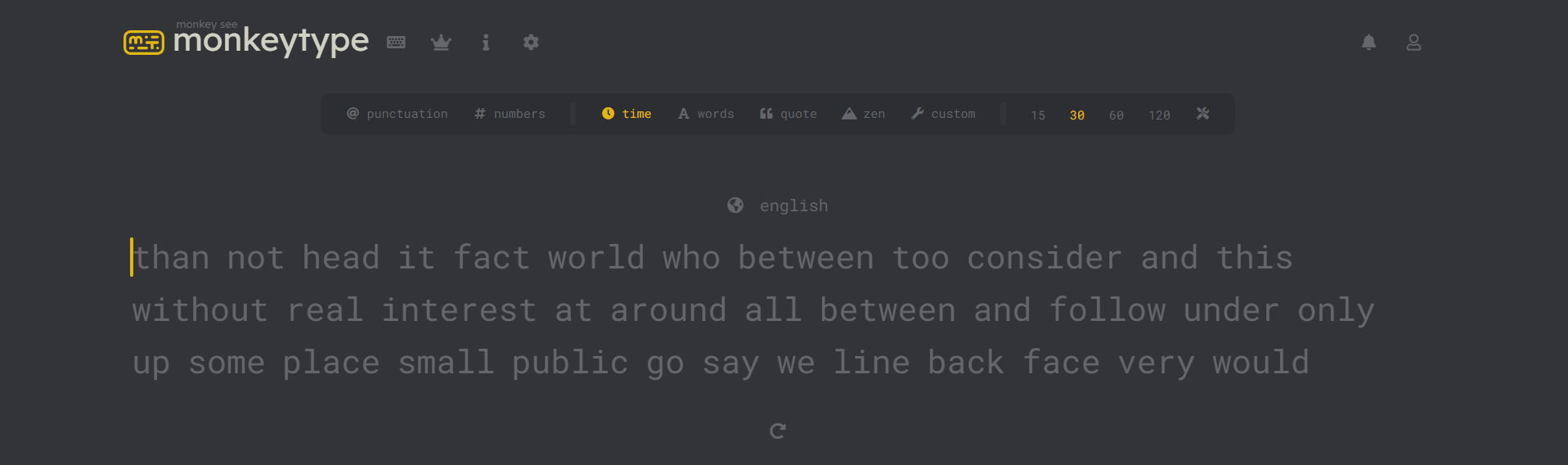
A game to train your typing speed. Choose a language, type words on the screen, and then see the result.
№4. Battlefield 2
Battlefield is a well-known game series created by DICE and published by EA.
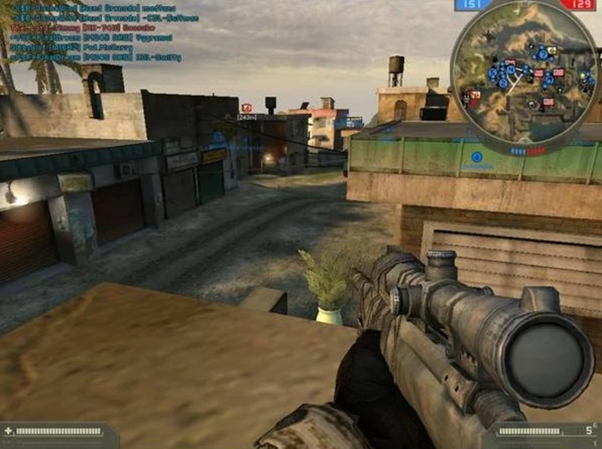
Battlefield 2 was released in 2005. Most of the Battlefield 2 code, including add-ons, is written in Python.
The gist is this: the player controls a soldier during a fictional war between different countries. Events unfold in a devastated country.
Move the character with WASD, and jump with Space. The mouse is responsible for turning the camera in the game: the right mouse button is to aim, the left one is to shoot.
№ 5. Mount and Blade
Mount and Blade combines action and role-playing. The plot is built on strategic gameplay - the user is like playing chess, but with warriors instead of pieces. The action takes place in the Middle Ages, in the fictional country of Calradia. The player becomes a warrior and sets off on a journey.
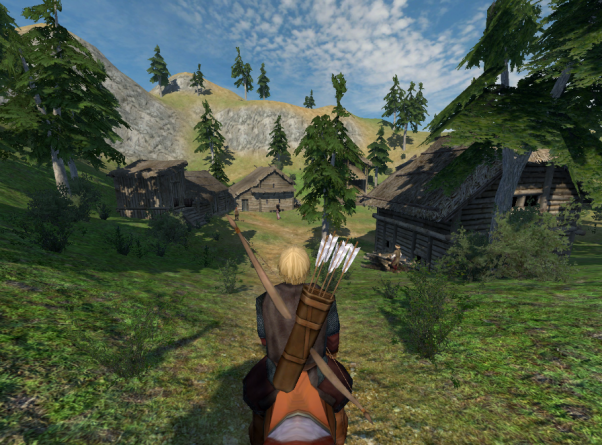
The movement of the squad around the game world and trading take place on the map. In battle, the player controls one character in real time.
WASD — for movement, mouse — for camera rotation and attacks. All scripts for this game are written in Python.
№ 6. Star Pusher
A simple puzzle game in which the player moves stars to their corresponding slots.
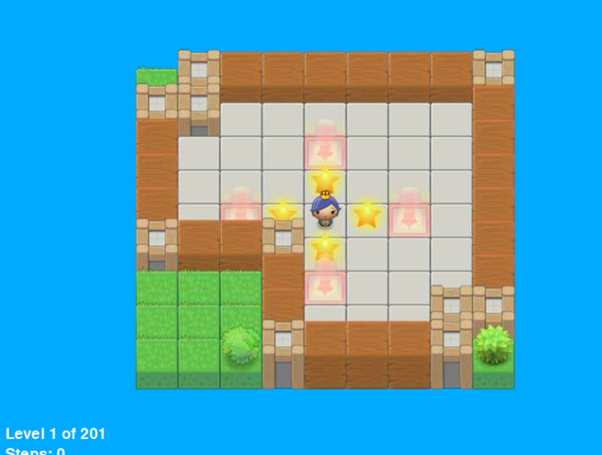
Control the camera with WASD, change characters by pressing the P key. The source code can be viewed directly in the game at the link.
Pros and cons of game development in Python
The editors of Skillbox.by studied the games and highlighted the pros of development in Python:
- Simple syntax. Python is a programming language with a simple syntax that resembles plain English.
- Large community. Python has a huge community of developers—about 12 million programmers as of 2021. This means there is a lot of material online that can solve any problem. There are also people ready to help beginners.
- Game libraries. Python has 10+ libraries specifically designed for game development.
- Fast results. With Python, you can quickly create game prototypes, test them, and get the results of your work.
But it’s not without its drawbacks:
- Performance. Python is an interpreted language, which makes it slower than compiled languages, such as C++.
💡An interpreted languageis a programming language in which code is executed line by line using a special interpreter program, rather than being translated directly into machine code. This makes it flexible and convenient for debugging and rapid prototyping. But because of this, it can run slower compared to compiled languages, such as C++.
In compiled languages, all code is first translated into machine code, which allows it to run significantly faster.
- Graphics limitations.Python is not as well suited for creating 3D graphics as the languages used in large game studios. For example, C# or C++.
Useful materials from the editors of Skillbox.by
Python is used to create various games. Everyone can work with it: beginners and experienced developers. It is easy to learn, there are many useful libraries and tools for game development.
For those who have decided to become a Python developer, the Skillbox.by editorial team has collected useful materials and resources for learning the language.
References:
- "Learning Python" by Mark Lutz is a book for those who are just starting their journey in development.
- "Python. To the Heights of Mastery" by Luciano Ramalho is for experienced specialists.
Telegram channels:
- Python Resources — an English-language channel where books, videos, and documentation are published.
- Python: tasks and questions — various tasks and questions for practicing skills.
- Python Books. Books on Python — the channel publishes books for Python developers.
- Python Job | Vacancies | Internships — vacancies for Python specialists.
- Python Interview Questions with Answers — popular interview questions and tasks are collected and published here.
Master the profession "Python developer" with Skillbox
You will learn the basics of working with Python. Improve your Python developer skills: working with external messenger APIs, the Git version control system, web layout, working with the Django framework. Get help with employment and a job at your dream company.
Remove access