Course with employment: "The profession of a methodologist from scratch to PRO"
Find out moreHeyzine
The free plan has limitations: the user can add up to 5 books to one account and get 1 GB of storage space.
The interface is not available in Russian.
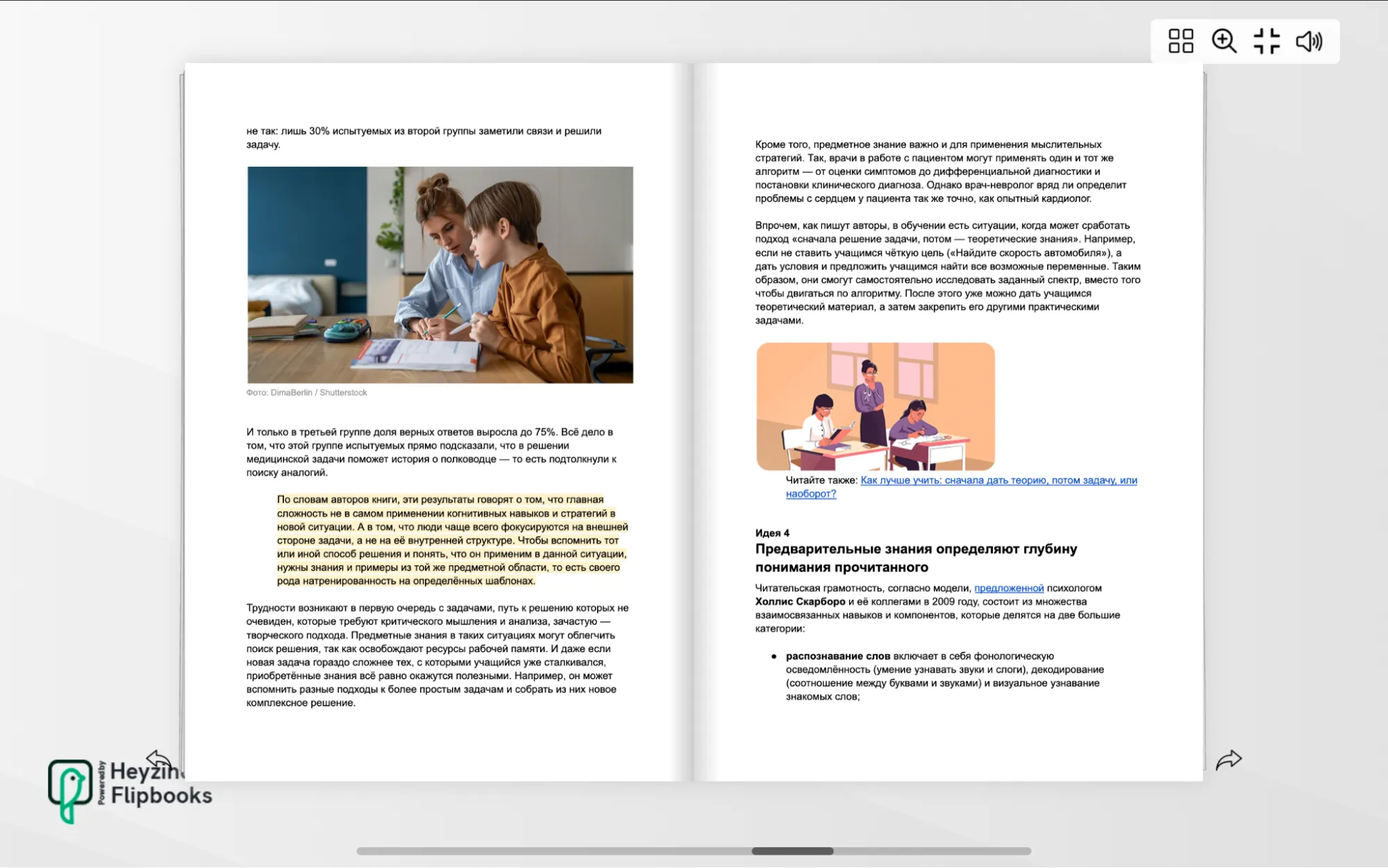
With the free plan, Heyzine allows you to create up to five flipbooks with an unlimited number of pages, without watermarks or advertising. Heyzine converts uploaded files into interactive books, supporting PDF, PPTX, DOCX, ODT, XML, and other formats. Flipbooks can accommodate multimedia, including static images, GIFs, videos (both user-uploaded and from YouTube or Vimeo links), audio, and external web content, which can be embedded via a direct link or HTML code. Although Heyzine doesn't offer built-in tools for creating tests and surveys, users can add exercises or quizzes developed in other services to their flipbook pages. This makes the platform a versatile tool for creating interactive content suitable for educational and advertising purposes.
The Link tool allows you to make any part of your book interactive. To do this, select the desired section of text on the page and choose the action to perform when clicked. You can set up a link to a specific page or external site, enlarge the selected area, and create a pop-up window with an image, video, or web resource. Using this tool significantly improves interaction with content and makes reading more engaging.
A flipbook created in Heyzine offers a variety of display options, allowing it to be adapted to any user's needs. It can appear as a hardcover book, a magazine, a notebook with rounded corners, a set of slides or cards, or as a single page where the content changes when "flipped." By default, the flipbook automatically adapts to the user's device: laptops display full spreads, and smartphones display a single page. However, users can choose a single display format for all devices, providing flexibility and maximum convenience for readers.
The finished document is accessible to readers via a link or QR code, and can also be embedded on your website or learning management system (LMS). It is possible to protect the document with a password—either a single one for all users or a unique one for each user. However, downloading the flipbook for offline reading is not possible with the free plan. Analytics showing how users interact with content are only available with a paid subscription.
Visual Paradigm
The free plan has certain limitations: you can store up to 5 books per account, and 1 GB of storage is available. These options allow users to effectively manage their content, but for more extensive use, it is recommended to consider paid plans that offer advanced features and increased storage.
The interface is not available in Russian.

Visual Paradigm is a powerful suite of tools that covers design, analytics, and project management, aimed at the corporate sector. Its capabilities include online services available on more flexible terms, including a flipbook builder. This tool allows users to create interactive digital publications, making it an ideal solution for presentations, marketing materials, and educational projects. Visual Paradigm provides an intuitive interface and a wide range of functionality, making it an attractive choice for businesses looking to optimize design and communication processes.
You can create an interactive book in three ways: upload a document (supported formats include PDF, DOCX, PPTX, ePub, FB2, and others), use a ready-made template, or start from scratch. The free version offers a variety of templates, including simple brochures, catalogs, and multi-page manuals. This makes it easy and quick to create unique content suitable for a variety of purposes and audiences.
The flipbook creation service allows users to edit text blocks, including removing them completely. You can add multimedia content such as photos, illustrations, YouTube or Vimeo videos, as well as diagrams and tables. Clickable icons and the ability to upload files directly from a device or via external links are also available. Users can also draw on the flipbook pages using both freehand drawing and pre-made geometric shapes. The display settings allow you to adjust the speed and direction of page turns, making the process interactive and tailored to your needs.
To effectively distribute the book to readers, simply send them a link or QR code, or embed the flipbook on a website or learning management system (LMS). When viewing the material, a presentation mode with a pointer and drawing tools is available, making the process more interactive. Additionally, you can download the finished flipbook for offline viewing. Please note that password protection is only available on paid plans, providing additional security for your content.
Book Creator
The free plan has certain limitations. You can store up to 40 books on a single account. In addition, the available number of page templates is limited, and not all platform features will be available for use.
The interface is not available in Russian.
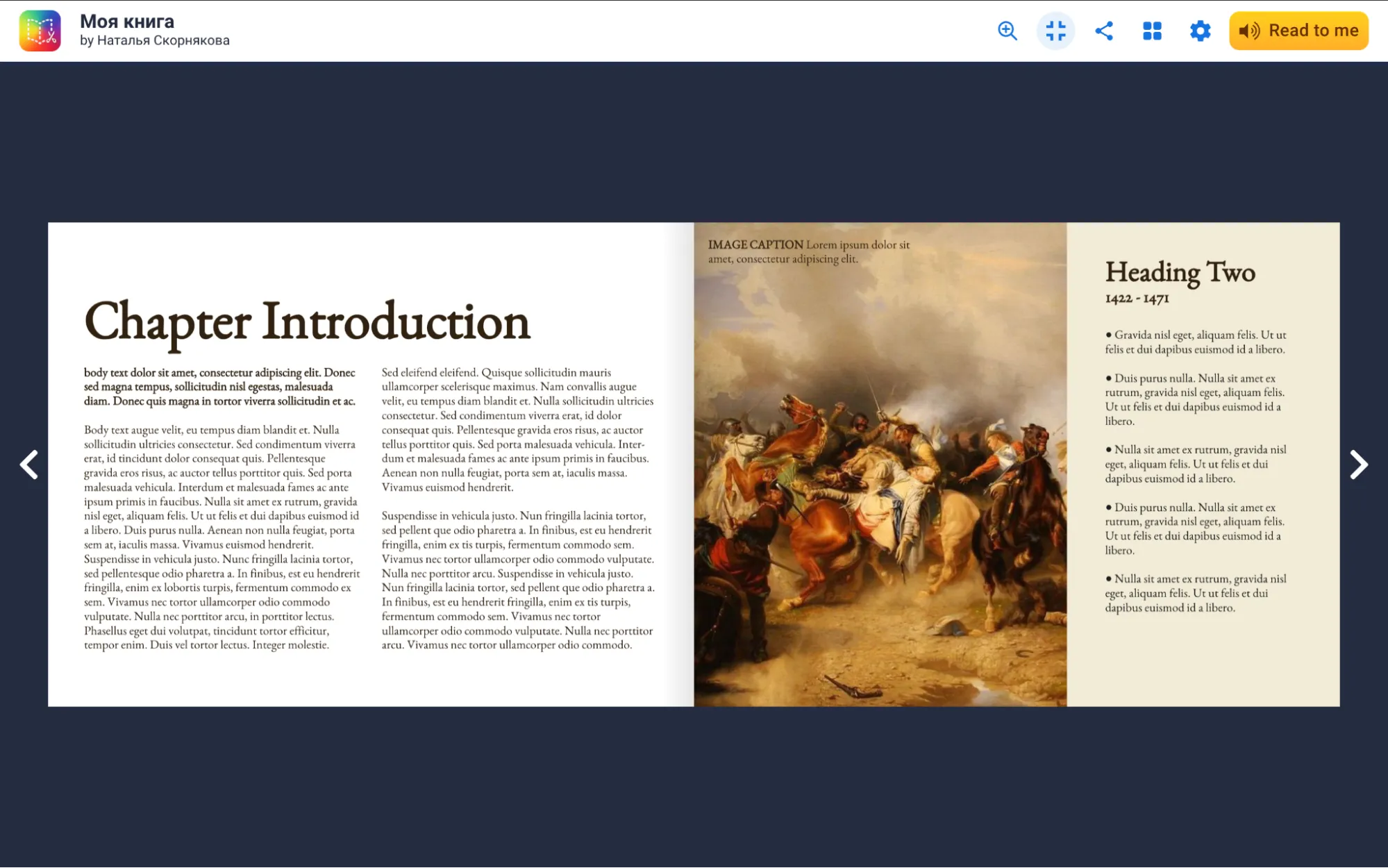
A powerful tool with an intuitive interface that's easy to master, even for those familiar with PowerPoint presentations, Book Creator is easy to learn. To get started, choose the format of your future book: standard, square, or landscape, and use ready-made templates. For example, you can create a flipbook with a newspaper layout or a comic book, customizing the frame arrangement to suit your needs. The simple creation process and diverse features make Book Creator an ideal choice for authors, educators, and anyone who strives for creative expression.
Two main buttons in the menu are available for filling pages with content. The first button allows you to add text to the book, including voice input in Russian. Users can also integrate images, videos, or webcam selfies, upload files, and embed materials from external resources. Geometric shapes and icons, as well as drawing tools, are also available. The second button is used to customize selected elements, including making images clickable, organizing images into layers, formatting text, and choosing a page background. These features provide flexibility and convenience in creating visually appealing content.
Book Creator offers the ability to create flipbooks from PDF documents, but it should be noted that editing the contents of these files is not possible. PDF pages are loaded into the application as images, which limits modification options. This makes Book Creator a convenient tool for visually presenting information, but it is not suitable for those seeking the ability to edit text content.
To share a book, it must be published. This can be done by choosing between access via a link or public access with search engine indexing. After publishing, simply provide students with a link or QR code. When viewing the book, users can customize the display mode - by page or spreads, activate automatic page turning, and use the robotic text-to-speech functions with Russian language support. You can also download the book in ePub format for easy offline reading.
Fleepit
The free plan has certain limitations. Users can create an unlimited number of books, but access to advanced features is limited. Also, when using the service, advertising may be displayed while browsing.
The interface does not support the Russian language.

Fleepit is a minimalist online service that allows users to upload PDF, DOC, and PPT files and convert them into interactive books. The service also supports PNG and JPG images, combining them into a single flipbook. However, Fleepit's functionality is limited: the free plan doesn't allow editing content or adding multimedia or interactive elements. However, users can customize the book's appearance by choosing a background image and interface color, as well as disabling shadow effects. Fleepit is ideal for creating simple interactive publications, but more complex projects may require a different tool.
The only option for distributing a book is by sharing a link with readers. If necessary, you can set a password to restrict access, and also allow or deny downloading of the book in PDF format.
OurBoox
The free plan has certain limitations: users can upload no more than three books per account, access to the full set of editor functions is limited, and ads are displayed periodically.
The interface is not available in Russian.
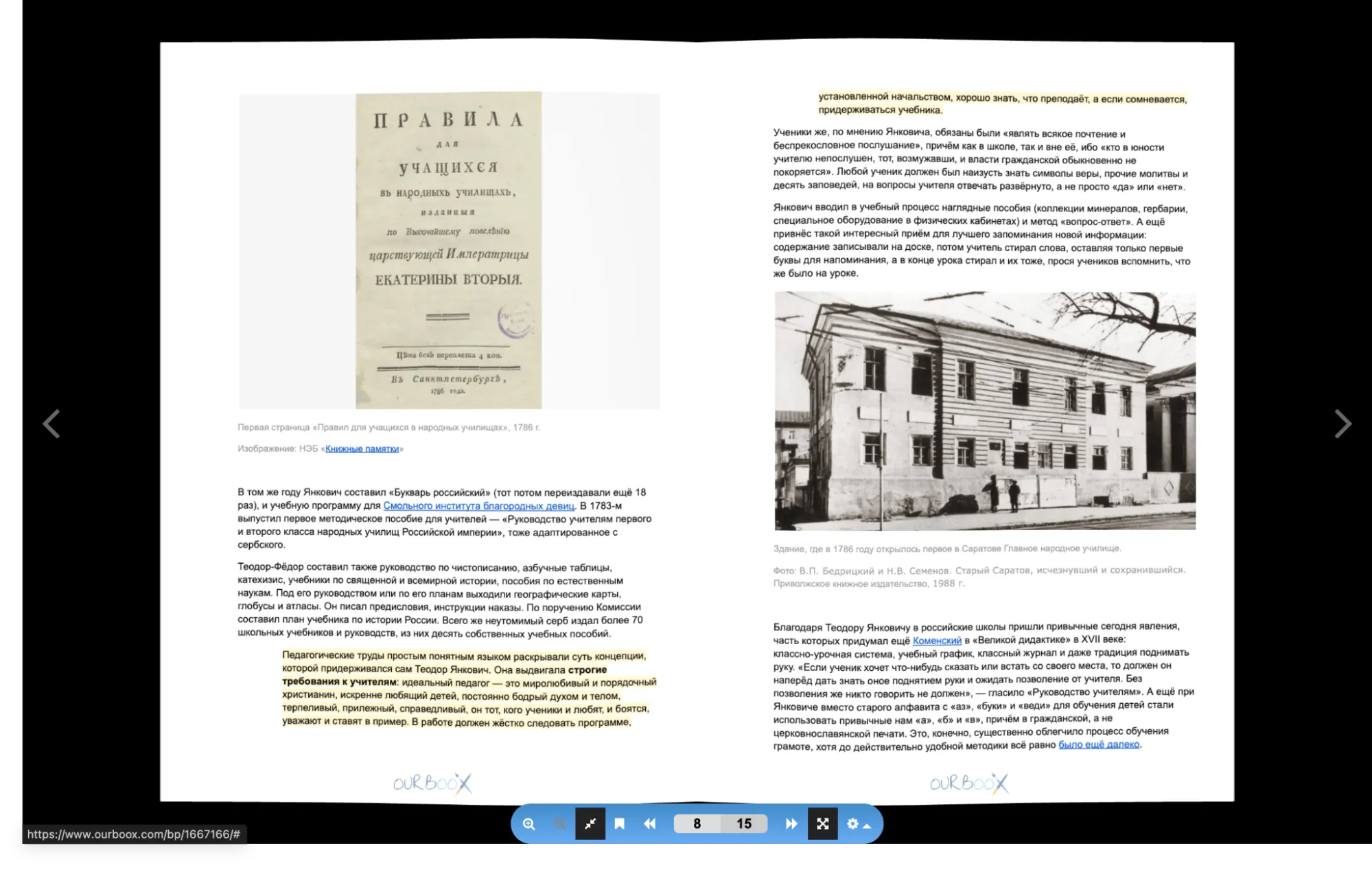
OurBoox offers a convenient way to convert PDF documents into interactive books and create flipbooks from scratch. When converting a PDF, the user is only able to add a cover and description, and configure page turning options. In addition, you can allow readers to leave comments and share the material. This service is ideal for authors and publishers who want to make their books more accessible and interactive.
When creating a flipbook from scratch, an editor opens, offering tools for formatting text and integrating media content using HTML code. This allows you to add a variety of materials from the internet, including images, audio, and video, as well as create exercises, surveys, and quizzes. You can upload images up to 40 MB in size directly from your device, but please note that in this case the image will take up the entire page, and you will not be able to place anything else on it. Clickable elements on OurBoox platform pages are not supported, and the ability to place regular links in the text is only available with the premium plan.
The book is available to readers via a direct link. In addition, it can be integrated into a website, a Learning Management System (LMS), or published on the OurBoox platform, which will ensure indexing in search engines.
FlipbookPDF
The free plan has certain limitations. The number of books you can create is unlimited, but each book can contain no more than 40 pages. Some editor features will be unavailable. If the book has not been opened for 30 days, it will be automatically deleted. You should also take into account the presence of advertising in the interface.
The interface is not available in Russian.
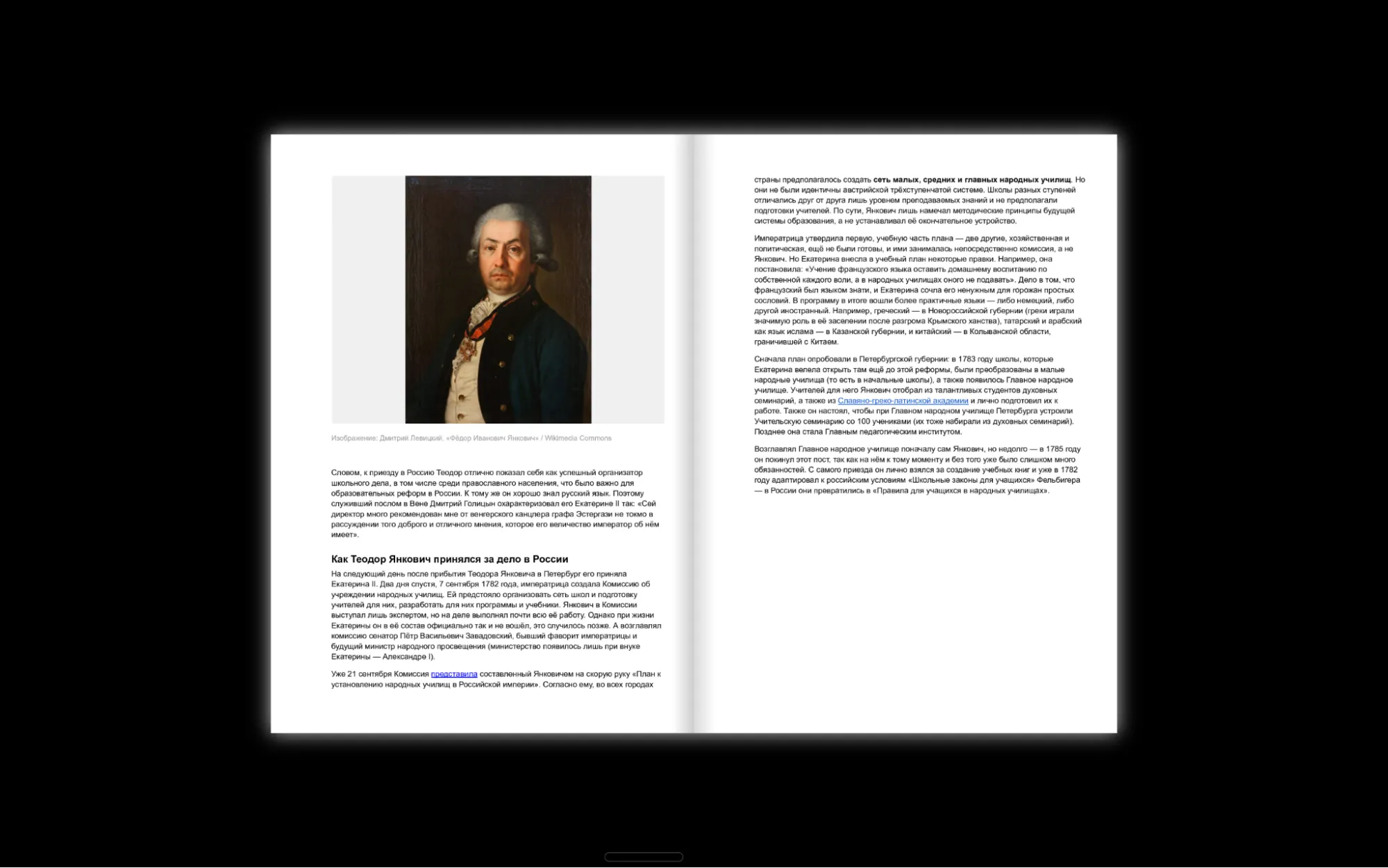
This service does not allow users to create books on their own; its functionality is limited to working with uploaded PDF documents. The free version only offers basic features, such as choosing the background, page size and orientation, and page turning direction. There is no option to add multimedia content, and link support is only available for paid plans.
You don't need to register to use FlipbookPDF. Simply upload a file, and in a minute you'll receive two links: one for readers and one for the administrator with basic settings. To maintain access to the created flipbook, the service offers to send links to the user's email. In addition to access via link, you can embed the flipbook on your website. FlipbookPDF provides a convenient and fast way to publish and distribute digital books.
Calameo
The free plan has certain limitations. There is no limit on the number of books you can upload, but each book must be no larger than 100 MB and contain no more than 500 pages. In addition, users can create only five publications, accessible via the link.
The interface is available in Russian.

Calameo supports PDF documents exclusively and offers limited editing tools in its free version. However, users can add links to both external resources and internal pages of the flipbook itself, enhancing reader engagement and directing them to additional information.
Available flipbook display options include basic settings, such as reading direction and the choice between displaying spreads or pages. Users can choose between private publishing, accessible via a link, and public publishing, which is indexed by search engines. However, it is worth noting that private publishing allows only five books. The finished flipbook can be embedded on any website or learning management system (LMS) using HTML code, simplifying integration and content access.
FlipHTML5
The free plan has certain limitations. Users can create up to five books per day. Each book can contain no more than 500 pages and occupy up to 100 MB. The total available storage space is 20 GB. It's also worth noting that only basic features are available with this plan.
The interface is available in Russian thanks to automatic translation. This ensures ease of use for Russian-speaking users, allowing them to easily interact with the platform's functionality and capabilities. Automatic translation helps minimize language barriers and makes the service more accessible to a wider audience.
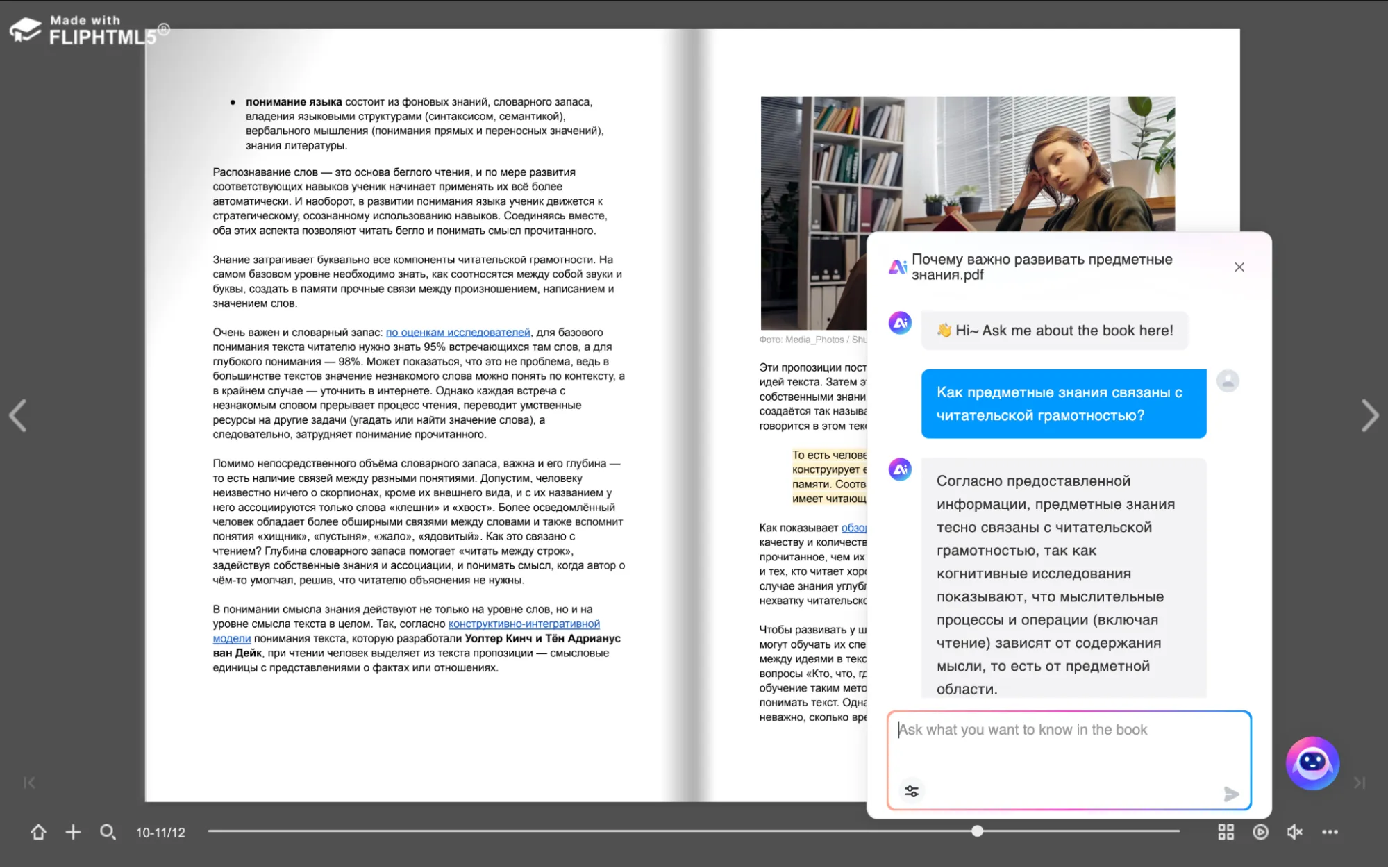
The free version of FlipHTML5 has significant limitations that make creating a book with A zero-based account is impractical, as it only accepts text. However, this service offers a unique feature that makes it attractive to users: the ability to connect an AI chatbot to flipbooks created from uploaded files (PDF, DOC, PPT, and various image formats are supported). This bot functions similarly to the popular ChatPDF service, allowing users to request a simple-language summary of the content, annotations, and answers to questions about the text. Furthermore, the AI chatbot successfully processes Russian-language texts, expanding its functionality and making it a useful tool for creating interactive content.
A free account offers a variety of flipbook display settings. Users can adjust the sound and page speed, choose a background, and determine which pages or spreads are visible to the reader. Customizing the book's appearance allows you to preview how it will look on various devices, including large screens, tablets, and smartphones. This allows you to create an optimal user experience and make your flipbook more appealing to your audience.
Access settings are essential for publishing a book online. In this case, the book can only be available in an online format, allowing it to be indexed by search engines. If you need to restrict access to your book for readers by providing a unique link, we recommend considering alternative services that offer such features. This will help protect your content and control its distribution.
ePubEditor
The free plan has no limit on the number of books you can create. However, it is worth considering that not all platform functions are available to users of this tariff.
The interface is not available in Russian.
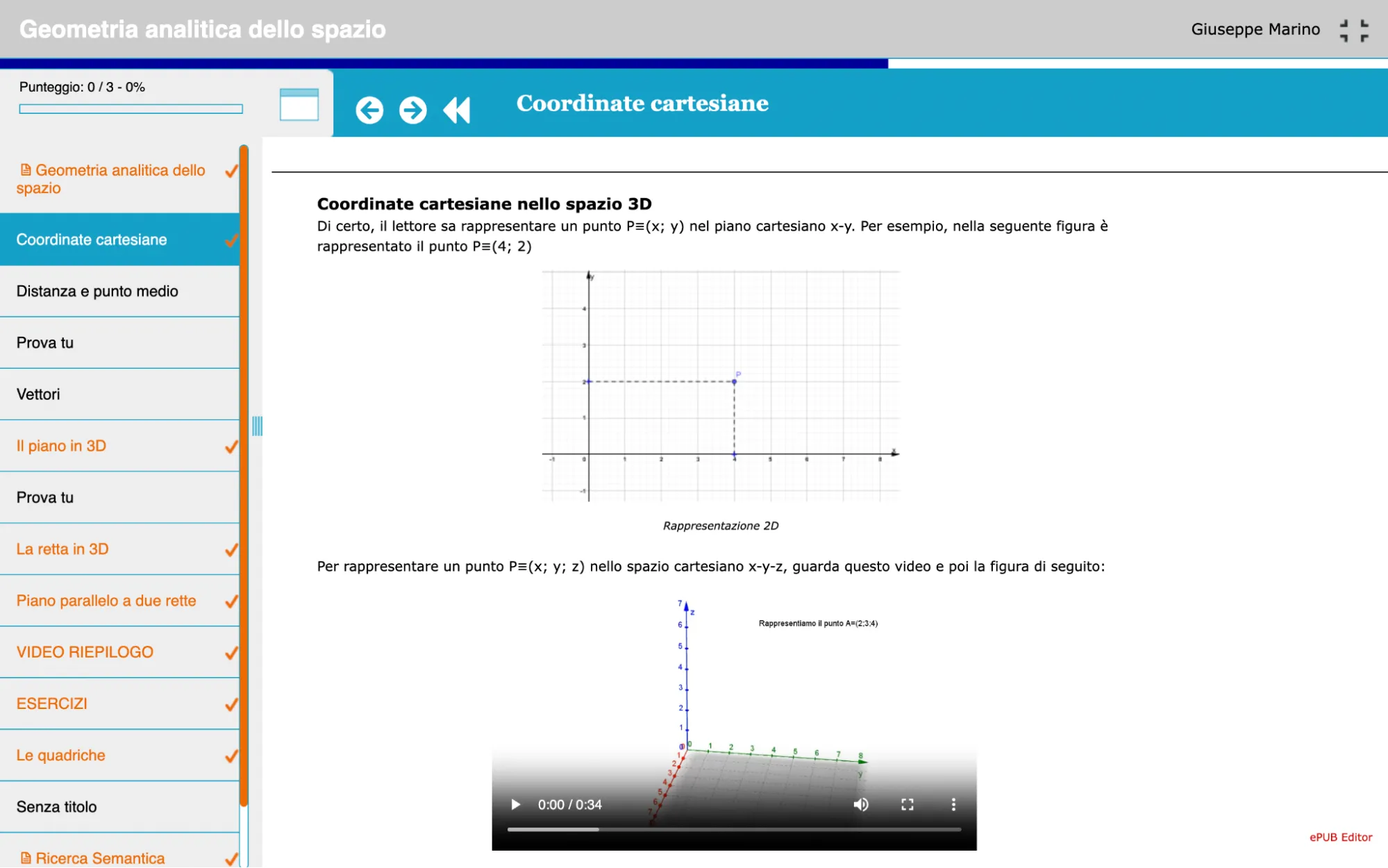
This service stands out among similar services in that it offers the creation of interactive ePUB books that users can download to their devices, such as smartphones and tablets. Although the books are also available for reading online via a link, they are presented in a more structured format, reminiscent of a long-read course. Furthermore, works created in ePubEditor can be saved in SCORM format for integration into learning management systems (LMS) or as HTML pages that can be opened in a browser without an internet connection. This makes ePubEditor a versatile tool for creating and distributing content.
The builder is highly functional and provides users with a wide range of options. Text can be added to pages using basic formatting tools and styles, such as citations and notes. Tables, images, and videos can also be inserted. Multimedia files can be uploaded via direct links, from the user's computer, or embedded using HTML code. Additionally, the page can include quizzes and exercises, such as single- or multiple-choice questions, true or false questions, fill-in-the-blanks, pairing, and sequencing. All of these features support the ePub format. Additionally, two unique features—fill-in-the-blanks with self-entered answers and drag-and-drop—are available exclusively in the online version. Limited design options allow the user to select only the font family, size, and color for headings, body text, and links. Additionally, customization options are available for completing quizzes, including the number of attempts, as well as specific scores and overall progress. This makes the process of adapting the interface simpler and more convenient, but at the same time requires a careful approach to the selection of visual elements and task parameters to achieve maximum efficiency.
Each created book receives a unique link and QR code, which allows you to instantly share materials with students.