Content:
Learn: The Profession of Methodologist from Scratch to PRO
Learn More"Convenience"
The free plan has no restrictions, and the service is fully accessible without payment.
A Russian-language interface is available.
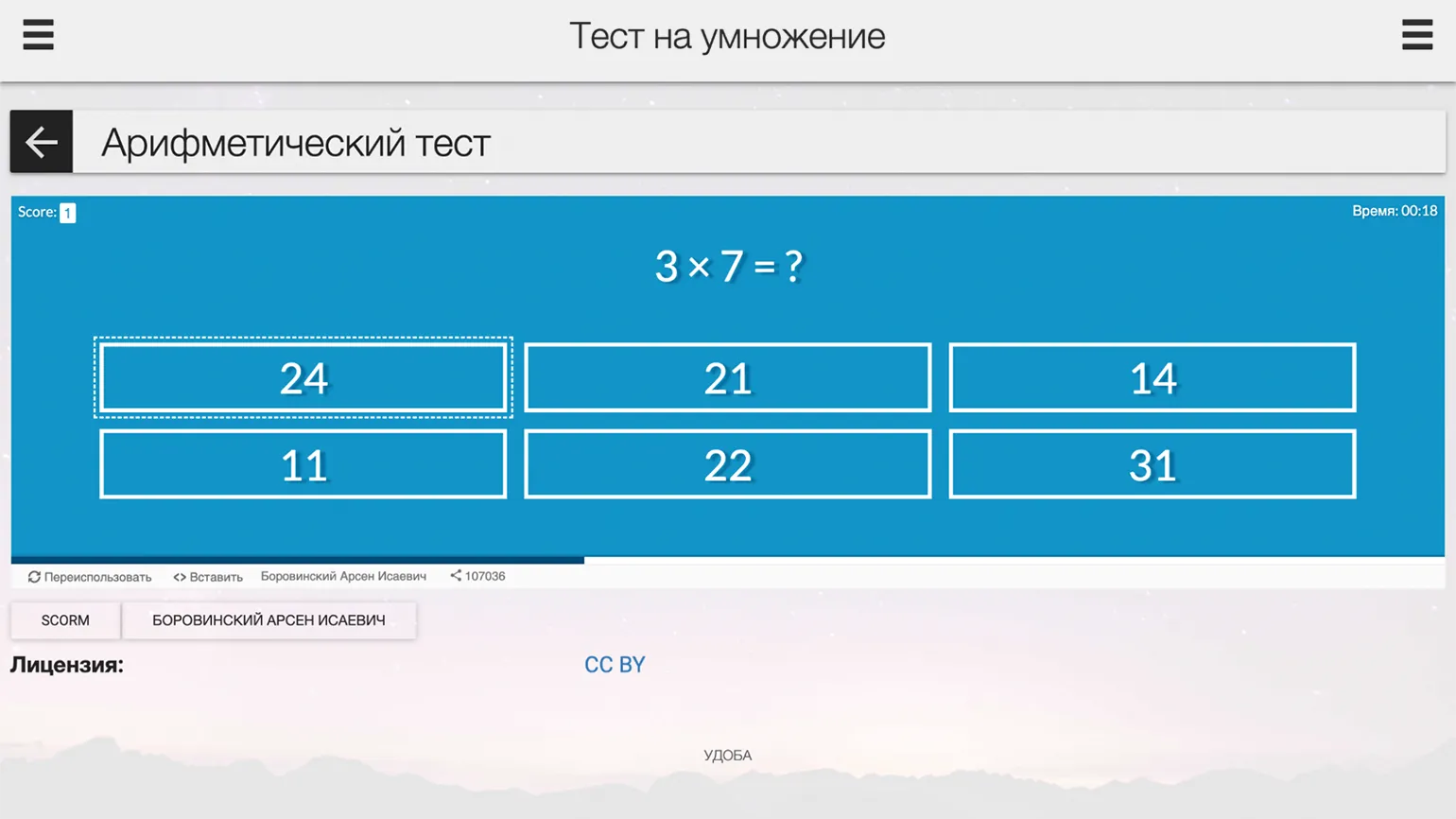
The free educational resource designer "Udoba" offers a variety of templates for creating interactive content, including exercises, quizzes, and surveys. This service, developed with the support of Perm State University, is officially registered in the Russian Software Registry. Using "Udoba," educators can easily create effective educational materials, improving the educational process and student engagement. Available testing formats include multiple-choice and multiple-choice questions, personality and arithmetic tests, as well as "True or False" exercises, questionnaires, and flashcard quizzes. The "Question Set" template allows you to combine various test types in a single exercise, including drag-and-drop images and words, fill-in-the-blanks, and free-form answers. The platform also offers a task bank, which automatically generates new quizzes with random questions each time. For foreign language learning, a template in which students can answer questions verbally, with the system recognizing their speech, is useful. This approach ensures variety and interactivity in learning, which promotes better learning. Exercise settings depend on the specific template, but you can typically add hints and feedback for students after each question and upon completion of the quiz. You can also choose the order in which questions are displayed—random or predetermined—and set a threshold for passing the quiz. Questions can contain images, videos, or audio that are uploaded from the user's computer or attached via a link. These settings contribute to an interactive and adaptive learning process, significantly improving the learning experience and user engagement. Users can complete exercises without registering, simply by clicking the link. However, students are encouraged to create an account on the platform to track their results, such as time spent interacting with the exercise and points earned. You can also publish created content to the "Udoby" catalog and download it in SCORM format, which allows you to upload materials to the LMS platform. Registration provides a more convenient and personalized experience, allowing users to effectively manage their learning.
4Exam
The service has no limitations on the free plan and provides all features at no cost. You can use it to its full potential without worrying about paid subscriptions or hidden fees.
The Russian-language interface is available.
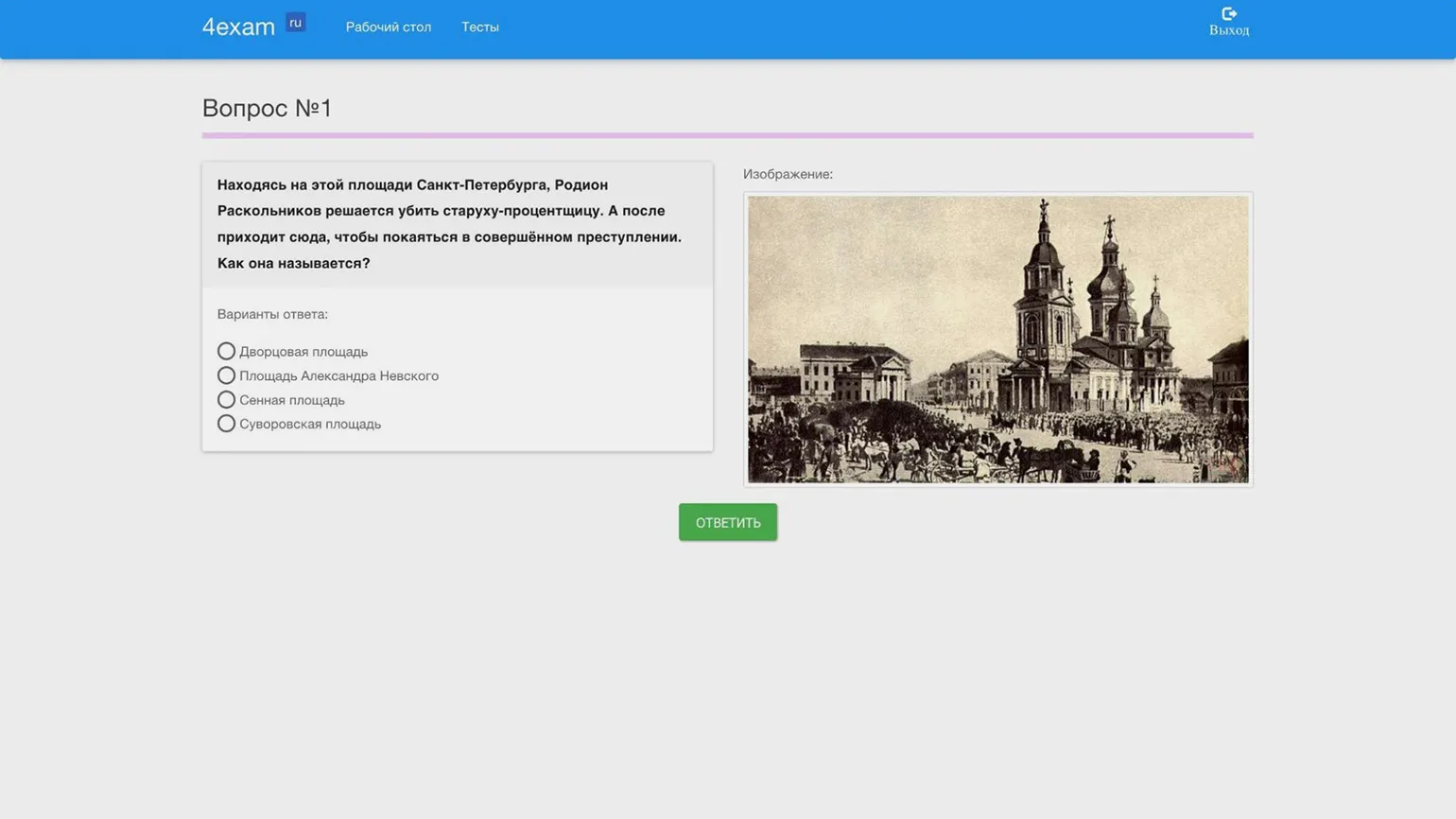
This is a Russian service that allows you to quickly and freely create a basic test for practice or knowledge assessment in class. Despite its limited features, it is suitable for educational purposes. However, it is worth noting that the test pages contain advertising, which can be distracting to users.
There are three types of tasks: self-entered, multiple-choice, and multiple-choice. An image can be attached to each question, but answer options can only contain text.
Students are given access to the created test through a special link. By activating the corresponding function in the test settings, unregistered users can also take it. In this case, the platform will ask for an email address, first name, and last name. All student results are saved in a log, which records the date and time of the test, the number of points scored, the percentage grade, and the answers provided. A test created on the 4Exam platform can be downloaded in HTML format and opened in a browser without an internet connection, allowing you to see the results directly on the same page.
Interacty
The free plan has the following limitations: you can create up to 20 projects and use 100 MB of cloud storage. There is also a limit of 500 views of all your projects monthly.
Russian-language interface is available.
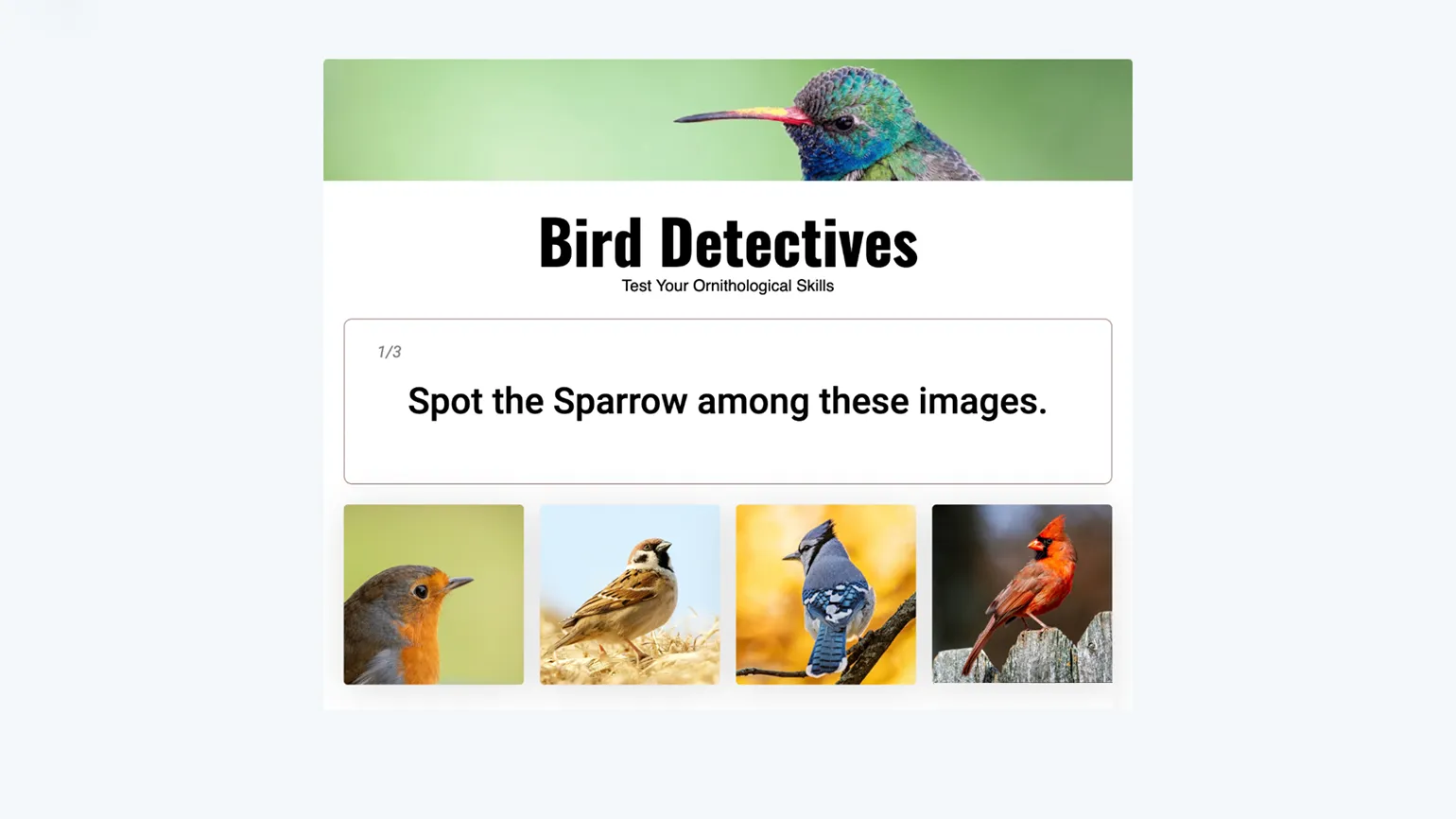
Interacty offers a wide selection of templates for creating interactive content. Two main quiz formats are available: multiple-choice quizzes with one or more correct answers, and personality tests with no clear right or wrong answers. Questions and answers can be enhanced with GIFs and images, making the content more engaging. The platform also allows you to create listening tasks—you can record audio directly on the website or upload it from your computer, after which students can listen to the recording and answer the questions. Additionally, there's a question bank feature that can be created within the service or downloaded as a customized spreadsheet template. Using these tools makes learning more interactive and engaging.
With the free plan, users have access to basic statistics, including the number of users and their interaction time with the material. Overall results and data on the number of correct and incorrect answers to questions are also available. Individual statistics for each user are available only with paid plans, allowing for a more detailed analysis of their interaction with the content.
The quizzes you create adapt to screen sizes, ensuring convenient interaction on both computers and smartphones. Inviting students to take a quiz is as simple as sending them a link or QR code. You can also save the content as a PDF and print it for use in in-person classes. You can also embed the quiz on a website or learning management system (LMS) using HTML code, making it easily accessible to users.
Yandex Forms
There are no restrictions on the free plan. The service is completely free and offers all functions at no additional cost.
The Russian-language interface is available.
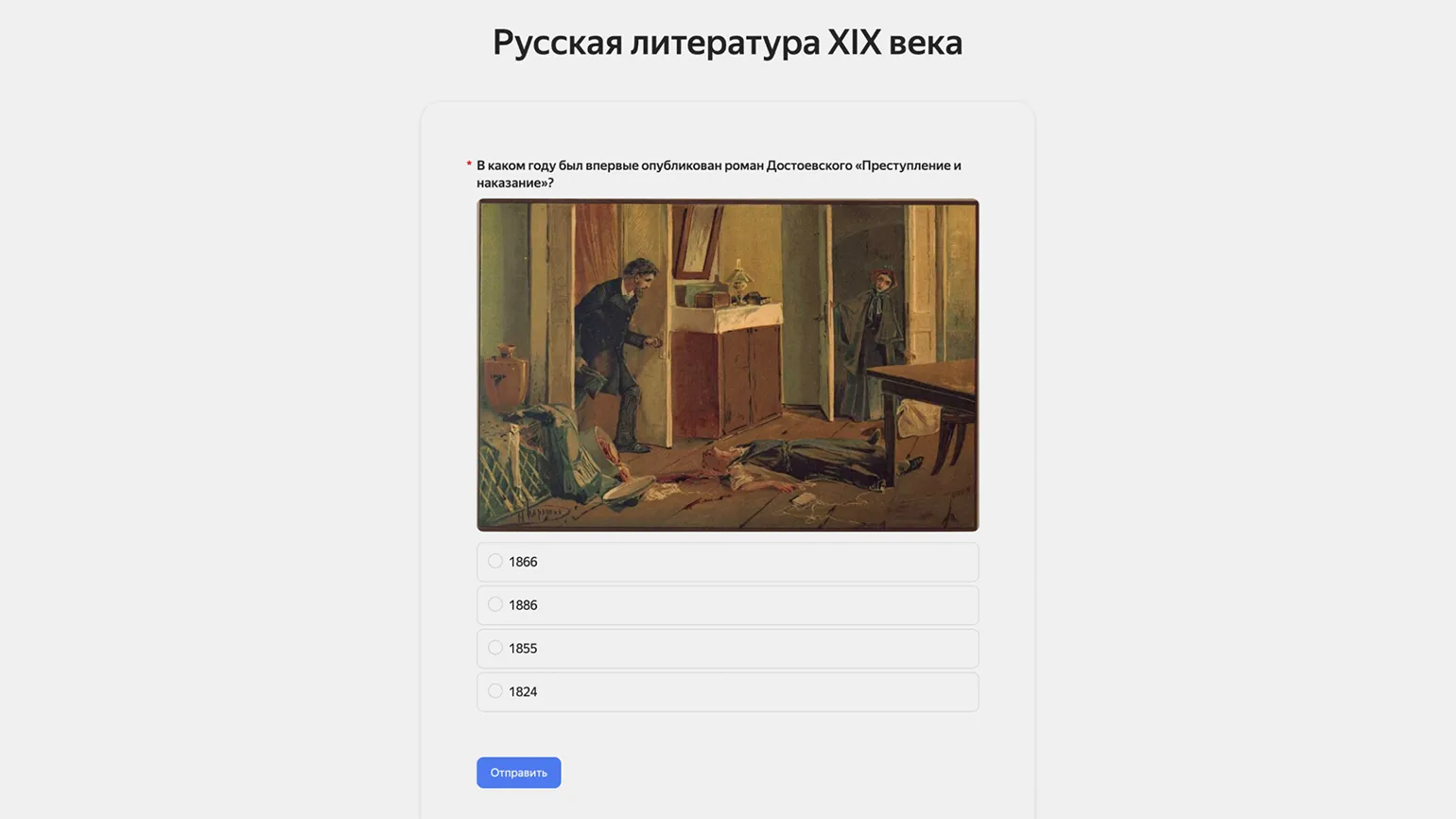
Yandex's free service for conducting surveys and collecting data also offers testing features. This tool allows you to check participants' answers and award points for correct answers. Using this service helps not only in collecting information but also in assessing user knowledge.
The platform offers three types of questions: multiple-choice, multiple-choice, and numeric entry questions. Users can add images and text hints, and customize the scoring system to give certain questions greater value. The service offers flexible design settings with a choice of color and shape for elements, as well as two scoring methods: pass/fail and segmentation, each of which can be customized with feedback. You can also customize the rules for completing the test, including its opening time for participants, the number of attempts per user, and the ability to display correct answers upon completion.
Once published, the completed test will be available to users via the provided link. It can also be integrated into a website or published on social media. Participants' results, including answers to each question, will be compiled on the statistics page. To track individual students' responses, we recommend adding a required field for first and last names to the test. This will allow us to more accurately analyze data and track participants' progress.
Google Forms
The free plan has no restrictions, and the service is provided completely free of charge.
A Russian-language interface is available.
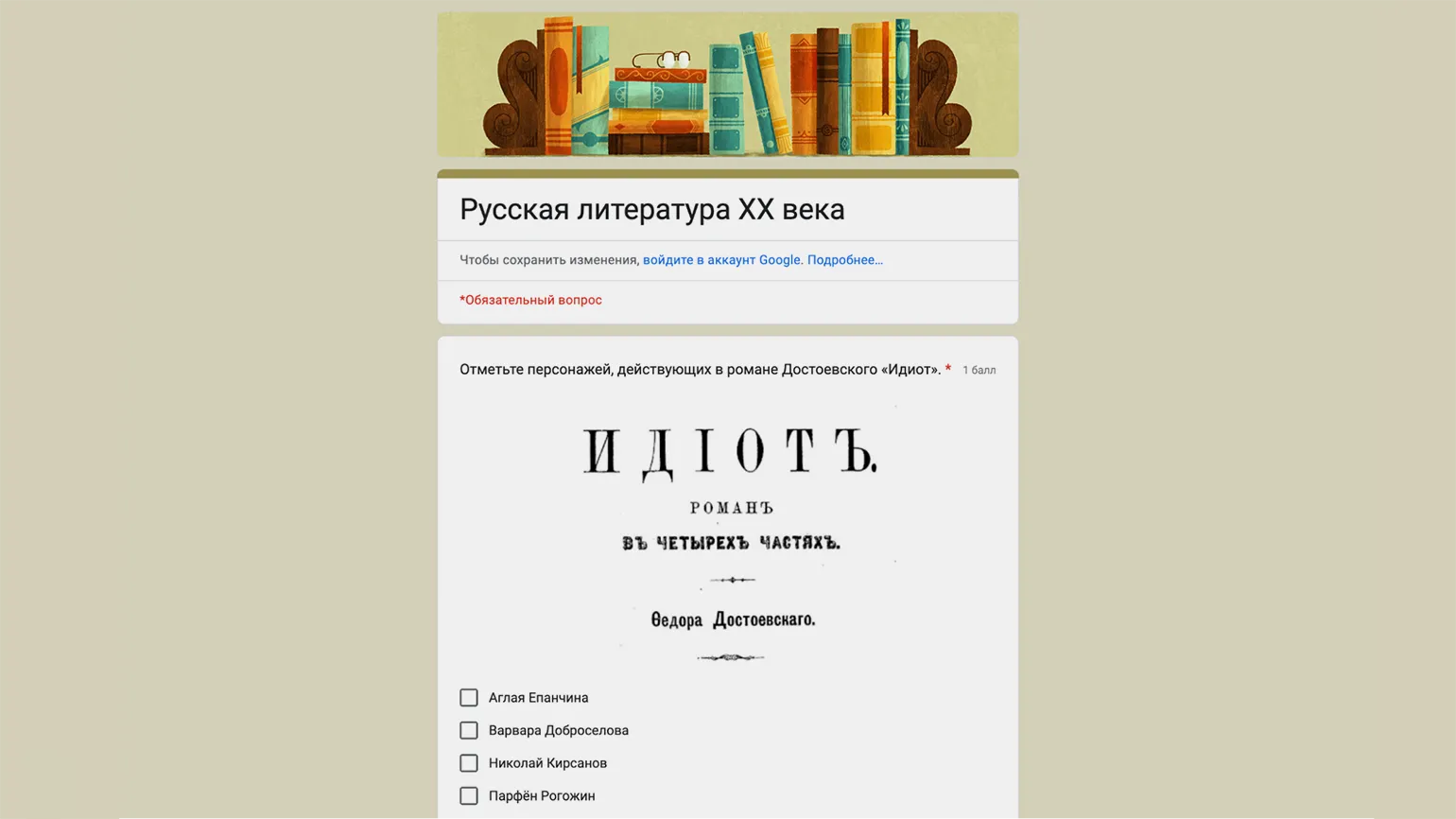
Google Forms provides users with convenient tools for creating tests. The platform offers questions with one or more answer options, as well as open-ended questions requiring a short or extended answer. Tests can be easily enriched with images, including those from Google Images, and YouTube videos. The platform offers fields for explaining questions and the ability to provide instant feedback if a participant gives an incorrect answer. Using these features helps increase the interactivity of testing and makes the learning process more engaging.
The number of points awarded can be configured for all test questions at once, or individually for each one. A convenient feature of the service is the ability to check answers to extended questions by a teacher or course curator after the test is completed. After grading responses, you can assign the appropriate number of points and send the results to participants via email. This ensures transparency in grading and allows each student to receive feedback on their results.
In Google Forms, you can configure quiz access, choosing whether it will be available to everyone via a link or only to authorized users. You can also determine whether a user can take the quiz multiple times or only once, and there is an option to allow editing of previously submitted responses. There is an option to automatically collect email addresses if your students have Google accounts. Otherwise, the service will prompt you to enter them manually. This feature is especially useful if you plan to send quiz results to students via email, for example, after reviewing detailed responses. Google Forms also offers basic design options, such as choosing a font size and typeface, a color theme, and the ability to add a cover image. These settings help make tests more engaging and user-friendly.
On the answers page, the service provides a general summary, including score distribution, answers to specific questions, and user results. This information allows users to evaluate their achievements and compare them with others.
Learning Apps
The free plan has no restrictions, and the service is available to users completely free of charge.
A Russian-language interface is available.
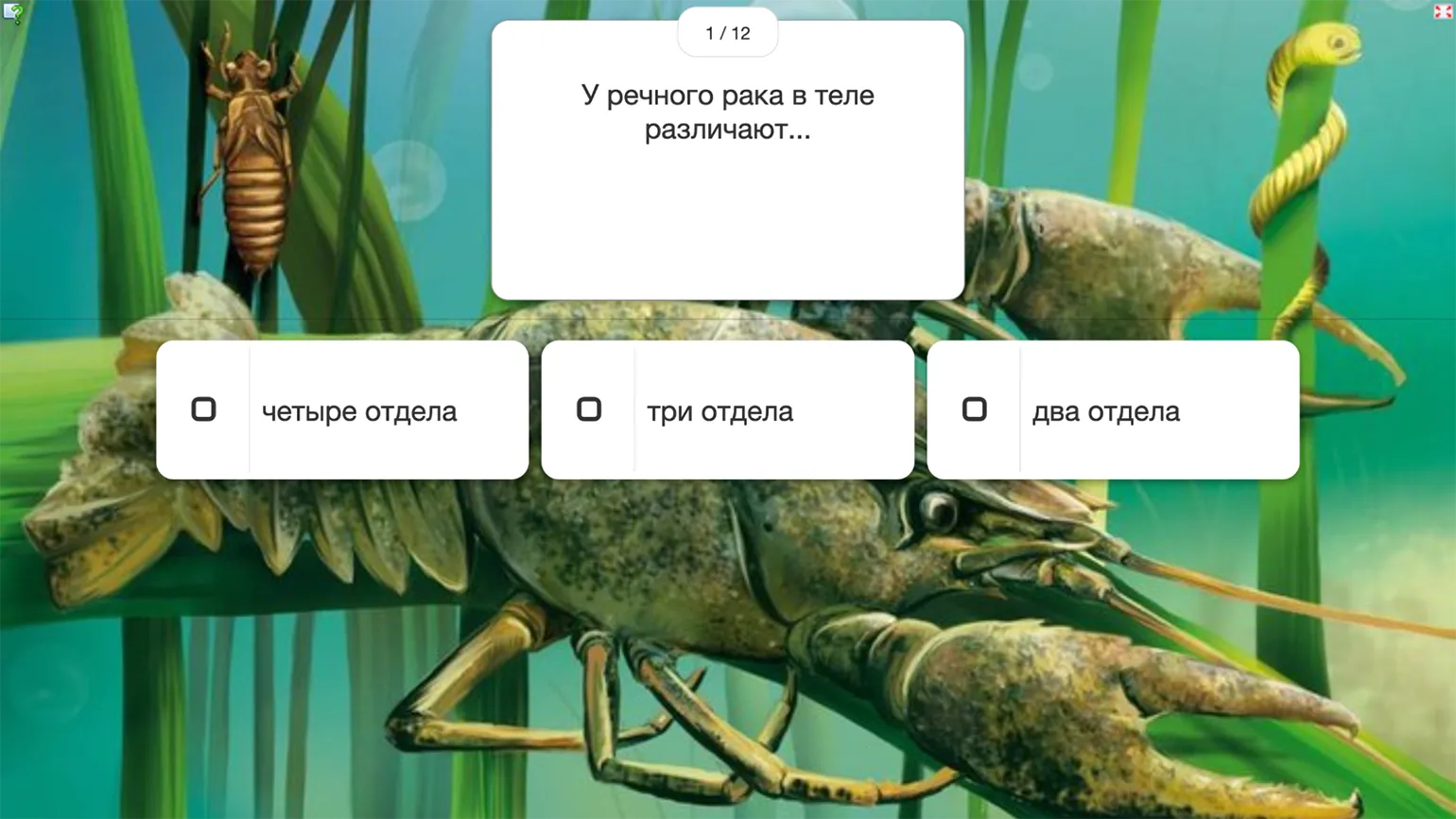
Learning Apps is a powerful, feature-rich tool that provides users with free access to a variety of educational resources. A library of ready-made exercises is available without registration, making the platform convenient for a quick start. For users who want to create their own tests and assignments, we offer a detailed guide to help them get the most out of all the service's features.
The platform offers a variety of interactive formats that significantly enliven the learning process. These include traditional multiple-choice or type-in quizzes, as well as sets of flashcards where students must type a short answer. Engaging mechanics, such as a "Who Wants to Be a Millionaire?"-style game and a "Horse Race" competition, add an element of competition, requiring participants to not only answer correctly but also quickly. Students can also watch videos or listen to audio, with questions or tasks appearing on the screen. LearningApps allows for the flexible combination of various media formats, combining text, images, audio (including audio recorded directly on the platform), and video in a single exercise, making learning more engaging and effective.
Unfortunately, the platform does not provide detailed performance statistics, but it does provide the ability to track student activity. To do this, students must register, and an automatic login and password generation feature is available for all students. After registration, teachers can set up exercises for the class and monitor their progress in their personal account. They will be able to see which students have completed the assignment, which have opened it but not completed it, and which have not started it at all.
Wordwall
The free plan has certain limitations: 18 basic templates are available, as well as the ability to create up to 5 unique exercises. Editing and reusing existing exercises is unlimited.
Russian interface: partial translation available.
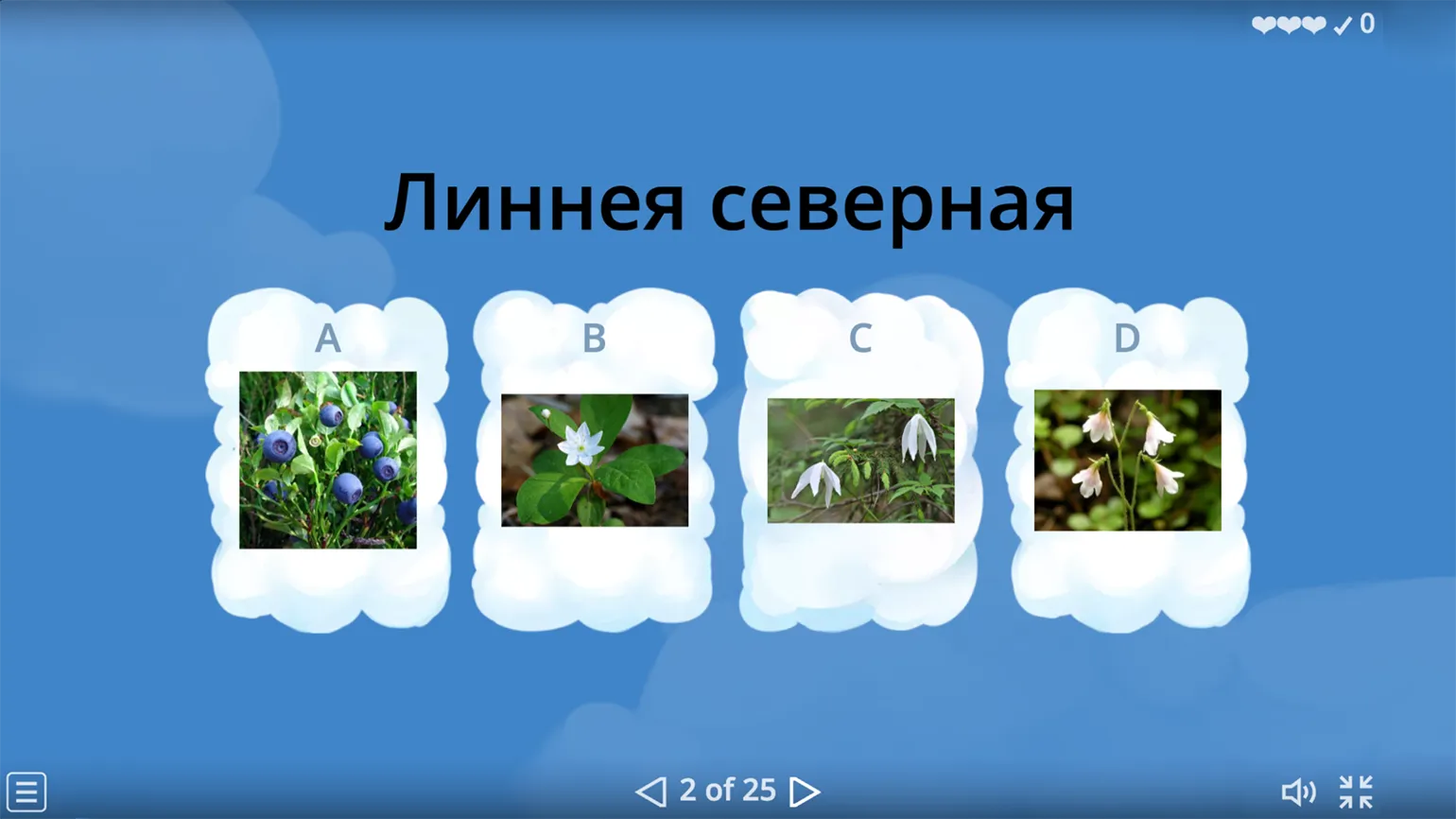
LearningApps, like Udoba, offers an extensive library of exercises developed by other users. You can copy these exercises to your own collection, edit them, and use them as you see fit. However, it's worth remembering that these exercises are also included in the free limit, just like those you create yourself. We've already described how to get started with this service.
Among the free test templates, you'll find a variety of formats, including quizzes with one or more answers, and quizzes with unique mechanics, such as the ability to eliminate half of the answer options. Interactive tasks with opening boxes, each containing a test question, are also available. Images can easily be added to questions and answer options, making testing more visual. The platform also supports automatic text-to-speech in various languages, which is especially useful for listening exercises. These tools allow you to create engaging and educational quizzes for users.
Each exercise allows you to customize the order of questions and answer options, choosing a random or predefined format. Participants can see the correct answers at the end of the exercise or only their scores. Additionally, you can add a timer to control completion time and set a limit on the number of acceptable errors a student can make during the exercise. These settings contribute to a more effective and adaptive learning process.
Students do not need to register to complete exercises, allowing them to complete them anonymously. However, to track their results, they must enter their names, which can be enabled in the settings. The platform offers detailed analytics that surpass similar services. Wordwall provides overall statistics on exercise engagement, average results for each question, and the scores and answers of all participants. This allows teachers to effectively assess student performance and engagement.
OnlineTestPad
The free plan has no restrictions; the service provides full access without any limitations.
A Russian-language interface is available.
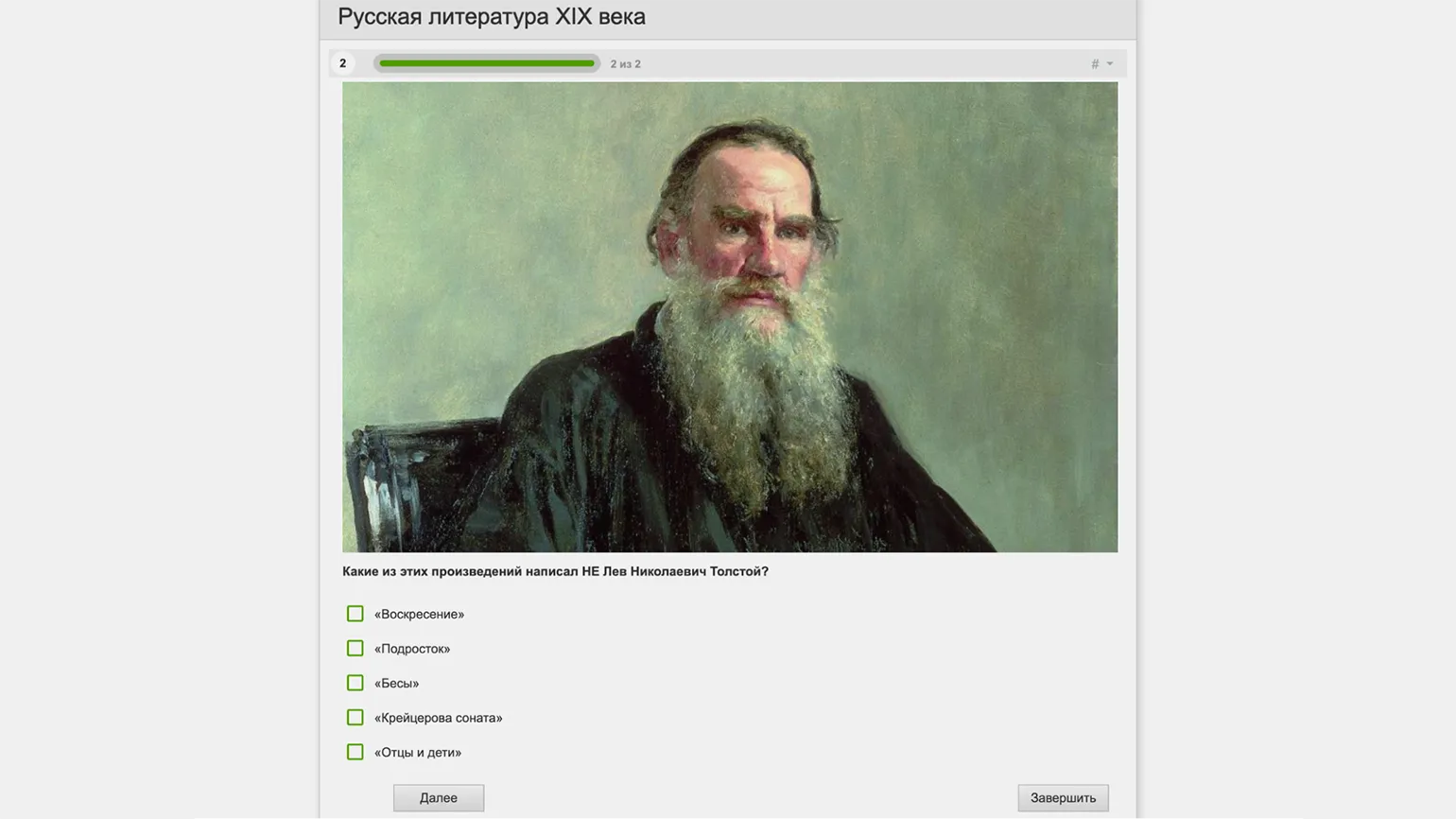
This service allows users to create not only tests for free, but also surveys, crosswords, complex assignments, and full-fledged online lessons that combine various formats. Dialogue simulators with characters and branching scenarios are also available. However, it is worth noting that users may encounter advertising banners that can distract them while taking tests.
The platform offers three main types of tests: psychological, personality, and educational. Psychological tests do not contain incorrect answers; based on the testing results, the user is given a text result based on the scoring. Personality tests work by comparing selected options with specific results, which helps identify the predominant personality traits. Educational quizzes assess users' knowledge by summing up points for correct answers and providing a final grade. Quizzes can use a variety of question formats, such as object matching or gap filling, as well as traditional single- and multiple-choice questions. Text-based questions are also available, and can be graded automatically or manually. The platform supports voice input, allowing students to record audio directly within the service. Teachers and course curators can listen to recordings and assign grades, adding an element of interactivity and variety to the learning process. Questions can easily be enhanced with images, audio, video, and code snippets with syntax highlighting. Answers can be presented as text or images, allowing for more interactive and visual content.
Each created quiz allows you to flexibly configure access conditions and rules for completion. You can set the time limit, the order in which questions are displayed, and provide feedback after each answer. The quiz is accessed via a link, and participant registration is not required—just enter your name. You can also publish the quiz in the service catalog, download it as an archive for integration into a website or learning management system (LMS), or save it as a PDF for printing. The results page provides an overall summary of the quiz's completion, as well as an analysis for individual users and questions. This makes the quiz-taking process convenient and efficient for both participants and organizers.
Socrative
The free plan has certain limitations. Users can create up to 5 quizzes in the library, and only one active virtual room is available. Up to 50 participants can be present simultaneously. These conditions allow beginners to get acquainted with the platform's functionality, but more intensive use may require paid plans.
There is no Russian-language interface, but tests can be created in Russian.
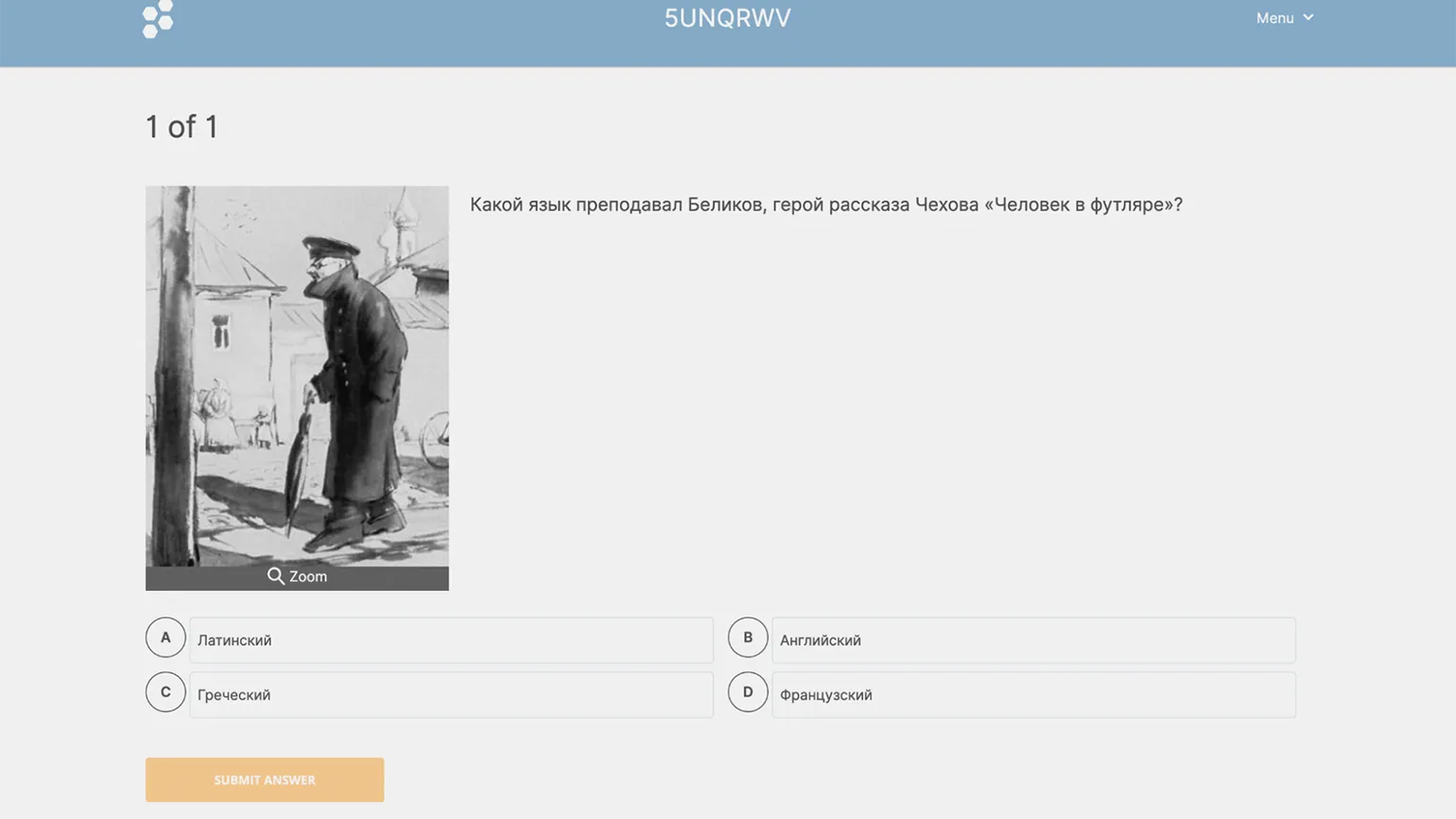
This platform is designed for conducting synchronous activities during online classes. After registering, you can create a test using the platform's available question types, such as multiple choice, enter an answer, and the "true or false" format. A built-in AI assistant is also available, generating questions of any type based on a given prompt. Please note that the AI works in Russian but may make factual errors, so it is important to carefully check the received content. Created and saved tests are stored in the library, and you can launch a synchronous testing session. The free plan provides one virtual room for conducting such sessions.
The service offers several modes for convenient interaction with participants. You can choose instant feedback, in which participants see the results after each answer. Free navigation is also available, allowing you to answer questions in any order and change your answers before submitting them for marking. Teacher control mode allows the administrator to switch questions and monitor participants' responses in real time. In competition mode, participants are divided into teams and compete in speed and accuracy. After selecting a mode, the service will prompt you to invite participants. Registration is not required to access the virtual room—you can log in via a QR code or password by entering your name. After the session, you can view the results in a special tab, which summarizes how participants answered the questions and how many points they earned. This functionality allows you to effectively organize the learning process and make it more engaging.
Quizizz
The free plan has certain limitations: access to basic templates, the ability to create up to 20 tests in the library, and a limit of 100 participants in synchronous sessions. These terms will help users evaluate the platform's functionality before upgrading to more advanced plans with expanded features and additional tools.
The platform's Russian-language interface provides automatic translation, but it isn't always highly accurate. This may make it difficult for Russian-speaking users to use the platform's functionality. It is recommended to take into account possible errors in the translation and refer to the original text for more accurate information.
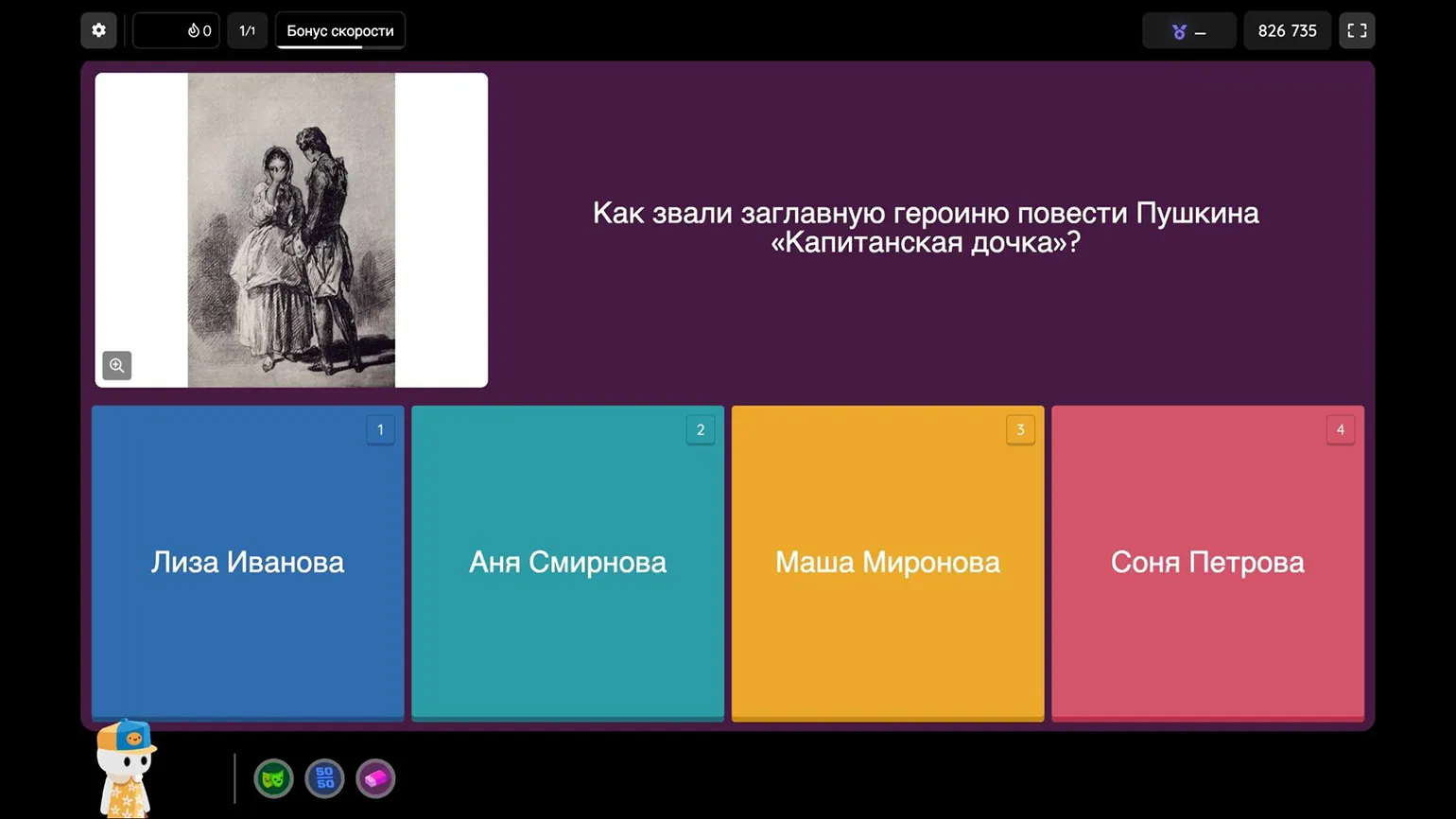
This service allows Create quizzes for synchronous and asynchronous learning. Teachers can use quizzes in class to test knowledge in real time and also provide students with the opportunity to complete assignments at their own pace. This tool effectively assesses learning and increases student engagement. Available testing formats include traditional multiple-choice or type-in tests, as well as fill-in-the-blank tests where participants can see the number of letters in their answers. A comprehension task is also available, in which students read a text, listen to an audio track, or watch a video, and then answer questions on the topic. Artificial intelligence can generate questions and answer options in Russian on demand, as well as translate them into any other language, making the learning process more interactive and accessible. The platform offers a wide range of settings to optimize the quiz process according to your goals. You can activate a timer, choose an individual or team participation format, and integrate gamification elements and memes that participants will see on-screen during the quiz. However, if needed, you can eliminate all additional elements and conduct a more comprehensive quiz. Your students don't need to register to take the quiz. They can connect to the platform via a link, QR code, or password by simply entering their name. All results are collected in a separate tab, allowing you, as the administrator, to view overall statistics, as well as individual responses and scores for each quiz participant. This simplifies the process of analyzing and tracking student progress.
The Methodologist profession from scratch to PRO
You will improve your skills in developing curricula for online and offline courses. Master modern teaching practices, structure your experience, and become a more sought-after specialist.
Find out more