Contents:
Interior Designer: Course with Employment in 6 Months
Learn MoreWhy Are Interior Design Software Important?
Interior design software offers designers effective tools for visualizing and planning spaces. This software solution streamlines the workflow, making it easy to implement even the most ambitious ideas. Using such programs, designers can create detailed 3D models, experiment with colors and textures, and precisely arrange furniture and decorative elements. Using specialized software significantly improves the quality of work and allows clients to better understand the final result.
- Create collages and mood boards, which helps in developing the concept of the future interior.
- Develop detailed room plans with precise dimensions and create drawings for construction projects.
- Calculate the volume of building materials and create preliminary estimates, which facilitates the budgeting process.
- Virtually arrange furniture and appliances, select lighting and finishes, and change the shapes, textures, and sizes of design elements.
- Create realistic images or virtual 3D tours of the apartment, which allows clients to better imagine the final result.
- Quickly make changes to the project, for example, adjusting the thickness of partitions with simple manipulations.

For a deeper understanding of the topic, we strongly recommend that you read the presented material. This will help you better understand the key concepts and ideas, as well as expand your knowledge in this area. Reading additional information will allow you to dive deeper into the essence of the issue and get a more complete picture of the subject.
Moodboards, or visual inspiration boards, are an important tool for designers. They are used to collect and organize ideas, concepts, and visual materials that can assist in the creation of new projects. Mood boards allow designers to visualize their thoughts, establish color palettes, select textures and shapes, and combine various elements to achieve harmony in the final product.
The role of mood boards in design is to improve communication between designers and clients by enabling a better understanding of visual preferences and expectations. This is especially important in the initial stages of a project, when it is necessary to align ideas and workflows.
Furthermore, mood boards can serve as a source of inspiration and motivation for designers, allowing them to gather various visual elements and ideas that can be used in future projects. Ultimately, mood boards are an integral part of the creative process, promoting a more efficient and focused approach to design.
Classification of Design Software
In the design industry, software is divided into two key types: professional and amateur. Professional tools, such as Adobe Photoshop and Illustrator, provide a wide range of features and capabilities aimed at experienced users who seek maximum quality and flexibility in their projects. At the same time, amateur programs, such as Canva and Figma, are suitable for beginners and allow you to create high-quality designs with minimal skills. These tools offer intuitive interfaces and ready-made templates, making the design process accessible to a wide audience. The choice between professional and amateur programs depends on the user's skill level and the goals they set for themselves in the design process.
There is a variety of software, both paid and free. Many developers offer demo versions that allow users to explore the functionality before purchasing a license or subscription. Companies typically cover the cost of software for their employees, and educational institutions and online courses often provide access to professional tools at reduced prices or even for free. This makes software more accessible to a variety of users and promotes skill and productivity.
Beginners in design don't need to know every available program. Mastering a few popular tools, such as Adobe Creative Cloud and its free alternatives, is sufficient. Focusing on key applications will allow you to develop practical skills more effectively. Additional programs can be explored as needed, helping you deepen your understanding of various design aspects and expand your creative potential.
The Best Programs for Beginner Interior Designers
Modern interior design programs are ideal for developing your first projects. These versatile tools not only allow you to create floor plans but also select furniture, decor, and finishes, as well as generate 3D models. Many are initially free, but access to advanced features may require a subscription. Choosing quality interior design software will help you easily bring your ideas to life and visualize your space.

If you're looking for information about RemPlanner, a program ideal for beginners, we recommend checking out our detailed review. This program offers an intuitive interface and features that will help you easily organize your time and tasks. Discover how RemPlanner can simplify your life and increase your productivity.
Planner 5D is an online platform for creating 3D designs and floor plans, available on computers and mobile devices. Its intuitive interface is suitable for both design professionals and beginners. With Planner 5D, you can easily design interiors and exteriors without any special skills. The platform offers a wide variety of elements and customization options, making the design process engaging and accessible to everyone.
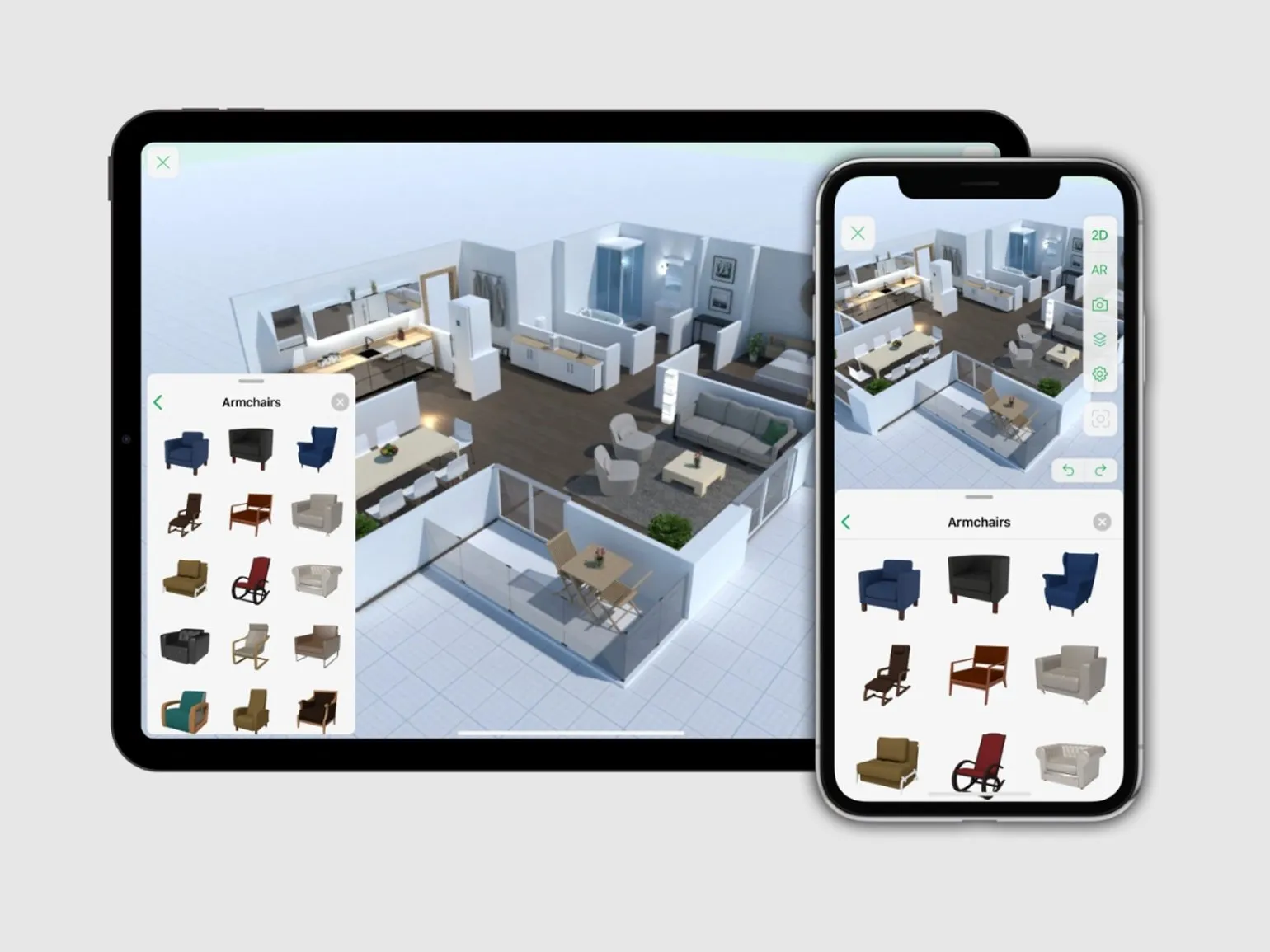
Planner 5D offers many benefits for users interested in interior design and space planning. This tool makes it easy to create 3D models and visualize spaces. Thanks to its intuitive interface, even beginners can quickly master the program and begin designing their ideal rooms.
Users can choose from a wide range of furniture, finishes, and decor, allowing them to customize their space to their preferences. Furthermore, Planner 5D supports both web and mobile apps, allowing you to access projects anytime, anywhere.
Another significant advantage is the collaborative editing feature, allowing multiple users to work on the same project simultaneously. This makes Planner 5D an excellent choice for teamwork and family interior planning.
The platform also offers the ability to save and share projects with other users, making it easier to get feedback and ideas. Overall, Planner 5D is a powerful tool for anyone looking to create a stylish and functional space.
- Supports both 2D and 3D modes with high-quality 3D visualization.
- More than 5,000 objects in the library (although not all are available in the free version).
- The ability to edit other people's work and upload your own textures.
- Support for landscaping, including adding lawns and garden furniture.
- Access via mobile apps and the web version for ease of use.
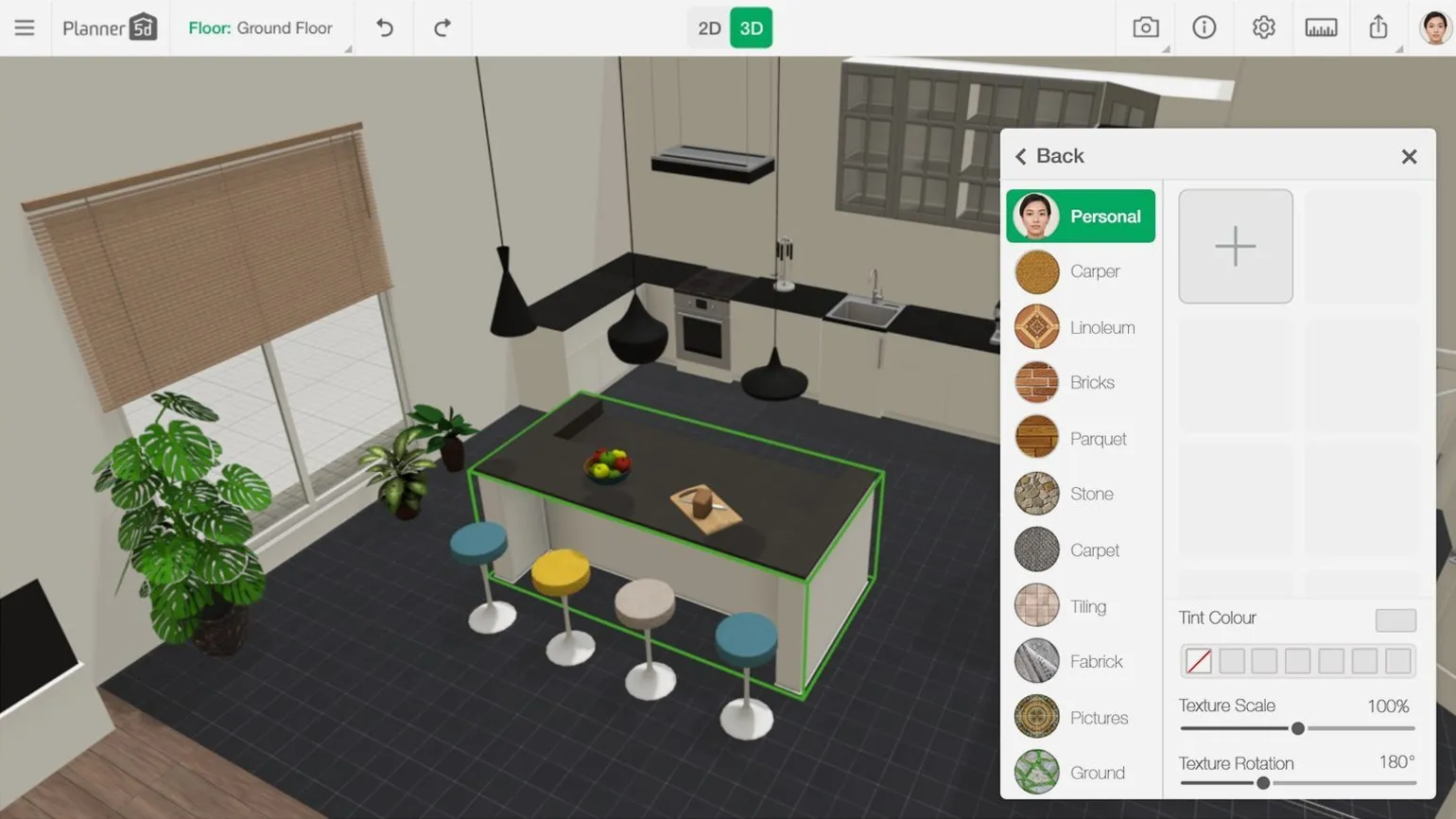
Disadvantages of Planner 5D:
Using Planner 5D has its drawbacks, which are important to consider when choosing this tool for interior planning. One of the main disadvantages is the limited library of objects. Although the program offers a variety of design elements, their quantity and quality may not meet the needs of more demanding users. It's also worth noting that the program's functionality may not be intuitive enough for novice users, increasing the learning curve. Performance issues can also hinder user experience. On low-performance devices, the app may run slowly, complicating the design process. Furthermore, some users report the program occasionally freezing or generating errors, leading to the loss of progress. Furthermore, Planner 5D may have limited compatibility with other programs, making it difficult to import and export projects. This can be a problem for those working in a team or using other design tools. Finally, despite the availability of a free version, many features are only available with a paid subscription, which can be a significant financial burden for users. All of these drawbacks are worth considering when choosing Planner 5D as an interior planning tool.
- The free version has a limited number of objects and customization options.
- Basic English knowledge is required to use the interface.
The cost of using Planner 5D depends on the chosen plan and the functionality you need. This interior and landscape design tool offers both free and paid versions. The free version provides access to basic features, allowing you to create simple projects. Paid subscriptions unlock a wider range of capabilities, including access to premium objects, additional tools, and collaboration capabilities. Professionals who plan to actively use Planner 5D are advised to consider a subscription to maximize the app's potential. Please note that prices may vary depending on region and current promotions.
- Free access with limitations.
- Full access for €19.99 per month or €59.99 per year.
- From 2022, payment is only possible with cards issued by foreign banks.
Planoplan is a powerful online planner that offers advanced 3D visualization features. This tool is ideal for both professional designers and interior design novices. With Planoplan, you can easily design various rooms, arrange furniture, create virtual tours, and save high-quality images of your projects. Using Planoplan allows you to implement creative ideas and effectively plan space, which makes it an indispensable tool for anyone who wants to create a comfortable and stylish interior.
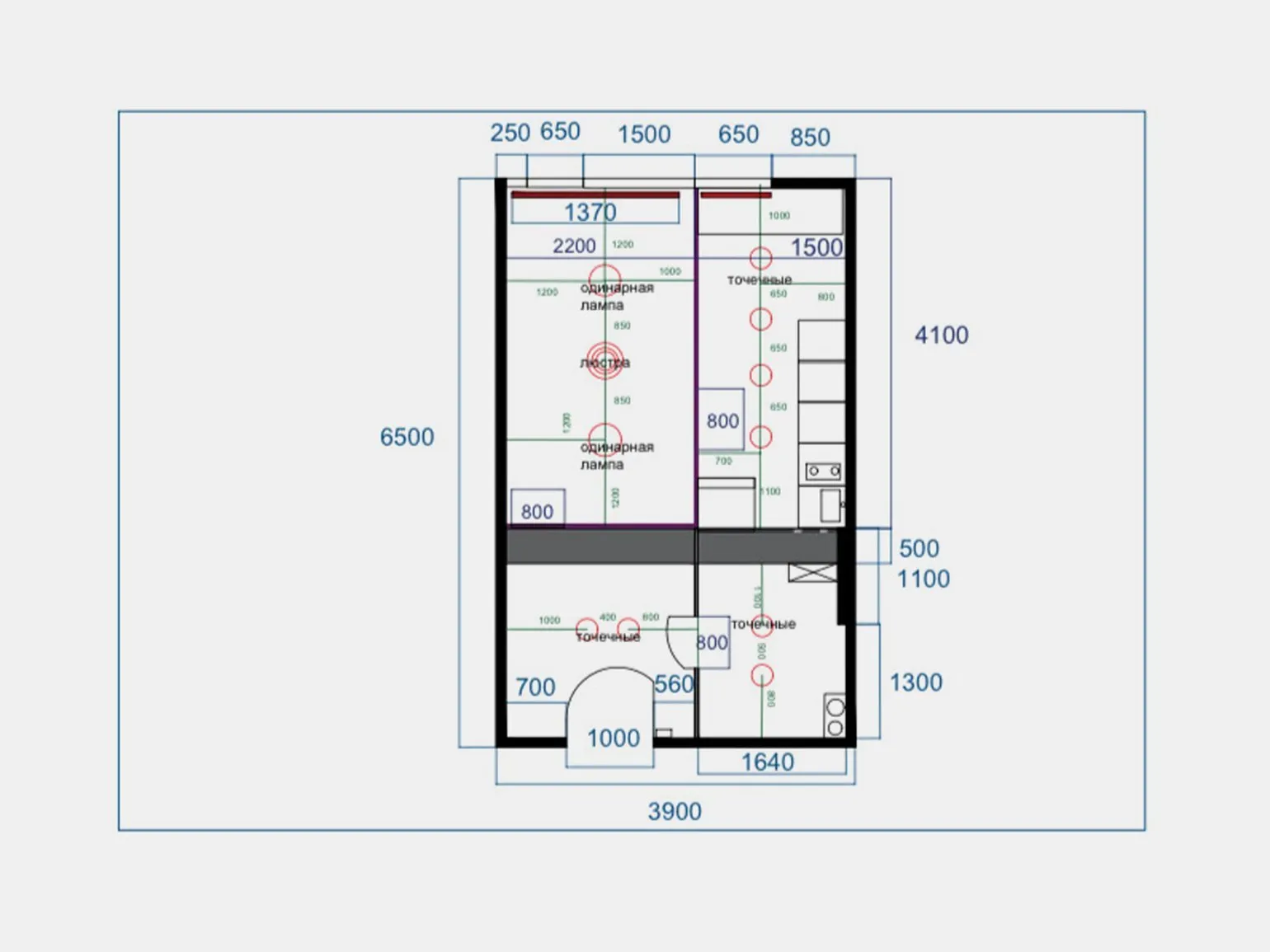
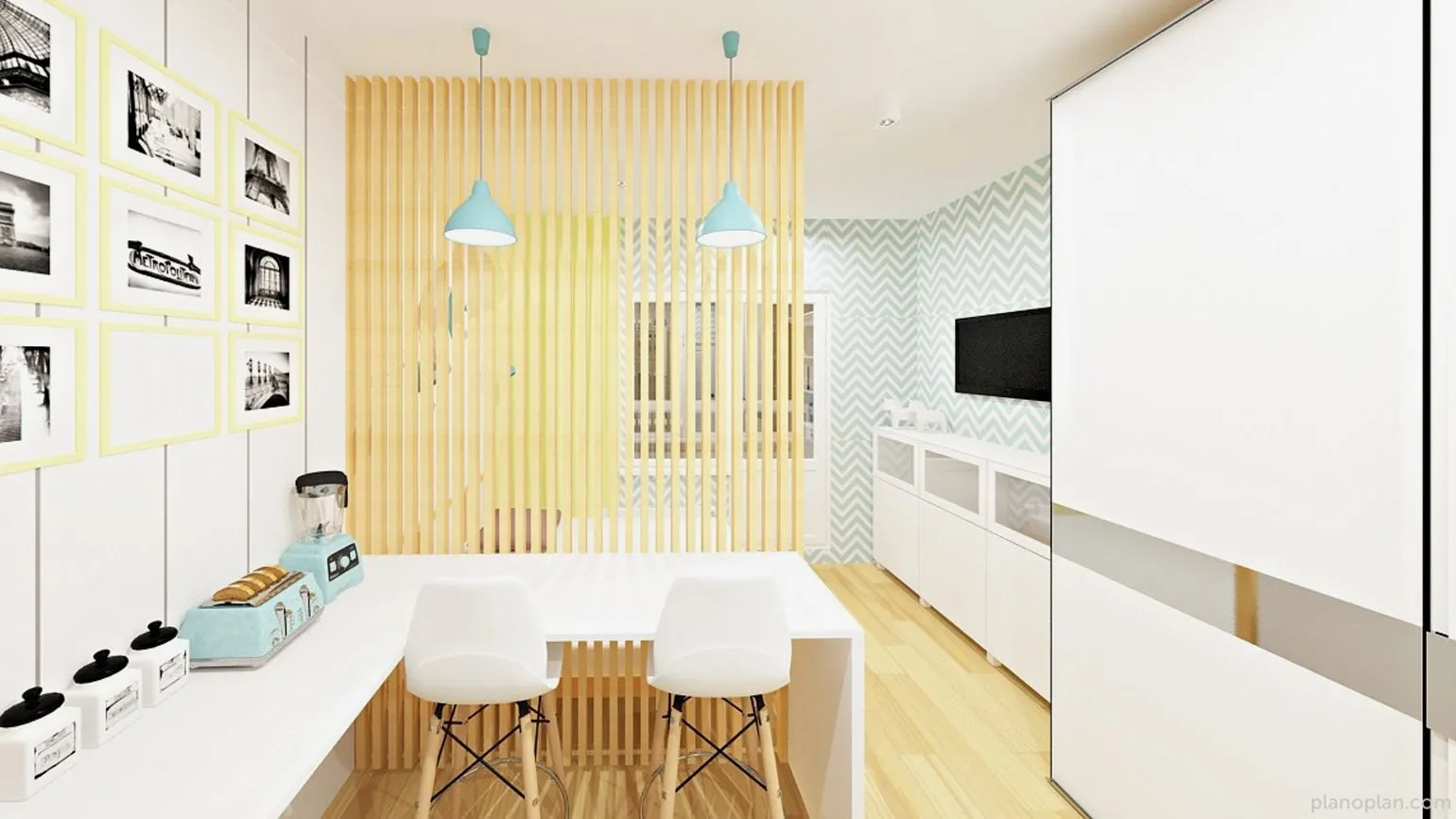
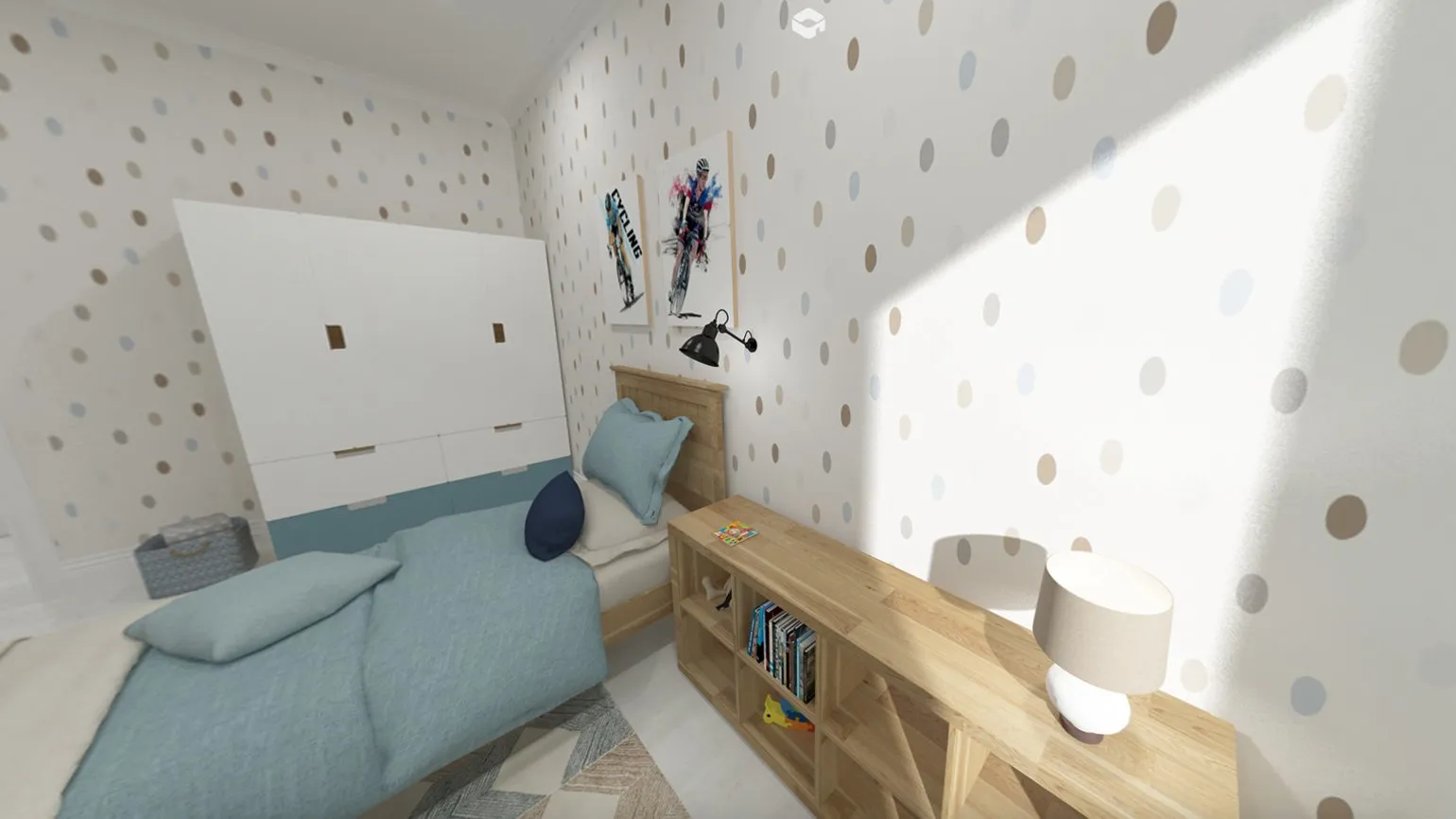
The advantages of using Planoplan are high-quality visualization and ease of use. This software allows users to easily create 3D interior models, significantly simplifying the space planning process. Its intuitive interface and extensive functionality make Planoplan the ideal tool for designers and architects.
With Planoplan, you can not only design rooms but also experiment with different styles and furniture arrangements. This allows for a more accurate representation of the final result and helps avoid errors during project implementation. The program also supports collaboration, allowing teams to share ideas and make edits in real time.
Furthermore, Planoplan offers access to an extensive object library, significantly speeding up the design process. Users can easily find the right elements for their projects, making their work more efficient. All these advantages make Planoplan an indispensable tool for anyone involved in interior design and space planning.
- Create 2D floor plans, 3D renders, and VR panoramas.
- Adjust natural lighting depending on the time of day.
- Access via browser, desktop applications, and mobile devices.
- A library of items from real stores with direct links to manufacturers.
- Full customization of items: size, color, texture, and the ability to create your own models.
- Prepare documentation and calculate project estimates.
Disadvantages of Planoplan:
Planoplan, despite its advantages, has a number of disadvantages. Firstly, the limited functionality of the free version may not meet the needs of more experienced users. Secondly, the program interface may seem complicated for beginners, which requires additional time for training. It's also worth noting that the app's performance may slow down when working with large projects, which can negatively impact usability. Furthermore, the lack of integration with some popular programs can limit functionality and reduce work efficiency. It's important to consider these drawbacks when choosing Planoplan for interior floor plans and design.
- Large memory required for rendering.
- Limited functionality in the free version: you can only upload one texture and create three projects.
Planoplan pricing varies depending on the chosen plan and functionality. The platform offers several pricing plans, allowing users to choose the best option to suit their needs. Key parameters that affect cost include access to various interior design tools, the number of users, and the amount of storage for projects. For more accurate information on prices and available plans, we recommend visiting the official Planoplan website, where current offers and special promotions are presented.
- Free trial period with limitations.
- Paid plans from 825 rubles per month.
- Additional renderings can be purchased for 125-1250 rubles.
- Payment is possible in rubles from local bank cards.
Professional software for designers
Interior designers use a wide range of software products, which can be classified as universal and specialized. Universal tools include applications such as Archicad and SketchUp, which allow you to develop complete projects with detailed drawings, specifications, and high-quality visualizations. Specialized programs like 3ds Max and Photoshop play a vital role in modeling, visualization, and image editing, ensuring a professional approach to interior design. Using these tools allows interior designers to effectively realize their ideas and offer clients high-quality solutions.
Archicad is a highly effective software product designed for developing architectural plans, drawings, and working documents. With Archicad, you can create all interior elements, from floor plans to photorealistic renderings. This program provides architects and designers with intuitive design tools, significantly speeding up the workflow and improving the quality of final products. Archicad also supports collaborative project work, making it an ideal choice for team-based architectural work.
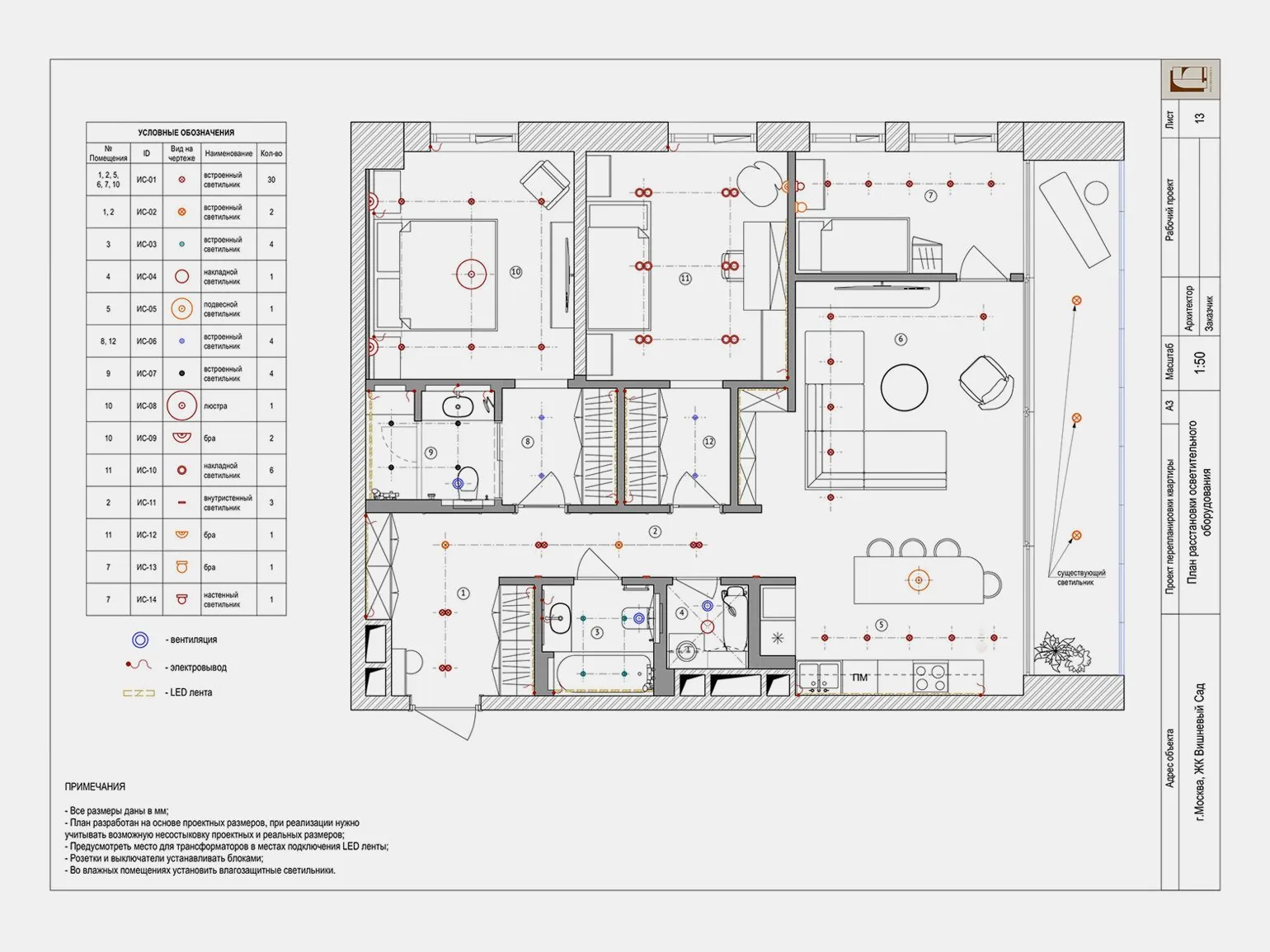
Archicad is a powerful architectural design software that offers many benefits for construction and design professionals. One of Archicad's main advantages is its intuitive interface, which allows users to easily create and edit architectural models. The program supports both 2D and 3D visualizations, which greatly simplifies the design process and allows for quick changes.
Furthermore, Archicad offers extensive collaboration capabilities, allowing teams of architects and designers to effectively share data and coordinate their efforts. This is especially important in large projects that require a high degree of interaction between different participants.
Another important advantage of Archicad is its support for Building Information Modeling (BIM) technologies. This allows for the creation of accurate and detailed models that include all the necessary information about materials, structures, and engineering systems. The use of BIM technologies helps improve the quality of design and reduce the risks associated with errors during the construction phase.
Archicad also offers a rich library of templates, objects, and materials, allowing architects to quickly find the right solutions for their projects. Optimized workflows and the ability to integrate with other programs make Archicad an indispensable tool for modern architects.
In conclusion, Archicad is an ideal choice for professionals striving for efficiency, accuracy, and high quality in architectural design.
- Ability to work in both 2D and 3D formats with easy switching between them.
- Preparation of all necessary construction drawings, including specifications and material estimates.
- Automatic updating of all related project elements, which simplifies the process of making changes.
The disadvantages of this theme include several key aspects. Firstly, there is limited availability of information, which can hinder the decision-making process. Secondly, high competition in this field may lead to a decrease in interest from the target audience. Furthermore, insufficient support from manufacturers or suppliers is also a significant drawback. It is important to consider that these shortcomings can negatively impact the overall perception of the topic and reduce its appeal to potential users. Therefore, it is essential to carefully analyze all possible downsides and seek ways to minimize them.
- Limited furniture and interior design library, although additional libraries can be added.
- Complex interface that requires training to use effectively.
Cost is an important factor when choosing a product or service. It can vary depending on quality, brand, and location of purchase. Before making a purchase decision, it is recommended to analyze prices of similar products to ensure reasonable costs. Keep in mind that a low price does not always guarantee high quality, so it is worth paying attention to reviews and the seller's reputation. To optimize costs, you can take advantage of promotions and discounts often offered by stores and services. Therefore, a reasonable approach to cost estimation will help you make the right choice and save money.
- A free trial version is available for 30 days with limited functionality.
- As of March 2022, the sale of new Archicad licenses for Russia and Belarus has been discontinued, requiring you to contact resellers to purchase a license.
SketchUp is powerful software for creating both simple sketches and complex 3D visualizations. The program is very popular among interior designers, architects, and landscape designers due to its intuitive interface and wide range of tools. SketchUp allows users to easily and quickly model objects, visualizing them in three-dimensional space. This tool is ideal for both beginners and professionals striving to create high-quality and realistic projects. Using SketchUp in interior design and architecture significantly simplifies the work process and increases design efficiency.

The advantages of using SketchUp are its simplicity and accessibility for users of different skill levels. This 3D modeling program allows you to quickly create and edit models, which makes it an ideal tool for architects, interior designers, and engineers. One of SketchUp's key advantages is its intuitive interface, which makes modeling easy even for beginners.
Furthermore, SketchUp offers an extensive library of pre-built models, saving time and effort when developing projects. Integration with other programs and platforms makes SketchUp a versatile tool that can be used in a variety of fields, from construction to graphic design.
It's also worth noting that SketchUp supports extensions and plugins, significantly increasing its functionality. Users can customize the program to their needs by adding new tools and features.
Finally, SketchUp has an active user community that shares experiences and provides support, making the learning process more enjoyable. As a result, SketchUp allows you to effectively implement creative ideas and projects in 3D, making it an indispensable tool in the arsenal of professionals.
- Creation of three-dimensional design projects with the ability to generate construction drawings using the LayOut plugin.
- A wide selection of textures, materials, and furniture available for use.
- Cloud storage for projects, available in paid versions.
- A simple interface that allows you to quickly master the program.
Disadvantages can significantly impact the overall user experience and business results. The main disadvantages include ease of use, poor performance, lack of necessary features, and compatibility issues. These aspects can lead to negative reviews and decreased customer trust. To achieve high results, it is important to consider and minimize these disadvantages, thereby ensuring a positive experience with the product or service. Recognizing and addressing shortcomings can significantly improve user satisfaction and strengthen a company's reputation.
- The need to use additional plugins to perform specific tasks.
- A limited set of objects in the free version, which may not be sufficient for professional work.
Cost is an important factor in making a purchasing decision. It can vary depending on the quality of the product, its features, and market conditions. To determine the most suitable option, it is important to compare prices of similar products and factor in additional costs such as delivery or installation. At the same time, it is important to keep in mind the price-quality ratio, as sometimes a higher price can be justified by the durability and reliability of the product. By analyzing the cost, you can make an informed choice that will meet your needs and budget.
- A free version is available for personal projects.
- The professional version is free for 30 days.
- Subscriptions start at $119 per year, and a foreign bank card is required for payment.
3ds Max is powerful software used to create photorealistic visualizations, develop animations, and model game characters. The program offers a wide range of tools and capabilities, making it ideal for 3D designers, architects, and animators. With an intuitive interface and flexible settings, 3ds Max allows you to effectively work on complex projects, ensuring high-quality end results.
3ds Max is powerful 3D modeling and animation software that is widely used in the visualization and design industries. One of the main advantages of 3ds Max is its rich set of tools, which allows you to create high-quality models and animations. The program offers an intuitive interface, making it easy to learn and use for both beginners and experienced users.
Furthermore, 3ds Max supports a wide range of file formats, simplifying integration with other programs and tools. This makes it an ideal choice for projects requiring cross-platform compatibility. A significant advantage is its extensive library of materials and textures, which significantly speeds up the development process.
Another significant aspect of 3ds Max is its ability to create photorealistic renders. With built-in rendering tools, users can achieve high-quality images, which is especially useful for architectural visualization and animation production. In addition, the program offers a wide range of plug-ins that expand functionality and allow you to implement unique ideas.
Overall, 3ds Max combines powerful tools for modeling, animation, and rendering, making it an indispensable tool for 3D design professionals.
- Create high-quality architectural visualizations that are difficult to distinguish from real photographs.
- Ability to customize your own libraries of interior elements.
- Support for importing ready-made plans for their subsequent 3D modeling.
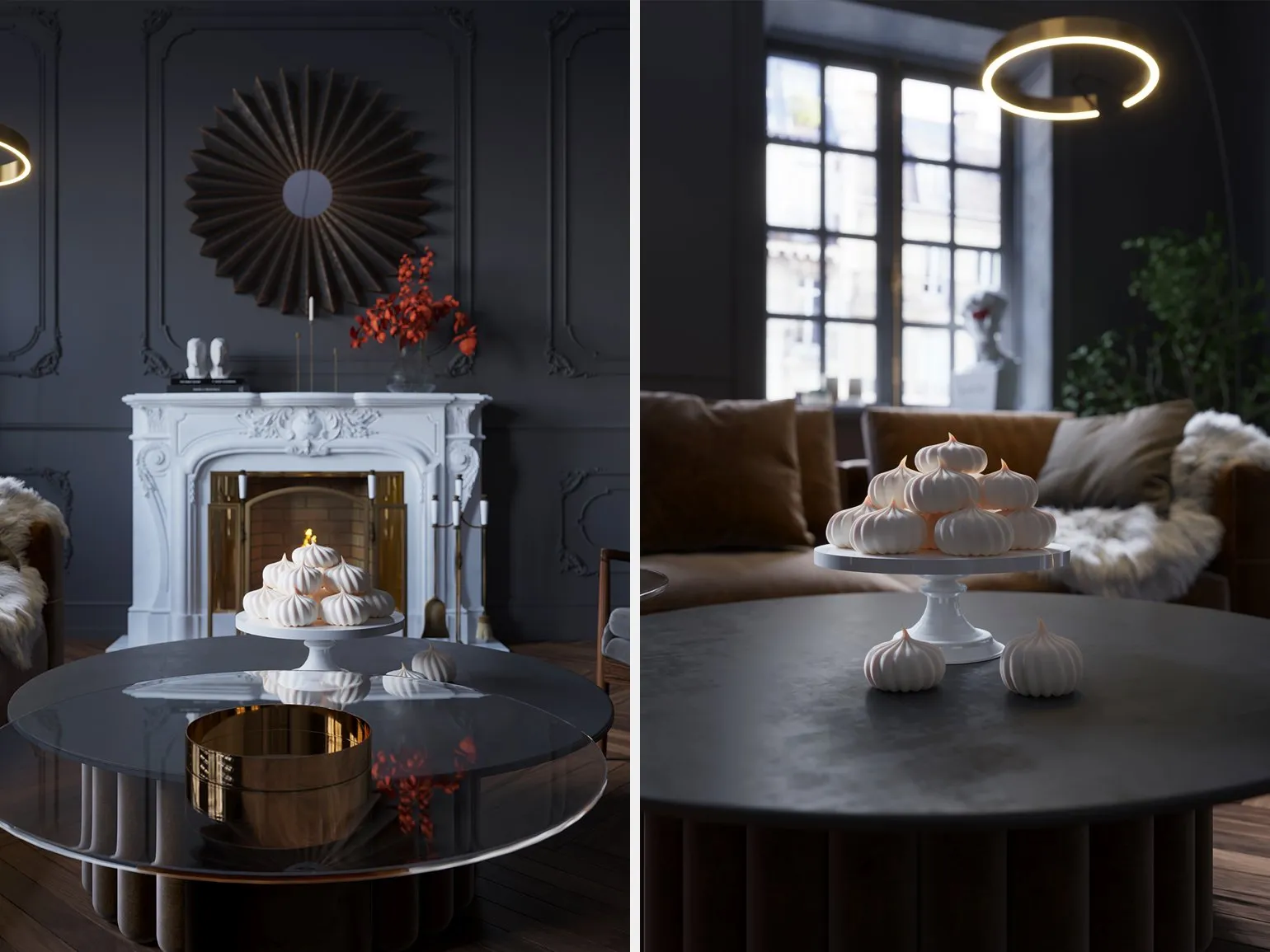
The disadvantages of using certain technologies or products can significantly affect their effectiveness and popularity. The main disadvantages include high cost, difficulty in learning, and the need for regular updates and maintenance. In addition, some technologies may have limited compatibility with other systems, which creates additional difficulties during integration. It's also worth considering potential security issues that may arise when using outdated or poorly protected solutions. All of these factors can hinder implementation and use, which is important to consider when choosing the right technologies. A difficult-to-learn interface and a large number of settings that require time to learn. Long rendering times, which can take anywhere from 20 minutes to several hours. The cost of a service or product is an important aspect for consumers. It can vary depending on various factors, such as quality, volume, and market supply and demand. Proper pricing can attract more customers and increase competitiveness. To effectively promote a product, it's important to consider not only the price but also its perception by the target audience. Analyzing the market and customer needs will help establish the optimal price, which in turn will lead to increased sales and improved financial performance of the business.
- A 3ds Max license costs €279 per month or €2,245 per year.
- A free trial is available.
- Autodesk has suspended sales of licenses in Russia, making them more difficult to acquire.
Photoshop is a powerful graphics editor that, although not intended for creating technical drawings, is ideal for visualizing and presenting design concepts. Its rich functionality allows designers to effectively implement their ideas, creating striking and memorable visual materials. Photoshop provides a wide range of tools for working with images, making it indispensable in the process of developing graphic content.
Photoshop is an essential tool for interior designers, as it allows them to visualize ideas and concepts. With this software, designers can create realistic images of interiors, which helps clients better understand the proposed solutions.
Photoshop offers the ability to work with colors, textures, and lighting, significantly improving the presentation of projects. Designers can easily edit photos of rooms, add new elements, change finishes, and experiment with different styles. This not only speeds up the design process but also significantly improves the quality of the final result.
Furthermore, Photoshop supports various image formats and integrates with other programs, making it a versatile tool in an interior designer's arsenal. Using Photoshop, designers can create attractive portfolios that will distinguish them from competitors and help attract new clients.
Therefore, Photoshop is a necessary skill for interior designers, as it facilitates effective project visualization and facilitates communication with clients.
- Creating collages and mood boards to visualize concepts.
- Editing renders, enhancing their quality, and adding effects.
- Designing 3D layouts and applying textures.
Cost is a key factor influencing the choice of products and services. Prices can vary depending on quality, brand, and market. When setting prices, it is important to consider not only production costs but also market trends, competition, and consumer demand. The optimal price should strike a balance between affordability for clients and profitability for the business. Pricing transparency builds trust with consumers, which in turn can increase loyalty and sales.
- Photoshop subscriptions start at $20.99 per month.
- A 7-day free trial is available.
- A foreign card and account in a different region are required to purchase a subscription, as access to the Russian version will be limited starting in spring 2022.
Stay up to date with current design trends by subscribing to our Telegram channel. We regularly share fresh ideas, new approaches, and inspiration to keep you ahead of the design world. Don't miss out on the opportunity to receive useful information and advice from professionals. Subscribe and follow new trends with us!
Explore our article for a deeper understanding of the topic. We offer useful information and tips to help you better navigate this issue. Our content is optimized for search engines, making it easy to find what you need. Be sure to check out other articles on our website to expand your knowledge and get up-to-date information.
- What are mood boards and why do designers need them?
- What is AutoCAD?
- How to become a successful interior designer?
- First project for a design portfolio?
Interior designer: 5 Steps to a Successful Career
Want to become an interior designer? Learn 5 key steps to success in the profession! Read the article.
Find out more