Contents:

3D Artist: 5 Steps to a Successful Profession
Learn MoreBasics of Creating 3D Models
3D modeling is a key element of modern digital art and plays an important role in various entertainment fields, such as video games and the film industry. Each object, including characters, cars, and landscapes, is created using points, edges, and faces, allowing for the formation of complex three-dimensional structures. This process requires a high degree of skill and creativity, as 3D modelers must consider both technical aspects and artistic elements to achieve realism and expressiveness in their work. Using modern 3D modeling software opens up new opportunities for creating unique content and improving visual perception in various projects.
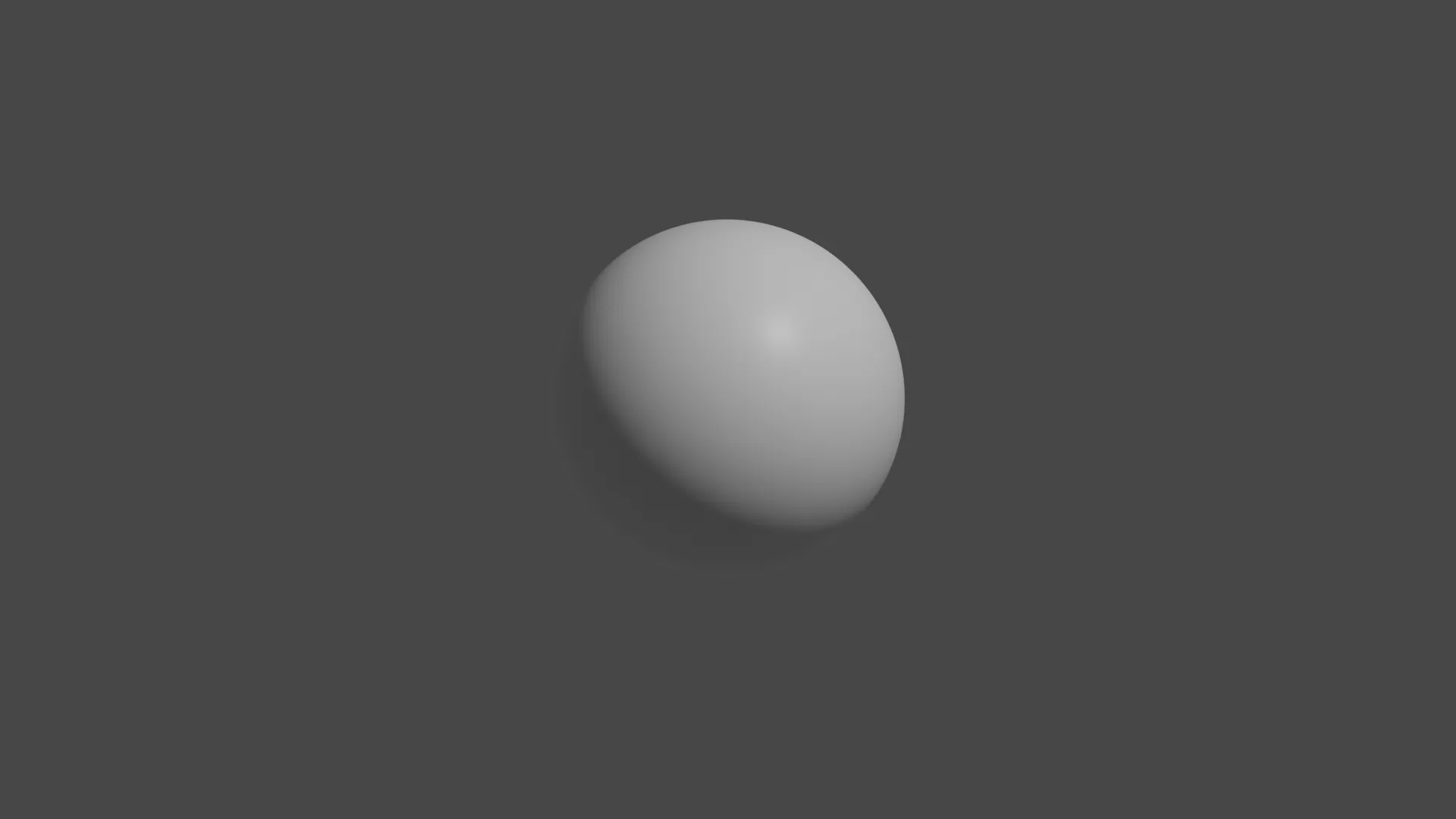
At first glance, a three-dimensional sphere looks like a smooth object, but In fact, it consists of many vertices, each of which has unique coordinates in space along the X, Y, and Z axes. These vertices form the structure of the sphere, allowing it to maintain its geometric integrity. Understanding these coordinates and their locations is key to the study of geometry and topology, as well as the use of 3D models in various fields such as computer graphics and physical modeling.
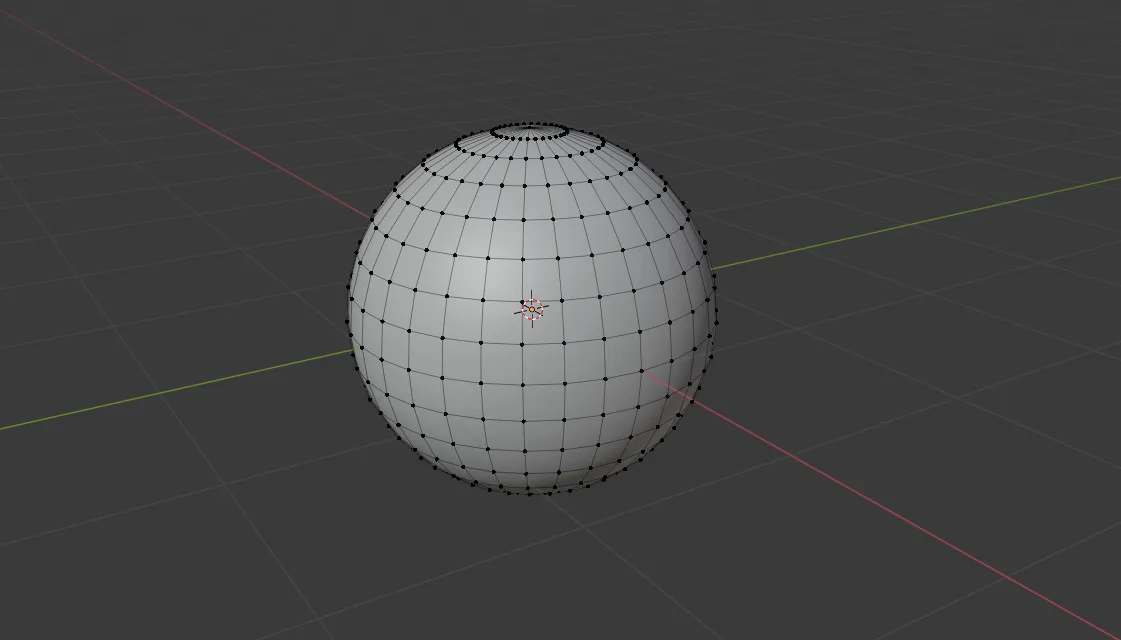
The number of vertices in a 3D model directly affects its level of detail. Increasing the number of vertices increases the level of detail, but it also requires additional computer resources to process and render the model. Vertices are connected to create edges and faces, which ultimately form a polygonal mesh. Optimizing the number of vertices is important to achieve a balance between visual quality and system performance.
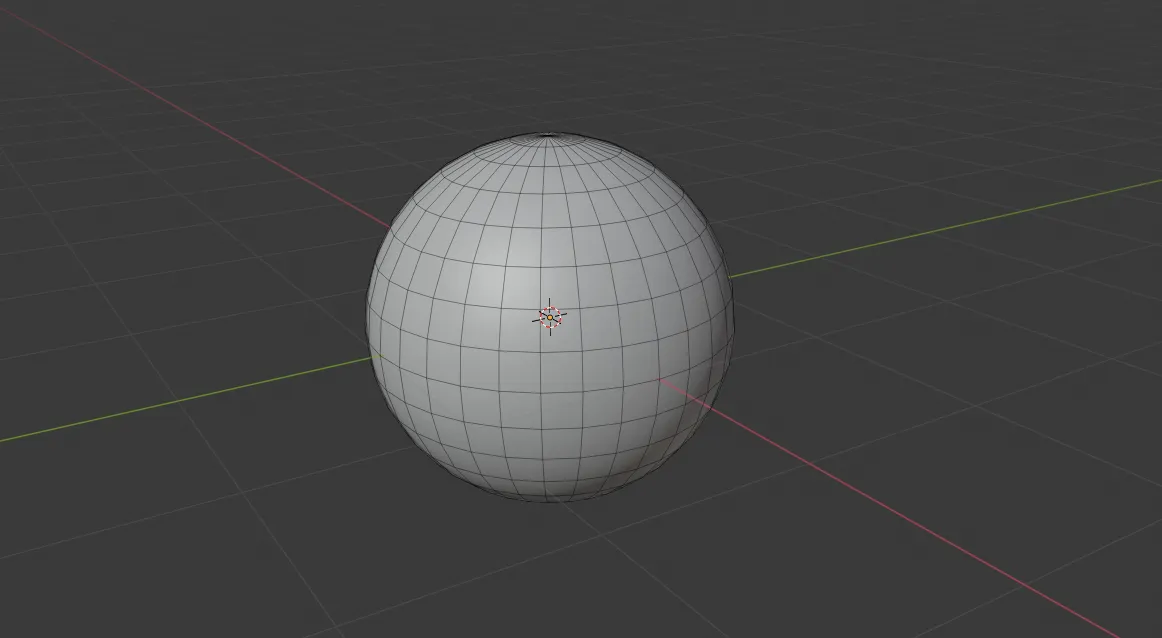
The location of a face in space is determined by its position relative to the camera and light sources, which directly affects the visualization of an object on the screen. Lighting plays a key role in the perception of form, as different angles and intensities of light can significantly change the visibility and contours of an object. Proper lighting settings help highlight details and create a more realistic image.
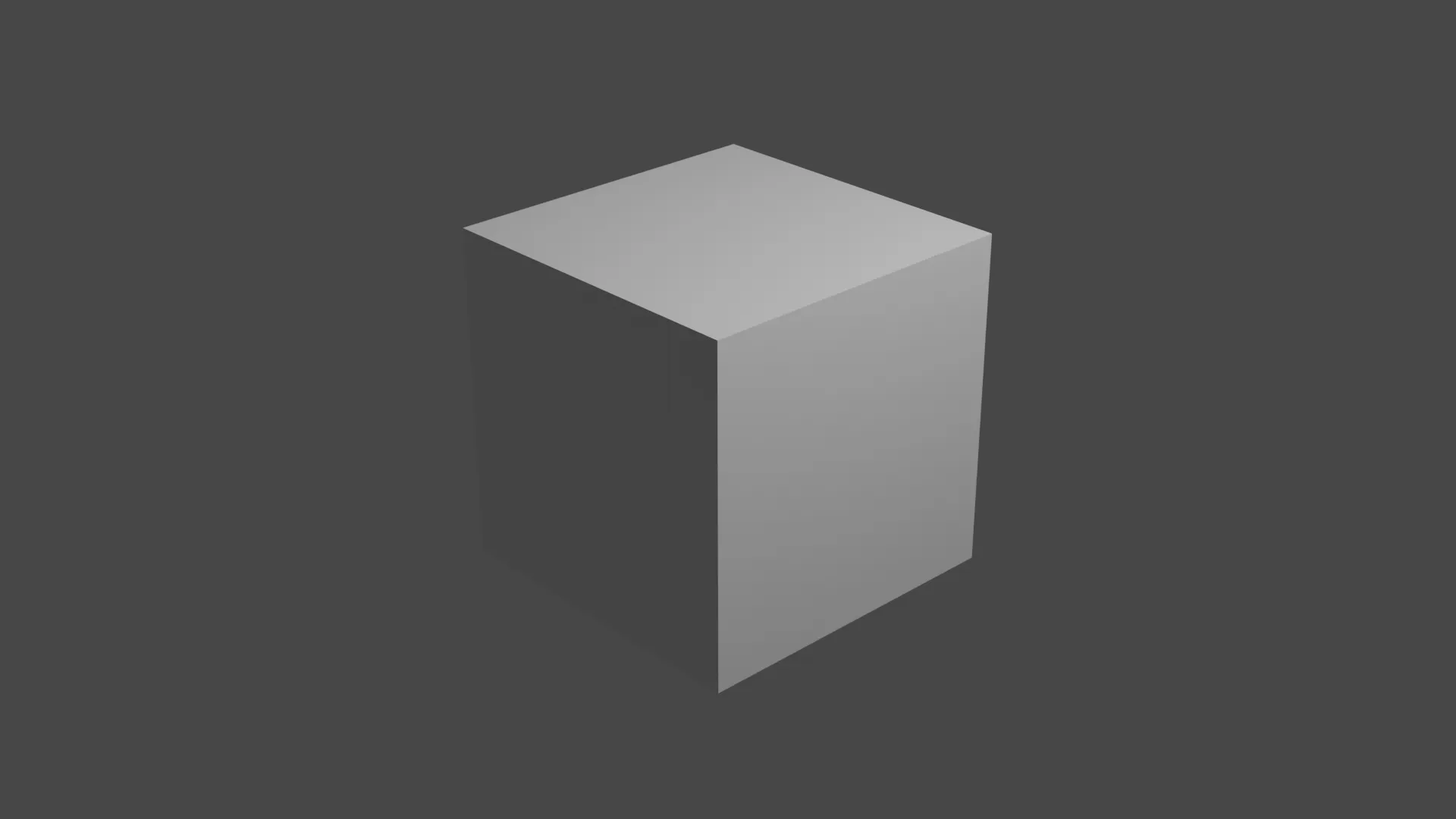
By modifying the mesh, you can create a variety of complex objects, exploring different shapes and details. Mesh modification allows designers and 3D artists to experiment with geometry, opening up new possibilities for creativity and visualization. By using mesh editing tools, you can achieve unique results, making the modeling process more fun and rich.
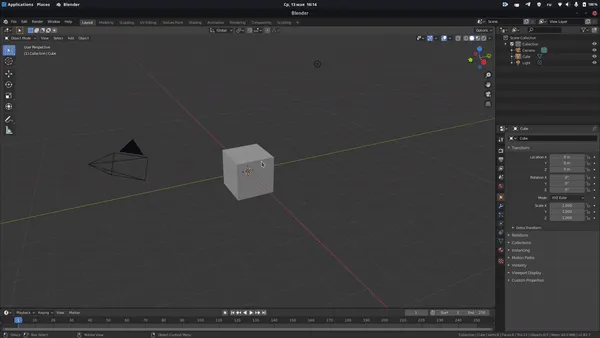
When creating hard surfaces, 3D artists often manually adjust the position of faces to achieve desired shape. When developing characters, sculpting, a method similar to modeling with plasticine, is more common. This approach allows for the creation of detailed and organic forms, making it ideal for working with characters and other complex objects in 3D graphics. Using sculpting in combination with traditional modeling methods opens up new possibilities for artists, allowing them to create high-quality 3D models with rich texture and distinct shapes.
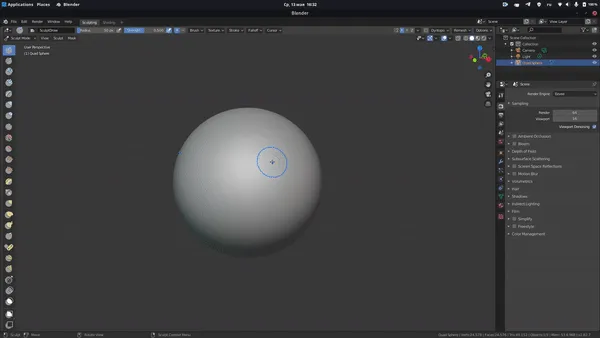
Geometry is the main stage in the process of creating 3D models. Using sculpting for modeling can lead to problems with topology, which manifests itself in an excessive number of vertices. Correct topology is key to optimizing the model and its subsequent use in animation and rendering. Therefore, it is important to pay attention not only to creating geometry, but also to ensuring high-quality topology, which will help avoid problems at subsequent stages of 3D content development.
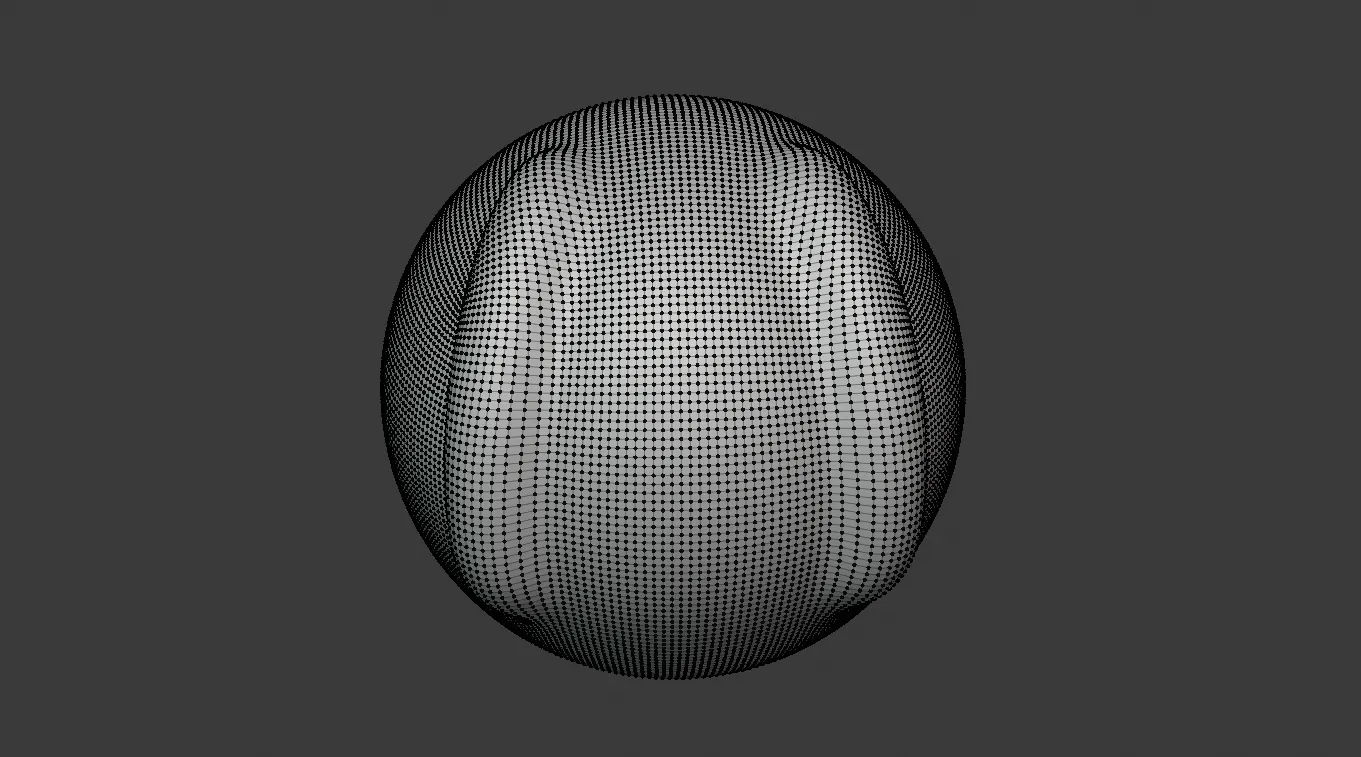
Models are optimized using retopology tools, which allow you to remove redundant edges and improve the mesh structure. These tools significantly improve the quality of the model, making it lighter and easier to work with. Proper retopology improves performance in 3D applications and provides higher quality rendering.
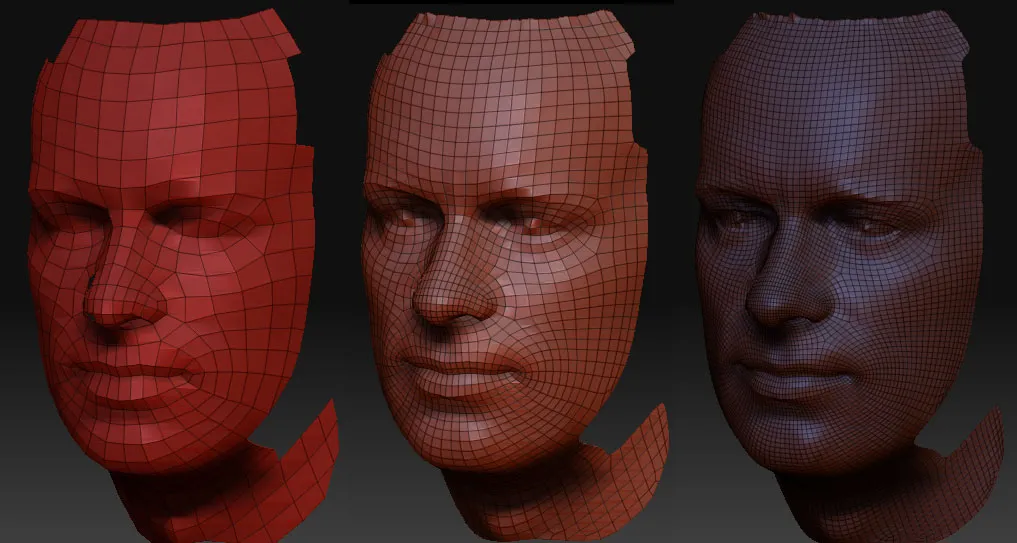
To create a model, it is also necessary to develop textures, which includes choosing colors, images, or patterns. This process is a key element that significantly increases the level of realism of the model. Correctly selected textures not only improve visual perception, but also give the object depth and character.
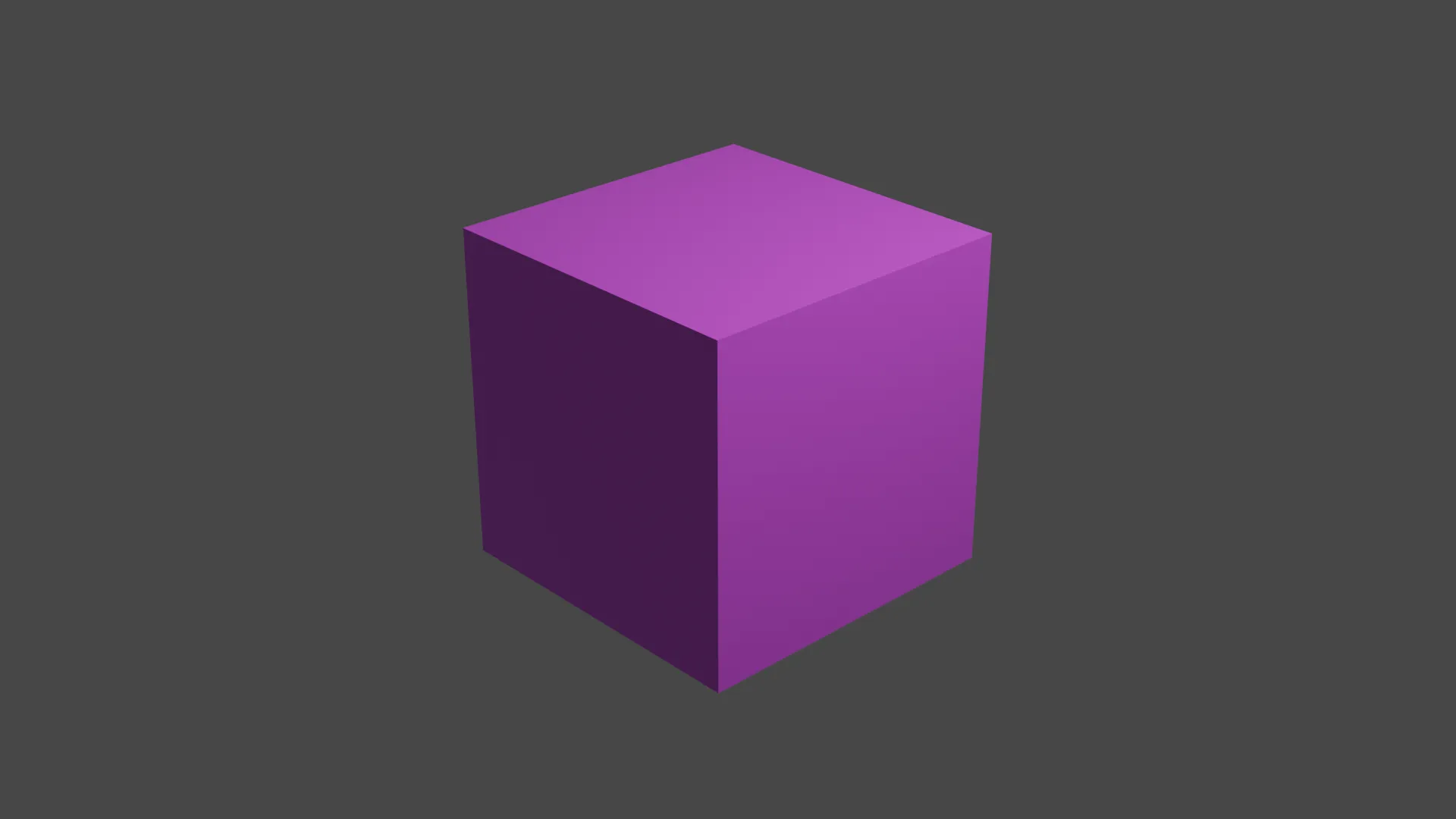
In 3D modeling, the key stages are animation, texture baking and creating normal maps. These elements are of great importance and require careful study for those looking to delve into the world of 3D graphics. In the next section, we will dive into the technical aspects involved in the model creation process to help you better understand and master these important skills.
How 3D Models Are Displayed on Screen: Rendering Basics
Displaying three-dimensional objects on a two-dimensional screen involves a number of complex issues. This technology is based on mathematical principles that may seem surprising to people unfamiliar with the basics of computer graphics. 3D graphics uses various techniques, including projection and rendering, to create the illusion of depth and volume on a flat surface. Understanding these processes helps us better understand how we perceive visual objects in digital space.
In 3D space, the key concept is the scene. All objects located in this scene represent data stored in the computer's memory. This data includes information about geometry, textures, materials, and other characteristics that determine the visual and functional representation of each object. A scene serves as the foundation for creating realistic images and animations, enabling interactions between elements and their visual perception. Proper scene organization plays a crucial role in rendering performance and quality.
Visualizing a scene in computer graphics requires an observer, represented by a camera. It allows the image to be captured from a specific perspective. A light source is also key, making objects visible by creating shadows and highlighting details. Without these components, the scene will remain invisible, and its elements will not be perceived by the viewer.
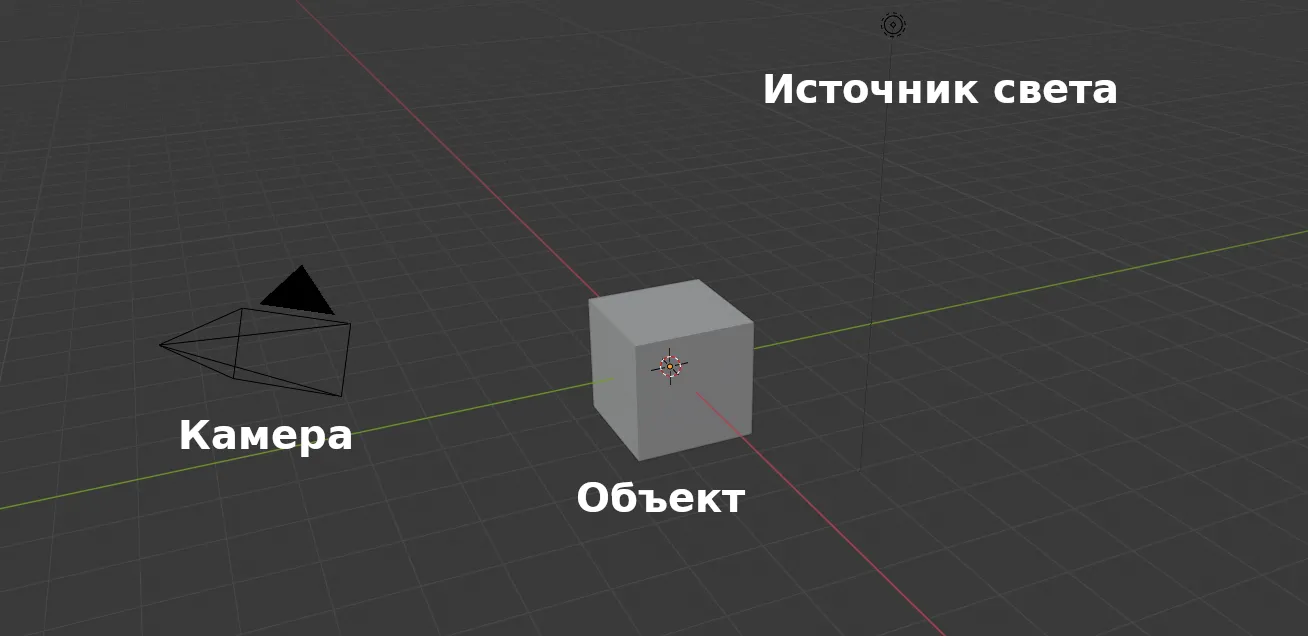
Here the process of creating visual content begins: the computer must determine how the scene will look with camera point of view. This stage includes a number of key steps necessary to create a realistic image.
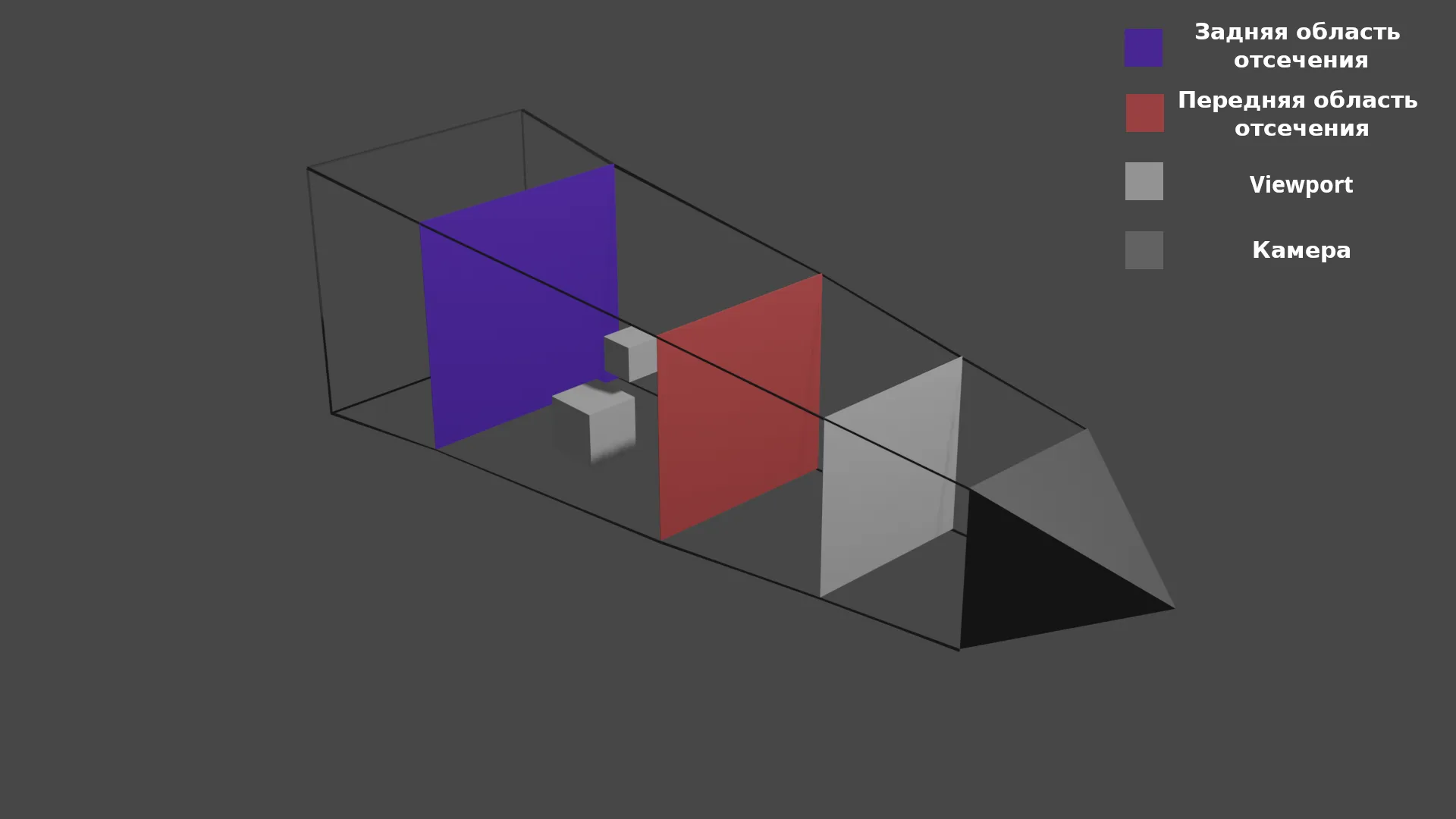
The computer renders only those objects that are within the user's visibility. Any elements outside these boundaries are clipped and not displayed. For each point on the screen, the system must determine which colors to output based on information about the location and characteristics of objects. This is a critical process for efficient graphics display and an improved user experience.
When a ray of light from the camera hits an object, the computer performs an analysis to determine which polygon it hits. This analysis takes into account the materials used, the behavior of light as it hits the surface, and the object's distance from the camera. This process enables the creation of accurate 3D models and improves the quality of visualization in computer graphics and animation.
The data is converted into a projection plane, known as a viewport. This is a two-dimensional area in three-dimensional space that serves as the basis for forming the final image displayed on the monitor. The process of converting data into a projection plane plays a key role in graphics visualization, ensuring the accuracy and quality of images.
Rendering, or drawing, is the process of converting a three-dimensional scene into a two-dimensional image. This technology plays a key role in fields such as video games, animation, and 3D design. Rendering allows complex 3D objects and scenes to be visualized, creating realistic images that impress viewers. Modern applications use a variety of rendering methods, including photorealistic and real-time rendering, significantly expanding the capabilities of designers and developers.
3D Motion: From Historical Foundations to Modern Technologies
3D animation is not just a static image, but a dynamic art that brings visual stories to life in films and video games. Time-tested animation principles remain relevant and continue to evolve. With each new technological advancement, new horizons open up for the creation of realistic and immersive animated projects. The ability of 3D animation to convey emotion and movement makes it indispensable in modern visual content, enabling the creation of unique and engaging works.
In 1877, the praxinoscope was invented, an innovative device consisting of a rotating drum covered with sequential images. At the center of the praxinoscope was a small drum with mirrors, which, when rotated, created the illusion of movement. This invention was a significant step in the history of animation and cinema, paving the way for the development of visual effects technologies and animation devices. As a result, the praxinoscope had a significant impact on the further development of multimedia arts and the formation of modern cinema.

Modern animation technologies have radically changed the approach to creating moving images. Today we see frame updates at a frequency of 60 images per second (FPS), which significantly increases the smoothness and realism of animation. This high frame rate allows for more natural movement and improves the perception of visual content. As a result, animation becomes more engaging and effective in conveying information.
- The rendered scene is displayed on the screen.
- The position of objects changes depending on the user's actions.
- The updated image is displayed on the monitor 60 times per second.
In video games, each frame is generated in real time. This means that while the player controls the character, the computer processes the changes 60 times per second, which requires significant computing power. This process ensures smooth gameplay and high responsiveness to user actions, which is a key aspect of modern video games. Game development requires optimization of graphics and algorithms to ensure maximum performance and image quality.
High-quality graphics in games like Minecraft are largely determined by modern technologies. One significant advancement in this field is ray tracing, which allows for more accurate modeling of the interaction of light with objects. This technology provides realistic lighting, shadows, and reflections, significantly improving the visual perception of the game. The implementation of ray tracing opens new horizons for developers, allowing them to create more immersive and visually appealing game worlds.
A Minecraft scene without RTX technology looks rather simple and flat. It lacks realistic lighting effects and shadows, making the game world less three-dimensional. Blocks have standard textures, and lighting often appears uniform and unnatural. Landscapes can appear a bit monotonous, as the reflection and refraction effects offered by RTX are not applied. Without these improvements, the gameplay remains engaging, but the visual perception of the Minecraft world loses its depth and realism.
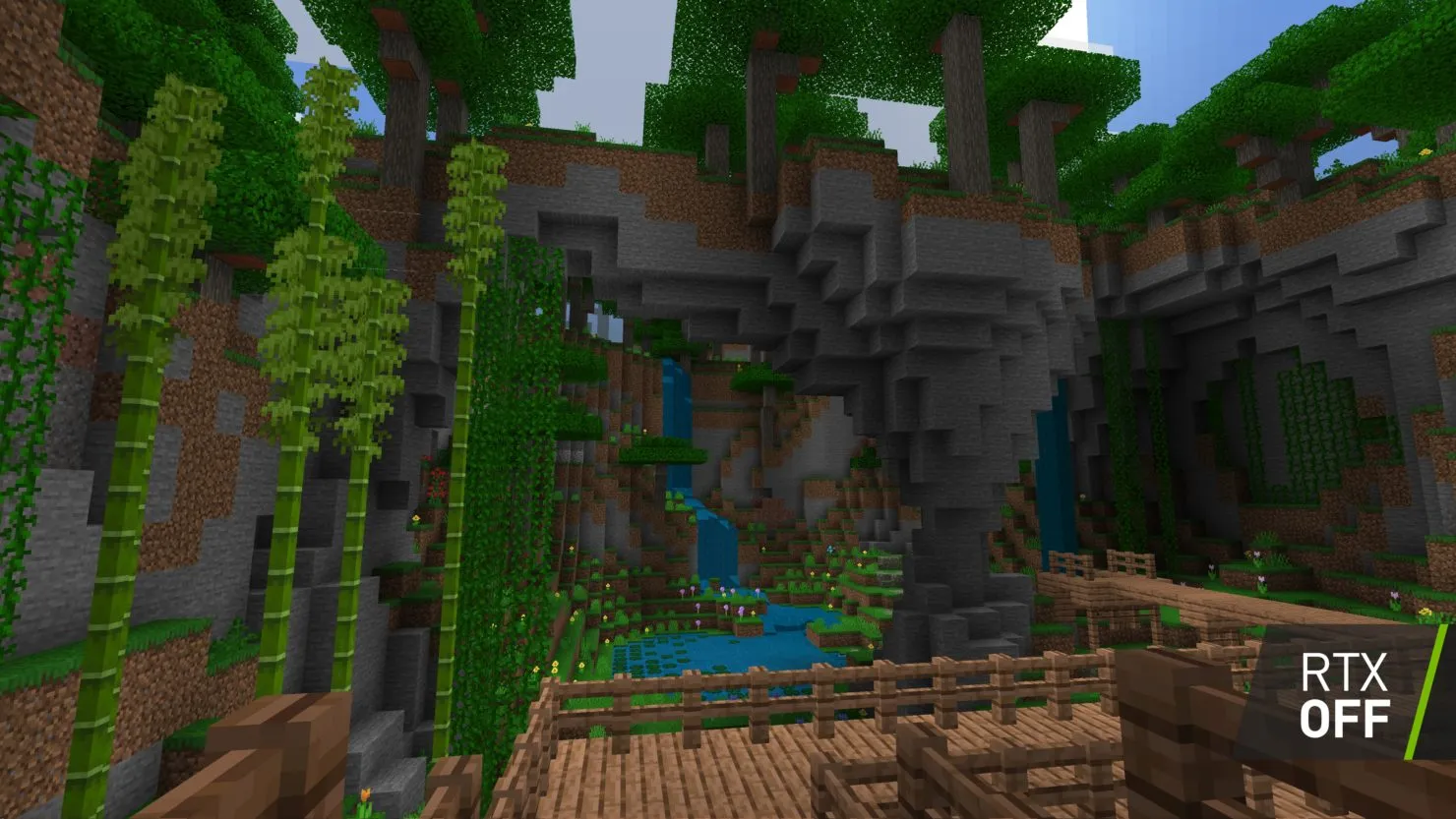
Here's what it looks like with RTX technology:
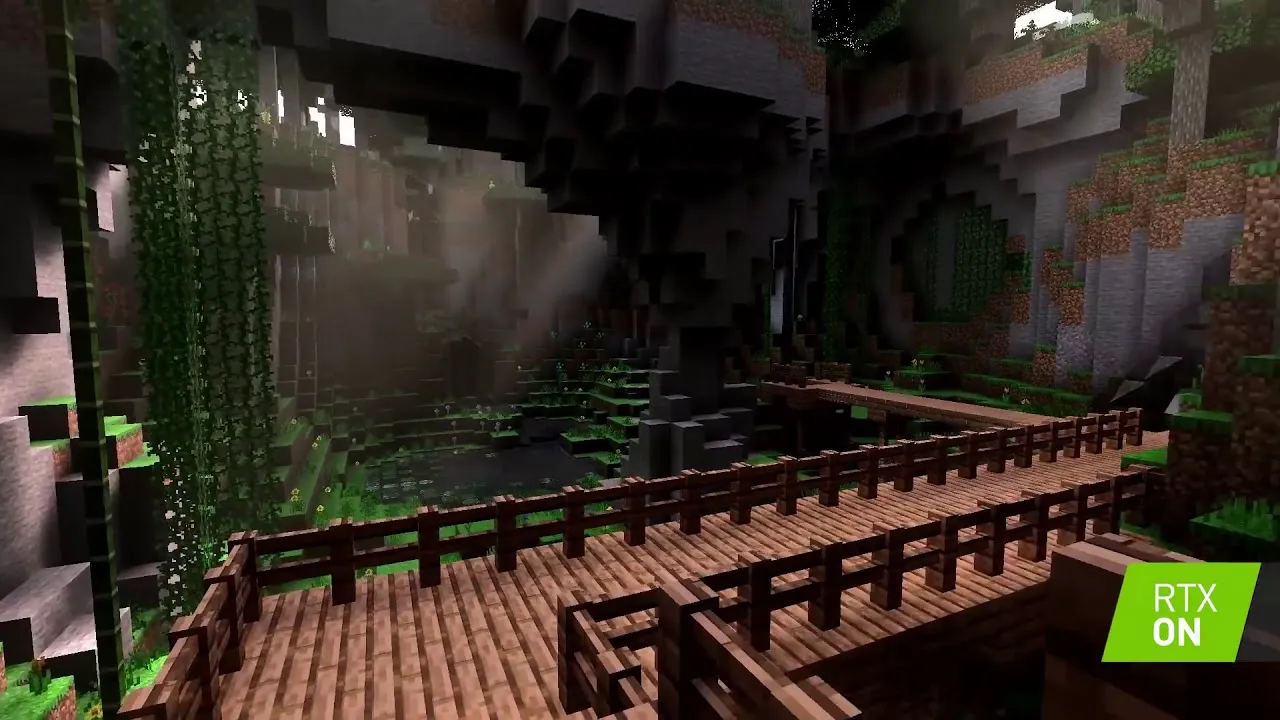
Ray Tracing technology dramatically improves the visual perception of games, giving light and shadows a realism that is noticeable even in simple cubic projects. This ray tracing method allows for detailed lighting and deep shadows, which significantly increases the level of player immersion in virtual reality. Even in simple graphic styles, Ray Tracing creates a sense of volume and depth, making gameplay more engaging.
Unlike video games, animation offers artists greater creative scope. The 3D animation process includes several key stages, such as conceptual design, modeling, texturing, animation, and rendering. Each of these stages requires attention to detail and a creative approach, which allows for the creation of unique and memorable characters and scenes. Thanks to modern technology and software, artists can realize their ideas with a high degree of realism and expressiveness, making 3D animation a popular tool in film, advertising, and video games.
- 3D artists create a scene.
- Determine the behavior of objects and the camera.
- Render the final video.
Animation creation is time-consuming, but the finished product can be played on low-performance devices if they support the required resolution. This makes animation accessible to a wide audience, regardless of the technology used.
3D Knowledge: The Key to Professional Growth
This article does not cover all aspects of 3D magic, including complex formulas and rendering algorithms. However, I hope that you have gained a general understanding of how this amazing technology works. 3D graphics opens up a wide range of opportunities for creating visual content, from animations to games and architectural visualizations. Understanding the basics of 3D allows you to better appreciate the complexity and beauty of digital art.
Understanding the basic concepts of 3D graphics significantly increases your professional competence, even if you do not directly use this knowledge in your work. It is important not only to complete tasks but also to understand their meaning, as well as the consequences of your actions in the process. This understanding allows you to better navigate complex projects, make informed decisions, and effectively collaborate with colleagues. Understanding the basics of 3D graphics can give you a competitive advantage in this rapidly evolving industry.
If you're interested in putting your knowledge to practical use and creating impressive 3D models, we recommend enrolling in our specialized course. During the course, you'll complete a variety of tasks, receive professional feedback from experts, and develop your skills. Each completed project will become an important part of your portfolio, increasing your chances of a successful career in 3D modeling. Join us and discover new horizons in the world of 3D graphics.
3D Artist in a Year: Master 5 Key Programs
Want to become a 3D artist? Learn how to master 5 programs in a year and create a portfolio of 20 works!
Learn more