
Course with employment: "Profession Game Developer on Unreal Engine from scratch to Middle"
Find out moreEpic Games presented the Unreal Engine 5 engine in open access in 2022. Since its release, the technology has undergone significant improvements and been enriched with new features. Skillbox Media's Gamedev editorial team has created a series of tutorials to help beginners master the capabilities of Unreal Engine 5. These materials are ideal for those looking to dive into the world of game development and take full advantage of this modern game engine.
These guides will be useful not only for experienced users but also for those interested in learning Unreal Engine 4. Many features of the fifth version of the engine, such as navigation and working with objects, remain virtually unchanged from the previous version. Although updates for Unreal Engine 4 are no longer planned, many developers continue to create projects on this platform. This makes learning UE4 relevant and in-demand, especially for beginners looking to enter the world of game development.
This material uses engine version 5.4. Future updates may include minor changes. With the 5.4 update, the Unreal Engine 5 editor now supports the Russian language. However, given that not all users are ready to migrate their projects to the new version or change the interface language, articles present Russian function names along with their English equivalents in parentheses. If a function name in the engine has not yet been translated, the original name is used. This is done for user convenience and to simplify working with the engine.
A quick reference is a concise overview of information on a specific topic. It allows you to quickly familiarize yourself with the main aspects and key points necessary for understanding the issue. The reference can include information on terms, facts, figures, and other significant elements that will help you delve deeper into the topic. This format is especially useful for those looking for quick answers or need preparatory information before delving into a topic in more detail.
Licensing for Unreal Engine 5, as with version 4, remains unchanged through version 5.3. Users can download the engine for free and access its source code. Epic Games charges a 5% royalty only if a project's revenue exceeds $1 million. This makes Unreal Engine 5 an accessible tool for developers, allowing them to focus on creating high-quality content without the need to invest in licenses upfront.
Updating Unreal Engine 5.4 comes with a change to the licensing terms. Epic Games charges an $1,850 fee per seat if a company's annual revenue exceeds $1 million. This applies not only to revenue from projects built on Unreal Engine but also to other sources. These terms apply to studios developing commercial non-game projects using the engine, such as films, TV shows, architectural visualizations, and attractions. These terms apply exclusively to version 5.4 and all subsequent versions of Unreal Engine.
For game developers, students, educators, and hobbyists, the upgrade to version 5.4 maintains the same terms. This allows everyone in the community to continue using familiar tools and features without having to adapt to new requirements. Updating to version 5.4 will ensure stable and efficient operation, while maintaining the familiar interface and functionality.
The engine maintains backward compatibility with version 4.27: projects developed in this version load successfully in 5.4. However, content created in earlier versions (4.0–4.26) may experience loading issues, as many components are now outdated. It is recommended to update projects to version 4.27 to ensure correct operation in 5.4. Please pay attention to the changes in architecture and functionality to avoid possible errors during migration.
Unreal Engine 5 is based on the C++ programming language. However, to simplify the development process, the editor includes a visual programming system known as Blueprints. This system allows you to create operational logic by sequentially connecting nodes. This visual approach significantly reduces the likelihood of syntax errors that are often made by beginners when writing code. Blueprints are easy to learn even for those with no programming experience, making them an ideal tool for aspiring game developers.
If your project requires C++, you'll need to install Microsoft Visual Studio. This powerful development tool provides all the necessary features for working effectively with the C++ language, including debugging, compilation, and project management. Installing Microsoft Visual Studio will give you access to modern development tools, significantly simplifying the process of writing and testing C++ code.
System requirements for Unreal Engine 5 vary depending on your needs. If you plan to use rendering with the new Lumen technology, you must have a graphics card that supports ray tracing, such as an NVIDIA RTX 20, NVIDIA RTX 30, or AMD RX 6000 or newer. It is also recommended to update your graphics card drivers before launching the editor to ensure maximum performance and stability. Choosing the right hardware will help you realize the full potential of Unreal Engine 5 and create high-quality projects.
Reworked text:
Reading is an important aspect of our life, which enriches our inner world and expands horizons. Immersing yourself in books, articles, and other sources of information helps develop critical thinking and improves analytical skills. In today's world, where access to information has become easier, it's important to find quality materials that can not only entertain but also teach you something new. Read regularly, choosing a variety of genres and topics to maintain your interest in literature and gain new knowledge.
Read also:
Unreal Engine is a powerful game engine developed by Epic Games, which has become one of the most popular tools for creating video games and interactive content. Since its first release in 1998, Unreal Engine has undergone significant changes and improvements. It was originally developed for the first-person shooter Unreal, but over time, it has gained broad functionality and has come to be used in various fields, including architectural visualization, the film industry, and virtual reality.
One of the main advantages of the Unreal Engine is its high-quality graphics and realistic physics. The engine supports advanced technologies like ray tracing, enabling the creation of stunning visual effects and detailed scenes. Furthermore, Unreal Engine offers powerful tools for animation, audio, and networking, making it an ideal choice for both solo developers and large studios.
Key features of Unreal Engine include visual programming using Blueprints, allowing developers to create complex game mechanics without writing code. The engine also supports multiple platforms, including PC, consoles, and mobile devices, enabling developers to reach the widest possible audience. A modular asset system and Marketplace provide access to a vast array of resources, accelerating the development process.
Thus, Unreal Engine remains one of the leading game engines on the market thanks to its versatility, powerful features, and community support.
Installation and Launch
You can download Unreal Engine through the Epic Games launcher. To do this, go to the Unreal Engine section and go to the "Library" tab. The client has a section called "Unreal Engine Versions" where you can select and install the desired version. By default, the engine will be installed in the /Epic Games folder on your hard drive. Make sure you have enough free space for the correct installation and operation of the engine.
First, if you don't already have an Epic Games account, you need to register on the company's official website. After registering, download and install the Epic Games launcher to gain access to all games and services provided by the platform.
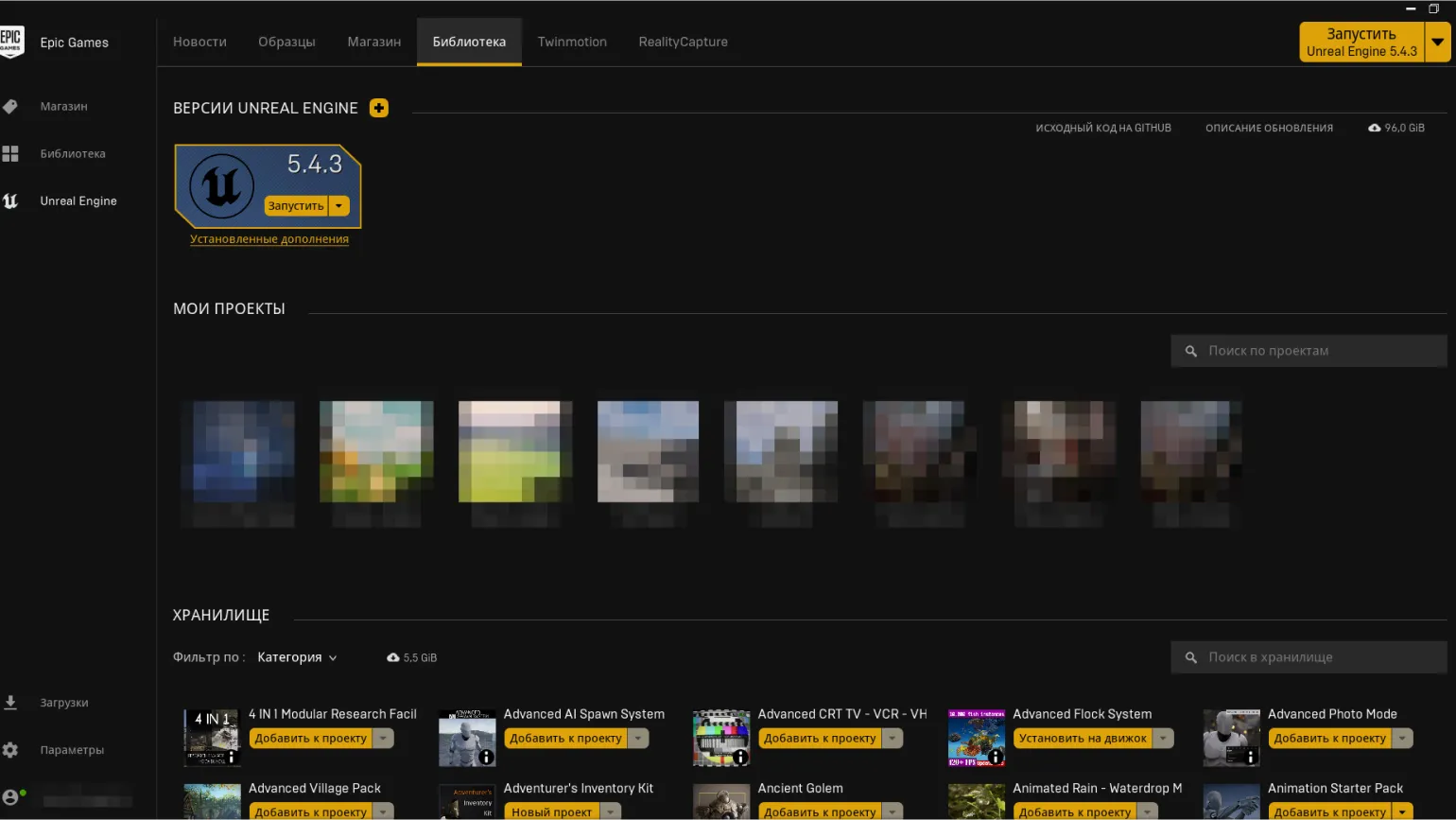
By default, the client automatically installs the latest version of Unreal Engine. However, if you need to use an earlier version, such as Unreal Engine 4, you must click the "Install a new version of Unreal Engine" button (the + icon). A new version slot will appear in the menu. Click the arrow next to the version number to open a tab with a full list of available builds. Select the desired version and click "Install." This process allows you to easily manage Unreal Engine versions and provides access to the necessary development tools.
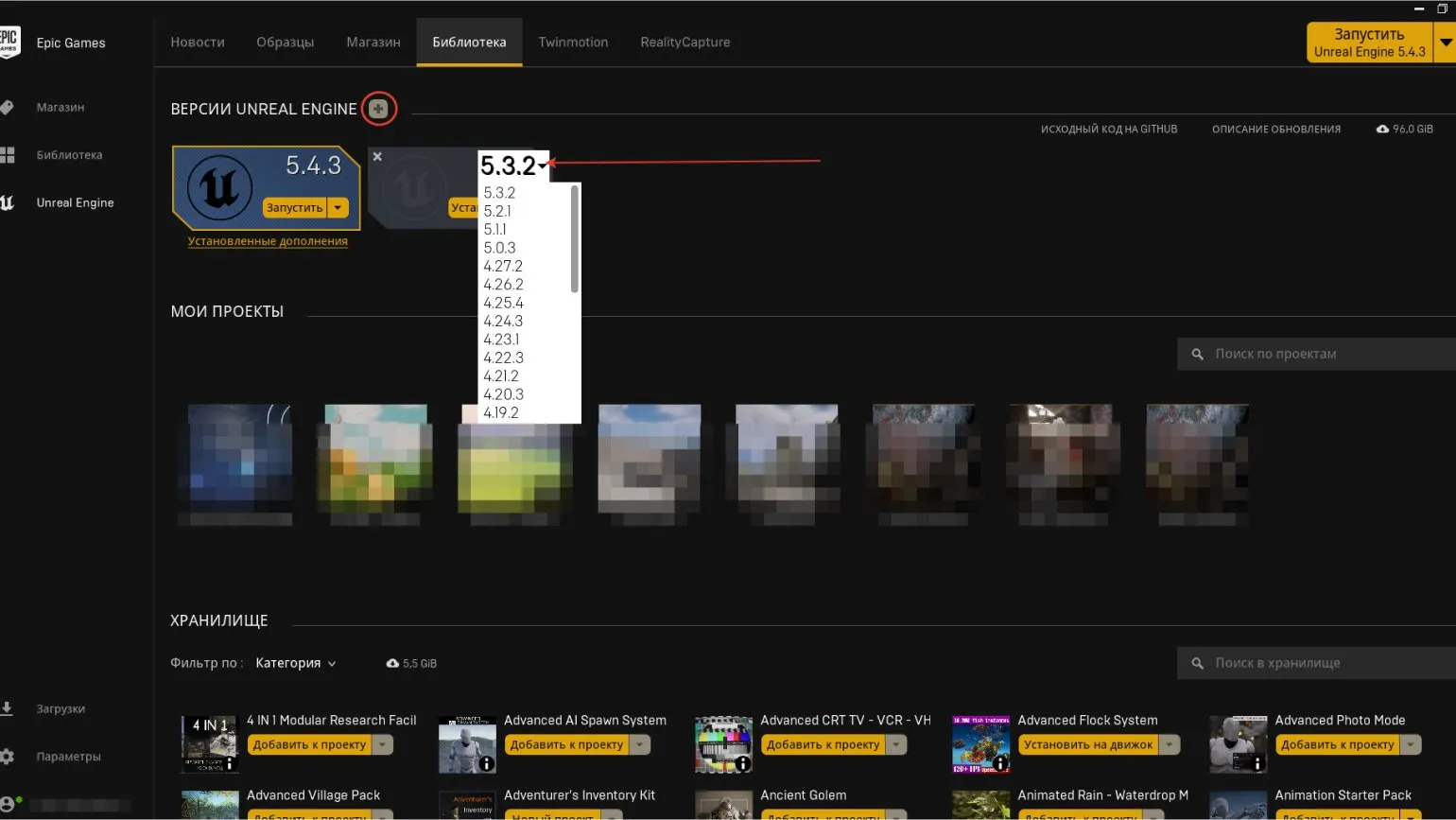
The "My Projects" section of the Unreal Engine library brings together all your projects created on various versions of the engine. A number of basic project operations are available in this interface. By right-clicking on any project icon, you can open it, view its contents in Windows Explorer, create a copy, add a shortcut to the desktop for quick access, or delete the project. This functionality simplifies managing your projects and improves the usability of Unreal Engine.
A note is an important element of any document that can contain additional explanations, clarifications, or references to sources of information. Notes help the reader better understand the context and content of the text. They can be used to provide additional data, explain terms, or mention authors and research referenced in the main text. Proper formatting and placement of notes improves readability and perception of information, and also contributes to better SEO, since search engines take into account the structure and completeness of content. To ensure effective use of notes, it is important to keep them current and relevant to the topic of the main material.
Deleted projects are not moved to the Recycle Bin, as is the case with files deleted in Windows Explorer. There is no way to recover such projects. This means that when a project is deleted, it is permanently lost and cannot be recovered. Therefore, it is important to be careful when deleting projects to avoid losing important information.
The Vault is a space that stores all plugins and assets downloaded from the Marketplace. To access the Marketplace, you must click on the corresponding tab, which is located to the left of the Library tab. This allows users to conveniently manage their resources and expand the functionality of their projects.
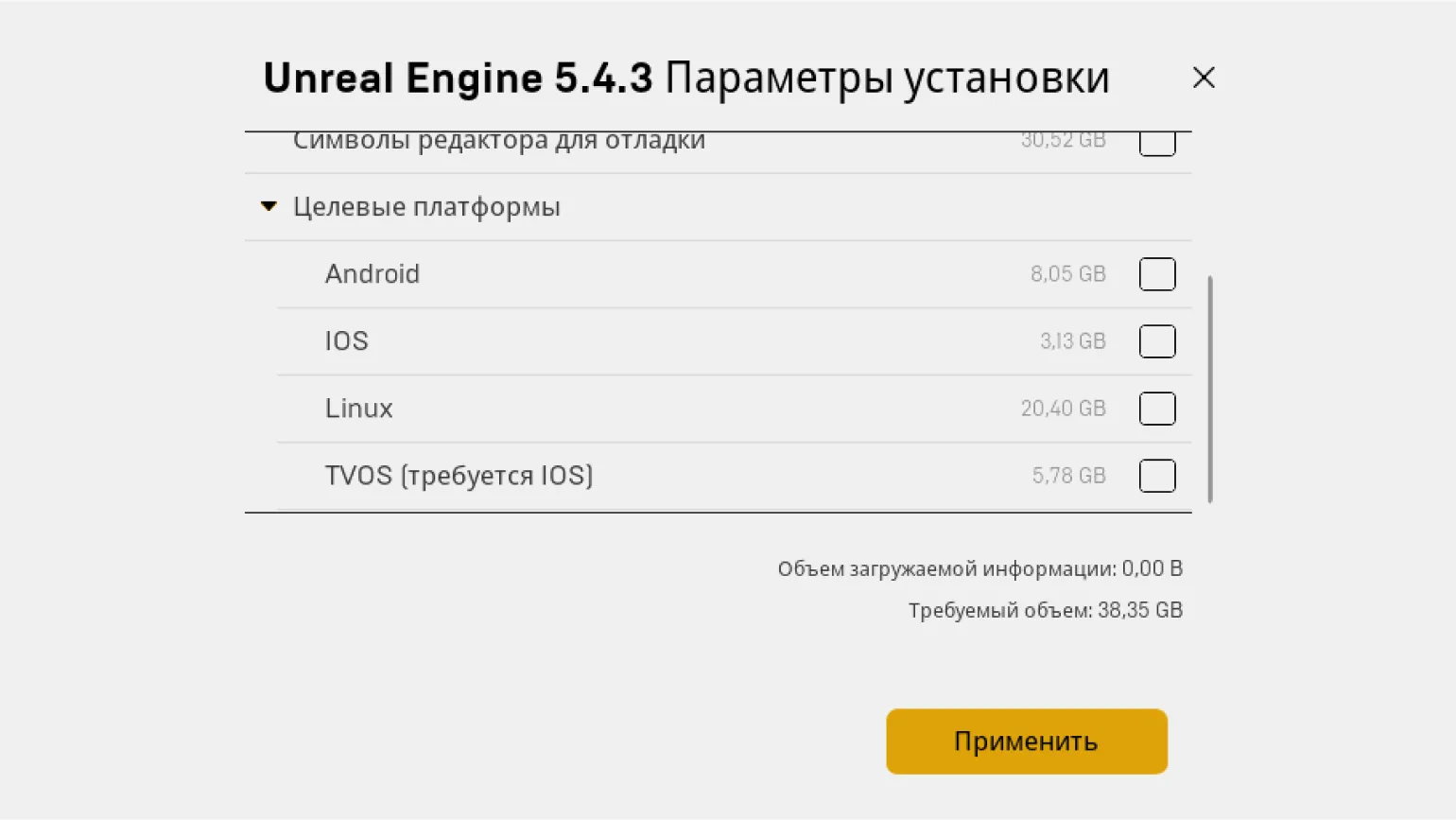
Version 5.4 by default takes up over 55 GB of hard drive space. However, the size can be reduced to 32-36 GB by disabling unnecessary segments, such as content for additional platforms, in the installation settings. To access the "Settings" of the client files, click the arrow next to the "Install/Run" button. Optimizing the installation will save disk space and customize the application to your needs.
A footnote is an important element in various contexts, including documentation, scientific articles, and educational materials. It serves to clarify or elaborate on information presented in the main text. Footnotes help the reader better understand the content by providing additional details or references.
When using footnotes, it is important to ensure their structure and clarity. They should be brief yet informative so as not to distract from the main topic, but rather to deepen understanding of the material. Properly formatted footnotes also contribute to improved SEO, as search engines take into account the structure and quality of content.
Including notes in the text allows you to create more accessible and useful material for readers, which in turn increases its value and appeal.
When updating Unreal Engine, users often find that the size of the new version can exceed 100 GB. This issue often occurs during the installation of updates. To resolve it, click the arrow next to the "Install/Run" button and select "Verify." After verifying the client files, the overall data size will be significantly reduced.
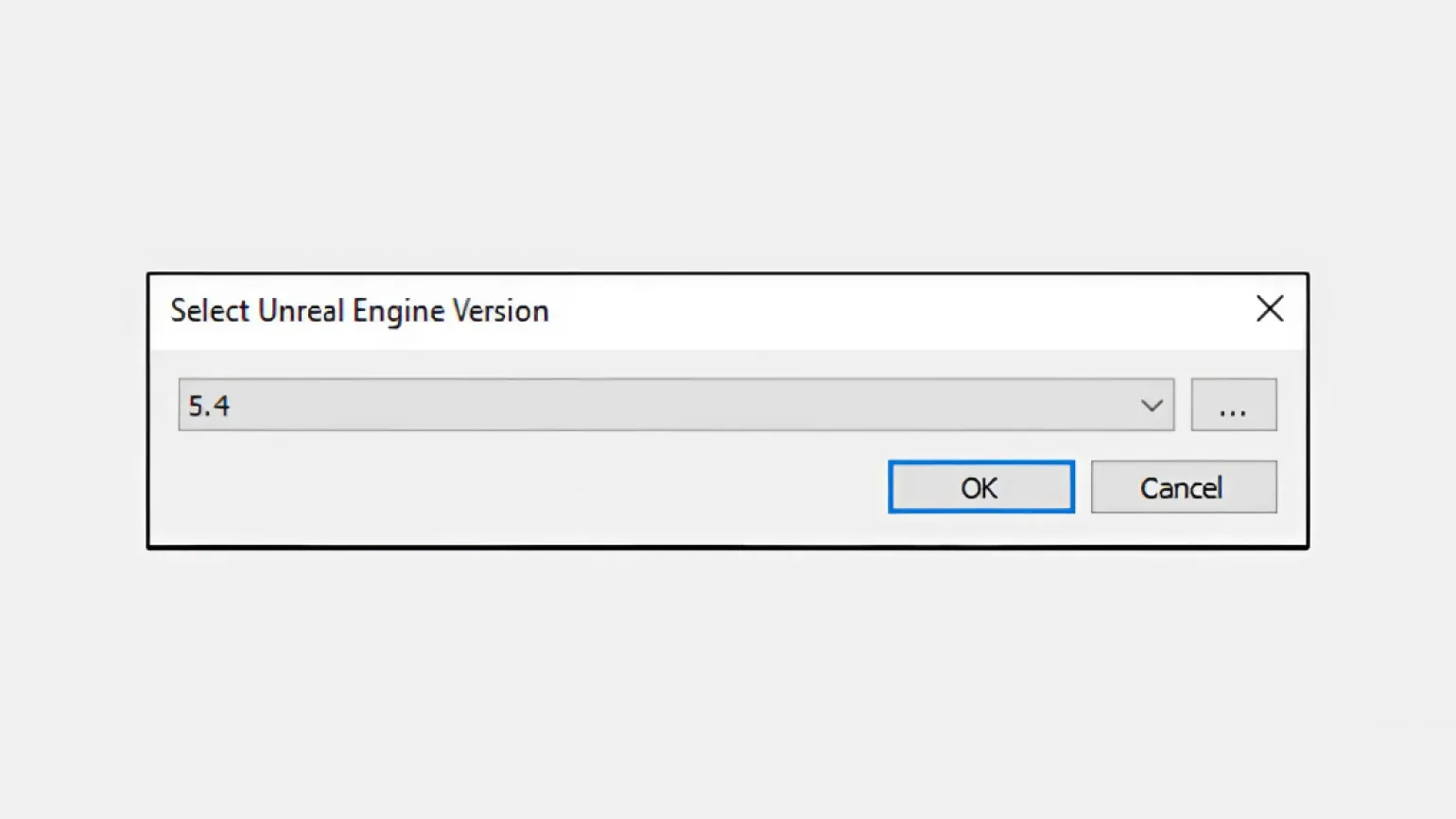
When running a third-party project downloaded from the internet or copied from an external drive, it is important to keep in mind that the client will not be able to recognize it automatically. To successfully launch it, you must perform offline actions: open the file with the .uproject extension in the project folder. Before doing this, make sure that the version of the game engine on which this project was created is installed on your computer. Otherwise, a pop-up window will appear with available versions from which you can select the one suitable for launching the project.
Before launching a project on a new version of the engine, be sure to create a backup copy. This is important, as a failed launch can lead to partial damage or complete data loss. A backup will help preserve all important elements of your project and minimize risks.
Start Screen
After launching the client, you will need to wait a few minutes for the Unreal Project Browser to open. This window is similar to the project browser in Unreal Engine 4. The start page has various tabs, which we will examine in more detail.
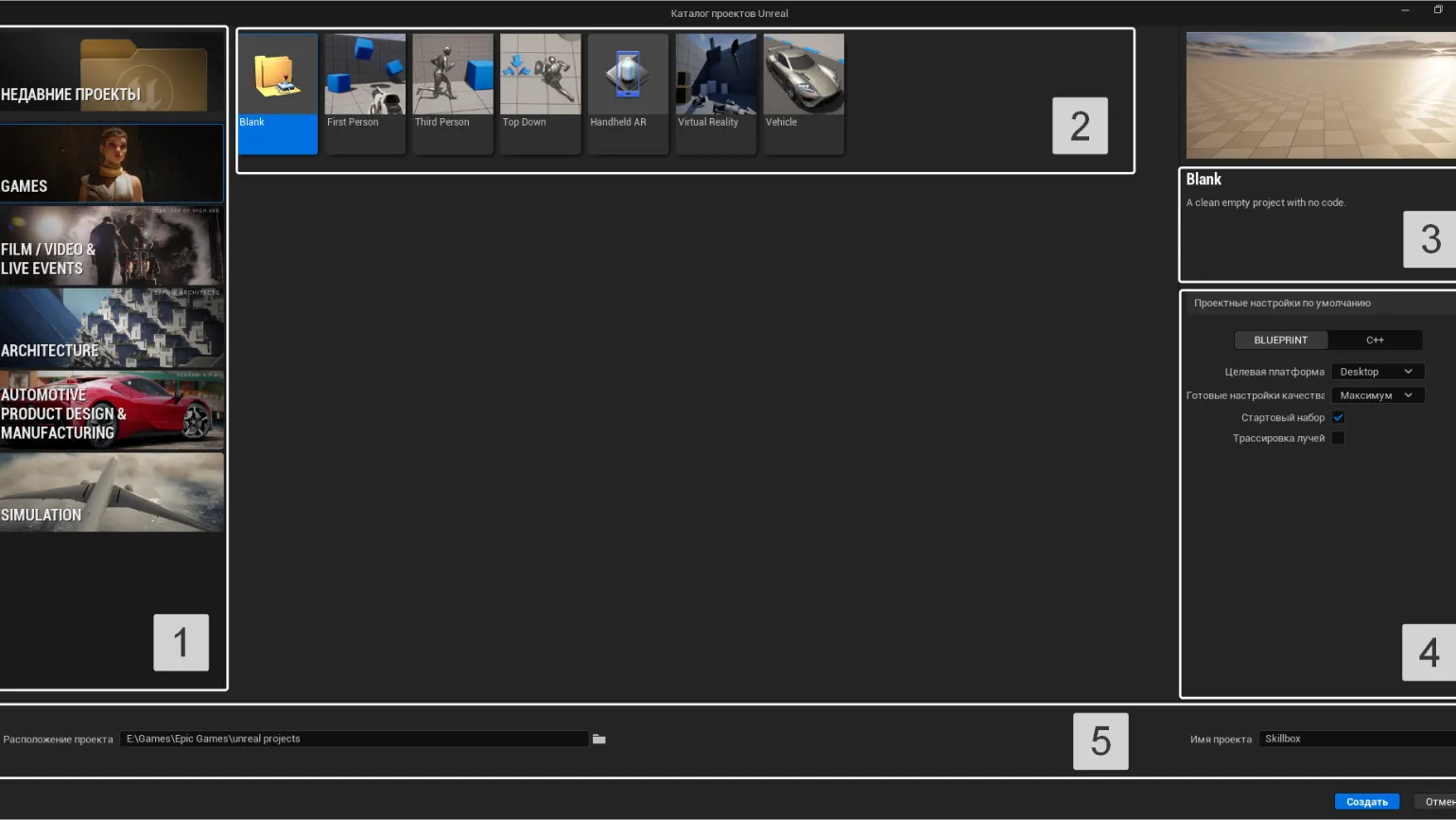
Area #1 contains five template categories, as well as a "Recent Projects" section. Here you can view your previously created projects, including those developed with Unreal Engine 4. These projects are also displayed in the "Library" of the Epic Games Launcher. When you open this tab, you will find the "Always load last project on startup" option in the lower left corner. If you activate this feature, the editor will automatically load the last opened project each time you launch it, which will significantly simplify your work and save time.
When you select any of the "Recent Projects" information about its location on your hard drive and the project name are displayed at the bottom of the window. This simplifies navigation and allows you to quickly find the files you need.
The Games, Film/Video, Live Events, Architecture, Automotive Product Design & Manufacturing, and Simulation categories offer a variety of project templates. In each of these categories, you'll find templates to help you quickly get started with your project. Each category is accompanied by an illustration detailing the technical characteristics and purpose of the corresponding preset. This will help you easily navigate and select the most appropriate template for your needs.
The "Project Defaults" section (#4) offers additional settings to help you customize your future project. Let's take a closer look at them.
The choice of programming language for working with BLUEPRINT/C++ depends on your skills and preferences. The engine's official website provides guidance on both using Blueprints and programming in C++ using Visual Studio. Regardless of which option you choose, you can always integrate Blueprint schemes into a C++ project and use C++ elements in a Blueprint project. This allows for the flexible combination of both approaches, opening up additional development opportunities.
The Target Platform determines which devices your game will be available on. There are two main options: desktop (console) and mobile. If necessary, you can change the preferred platform in the project settings directly in the editor. This allows you to flexibly adapt your game to different devices and audiences, ensuring wider access to your product.
Quality Presets determine the performance parameters of your project. The "Maximum" option enables features that ensure high image quality by default. Selecting the "Scalable" option disables some of these features, but they can be enabled if sufficient computing power is available. Choosing the right quality settings optimizes your project, balancing performance and visual appeal.
The Starter Content is a package containing primitive objects, textures, meshes, and pre-made characters (Unreal dummies) designed for experimentation. These objects can also be added manually via the Content Browser in the editor. When adding starter content, it's important to keep in mind that the project's size will increase several times. Using the Starter Content speeds up the development and testing process, providing developers with ready-made solutions for prototyping and visualizing ideas.
Ray Tracing - Activate this option only if your project uses ray tracing. Details on how this technology can be used in the game engine can be found in the official documentation. This will improve the visual quality and realism of the graphics in the project.
Template Categories and Their Purpose
Let's examine the template categories in more detail. Each of these categories, in addition to specialized presets, includes a Blank template, which does not contain additional assets and settings. This allows users to create unique designs from scratch using only the necessary elements.
Games. This section presents presets for gaming projects, accompanied by detailed descriptions and the ability to test gameplay in real time. This function is available in the editor, allowing developers and players to easily evaluate and adapt game mechanics.
A note is an important element used to convey additional information or clarifications to the main text. Notes can help the reader better understand the context, explain complex terms, or point to sources. It is important that notes are clear and concise so as not to distract from the main content. Proper use of annotations can enhance the quality of text and improve its readability. Annotations can also play a key role in SEO optimization, as they can contain important keywords and phrases that can help improve the page's visibility in search engines.
Templates designated as gaming-related can serve as an excellent basis for various projects. For example, the Virtual Reality template can be used to develop non-gaming VR applications, such as virtual museum tours. The Third Person template is suitable for creating cinematics using a game engine due to its versatility and functionality. These templates allow for customization, expanding the scope for creative ideas.
- First Person. A template for first-person games. By default, it features a standard shooter model with weapons and shooting physics.
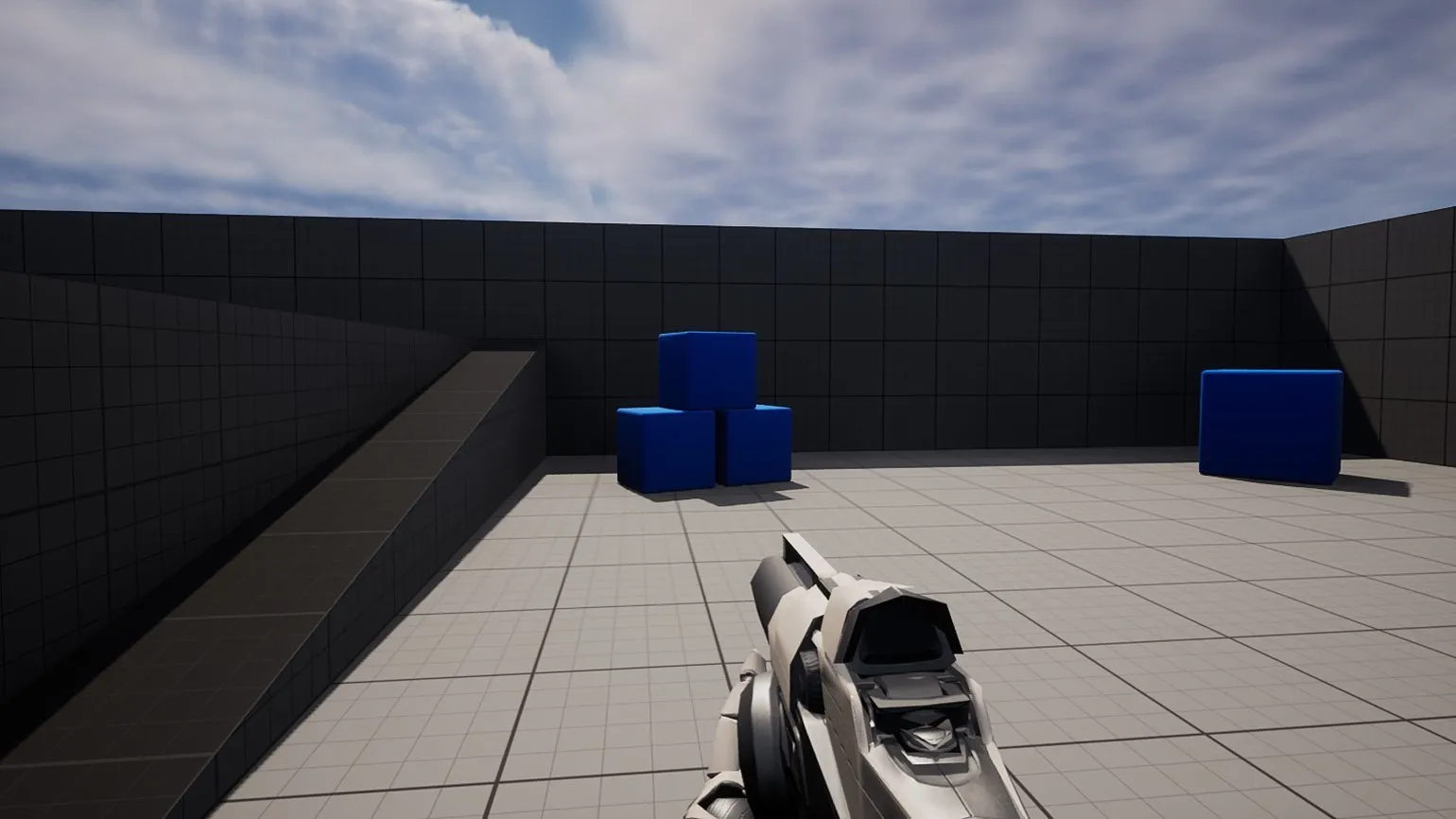
- Third Person is a template for third-person games.
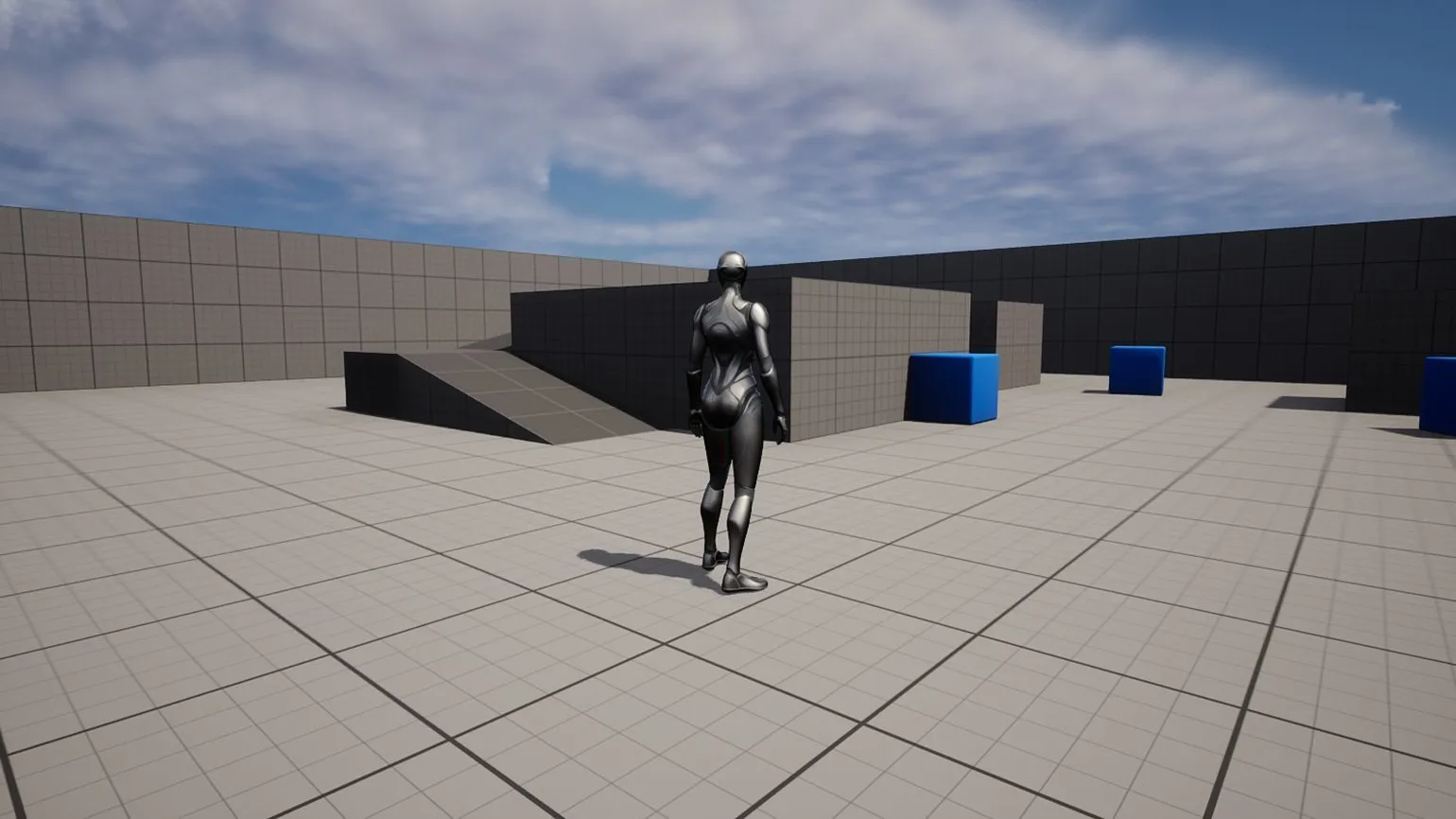
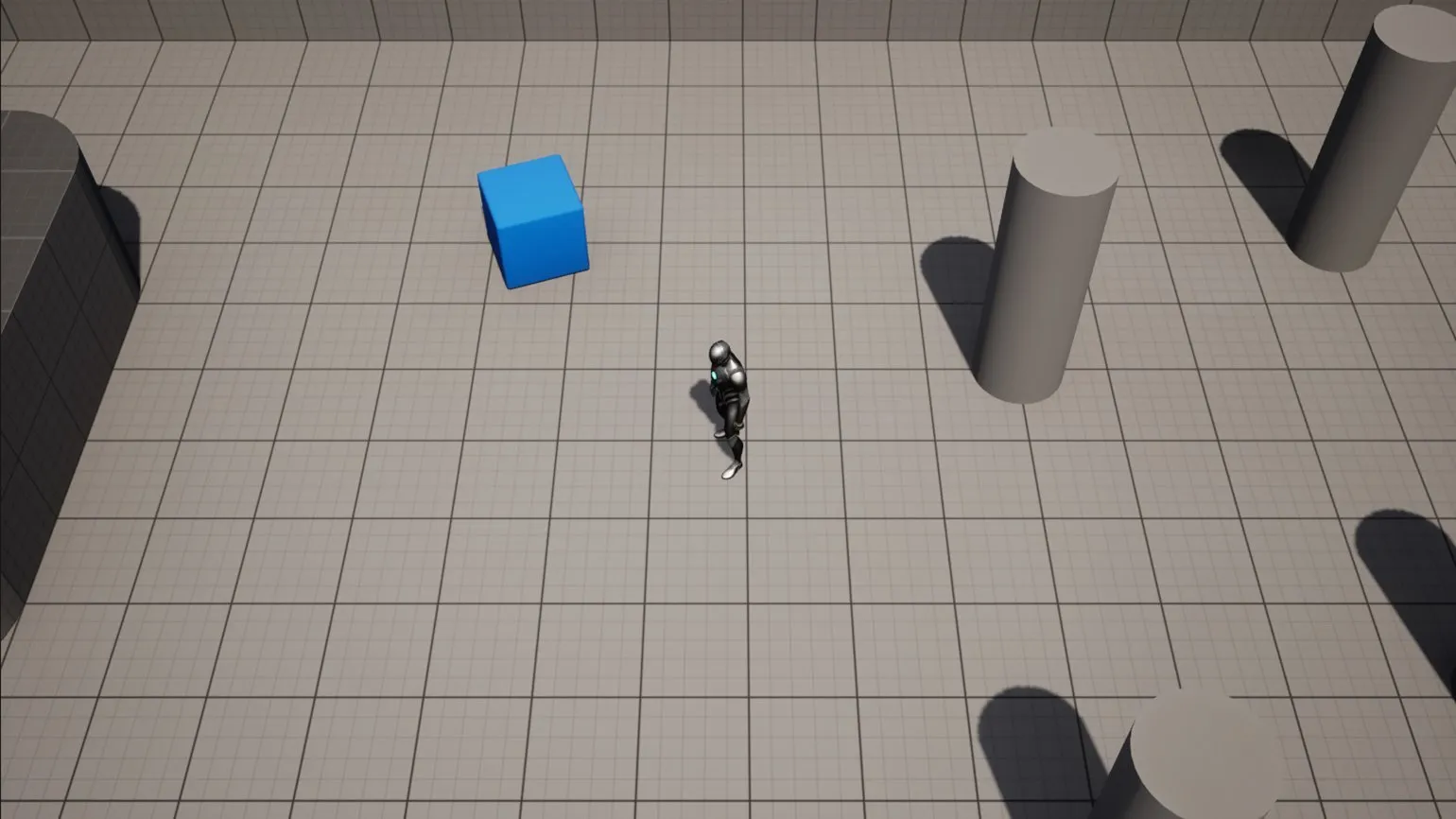
- Top Down is a template for top-down games. Suitable for turn-based tactics, top-down shooters, and isometric puzzles.
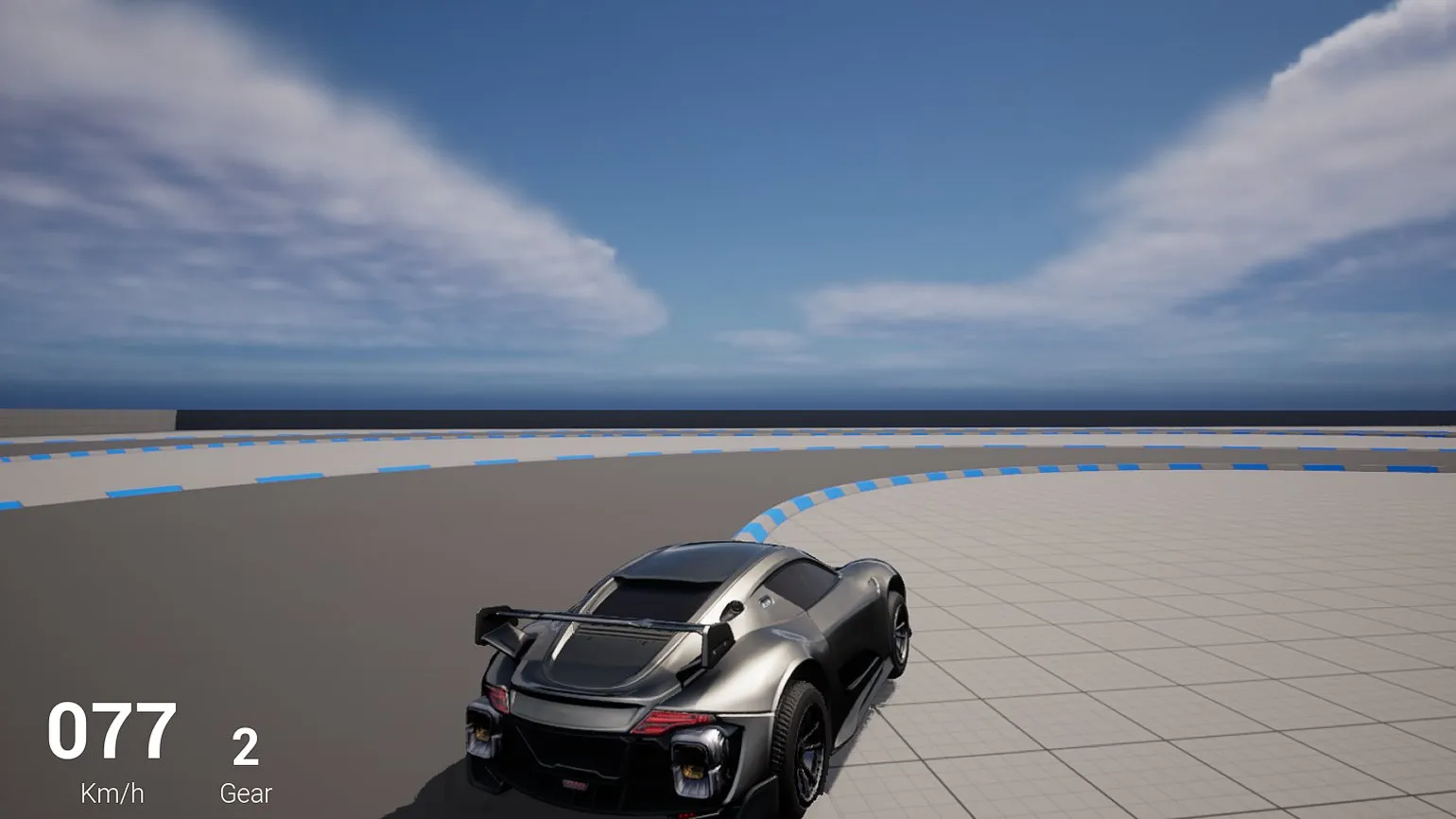
- Vehicle is a template for racing games. Includes standard and complex modes (for arcade and realistic racing).
- Handheld AR. A framework for developing augmented reality apps for iOS or Android. This template includes an algorithm for scanning the environment to collect data and then create interactive planes in a virtual scene. For more information, see the official documentation.
- Virtual Reality. A Blueprint template for VR apps based on Open XR. Includes algorithms for teleportation and basic input, such as grabbing and attaching objects to a hand.
A note is an important element used to clarify, explain, or add context to the main content. In various fields, such as literature, science, or business documentation, notes serve to provide additional information that may be useful to the reader. They help avoid misunderstandings and provide a deeper understanding of the topic. Notes can contain references to sources, clarification of terms, or comments on the presented material. It's important to format your notes correctly so they're easy to read and don't distract from the main text. Effective use of notes improves the quality of your content and increases its value to your audience.
The standard set of game templates includes presets for various genres that were available in Unreal Engine 4. Among them, we can highlight Flying, which serves as a basis for flight simulators, Puzzle, suitable for match-3 games, and Side Scroller, designed for platformers. Although these templates are not included in the current version of the engine, they may appear in future updates. This will expand the developer's capabilities and allow for the creation of a variety of game projects using ready-made solutions.
The Film / Video and Live Events section is dedicated to projects that combine live filming and computer graphics, as well as the use of virtual production technologies. Here we consider innovative approaches to content creation that combine reality and digital elements to achieve a unique visual effect. Our projects are aimed at creating high-quality videos and events that impress audiences and highlight the creative potential of modern technology.
- Virtual Production. A template for projects of the same name. Includes work with a virtual camera, mixed shooting, SDI video, and rendering.
- DMX. Preset for live events using DMX technology. It is used to create previs for various shows and concerts using professional lighting.
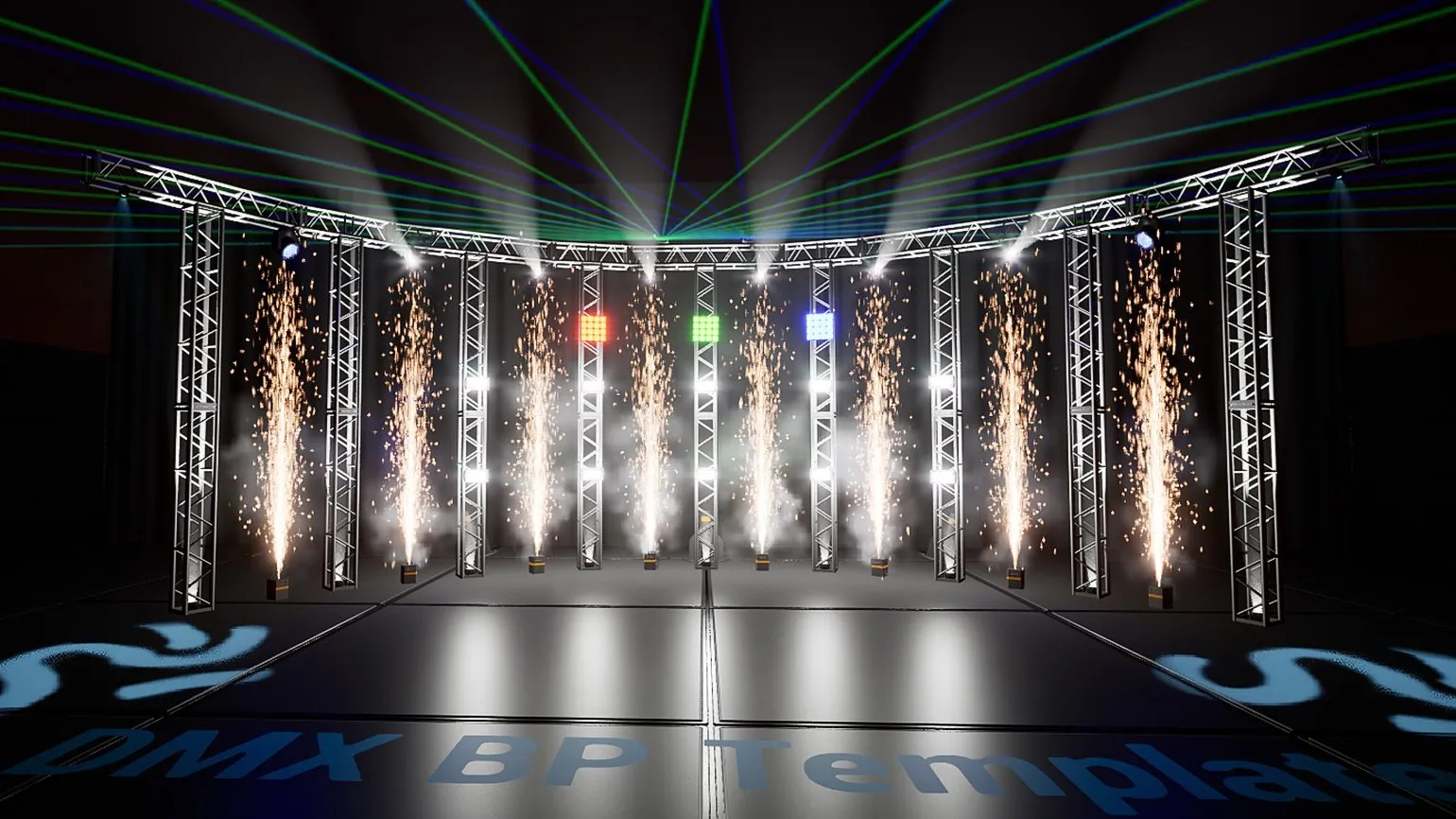
- In-Camera VFX. A template with all the necessary blueprints, plugins, and settings for starting to shoot a project in Virtual Production using LED panels.
- nDisplay. A project with support for simultaneous rendering on multiple synchronized devices.
The "Architecture" section offers a variety of templates for visualizing design and architectural projects. Here you will find tools to help you effectively present your ideas and concepts, as well as demonstrate the uniqueness and functionality of each project. These templates are suitable for both professional architects and students looking to improve their visualization skills. Use our resources to create impressive presentations and increase the appeal of your projects.
- Archvis. An architectural visualization template with illustrative interior and exterior examples, rendering capabilities, animations, and a lighting system. Helps you quickly learn the basics of architectural visualization in Unreal Engine 5.
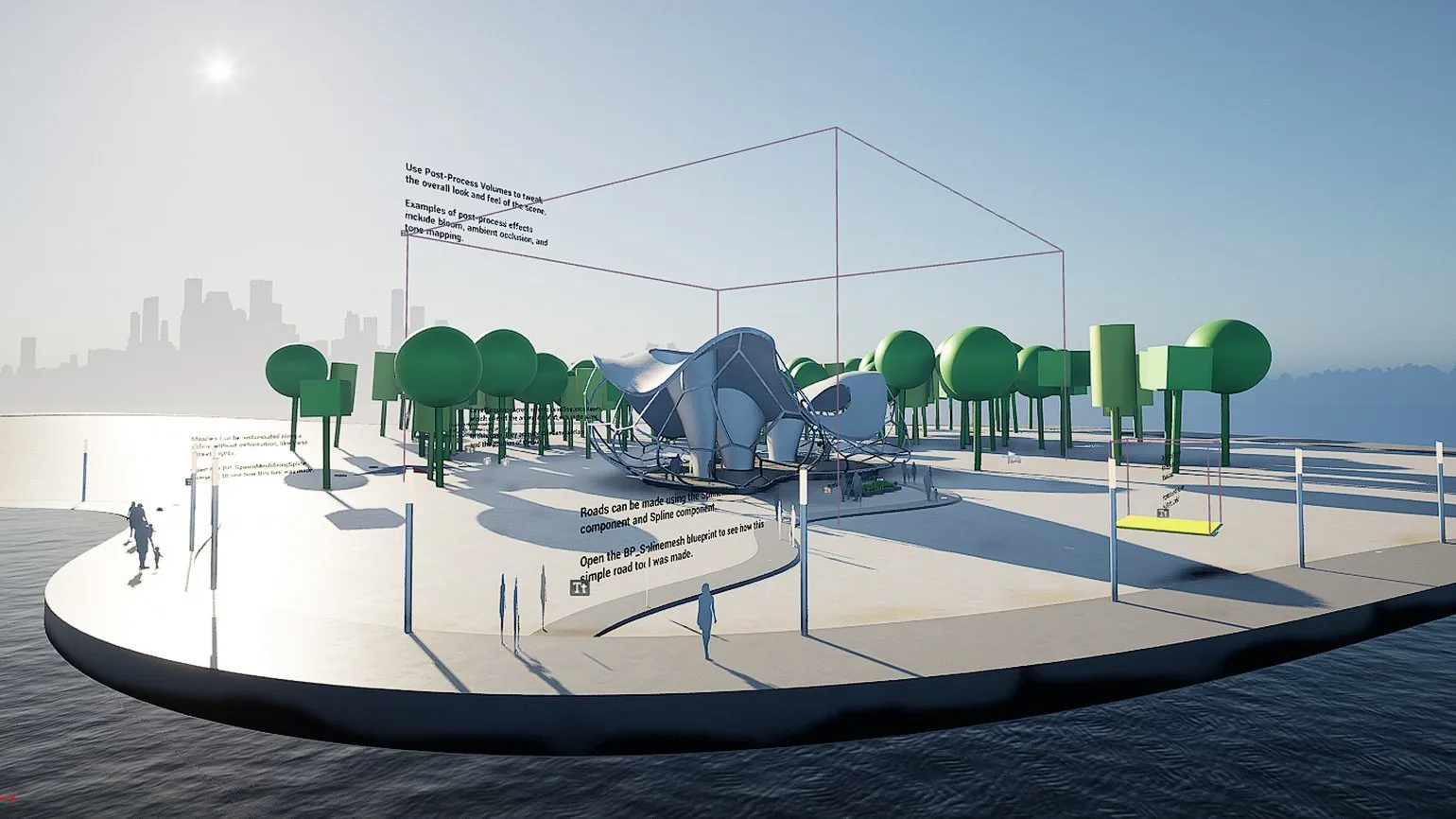
- Design Configurator. Using the toolset in this template, you can create architectural visualizations with animation, various object visibility settings, different camera angles, and switching between different stages or object shapes. Suitable, for example, for creating a developer's presentation.
- Collab Viewer. Another template for collaborative projects in architecture and industry, this time for desktop and VR.
- Handheld AR. A template for augmented reality.
Automotive Design and Product Manufacturing. This section covers projects related to the automotive industry, but can also be applied to developments in other industries. We provide solutions that meet modern standards and requirements, ensuring high quality and an innovative approach. Our expertise covers all stages – from conceptual design to serial production, which allows us to create products that meet customer expectations and market requirements.
- Photo Studio. A scene template in the format of an isolated studio, where you can place objects and adjust the lighting. Convenient for designing lots, presentations, and short cutscenes.
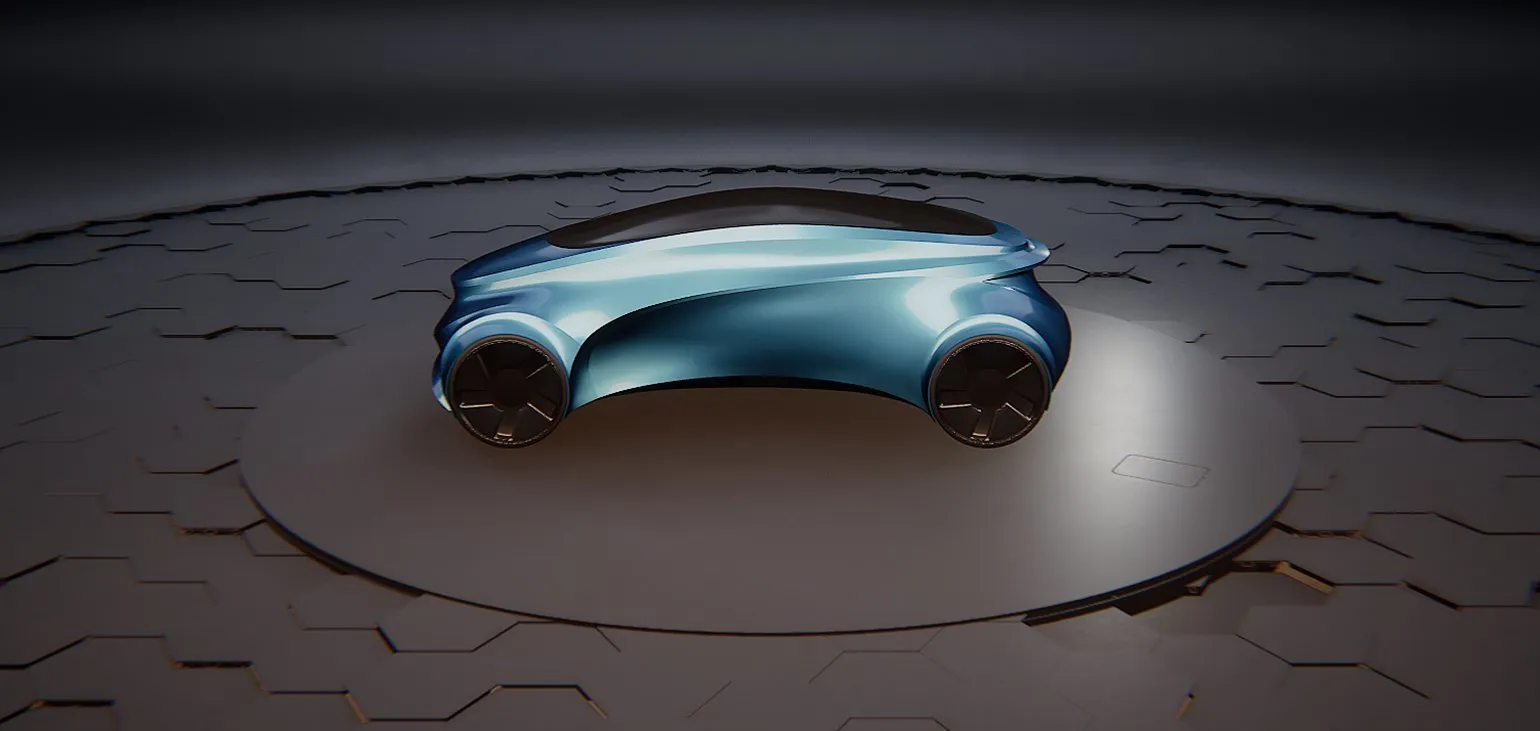
- Collab Viewer. Same as in the architecture section.
- Product Configurator. An application template for customizing a 3D model of a simulated product.
- Hololens Viewer and Handheld AR are similar to the templates from the previous groups.
The Simulations section offers a set of templates for developing a variety of simulations. Includes a blank Simulation Blank template, as well as ready-made presets for augmented reality (AR) and virtual reality (VR) projects, such as Handheld AR and Virtual Reality. These tools are designed to simplify the process of creating interactive content and allow developers to quickly start working on their projects, ensuring high-quality and realistic simulations.
Advanced users can create their own templates based on existing projects. For more detailed information and instructions on creating templates, please refer to the official documentation. This will allow you to effectively adapt and personalize projects to your specific needs.
Understanding the features of presets is key to choosing the right basis for your project. Once you have decided on the desired template and its settings, click the "Create" button in the lower right corner of the window. Within a few minutes, the Unreal Engine 5 editor will open with your first project, ready for further work.
In the next lesson, we will take a detailed look at the functionality of the Unreal Engine 5 editor. We will also get acquainted with the program interface and master basic navigation in the viewport. This will help you navigate the development environment more easily and use game creation tools effectively.
Profession: Game Developer on Unreal Engine from Beginner to Middle
You will master the Unreal Engine game engine and the C++ language. Build a portfolio and apply your skills in game development, the film industry, architecture, manufacturing, medicine, and many other fields.
Learn more