Contents:
- Basic rules for publishing posts on social networks
- Post editor functions: all the possibilities of VKontakte
- Post topics: how to classify content for VKontakte
- The art of creating and adapting memes
- Creating universal posts: text and image gallery
- How to properly format an article: tips and recommendations
- Effective ways to conduct surveys
- Ideas for engaging surveys
- How to attach Video or playlist for your post
Internet Marketing: 4 Professions in 1 Free Course
Learn MoreBasic Rules for Posting on Social Media
How Many Posts Can I Post? As of October 2023, a number of communities have set a publishing limit of no more than 100 posts per day. This limit was increased following successful testing that began in July 2022. Previously, the maximum number was 50 posts, but many communities now have access to expanded publishing options. This change allows users to interact and share content more actively, which contributes to increased activity and engagement in communities.
Optimal Time for Posting. The time of day is not a decisive factor when posting content. Modern algorithms that analyze user behavior allow your posts to be seen both in the morning and late at night. These algorithms select which posts to show to users based on their interests and activity. Therefore, the quality of the content and its relevance to your audience's interests remains key, significantly impacting the engagement and reach of your posts.
What is "Highlights" and how do I get there? This feature, introduced in 2022, is a feed with current trends. The VKontakte algorithm analyzes posts and identifies topics with high potential for discussion. Posts are grouped by topic, allowing users to access relevant content. This section is only accessible through the mobile app. To get into "Highlights," it is important to create interesting and talked-about posts that align with current trends.
A wide range of content can be published on social networks such as VKontakte. Materials that comply with current Russian legislation and the platform's internal rules are permitted. It's important to adhere to these requirements to avoid blocks and restrictions. For more detailed information on content posting rules and guidelines, please refer to the social network's official documentation. This will help you create high-quality and safe content that will engage your audience and contribute to your brand's growth. Skillbox Training: Effective Courses for Social Media Promotion Skillbox offers a wide range of courses on social media promotion, enabling anyone to gain the necessary knowledge and skills. We teach relevant SMM methods, enabling students to master strategies that will help them promote brands and products on popular social platforms. The course covers content marketing, targeted advertising, and analytics, making it ideal for both beginners and experienced professionals. By completing training at Skillbox, you can improve your skills and achieve success in digital marketing. Choose a course that aligns with your goals and start developing your SMM career today.
- The "VKontakte Promotion" course is for marketers and business owners, helping them make the social network an effective sales channel.
- The "VKontakte Promotion Specialist" profession is for aspiring SMM specialists who want to turn VKontakte into a stable source of income.
Post Editor Features: All the Possibilities of VKontakte
The VKontakte post editor offers versatile features suitable for both personal accounts and community and group pages. This tool is key to effective audience engagement, allowing users to create and publish content that attracts attention and stimulates discussion. Optimizing posts with the editor helps increase engagement and improve visibility in the news feed, which is especially important for promoting brands and communities.
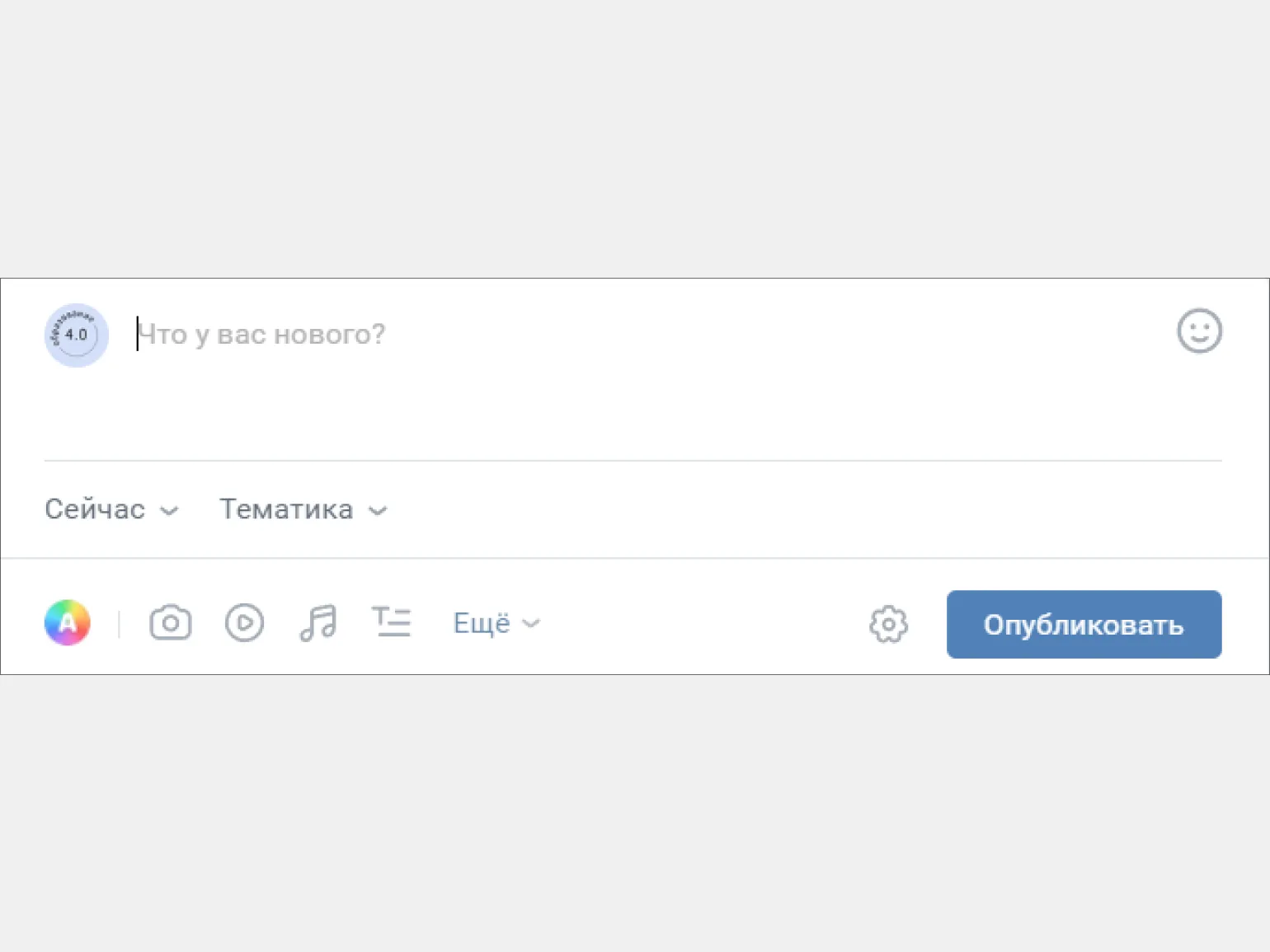

Let's explore the available post editor features to help you use them effectively. The post editor offers a wide range of tools to help you create high-quality content. Each feature is designed to improve the user experience and enhance the visual appeal of your posts. We'll cover key features such as text formatting, adding images and multimedia elements, using tags and categories, and search engine optimization. Understanding these features will not only improve the quality of your content but also increase its visibility in search engines.
The maximum length of text in a single post is 15,940 characters. For example, this article is slightly over 16,000 characters. If you plan to publish long texts, the optimal solution is to format them as articles—we'll discuss this in more detail later. Proper structure and formatting of long-form content improves information comprehension and increases the chances of engaging an audience.
The publication time selection feature allows you to effectively schedule your posts. You can use the calendar to select a specific date and time for publication. Keep in mind that you cannot schedule multiple posts for the same time, but you can set a one-minute interval between posts. This allows you to optimize your content strategy and ensure even distribution of your materials.
This feature helps increase the reach of your posts by ensuring they are recommended for various topics. You can choose from ten available categories, such as IT, music, sports, and humor, which helps you attract your target audience and increase engagement with your materials. Optimizing posts for trending topics helps increase the visibility and popularity of your content.
You can attach photos, videos, audio recordings, and GIFs to your posts. The maximum number of attachments allowed per post is 10. This allows you to make your publications more attractive and varied, which helps increase audience engagement and improve interaction with your content. Using different media formats enriches your post and helps better convey information to readers.
The geolocation feature allows you to add a point on the map or manually enter an address. This can be especially useful for organizing events or marking specific locations. Using this feature simplifies navigation and allows users to easily find the places they need.
The graffiti editor allows you to create unique drawings and original inscriptions, which significantly enriches your publications. This tool encourages creativity, allowing your content to stand out from the crowd. Using graffiti in posts helps attract audience attention and make the material more memorable.
Ask your audience questions and offer up to 10 answer options. This is an effective method for engaging users and receiving valuable feedback. This approach not only stimulates participation but also helps you better understand the needs and preferences of your customers. Use this tool to create interactive content and improve engagement with your target audience.
By clicking the gear icon next to the Publish button, you can access additional settings. These options allow you to fine-tune the publication of your content.
- "Disable comments" - by default, comments are active under all posts.
- "Signature" - displays the name of the post author and a link to their profile.
- "Do not send notifications" - users will not receive a publication notification.
- "This is an advertisement" - adds the "advertisement" label to the post.
- "Indicate source" - the ability to provide a link to the original source of information.
Post topics: how to classify content for VKontakte
On VKontakte, as in other social networks, content is classified into different categories. Understanding these categories will allow you to create more targeted and effective posts. Knowing which types of content are in demand will help you better attract your audience's attention and increase engagement with your posts. This, in turn, can lead to increased reach and follower growth. Understanding the specifics of each content category will help you optimize your publishing strategy and achieve better promotional results.
Informational posts play a key role in content creation. They can cover a variety of topics, including world events, current company news, and blog updates. Creating high-quality informational content helps attract audience attention, improves search engine visibility, and builds trust in your brand. It is important that such posts are relevant, informative, and well-structured to allow readers to easily digest the information and stay engaged.
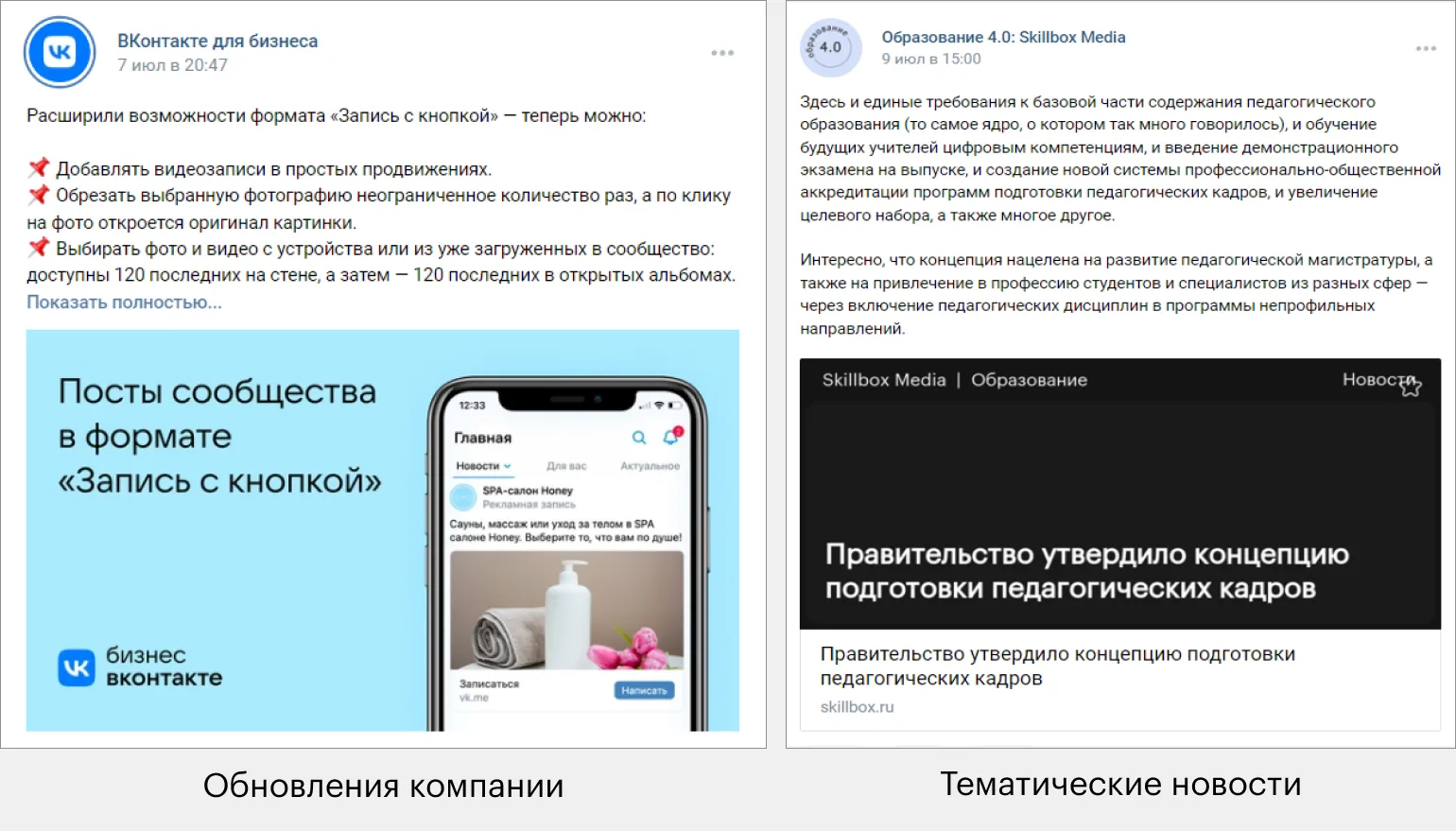
Here are some ideas for creating informative posts. Consider writing articles on topics that interest your audience. These could be tutorials on how to use your products or services, or tips on improving skills and knowledge in your field. Posts about the latest trends and news in your industry are also useful. Don't forget to share success stories and customer testimonials, as this helps build trust in your brand. Discussing frequently asked questions or myths can also attract attention and help your audience better understand your field. Additionally, consider creating posts with practical tips and step-by-step instructions to help your readers solve specific problems.
- Share relevant news related to your community. For example, on an English tutor's blog, talk about the consequences of the IELTS cancellation in Russia.
- Remind subscribers about your products or services. In a photography community, you could create a post about TFP—a service that might have been forgotten.
Useful posts are designed to help your audience. Such materials are often saved for further study or shared with friends. Creating high-quality content increases engagement and trust in your resource. Diversity of topics and relevance of information make your posts valuable to readers, which in turn positively impacts their desire to share your content.
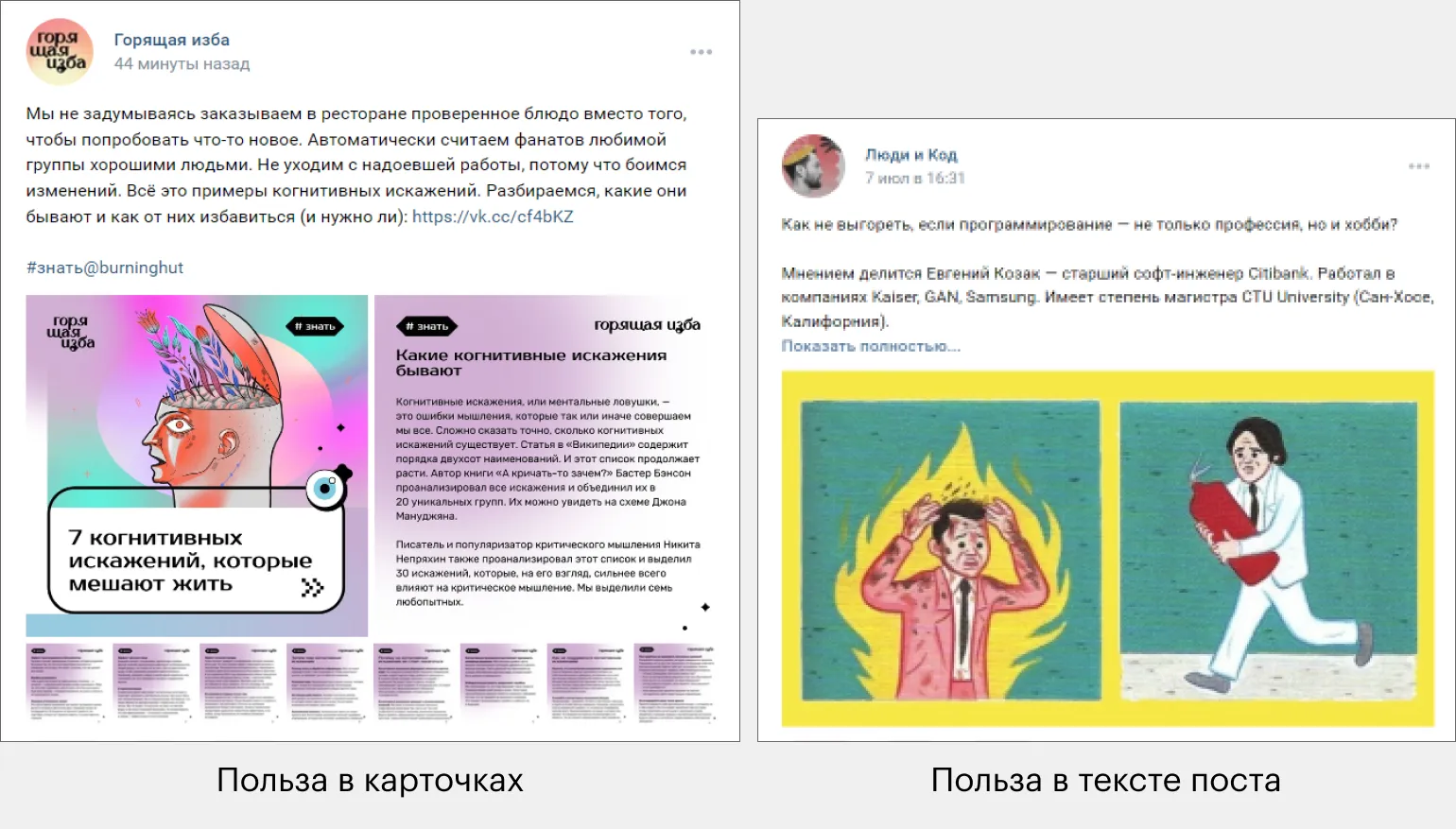
Ideas for creating useful posts can vary depending on your target audience and the topic of your content. Consider writing articles about practical tips that will help your readers solve everyday problems. For example, you can share recommendations for organizing a workspace, improving productivity, or time management.
You should also consider creating posts dedicated to popular tools and apps that can make life easier. Reviews and comparisons of different solutions will help users make an informed choice.
Don't forget about the importance of keeping your information up-to-date. Regular updates and analysis of new trends in your niche will help readers stay up-to-date.
Posts based on personal experience or successful cases can make your content more engaging and useful. Share your observations and results to establish trust with your audience.
Finally, don't forget about optimizing your content for search engines. Use keywords related to your topic to improve the visibility of your posts and attract more readers.
- Create cards with tips that will help your audience. For example, in a coffee shop community, share how to make the perfect filter at home.
- Publish a post with recommendations for solving a specific work task. For example, in a targeting specialist's blog, talk about how often to check ad statistics.
Sales posts are content aimed at increasing sales of your products or services. These materials should include clear and attractive calls to action, as well as links that lead to the purchasing process. Effective sales posts can engage the audience, highlight the benefits of the offer, and create a sense of urgency, which helps convert visitors into customers.
Copywriter Ruslan Feoktistov advises: "Use only one call to action. If your goal is to sell, limit the number of links in the post. This will allow the audience to focus on the main thing and increase the likelihood of making a decision. This approach helps improve conversion and makes your message clearer and more effective.

Ideas for creating effective sales posts include several key strategies. First and foremost, it's important to understand your target audience. Study their needs and preferences to offer exactly what they need. Use compelling headlines that immediately grab attention and highlight the benefits of your offer.
Create content that evokes emotion. Tell stories, show how your product or service solves customer problems. Use visual elements, such as high-quality images or videos, to make the post more engaging.
Don't forget about the call to action. Clearly state what exactly they need to do—buy, subscribe, leave a review, and so on. Include elements of urgency, such as limited-time offers or promotions, to encourage a quick decision.
It's also helpful to use social proof—testimonials from satisfied customers, case studies, and examples of successful use of your product. This will increase trust in your offer and help convince potential buyers.
Regularly analyze the results of your posts. Determine which approaches work best and adapt your strategy based on the data. This way, you can create more targeted and effective content to attract customers.
- Show your product in action. For example, organize a photo shoot of ceramic mugs and publish the photos, indicating that they are available for purchase.
- Create interesting situations in which your product helps. For example, create a series of posts with characters who smile while using your product.
Entertaining posts, including memes and funny images, are effective at attracting users' attention and evoking positive emotions. These posts have a high potential for viral spread, making them a valuable tool for increasing reach and audience engagement. Creating high-quality entertaining content helps increase engagement, which in turn can lead to an increase in subscribers and an improved brand image online.
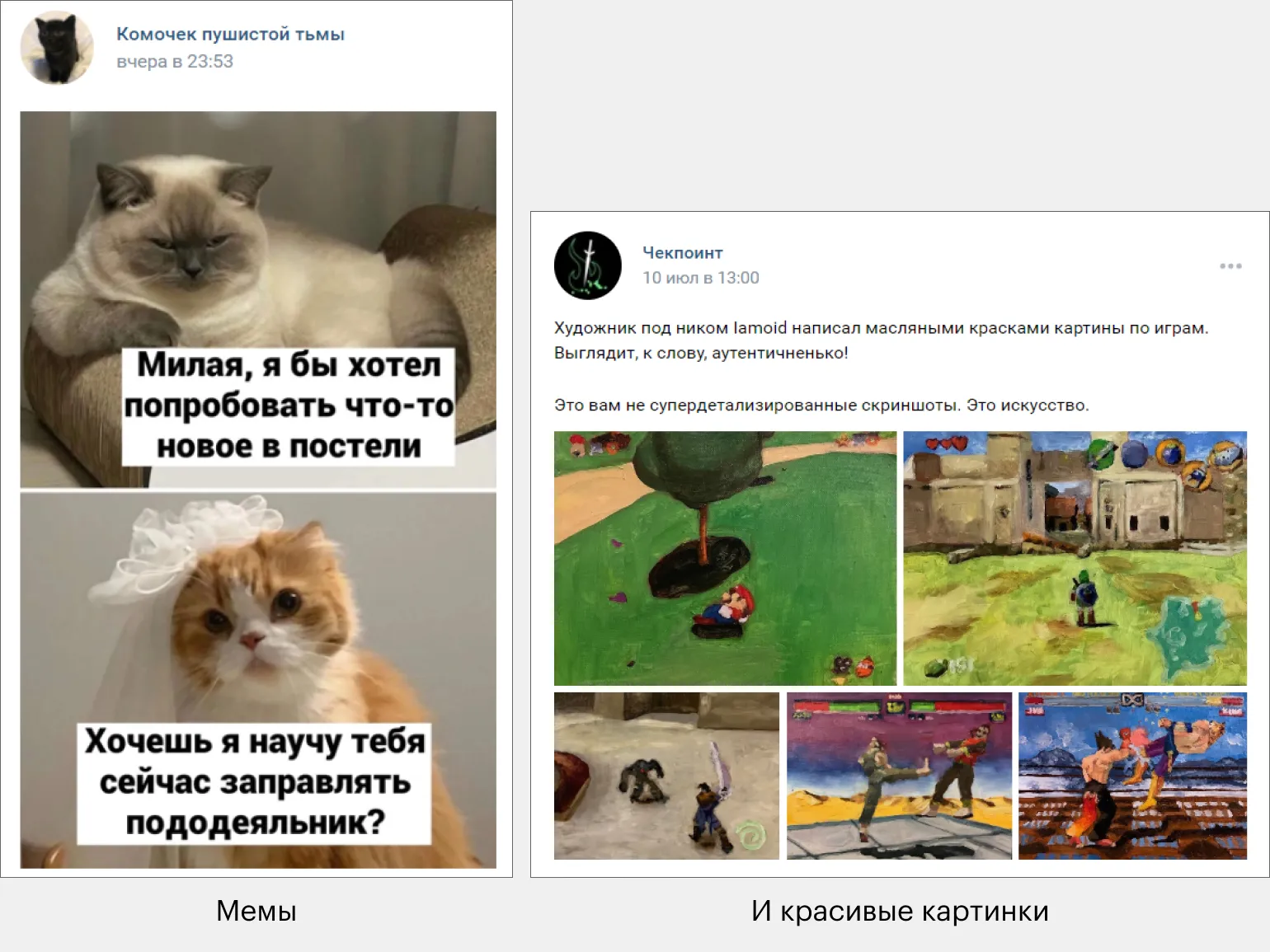
Ideas for creating entertaining posts are an important element of a content strategy. They help attract audience attention and increase engagement. Let's consider several options that can be used to create interesting and varied content.
The first option is quizzes and polls. These formats allow users to interact with the content, making it more interactive. Polls can cover popular topics such as movies, music, or travel, which encourages discussion and exchange of opinions among subscribers.
The second option is collections and lists. Creating lists with recommendations, for example, the best books, movies, or travel destinations, always generates interest. Such content is not only informative but also useful, which increases the likelihood of its sharing.
The third option is humorous content. Memes, jokes, and funny stories can lift the mood and attract attention. It's important that your humor is relevant and relevant to your audience.
The fourth option is challenges and contests. Invite your followers to participate in creative tasks or contests with prizes. This will not only increase engagement but also build a positive image of your brand.
The fifth option is stories from real life. Share interesting or inspiring moments that happened to you or your clients. Personal stories build trust and help establish a closer connection with your audience.
These ideas will help you create engaging content that will attract attention and increase interest in your brand.
- Create cat memes—they're always relevant. Or use other themes, like frogs.
- Collect a gallery of images generated by a neural network and show how DALL-E 2 interprets your favorite restaurants.
Communication posts play a vital role in audience engagement. They can contain simple questions or suggestions for discussion, which promotes active user engagement. Effective communication posts help establish a dialogue, increase brand trust, and strengthen the connection with the target audience. Using such posts not only maintains interest but also collects valuable feedback, which, in turn, improves the quality of content and services.
Ruslan Feoktistov emphasizes the importance of TOV (Tone of Voice) for your brand on social media. It is important that your company's communication style matches the expectations of your target audience. Choosing the right tone of voice helps establish trust and increase user engagement. Make sure your content reflects your brand values and resonates with your customers.
If your audience prefers informal communication, use that style in your communications. When in doubt, test different approaches and analyze which one resonates best with your target audience.
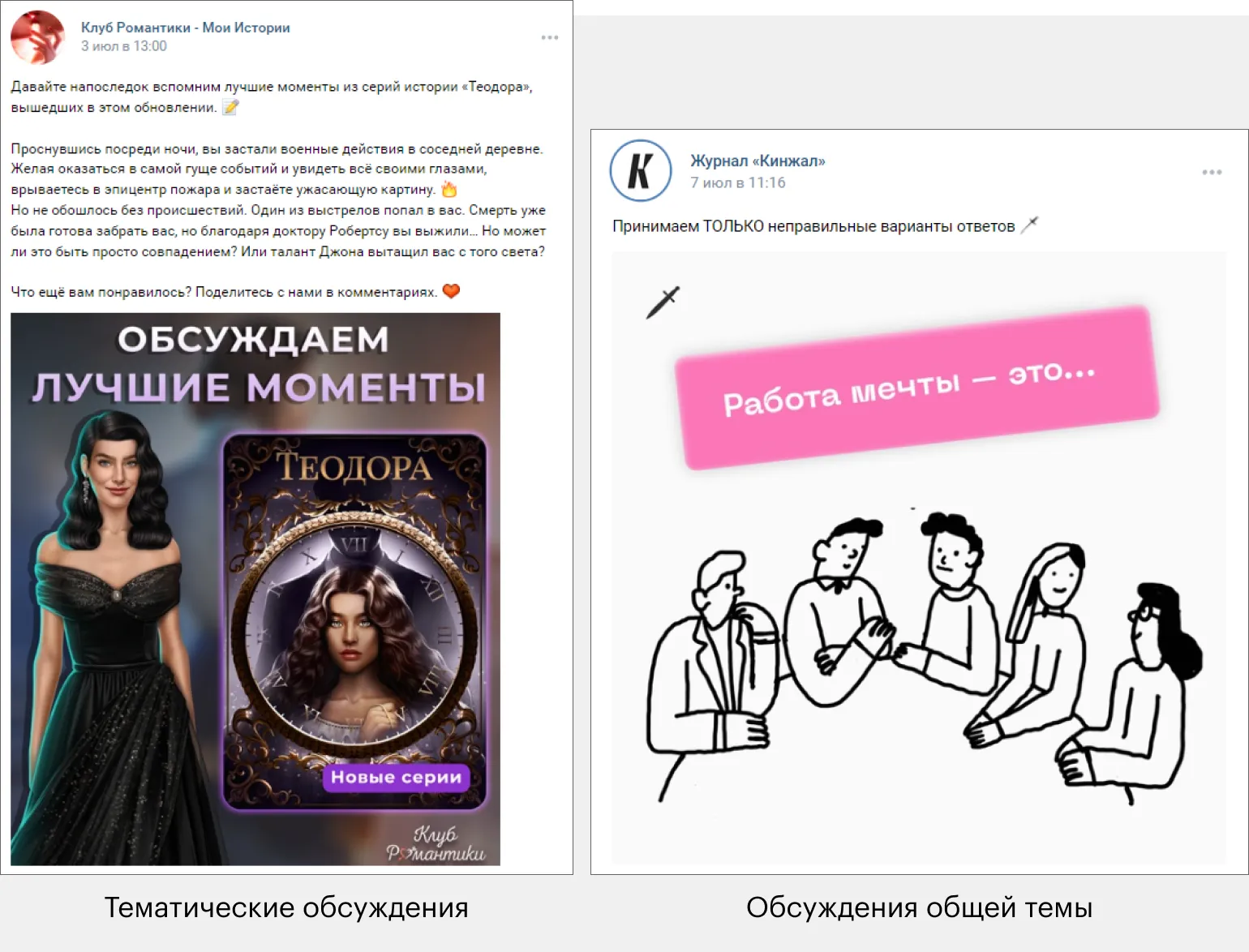
Ideas for creating effective communication posts can significantly improve engagement with your audience. It's important to develop content that attracts attention and stimulates discussion. Consider using current topics and trends to ensure high engagement. Discussing events related to your industry can be a great basis for posts. You can also share useful tips that will help your audience solve specific problems or improve their skills. Don't forget the importance of visual content, which can strengthen your message and make it more memorable. Use calls to action to encourage readers to interact, such as commenting or sharing your content. Constantly updating content and adapting it to the interests of your target audience will help maintain interest and activity.
- Ask subscribers for their opinion on a new product or service. For example, invite them to discuss their experience with a new drink at your bar.
- Encourage your audience to imagine. A movie blog might ask what the world would be like if J.K. Rowling hadn't written Harry Potter.
The Art of Creating and Adapting Memes
Memes are the universal language of the internet, capable of uniting people with different interests. Even those who aren't interested in memes likely haven't had the opportunity to see the most memorable examples of meme culture. Creating memes for your community involves finding relevant topics and expressing them humorously. This not only entertains but also fosters audience engagement, creating a sense of community and understanding. Memes can be a powerful tool for communication and idea promotion, helping to effectively convey important messages to a wide audience.
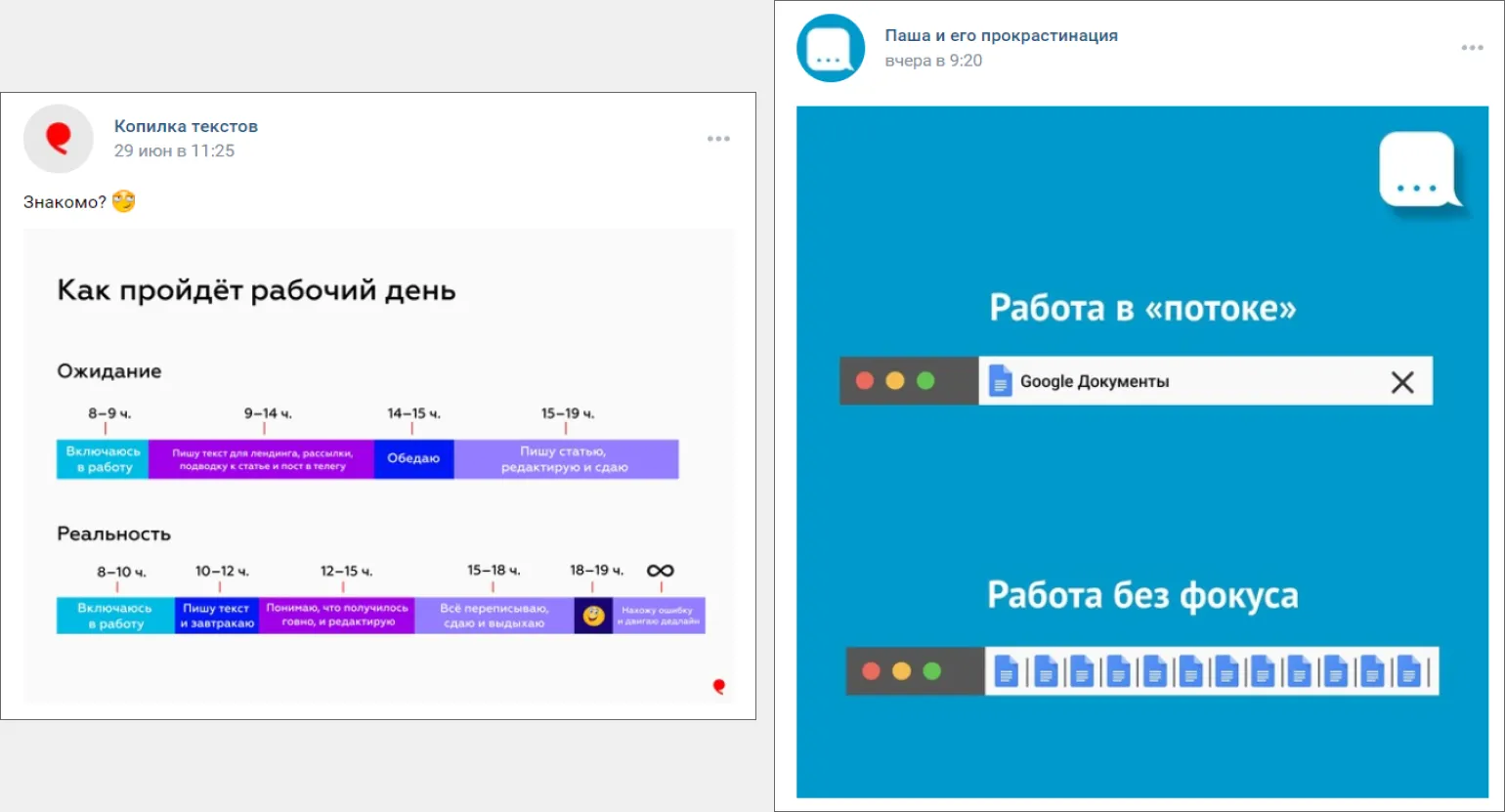
Creating original memes is an effective way to attract audience attention and increase engagement. To successfully create memes, it is important to consider current trends and the interests of your target audience. Use humor and creativity to stand out from the crowd. Study popular meme formats and adapt them to your theme. It is also worth paying attention to the visual component: high-quality images and clear fonts will help make your meme more appealing. Don't forget about social media - publish memes on platforms where your audience is most active. Regularly updating content and interacting with subscribers will help you create a memorable image and increase your reach.
- Share personal experiences. For example, in an SMM specialist's blog, you can create a meme about "Me and the last day before the deadline."
- Reflect a typical situation. For example, in the writing community, you could create a meme about the fear of the blank page.
Working with well-known memes offers a simpler and more predictable strategy. Adapting popular memes increases the chances of a positive reaction from your audience, as they are already familiar with the original context. Using memes that have already gained popularity helps attract attention and establish a connection with users, which in turn leads to increased engagement and distribution of your content.
There are many resources that can greatly simplify the process of creating memes. These tools will help you generate original and funny memes, as well as edit images and add text. Use online platforms and apps that offer templates and simple editing features to create high-quality content. Take advantage of these resources to express your ideas and share them with friends or on social media.
Meme-creating apps have become a popular tool for users looking to express their thoughts and emotions through humor. These apps offer a variety of features, including the ability to add text to images, use various templates, and edit photos. With their help, you can easily create an original meme that will go viral on social media.
Many apps offer extensive image and sticker libraries, allowing users to find the perfect visual elements for their memes. Sharing functionality is also available, making it easy to share created memes with friends and followers. Importantly, creating memes is not only entertaining but also allows you to comment on current events in society.
There are many meme-making apps available for both mobile and desktop devices, making the process accessible to everyone. Popular apps include Meme Generator, Mematic, and Canva, each offering unique features and creative options. Choosing the right app depends on personal preference and skill level in image editing. Creating memes is an easy and fun way to express yourself digitally.
- Mematic is a simple app with a variety of templates;
- Meme Generator is a popular service for quickly creating memes;
- Memasik is a mobile app with a wide range of features.
Meme-making websites offer convenient tools for generating original and funny images. These platforms allow users to quickly and easily create memes using popular templates or uploading their own images. These sites allow you to add text, change fonts, and customize the arrangement of elements, making the meme-making process accessible to everyone. Choosing the right website depends on your preferences and goals. Many offer free features, making it easy to share your creations on social media. Creating memes has become not only entertainment, but also an effective way to express your thoughts and ideas.
- Meme-arsenal.com - an extensive library of memes;
- Risovach.ru - a platform for generating memes and editing images;
- Photogramio.com - an online image editor with a meme creation function.
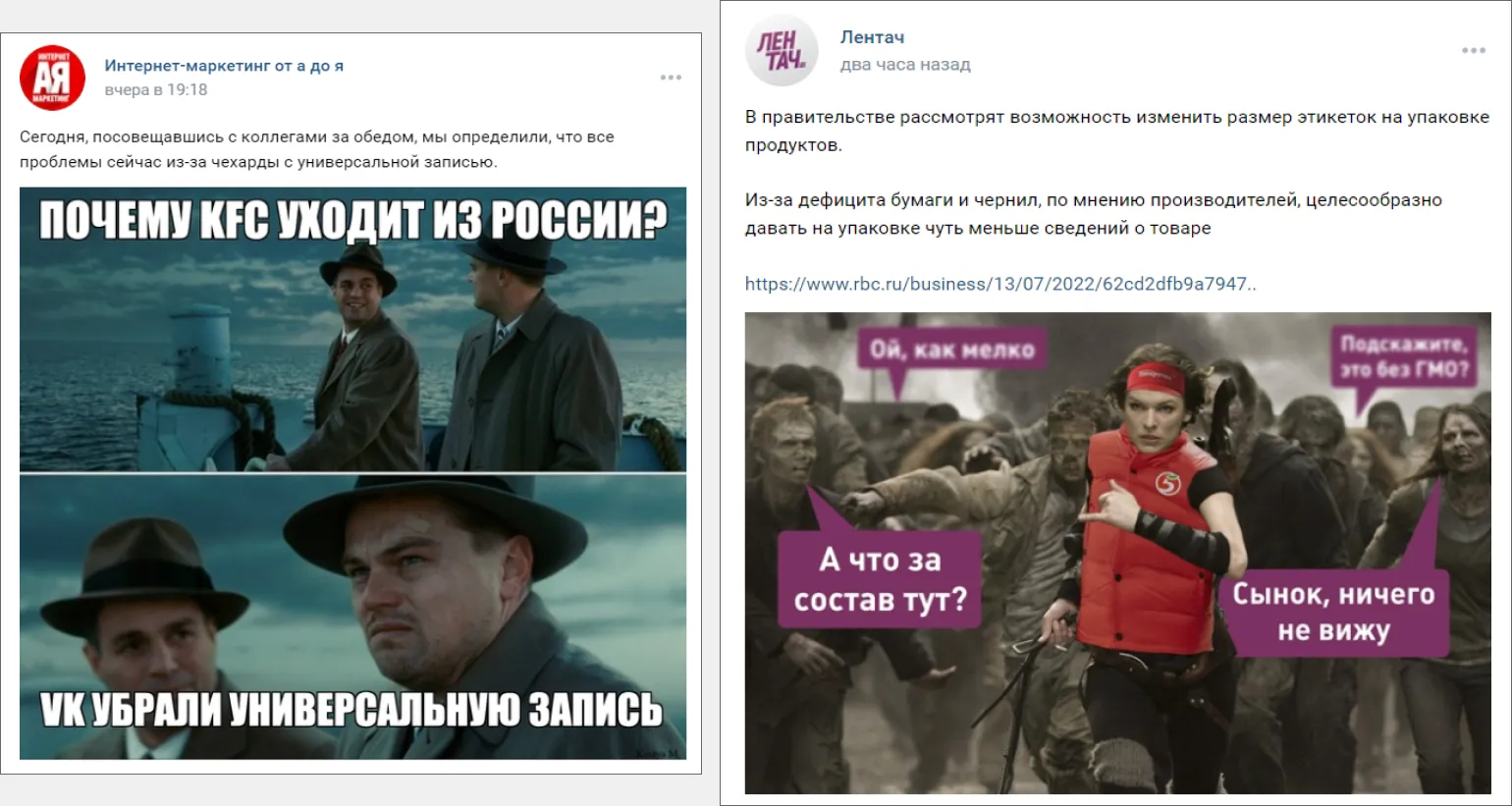
Adapting memes to current trends requires attention to relevance and creativity. It's important to monitor the latest trends on social media and popular platforms to create content that will resonate with your audience. Use current events and cultural references to make memes more relevant. Consider the language and communication style of your target audience: using slang and popular phrases can increase engagement. It's also worth experimenting with formats like video or animation to attract more attention. The key is to maintain uniqueness and originality to make your memes stand out from the crowd.
- Keep up-to-date with current trends in meme culture—they change very quickly.
- Use current newsworthy events to keep your memes relevant.
Creating Universal Posts: Text and Image Gallery
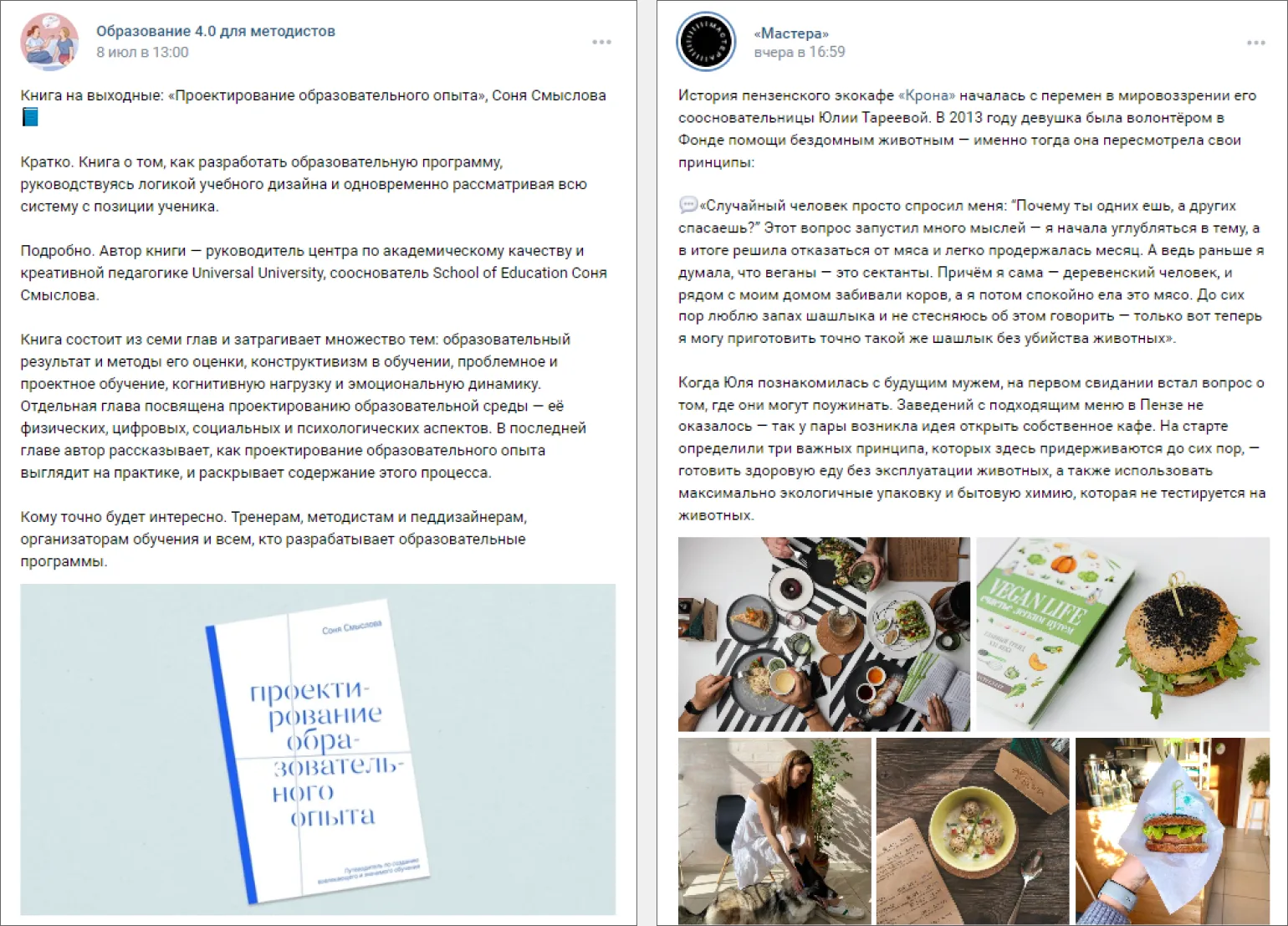
The maximum text length for a post is 15,940 characters. If you need more space, we recommend using the article format, which offers more flexible layout options. In the article editor, you can highlight key quotes and insert links. It's important to remember that even in posts, you need to maintain the structure of the text: break it into logical paragraphs and add subheadings to improve readability. This will improve the perception of information and help users find the information they need more easily. Proper text structure also contributes to better SEO, which can increase your content's visibility in search engines. Don't forget to use hashtags in your posts. This will help increase the visibility of your content and attract a larger audience. You can learn more about using hashtags correctly in our dedicated article. Hashtags play a vital role in promoting and organizing content, so using them wisely will significantly increase the effectiveness of your publications.
Ideas for Creating Text Content for Posts
When developing text content for posts, it is important to consider the interests and needs of your target audience. Start by identifying key topics that will be relevant and useful to your readers. Consider using different content formats, such as informational articles, reviews, tips, and tricks.
You can share your personal opinions and experiences to build trust in your content. Adding relevant facts and statistics can increase the level of trust in your materials.
Don't forget the importance of SEO optimization. Use keywords that your target audience is actively searching for. Include them in headings, subheadings, and body text to increase the visibility of your post in search engines.
Diversify your content by adding interviews with experts, success stories, or case studies. This will not only attract attention but also retain reader interest.
Remember that regularly updating content and adapting it to changing trends will help keep your posts relevant and in demand.
- Share an interesting fact about your profession or product. For example, a jewelry maker might talk about the rare properties of pearls and accompany the text with photos of their creations.
- Tell a personal story. In a community dedicated to handmade soap, you can reminisce about your first experiments in soap making and the first customer reviews.
Cards are a popular content format for VKontakte posts. They can be created using tools like Figma or Photoshop, or you can use specialized designers to simplify the process. These tools allow you to create visually appealing cards that will help increase your audience's engagement and improve the perception of your content.
- Supa;
- Wilda;
- Flyvi.
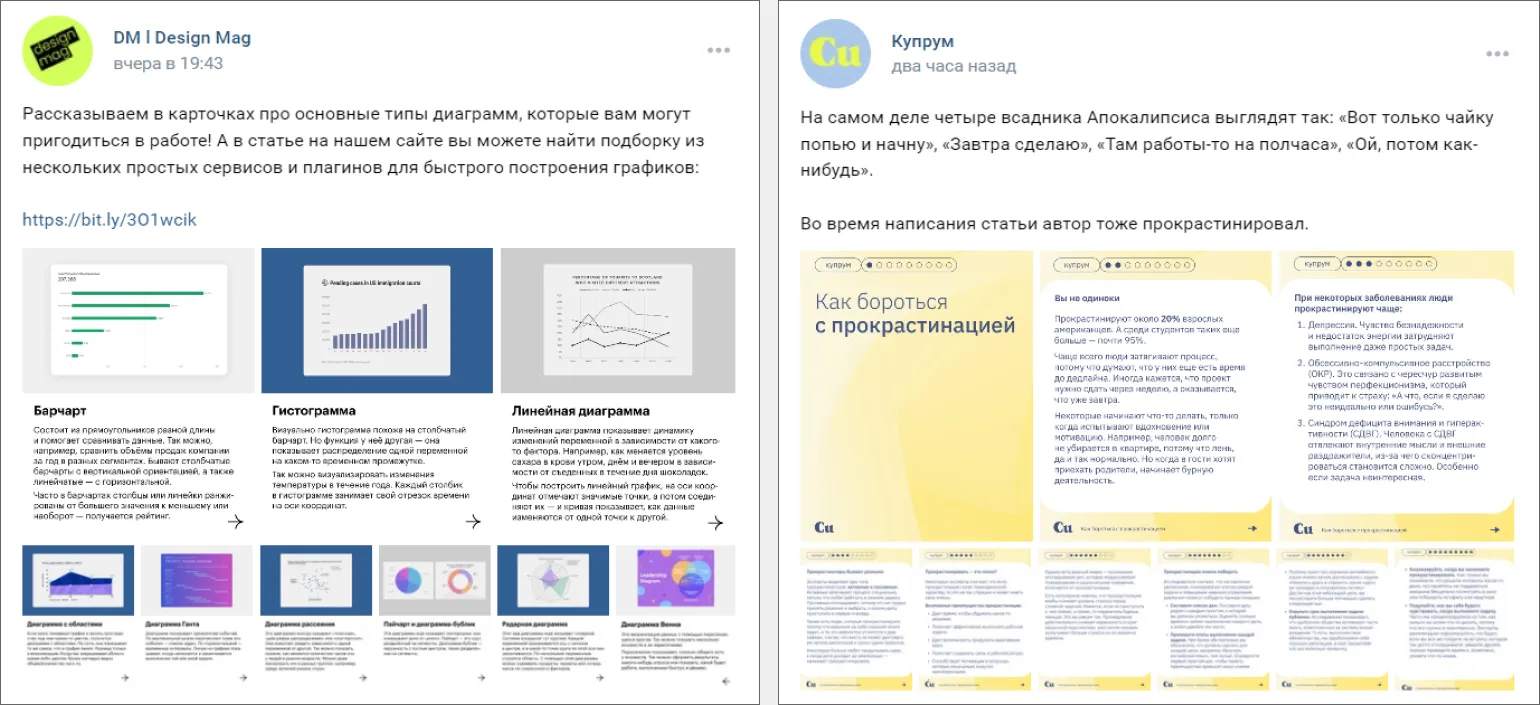
Creating cards is a great way to visualize information and make it more accessible. When designing cards, it is important to consider several key aspects to ensure they are attractive and informative.
First, determine the main purpose of the cards. This can be to present products, services, ideas, or information. Make sure the content of the cards clearly aligns with this purpose, and the text is easy to digest.
Second, use high-quality images. Visual content plays a crucial role in attracting attention. Images should be high-resolution and relevant to the theme of the cards.
Also, don't forget about the structure of the text. Use concise headings and clear subheadings to highlight key points. Keep the body copy concise and informative, avoiding unnecessary information.
Consider adding interactive elements. These could be buttons for visiting the website, contact forms, or links to additional materials. Such elements will increase user engagement.
Finally, optimize your cards for search engines. Use relevant keywords in the titles and text. This will help improve the visibility of your cards in search engines and attract a larger target audience.
By following these guidelines, you can create effective and attractive cards that will fulfill their function and help you achieve your goals.
- Share helpful tips. For example, a fitness trainer could create cards with 5 tips for an effective run.
- Create instructions. A phone repair brand could create cards with the steps for applying a screen protector.
Adding product tags to photos allows you to indicate their price and facilitate the purchasing process. Users can simply click on the tag to instantly proceed to checkout. This improves content engagement and helps increase conversions.
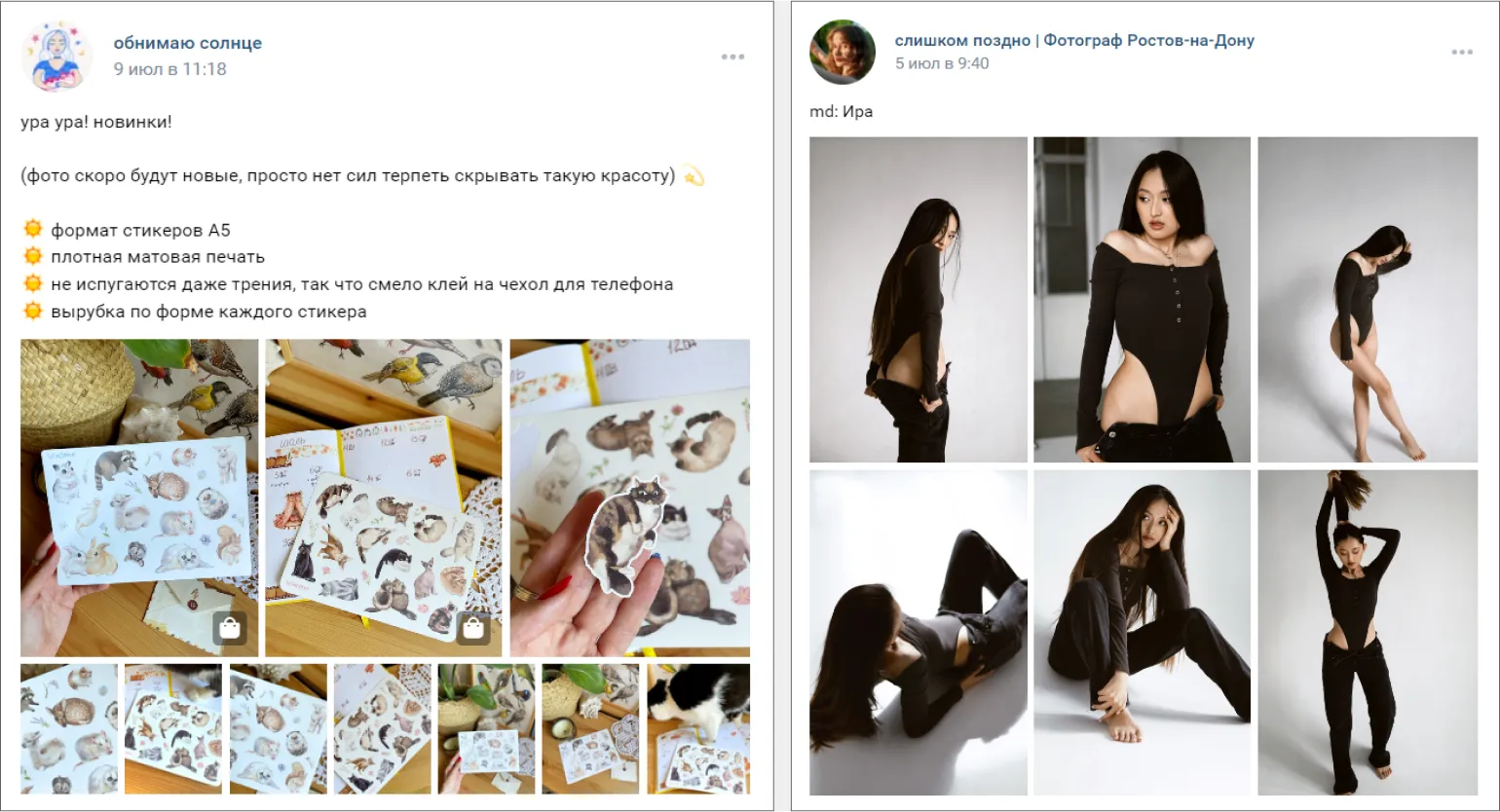
Photo Post Ideas
Photos play a key role in attracting attention to your content. Consider creating posts on topics like nature and landscapes, animals, travel, culinary masterpieces, and events from your life. You can share unique moments by telling the stories behind each photo.
Also, publish step-by-step tutorials demonstrating the process of creating art or culinary dishes. Using photos to illustrate your thoughts and ideas will make the content more engaging and memorable. Don't forget about photo contests or challenges that will engage your audience and encourage them to share their work.
Also, consider topics related to certain seasons or holidays to create relevant content. Using hashtags will help improve the visibility of your posts and attract new audiences. It's important not only to create beautiful images but also to ensure their quality and composition so they stand out in the feed.
Think about how your content can be useful and interesting to your followers. Create posts that inspire, educate, or entertain, and don't forget to interact with your readers by responding to comments and participating in discussions.
- Showcase the results of your work. For example, in a detailing community, you could post before and after photos of a car.
- Collect a thematic collection of films. Label the posters with titles, and dedicate the collection itself to the theme of your community - for photographers, this could be films about photography, and fashion lovers should consider films about fashion.
How to Format an Article: Tips and Recommendations
Articles are an effective format for creating longreads, giving authors the opportunity to share lengthy and informative materials. Such materials can contain up to 100,000 characters, allowing for detailed examination of various topics and a deeper understanding of their essence. Long articles help attract readers' attention, improving their engagement and providing valuable information. As a result, high-quality content becomes an important tool for increasing visibility in search engines and improving SEO.
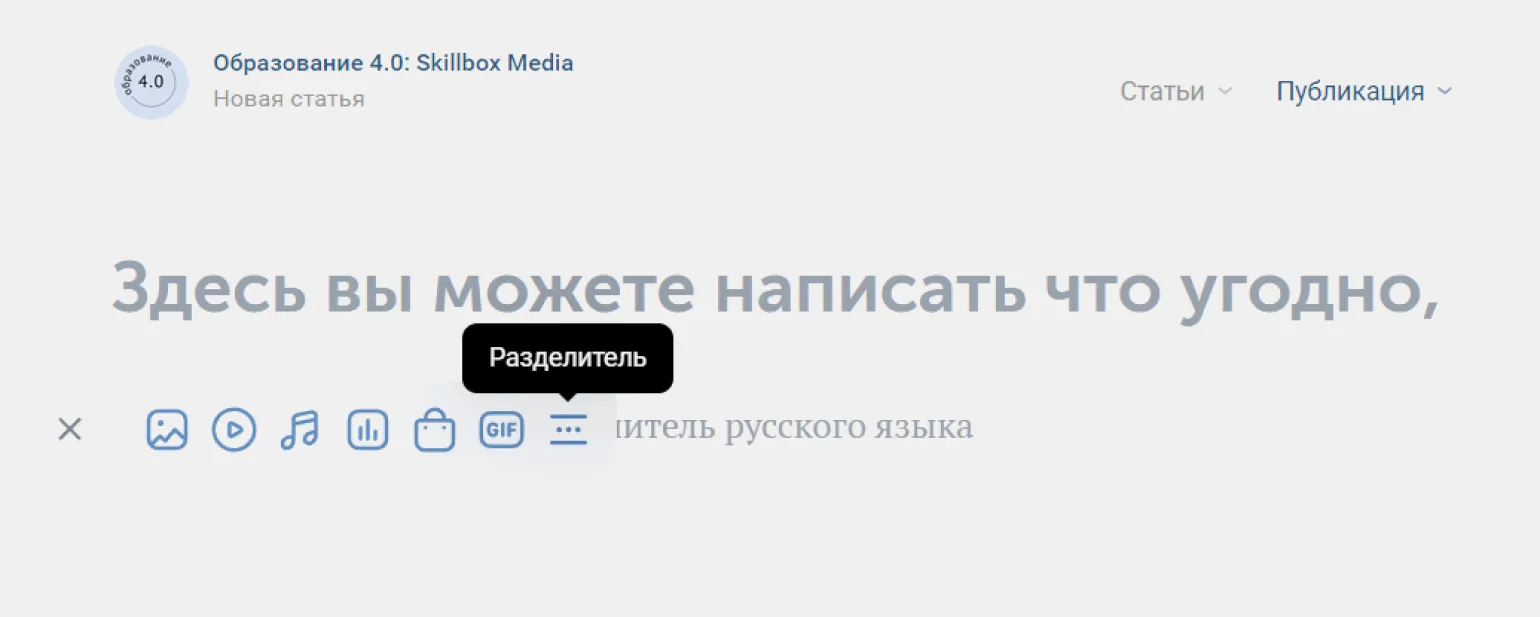
Articles can contain various media elements, including images, videos, audio files, and infographics. The use of media in articles helps improve the perception of information, making the content more attractive and interactive. Visual elements such as graphs and photographs can significantly increase reader interest and promote a better understanding of the information presented. Videos and audio files add dynamics and variety, allowing the audience to dive deeper into the topic. Infographics are an effective tool for simplifying complex data and presenting it in a visual form, which makes articles more informative and memorable.
- images,
- videos,
- GIF animations,
- audio files,
- products,
- text dividers.
You can add captions to images and GIFs. To do this, simply click on the field located below the file. Captions help better understand the context of images and enhance content comprehension.
The layout area offers a variety of text styles, including bold and italic, as well as two heading sizes. You can also insert hyperlinks into any words or characters, significantly increasing the interactivity of your content. This improves the user experience and promotes more effective engagement with your audience. Using these features in your layout helps create more engaging and functional content.
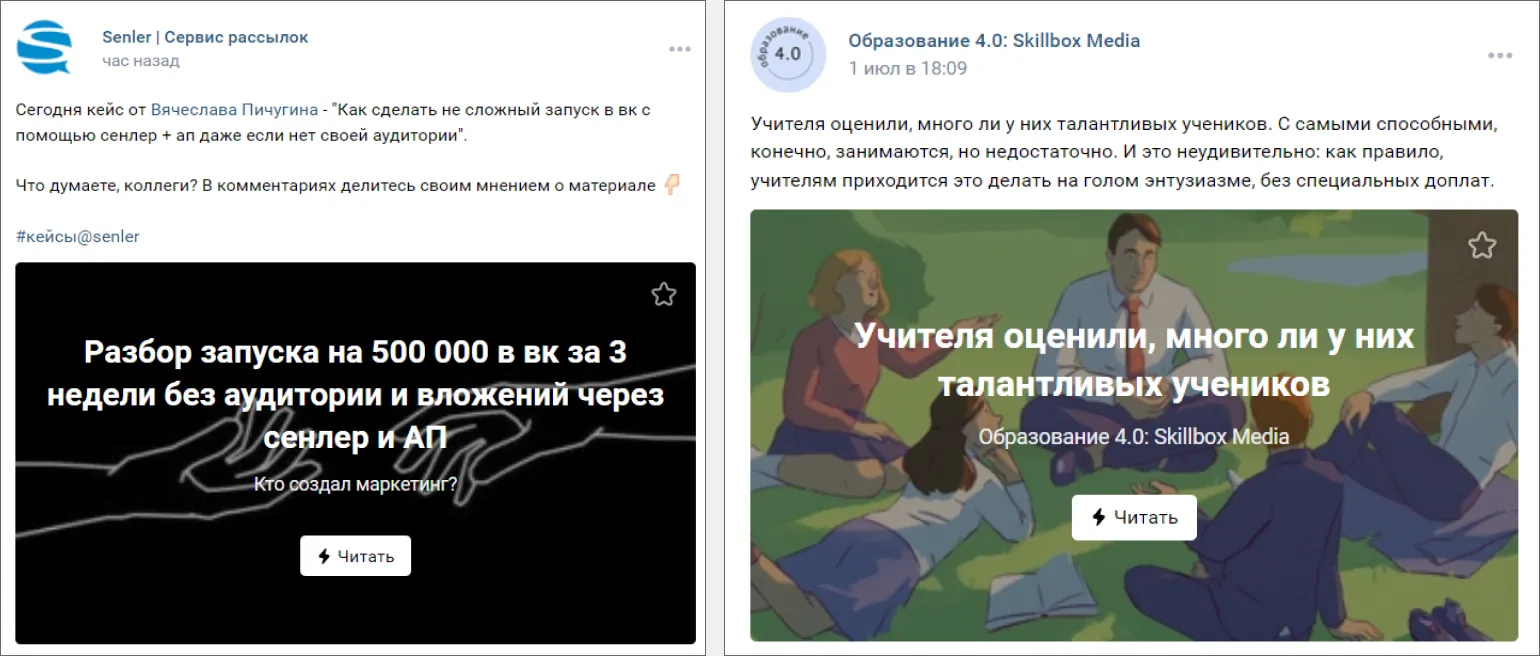
Each article can be designed with a unique cover image. If you don't plan to publish immediately, you can set up a scheduled post or save the article as a draft for further editing. This allows for flexibility in content management and provides the ability to prepare high-quality material before publication.
After publishing an article, users gain access to analytics, including the number of views, reads, and shares. For statistics to be activated, an article must have more than 100 views. This allows authors to assess interest in their content and improve the quality of future publications.
- Describe an interesting case study. The article format is ideal for this! For example, on a copywriter's blog, tell about your most successful order – show its results and add links.
- Create a collection of tips. In a film camera community, publish an article about choosing film for various shoots, including photographers' opinions and links to their work.
Effective Ways to Run Polls
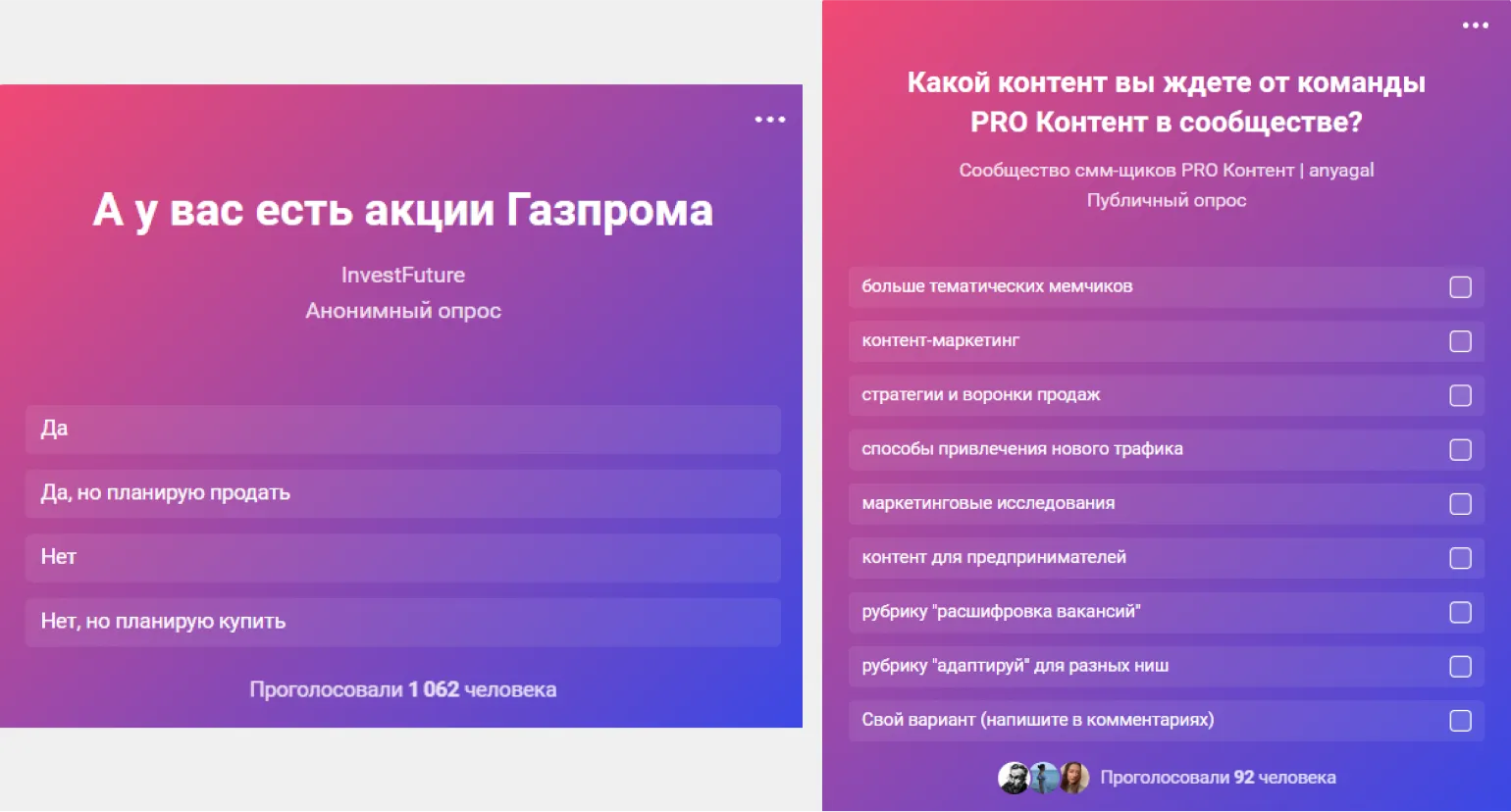
Creating a poll is an effective tool for engaging with your audience. When designing a poll, you can ask one question and offer up to ten answer options, allowing you to gather a variety of data and opinions. You can also set the number of correct answers and enable a quiz mode where participants must select four correct options. This not only increases engagement but also allows you to gain a deeper understanding of your audience's preferences and interests. Optimizing polls for SEO will help attract more participants and improve the visibility of your content in search engines.
Anonymous voting is a key feature that ensures participant privacy. When enabled, voting results are displayed exclusively in numerical format, ensuring the protection of personal information. Otherwise, participants will be able to see how others voted, which could influence their own choices. Using anonymous voting promotes fairer and more objective results, creating a comfortable environment for participants.
You can set time limits for voting in polls. For example, a poll can be available for participation for only three days. After this period, participants will only be able to view the final results but will not be able to leave their votes. This helps create a sense of urgency and encourage users to participate more actively within the set time.
Eight stylish colored backgrounds are available for creating polls, as well as the option to upload your own image. This will make your poll unique and appealing to participants. Choosing an original background will help attract attention and increase interest in your survey, which in turn will increase the number of responses and improve the quality of the collected data.
Ideas for Engaging Surveys
- Find out what exactly your audience wants. For example, in a family-run coffee shop community, you could ask: "Do you want our food to be available for home delivery?"
- Find out what subscribers think about current events. In a city news community, you could conduct a survey about the construction of a new housing complex to understand how it affects local residents.
How to Attach a Video or Playlist to Your Post
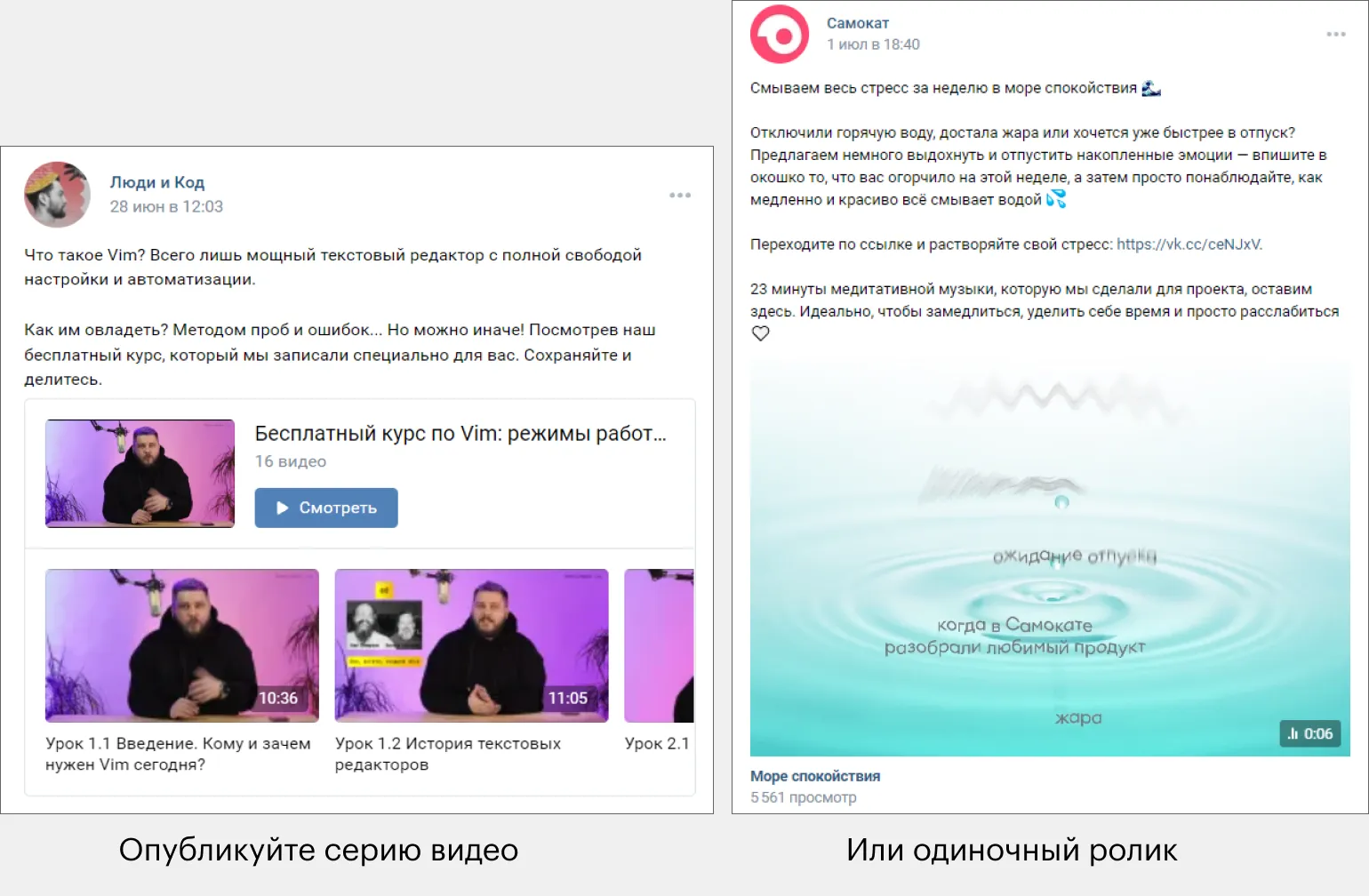
Adding videos and playlists to VKontakte posts is an effective way to make your content more engaging and interactive. You can upload new videos or use those already available in your profile. To do this, simply click the "Add Video" button in the post editor or paste the link to the desired video. Once added, the playlist will automatically display in a carousel format, significantly improving user interaction with your content. Using videos in VKontakte posts not only attracts attention but also increases audience engagement, which positively impacts your promotion.
For information on the requirements for original videos on the platform, please refer to the official rules and guidelines, which can be found at the following address: [VKontakte rules](https://vk.com/faq). This will help you understand how to properly create and publish videos that comply with platform standards.
Ideas for Creating Video Content in Posts
Creating video content for posts is a great way to grab your audience's attention and increase engagement. Let's consider some effective ideas for creating interesting videos.
A good first step might be creating tutorial videos. You can share your knowledge and experience by demonstrating how to complete certain tasks or use products. Such videos not only inform but also help establish trust in your brand.
You can also consider the "behind the scenes" format. Show viewers how your product or service is created, or tell them about the team behind your brand. This will create a more personal connection with your audience and increase loyalty.
Interviews with experts or customers are also a great idea. Share the opinions of professionals in your field or testimonials from satisfied customers. This will add value to your content and demonstrate your expertise.
Don't forget about entertaining videos. You can create content in the format of challenges, contests, or interesting facts related to your niche. This will not only attract a new audience but also make your content more memorable.
Animated videos are also worth considering. They can be used to explain complex concepts or present products in a fun and engaging way.
Finally, create video content based on current trends. Keep an eye on popular topics and use them to create videos, which will help you stay relevant and attract attention to your brand.
Using these ideas will help you create high-quality video content that will help grow your online presence and increase audience engagement.
- Create a series of themed videos. For example, if you are a music blogger, publish several videos with tips on choosing your first musical instrument for beginners.
- Share an interesting podcast or interview. If you run a video game community, you could create a post featuring a trailer for an upcoming game or an interview with the developers.
Additional resources for effective promotion on VKontakte from Skillbox Media. Explore our materials to master key strategies for increasing your audience reach and engagement. Our recommendations will help you create engaging content that will stand out from the competition and optimize your advertising campaigns for maximum results. Learn how to use analytics to evaluate the effectiveness of your efforts and adjust your promotion strategy. Skillbox Media offers all the necessary tools for successful promotion on VKontakte.
- Live covers on VKontakte: detailed instructions and 22 inspiring examples.
- How to properly design a community on VKontakte: a comprehensive guide from SMM specialists.
- Promotion on VKontakte: answers to key questions about content, formats, and advertising tools.
- How to set up effective advertising on VKontakte in 60 minutes: step-by-step instructions.
- Hashtags on VKontakte: do they really work and how to use them correctly.
VKontakte Promotion: From Zero to PRO in 30 Days
Want to become a PRO on VKontakte? Learn 5 steps to success in business promotion! Read the article.
Find out more