
Table of Contents:
- What is Figma?
- Flyvi: Your Ideal Graphic Editor
- Flyvi Frequently Asked Questions
- Supa Review: Innovative Service for Creating Video Content
- Visme Review: A Powerful Tool for Creating Visual Content
- Visme Frequently Asked Questions
- Fotor Online Photo Editor Review
- Pixlr X Review: Innovative Online Photo Editor
- Desygner: Your Ideal Online Designer
- Hey, Teaser! – Your Ideal Content Creator
- Wilda: Your Online Designer for Creative Solutions
- Review of the Best Graphic and Video Editors

Marketing: 18 Free Courses for Beginners and Professionals
Learn MoreWhat is Figma?
Figma is a powerful graphics editor designed for creating prototypes of websites and mobile applications, as well as for developing illustrations and user interface elements. Interface. This tool allows teams to work on projects in real time, significantly simplifying collaboration and increasing efficiency. Figma supports integration with other services and offers extensive sharing and feedback capabilities, making it an ideal choice for designers and developers. Thanks to its cloud architecture, users can access their projects from anywhere and on any device, increasing project flexibility. Originally developed for UX/UI designers, Figma offers functionality that is ideal for creating social media content, advertising mockups, presentations, and other visual materials. Its capabilities allow for the efficient development of graphics adapted to various platforms, making Figma a versatile tool for designers and marketers. Figma makes it easy to create compelling visuals that can drive audience engagement and improve brand perception.
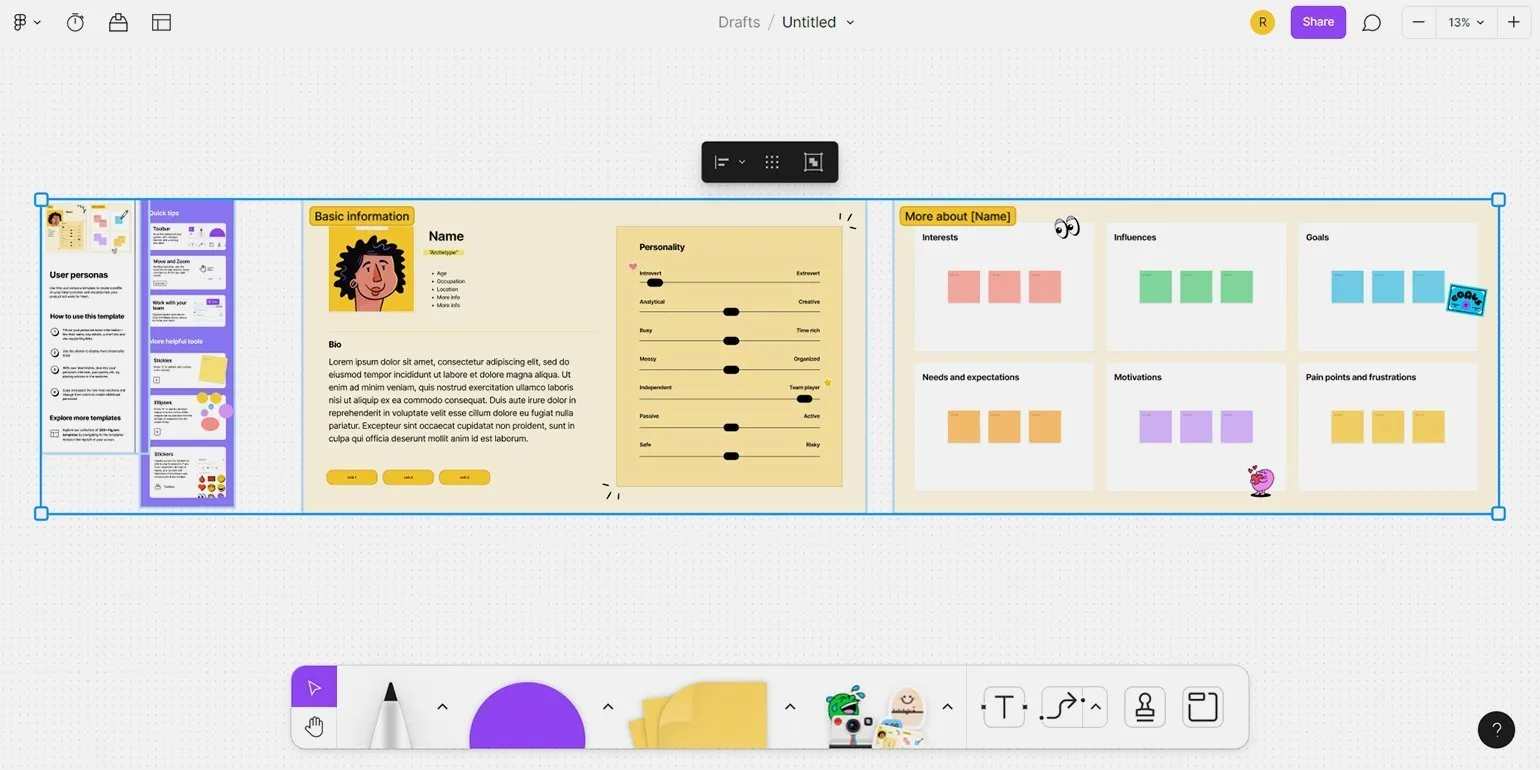
Manufacturer: USA. Figma is a powerful design tool available both as an online service and as apps for desktop and mobile devices on iOS and Android. Figma provides a convenient interface for collaborating on projects, allowing designers and developers to effectively collaborate in real time.
To get started with Figma, you need to register with a Google account or enter your email address. During the registration process, you will be asked to enter your name, indicate your occupation, and describe your intended use for the tool. This will help customize Figma to your needs and improve the user experience.
Figma offers a wide range of features available for free, but there are limits on the number of projects and file storage period. Paid versions provide additional features, such as voice chats and storage for recording conversations. It is important to note that as of March 9, 2022, the paid plan will no longer be available for users in Russia. Therefore, users should consider these changes when choosing the right plan and planning their projects.
Figma provides everything you need to get started. By navigating to the Community tab, you'll discover a vast world of resources: ready-made layouts, custom illustrations, icon sets, prototypes, posters, stickers, and effects. All of this is available to designers, but it's important to check the terms of use and permissions set by the original authors. Vyacheslav Lazarev, editor at Skillbox Media, emphasizes the importance of these resources for design professionals.
Alexandra Vereteno, head of Vorona Agency, emphasizes that this service is an excellent tool for designers, allowing them to create landing page prototypes and visual materials for presentations. However, to use it effectively, some preliminary research is required.
For more information about Figma's capabilities and how it can enhance your project, we recommend reading our detailed article. Figma offers unique design tools that help teams collaborate effectively and simplify the process of creating user interfaces.
Flyvi: Your Perfect Graphic Editor
Flyvi is a versatile online graphic editor designed for creating a variety of content, including social media assets, presentations, and documents. Its intuitive interface, similar to the popular Canva tool, makes it accessible to users of all skill levels. Flyvi offers a variety of templates and tools that streamline the design process and enable quick implementation of ideas. This allows users to effectively engage their audience and enhance the visual presentation of their projects.
Flyvi offers a wide range of features that impress with their diversity. This service offers a variety of features to enhance your experience.
- 10 million stock photos and videos;
- 2 million GIFs and 3,500 animation templates;
- 20,000 design templates;
- 10,000 decorative elements;
- 489 fonts in various styles;
- 5,000 backgrounds for various projects;
- A convenient publication scheduler.
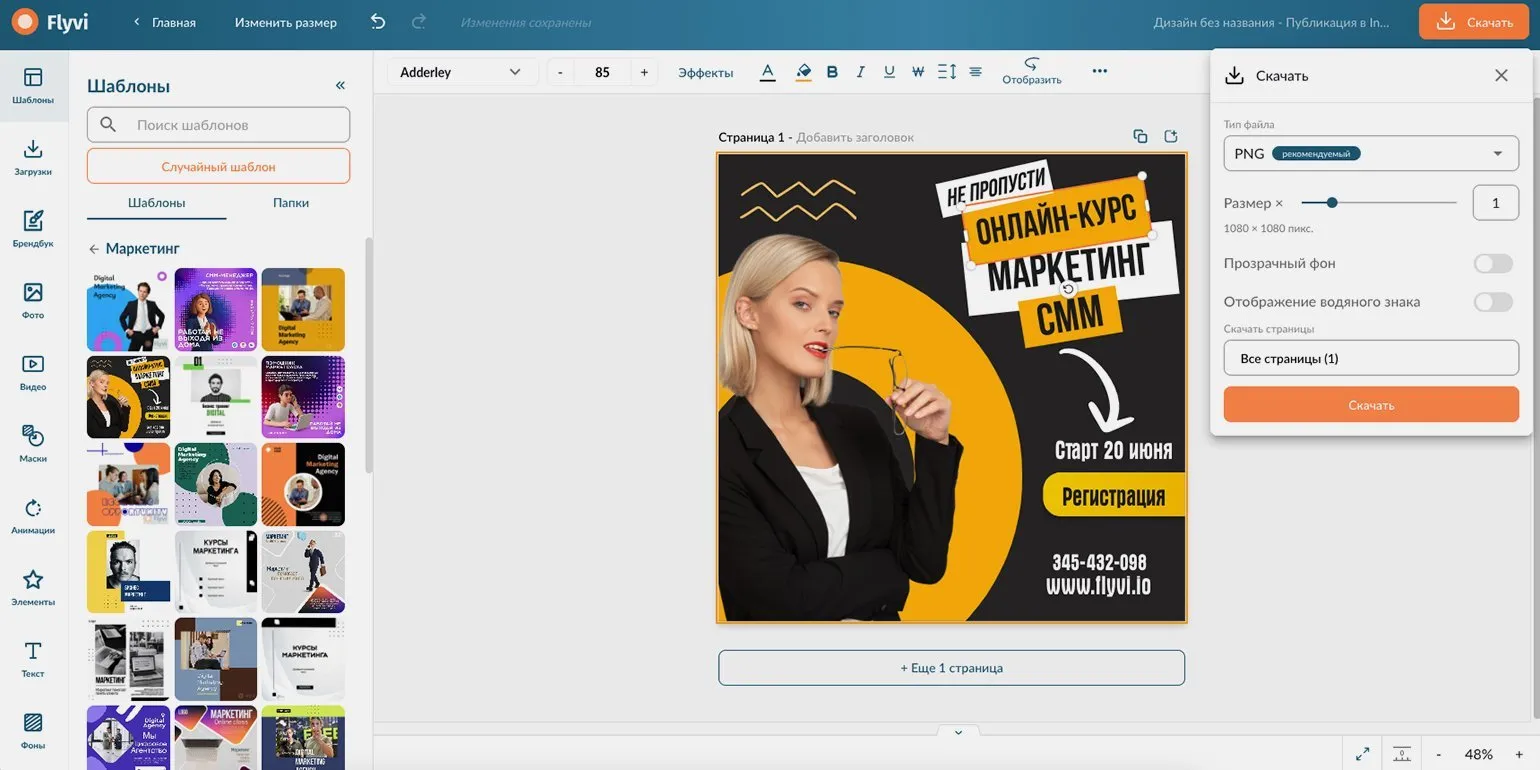
Flyvi is an online service created in Russia and available to users all over the world. It offers unique features that make it a convenient and effective tool for various tasks. Thanks to its accessibility and multifunctionality, Flyvi has become a popular choice among users looking to streamline their processes and improve online interactions.
Registration on the Flyvi platform is quick and convenient. To do this, you need to enter your email address, full name, and create a password. After completing these steps, a confirmation email will be sent to the specified email address. It's a simple process that allows you to start using all the features of Flyvi in no time.
The free plan provides full access to all photos and animations, but created works will have a watermark. A paid subscription starts at 399 rubles per month or 3890 rubles per year. A 5-day trial period is also available, allowing users to test the service before paying. Payment is made through the secure YuMoney service, which ensures the convenience and reliability of financial transactions.
According to Dasha Yagovitova, a digital blogger, Flyvi is not just an alternative to Canva, but rather a close copy of it with certain differences. In the free version, users can only download creatives with a watermark, and there is no search function for elements. However, Flyvi is easy to learn, and it is worth noting that this is a Russian product, which makes the payment process more convenient for users from Russia.
Ilya Rusu, Flyvi Marketer, highlights the unique features of our service. An intuitive interface with drag & drop functionality allows you to create attractive projects without the need for design skills. Our system also includes a one-click background removal tool, as well as options for resizing images suitable for various platforms. We offer a brand book to help you maintain your corporate colors and logos. In the near future, we plan to introduce a collaboration feature, which will allow users to edit projects in real time, improving teamwork and increasing work efficiency.
Frequently Asked Questions about Flyvi
- How to get started with Flyvi? — Just register on the website and start creating your content.
- What plans are available? — Free and paid (from 399 rubles per month).
- Can Flyvi be used on different devices? — Yes, Flyvi is available on any device with an internet connection.
Flyvi is a great solution for those who want to quickly and easily create engaging content. The platform is regularly updated and improved, which allows it to stay one step ahead of the competition. With Flyvi, you can effectively manage your content and attract audience attention, making it an ideal tool for marketing and promotion.
Supa Review: Innovative Video Content Creation Service
Supa is a cloud-based tool that allows users to create videos and graphics for social media. Using a variety of templates or from scratch, Supa offers an intuitive interface that allows you to quickly master the content creation process. This tool is ideal for both beginners and experienced users looking to improve their visual communication online.
- Over 3,476 ready-made templates for videos and images;
- Create and store an unlimited number of videos;
- Ability to create videos up to five minutes long in 1080p and 60 FPS;
- Add your own fonts and audio tracks.
Supa is an online service, which allows all data processing to be performed on the company's powerful servers. This means that users do not need a high-performance computer to work effectively with the service, making it accessible to a wide audience. The use of cloud technology ensures high processing speeds and reliability, allowing users to focus on their tasks without having to worry about the technical characteristics of their device.
For creating static images, the free version of Supa is quite suitable. However, for full-fledged video editing, it is recommended to use a paid plan. In our dedicated article, you'll learn how to quickly master creating professional social media videos with Supa.
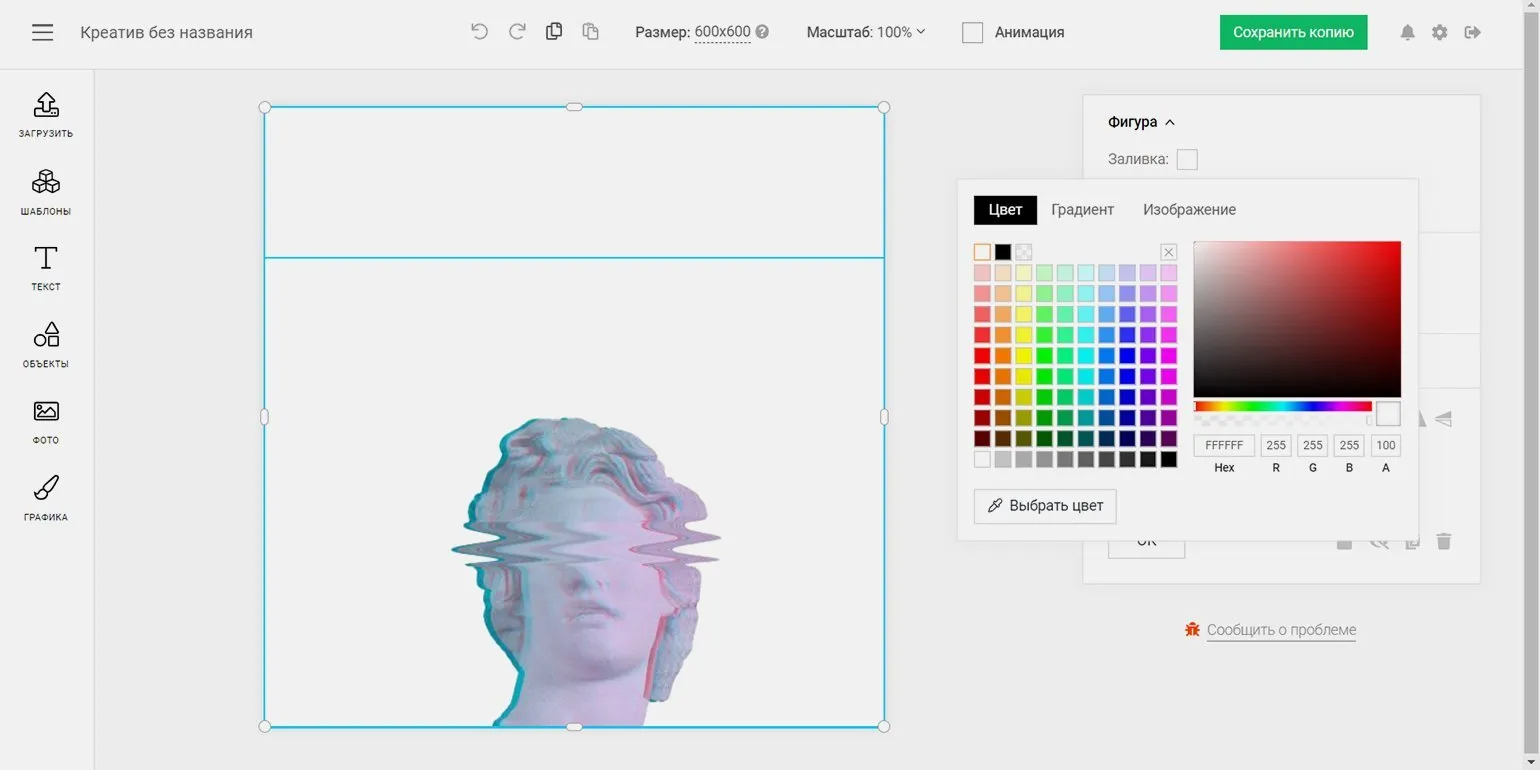
The manufacturer Supa is located in Russia and is an online service. This service offers users modern solutions that simplify access to the information and services they need. Supa guarantees high-quality services and ease of use for all categories of users.
Registration for our service occurs via email. After completing the registration process, you will receive a notification with your username and automatically generated password. This approach ensures the security of your account and simplifies access to our services.
Supa pricing and terms: A free subscription limits video length to 40 seconds and quality to 480p, and each video will display the Supa watermark. However, static images can be used without a watermark, which avoids additional restrictions when working with graphic content.
A premium subscription is available for 990 rubles per month when paid monthly or at a reduced price of 333 rubles per month when paid annually. We accept payments from Russian and international bank cards, as well as cryptocurrency. Legal entities and sole proprietors can use their bank account to pay for a subscription.
Alexandra Vereteno, head of Vorona Agency, emphasizes that Supa is an excellent tool for creating animated text and images. This service can be considered a simplified version of After Effects, especially for marketers who value visual components in their work. Supa has similar functionality to Canva, but emphasizes text and graphic animation, making it indispensable for creating striking and memorable visual materials.
The Supa video creator offers many advantages that make it an ideal tool for creating video content. Firstly, Supa provides a simple and intuitive interface that allows users to quickly create professional videos, even without editing experience. Secondly, the platform offers an extensive library of templates and stock materials, simplifying the process of developing unique content.
Furthermore, Supa supports a wide range of formats and resolutions, making it a versatile solution for a variety of tasks: from commercials to educational videos. Integration with social networks allows users to easily share finished projects, increasing reach and audience engagement.
Also worth noting is the high quality of video that can be achieved using Supa. The platform is optimized for fast rendering, which significantly saves time. In conclusion, the Supa video maker is a powerful tool for creating high-quality video content that meets modern business and marketing requirements.
- Conveniently sort projects into folders;
- Ability to modify templates and add unique elements;
- Create animated landing pages with automatic adaptation to various devices;
- Integration with analytics systems and pixels.
However, Supa also has its drawbacks. Firstly, the platform doesn't support the creation of static landing pages, as the content is displayed only in scrolling format. Secondly, some of the available templates have a rather simple design, which may limit users' creative options. Thirdly, the free plan doesn't allow you to upload your own fonts, which may limit the level of project customization.
Alisa Pavlova, web designer at MAGWAI studio, notes that Supa, despite its limitations, is an effective tool for creating animated content. This tool allows designers to implement creative ideas and improve the visual appeal of projects. Supa combines ease of use with powerful features, making it an ideal choice for developers and designers looking to create unique animated content.
Visme Review: A Powerful Tool for Creating Visual Content
Visme is a feature-rich online editor that is an excellent alternative to Canva. With Visme, users can easily create and edit images, videos, and a variety of graphic materials, such as presentations and infographics. The platform offers a wide range of tools and templates, making the design process intuitive and accessible to everyone. Suitable for both professionals and beginners, Visme allows you to realize creative ideas and effectively visualize information.
- Access to a million stock photos for creating unique content;
- A thousand vector images for designing projects;
- Cloud storage of up to 25 GB for convenient storage and access to your work.
Using artificial intelligence technology, Visme provides the ability to automatically create templates that perfectly match your company's corporate style. This solution helps simplify the visual content development process, ensuring consistency and a professional appearance for all materials. Automated templates can significantly save time and resources, while ensuring high quality and brand consistency.
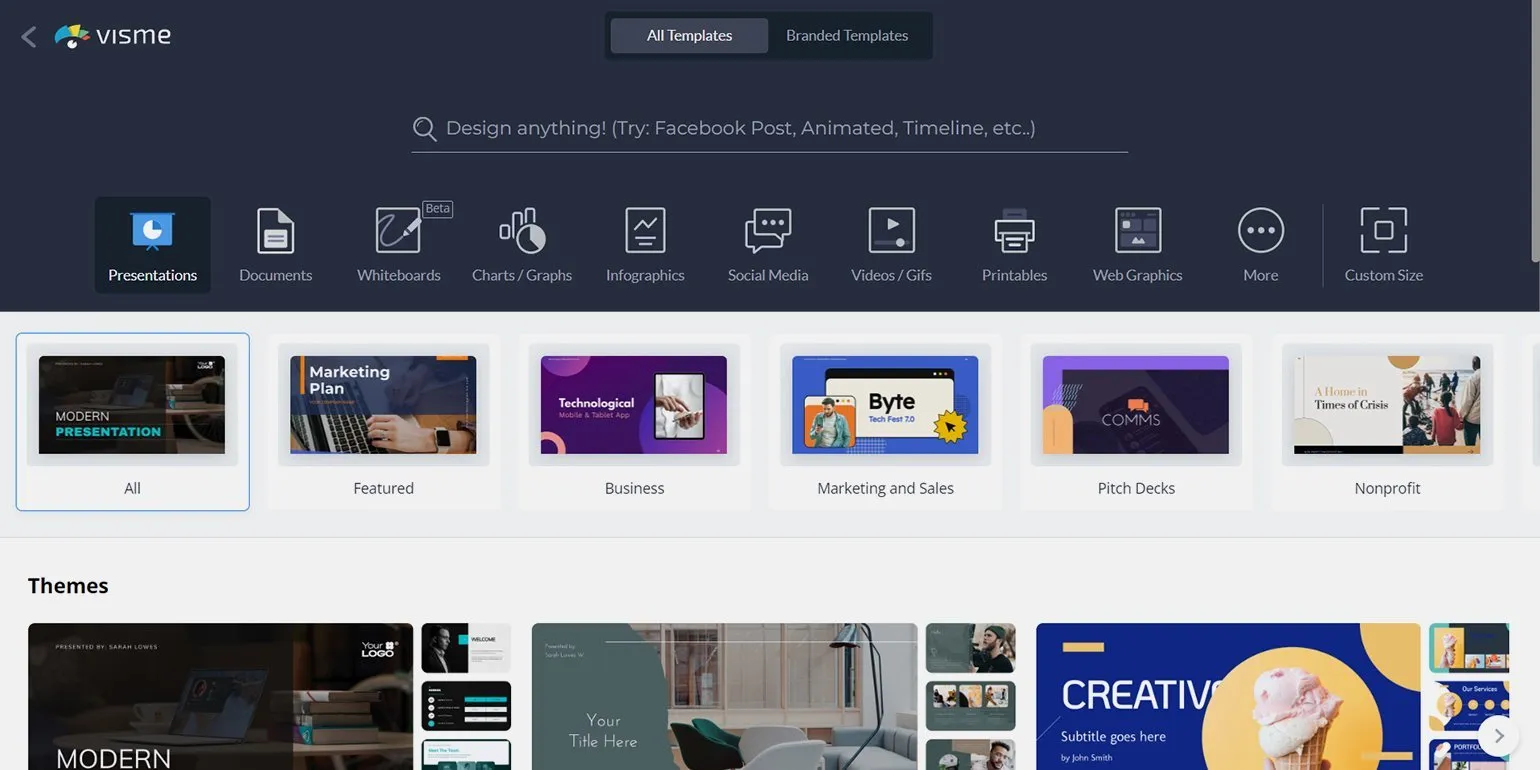
Visme is an American online service provider that offers users access through both a web interface and a mobile app for iOS and Android. This tool allows you to create presentations, infographics, and other visual materials, making it an ideal choice for businesses and educational institutions.
Registration in the system is quick and easy. You can use your Google or Facebook accounts for simplified access, or register with an email. This process allows you to start using all the platform's features without wasting time.
Visme pricing and terms of use: The free version limits access to certain templates and resources, and does not provide the ability to download created images to your device. A subscription is required to fully utilize all the platform's features and capabilities. Paid plans provide access to an expanded library of templates and multimedia resources, and allow you to download projects in various formats. Visme offers flexible subscription options suitable for both individuals and teams.
Paid subscriptions to our services start at 1,450 rubles per month when billed monthly. When billed annually, the price drops to 791.67 rubles per month. Teams have a special pricing plan that includes training, collaboration features, and a customizable subdomain, making it ideal for organizations seeking effective teamwork.
Visme is a feature-rich tool for creating presentations, banners, and infographics, making it an excellent solution for teamwork. Alexandra Vereteno, head of Vorona Agency, emphasizes its convenience and effectiveness in collaborative projects. This tool allows users to easily collaborate and share ideas, improving the visual content creation process. Visme offers a wide selection of templates and features to help improve team productivity and simplify the process of visualizing information.
Visme Frequently Asked Questions
- What are the key features of Visme?
- What are the business benefits of using Visme?
- Can I collaborate on a presentation in Visme?
Visme is a powerful visual content creation platform suitable for both individuals and teams. With Visme, you can easily develop infographics, presentations, reports, and other visual materials, making it an ideal tool for increasing audience engagement. Learn more about Visme's features on the official website.
Fotor Online Photo Editor Review
Fotor is a versatile online photo editor that offers users extensive photo editing capabilities. With this tool, you can easily crop images, remove backgrounds, apply a variety of filters, and add text. Fotor also lets you create collages and offers numerous templates for social media posts. Thanks to its intuitive interface, even beginners can quickly master all the features and create professional-looking images. Fotor is ideal for both personal and business use, allowing you to enhance the visual presentation of your content.
- 300 unique fonts;
- 200 collage layouts;
- over 100,000 design templates;
- about a million photos for personal and commercial use;
- cloud storage for your files;
- 200 different effects for processing images.
Fotor offers Russian language support, but please note that the interface translation may contain inaccuracies.
Fotor's basic features are free, but access to certain templates, editing tools, and stock photos is limited. For example, free photos will contain a watermark and are not available for downloading. To fully utilize Fotor's capabilities, users are encouraged to consider a subscription, which provides access to all features, including high-quality images and advanced editing tools. Users who choose the paid version receive full and unlimited access to all tools. The library of stock photos, templates, stickers, and fonts is updated weekly, ensuring constant updates and access to the latest trends. This allows users to stay up-to-date with current trends and use fresh materials for their projects.
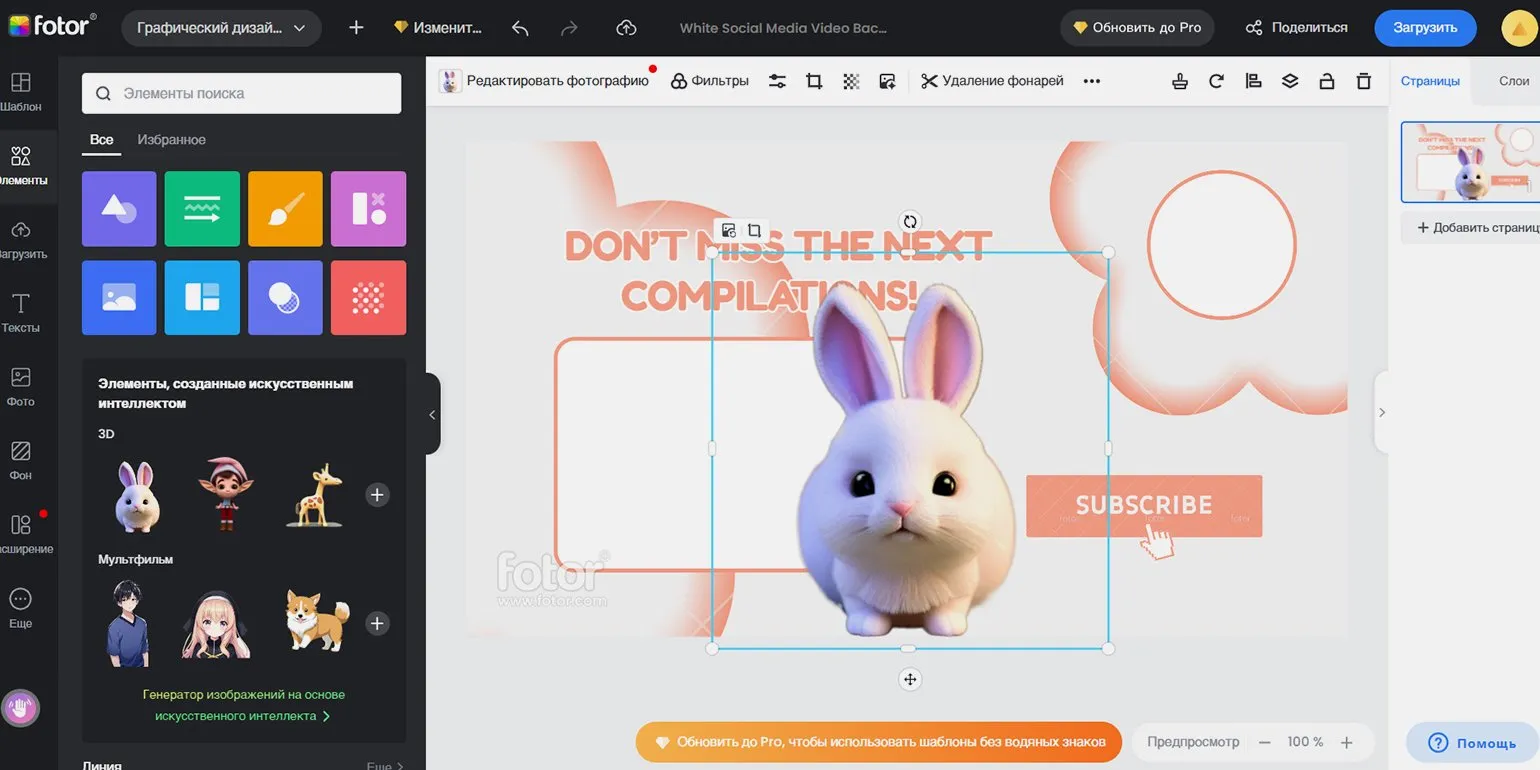
Fotor is a Chinese company offering an online image editing service. The platform is available both as a web version and through desktop and mobile apps for iOS and Android. Fotor offers a wide range of photo editing tools, making it a popular choice among users looking to enhance their images.
Registration with Fotor is completed via Google, Facebook, Apple, or email accounts, providing simple and convenient access to the platform. This wide range of registration methods allows users to quickly get started with Fotor's tools and take advantage of all the service's benefits.
A Pro subscription costs 690 rubles per month or 2899 rubles annually. A Pro+ subscription is available for 1490 rubles per month or 6599 rubles annually. For your convenience, payment can be made via Qiwi e-wallet.
Subscribe to our Telegram channel "Kotler Loves Cats | Skillbox School of Marketing and Management." In our channel, you will find ideas for creative advertising, recommendations for interesting books, and discussions of current news and important topics for digital marketing and management professionals. Join the community to stay up-to-date on the latest trends and get helpful tips for growing your business.
We regularly publish memes and current job openings. For example, we recently posted a job opening for a Relaxation Director with a salary of 200,000 rubles per month. Follow our updates to stay up-to-date with exciting new offers and career opportunities.
Pixlr X Review: An Innovative Online Photo Editor
Pixlr X is a modern online photo editor that's a powerful tool for creating social media templates. It's ideal for designing business cards, flyers, and invitations. Users can animate their designs using both ready-made professional presets and custom settings. With its intuitive interface and comprehensive functionality, Pixlr X makes it easy to edit images and create unique content for social media promotion. This editor is ideal for both professionals and beginners looking to make their projects more engaging and memorable. Pixlr X offers a wide range of image editing options. This online platform makes it easy and quick to process photos, thanks to its intuitive interface and extensive tools. Users can crop, resize, and adjust color and brightness. Other useful features of Pixlr X include working with layers, applying filters and effects, and adding text and graphics. Support for various image formats allows users to easily upload and save their work. Pixlr X is ideal for both professionals and beginners looking to improve their graphic design skills.
- A huge library of 50,000 templates, fonts, elements, stickers, and overlays;
- Access to the Pixlr mobile apps: Stories, Remove BG, and Photomash;
- An extensive database of educational video tutorials.
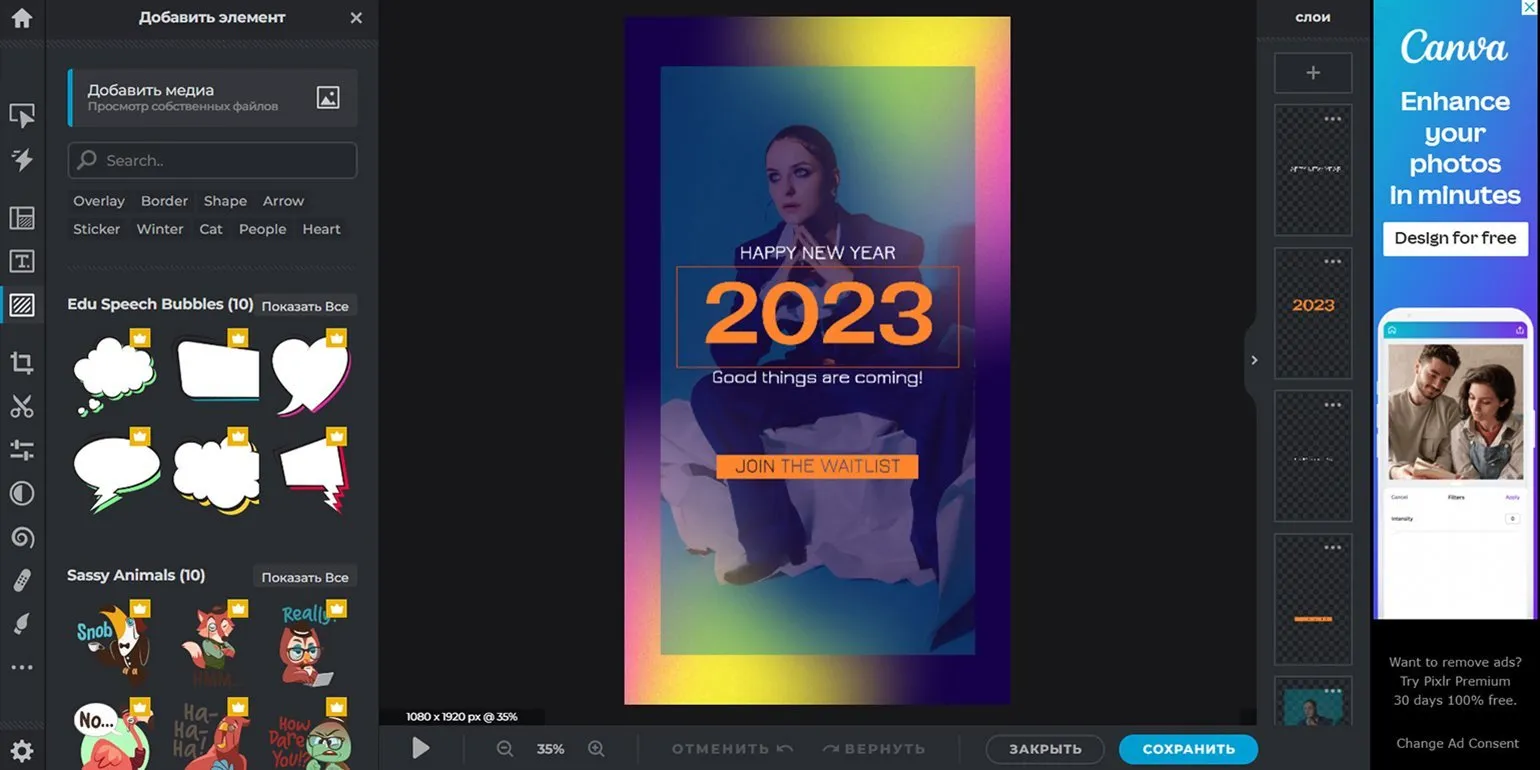
Manufacturer: United States of America.
Product type: Online image editing service. This tool offers a wide range of features that allow users to easily and effectively process photos. With our service, you can crop, resize, adjust brightness and contrast, and apply various filters and effects. A user-friendly interface and accessibility from any browser make image editing simple and accessible for everyone. Our online service is suitable for both professionals and amateurs, delivering high-quality results without the need to install special software.
Registration is available through Google, Facebook, and Apple accounts, as well as by email. Choose the most convenient authorization method to simplify the account creation process.
Prices and terms of use. Free access to templates and basic editing tools includes advertising in the personal account, which limits the user experience. Paid plans are available for full access to functionality and an ad-free experience.
A premium subscription is available starting at $7.99 per month billed monthly or $4.90 per month billed annually. Users can take advantage of a 30-day trial period to evaluate the functionality. A team subscription is also available, allowing for up to five accounts, with the option to add more as needed.
Pixlr X is a convenient alternative to Canva, especially for beginners, thanks to its intuitive interface. This platform offers the basic functions necessary for most image editing tasks. One of its significant advantages is its extensive library, containing around two million photos and templates. However, it is worth noting that the quality of some images may be insufficient. Pixlr X is suitable for those looking for a simple and accessible solution for creating visual content.
One of the main advantages is the simplicity of the "One-Click Template" animation. However, it is worth noting that detailed customization of this feature is limited to a minimal set of parameters.
The service has its drawbacks. In particular, there is no full-fledged mobile app, and the mobile version of the site is limited to photo editing without offering additional features.
Alexander Ishchenko is an experienced web designer at MAGWAI studio. He specializes in creating unique and functional websites that meet modern business requirements and needs. In his work, Alexander applies the latest technologies and trends in web design, which allows him to develop attractive and user-friendly interfaces. MAGWAI Studio takes pride in its projects, and Alexander's contribution to their successful implementation is invaluable.
Desygner: Your ideal online designer
Desygner is a multifunctional online tool for creating and editing graphic content. With Desygner, you can easily design flyers, posters, menus, and invitations, as well as edit PDF files. This designer allows you to design social media and advertising materials, offering both ready-made templates and the ability to implement your own ideas. Desygner is suitable for both professionals and beginners looking to create high-quality visual content without the need for complex graphic editors. Desygner offers a variety of key features, including the ability to create and edit graphics, access to a vast library of templates, an image manipulation tool, and features for collaborative editing and project sharing. The platform supports a variety of file formats, making it easy to integrate finished assets into other projects. Furthermore, Desygner offers an intuitive interface, making the design process accessible even to beginners. Convenient tools for customizing and adapting content to various platforms allow users to create engaging visuals that meet their needs and goals.
- Over 300 preset design templates;
- Access to 125 million stock images via Shutterstock;
- Thousands of fonts and unique templates;
- Intuitive social media scheduler in the mobile version.
The free plan offers users access to basic features, allowing one person to work effectively with the editor. However, it is important to understand that this plan limits access to stock images and templates, and also imposes a limit on the number of editable documents. One of the advantages of the free plan is the ability to upload images with a transparent background, which is often only available in paid versions of editors. This aspect makes the free plan more attractive to users who need additional flexibility in working with graphic elements.
By opting for a paid subscription, you unlock access to project collaboration features for up to five friends. The Desygner platform offers convenient permissions management tools, allowing you to assign administrators and invite guests for co-editing. This significantly simplifies the collaboration process and makes it more efficient.
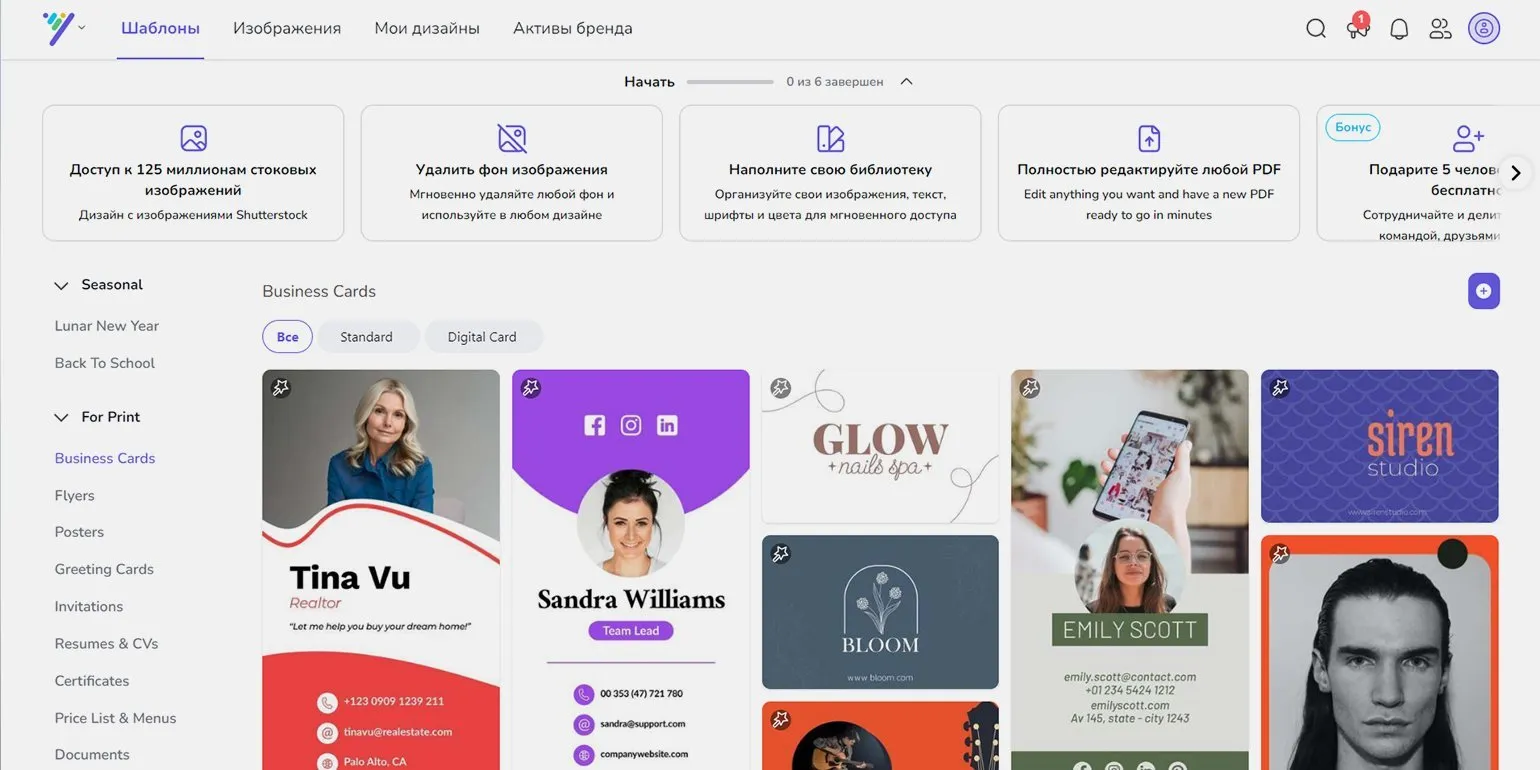
Developed in Australia, Desygner is a versatile graphic design tool. It is available as an online service and as a mobile app for iOS and Android devices.
Registration with our service is completed via Google, Facebook, or email accounts. This approach ensures easy and quick account creation, allowing users to quickly begin using all the service's features.
Subscription prices start at 300 rubles per month, billed monthly. When paying annually in advance, the cost is only 150 rubles per month. Special individual terms are available for corporate clients. All new users can take advantage of a free 14-day trial period to evaluate all the service's capabilities and make an informed decision about subscribing.
Desygner is a convenient and intuitive online service offering a wide selection of ready-made templates for various types of design. The platform allows users to easily create professional graphic materials such as posters, business cards, presentations, and social media graphics without requiring extensive design knowledge. With a simple interface and a variety of tools, Desygner makes visual content creation accessible to everyone. Alexandra Vereteno leads Vorona Agency, an agency specializing in marketing services. Under her leadership, the team develops effective strategies for promoting brands in the digital space. Alexandra is actively involved in developing innovative solutions aimed at improving clients' visibility in search engines and social media. Her experience and professionalism contribute to the successful implementation of projects of varying complexity and focus. Under her management, Vorona Agency has proven itself a reliable partner for businesses seeking to strengthen their market position.
Hey, Teaser! – Your Perfect Content Creation Assistant
"Hey, Teaser!" is a modern online service that greatly simplifies the process of creating creatives for social networks. Users can choose from a wide range of templates or develop unique designs from scratch. The primary focus is on templates for the popular VKontakte platform, but layouts for YouTube video previews, business cards, and presentations are also available. Users can also animate their layouts, making the content more engaging and dynamic. With "Hey, Teaser!", creating creatives becomes a simple and engaging process, ideal for both beginners and experienced designers.
Key features of the "Hey, Teaser!" platform are as follows:
- 110 ready-made layouts with regular updates;
- Access to 1 million photos for commercial use at no additional cost.
User support is provided through the VKontakte community, which guarantees a prompt response to all questions and requests. This allows us to quickly resolve issues and provide a high level of customer service. Contact our community for help and advice.
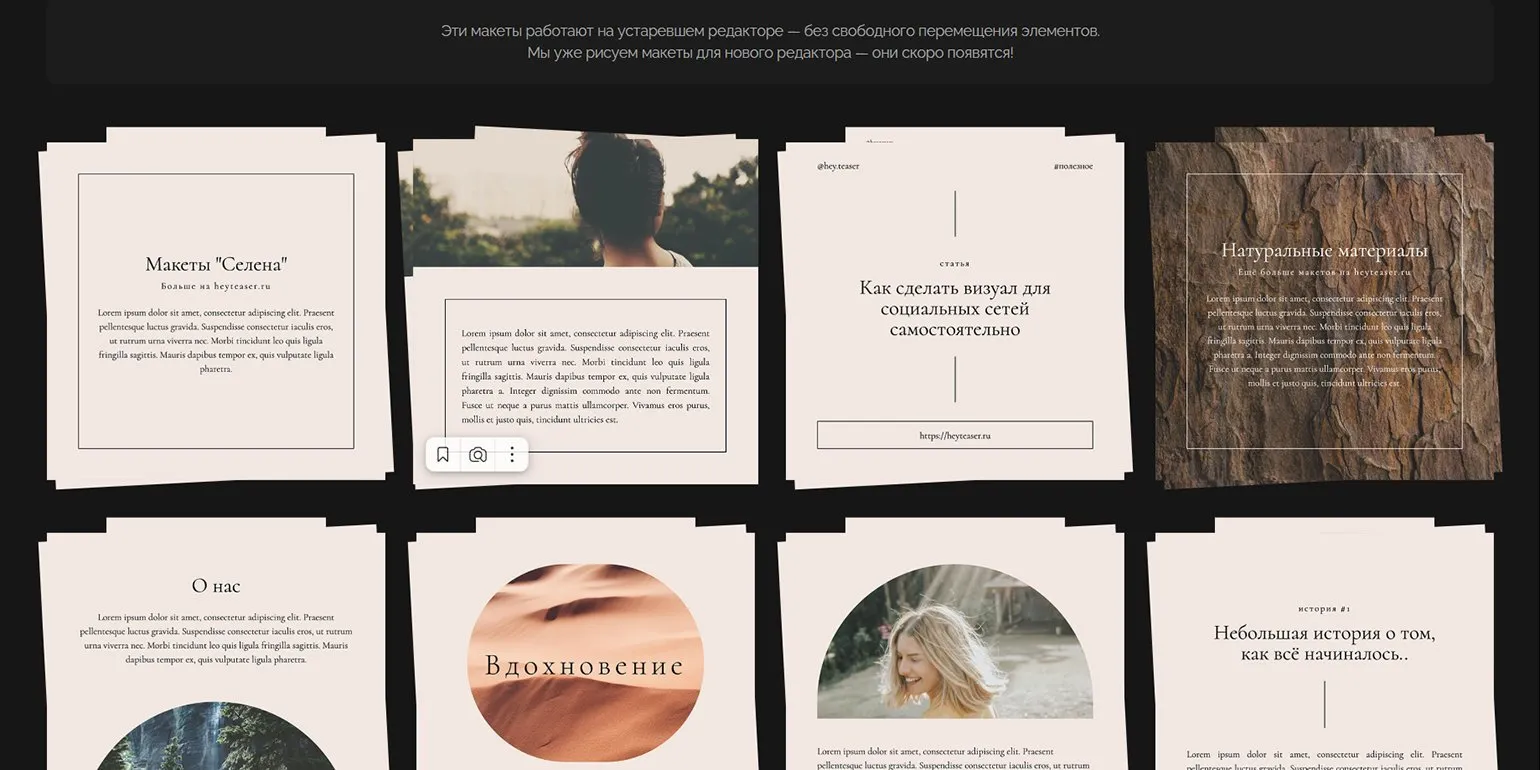
The "Hey, Teaser!" project was created in Russia and offers an online service available to users worldwide. This service is designed to effectively create teasers and attract audience attention. With its help, users can quickly and easily create striking and memorable advertising materials, which helps increase reach and engagement. The service is focused on optimizing advertising campaigns and providing tools for achieving better results in promoting products and services internationally.
Registration on the platform is quick and easy. Simply use your VKontakte account or provide an email address to create a new account.
The service offers users both free and paid plans. Payments are processed through the secure Unitpay platform. Paid access starts at 490 rubles per month, allowing you to choose the best option based on your needs.
Users note that the "Hey, Teaser!" platform offers a variety of high-quality patterns and inspiring ideas for content creation. However, it's worth considering some drawbacks that may impact the overall user experience.
- Patterns are inconvenient to work with: there's no option to create masks, making them difficult to use.
- The need to constantly click on the editing panel to access important parameters such as transparency and rotation. A dockable panel would make the work much easier.
- The lack of hotkeys increases the time it takes to complete tasks.
- Large frames appear around images, which can make layout difficult.
- The templates are rather simple and unimpressive; they can easily be created in mobile apps.
- There is no grid for convenient element alignment.
Anastasia Demina, graphic designer at MAGWAI studio, expresses her opinion of the service: "Although "Hey, Teaser!" has some shortcomings, it is still a unique tool for creating visual content, especially for beginner designers." This service offers an intuitive interface and a variety of templates, making it an ideal choice for those just starting their design journey.
Wilda: Your Online Builder for Creative Solutions
Wilda is a user-friendly online builder that offers a wide selection of templates for creating various documents. With it, you can design unique website layouts, attractive brochures, creative social media posts, and animated presentations. Wilda makes it easy and quick to bring your ideas to life without requiring extensive design or programming knowledge. Create professional documents and visual materials that will help you stand out and capture your audience's attention.
The Wilda platform offers its users a variety of useful features, including tools for effective project management, real-time team collaboration, and access to analytical data. These features help optimize workflows and increase productivity. Wilda also provides robust data protection and integration with popular services, making it an ideal choice for businesses of all sizes. Users can easily customize the interface to suit their needs, making work more comfortable.
- Download images in PDF, JPEG, PNG, and HTML formats.
- Customize document sizes: standard A3, A4, A5, A6, A7 formats, as well as the ability to create custom sizes.
- Access over 1.8 million royalty-free photos for use in projects.
- An extensive font library to enhance the expressiveness of your documents.
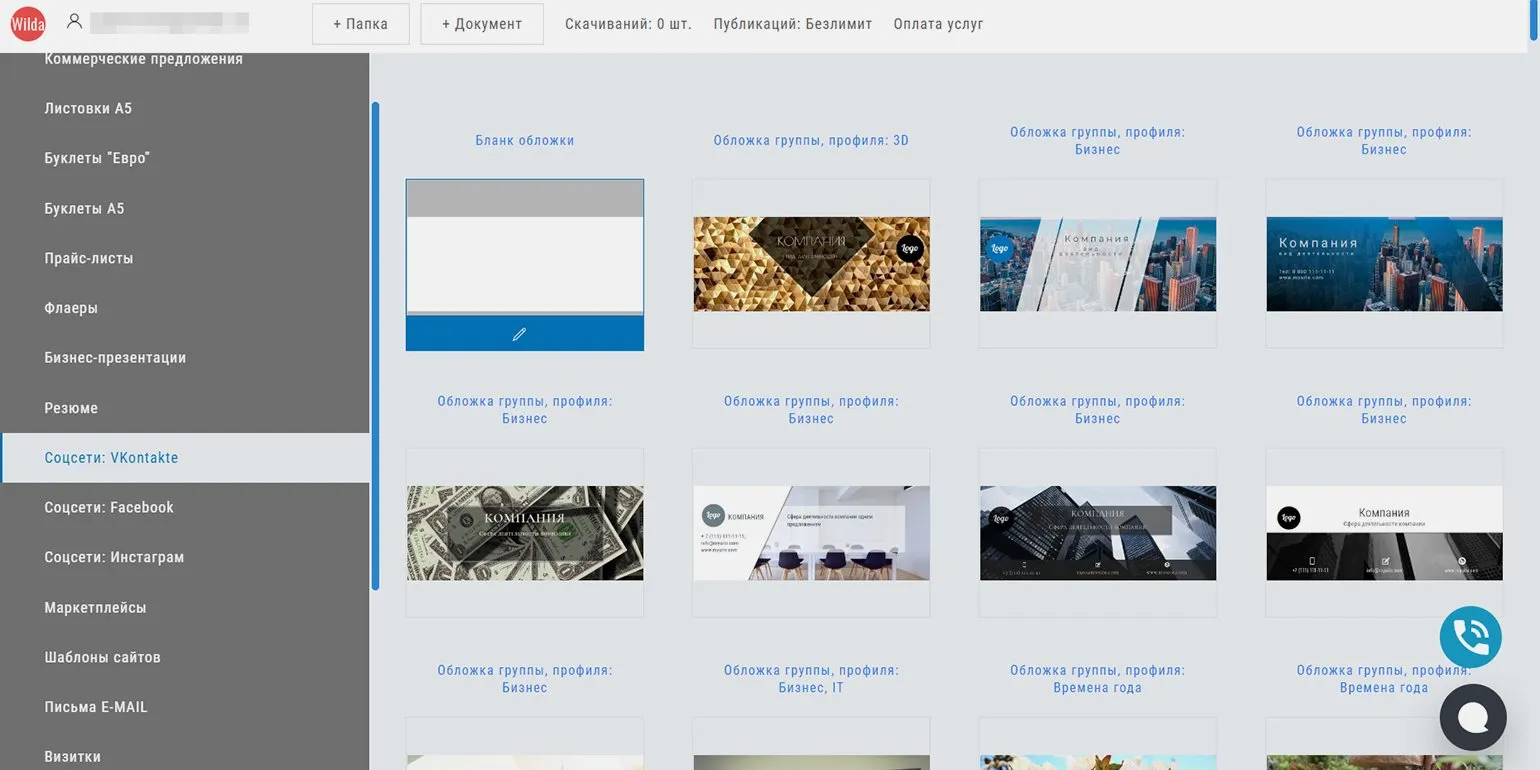
Wilda is a modern online service developed in Russia, which is popular among users all over the world. This service offers a wide range of functions and solutions, providing convenience and efficiency in use. Wilda is a reliable tool that meets user needs, providing a high level of service and accessibility.
To get started, you need to register. This can be done using social media accounts such as VKontakte, Yandex ID, Google, or My World@Mail.ru, or you can register using your email address.
Our pricing policy includes creating and editing an unlimited number of documents completely free of charge. Fees apply solely for downloading the finished file to your computer or publishing it on the website. These services start at 150 rubles per download.
If you have any questions about using Wilda, we recommend visiting the support section on the official website or exploring the knowledge base. Here you will find detailed information and useful tips to help you get the most out of the Wilda platform.
Review of the best graphic and video editors
- Figma is a powerful graphic editor that has gained popularity among designers due to its capabilities for collaborative work on projects. It is ideal for creating interfaces and prototypes.
- Flyvi is a Russian editor that allows you to quickly create content for social networks and presentations. A unique feature for removing backgrounds from images makes it convenient for working with visual materials.
- Supa is a Russian service focused on creating videos. It also supports working with static images, which makes it a universal tool for content creators.
- Visme is a multifunctional editor that allows you to work with both graphics and video. It automatically generates templates that match your brand style, simplifying the design process.
- Fotor is an editor with extensive photo editing and collage creation capabilities. It features a variety of templates ideal for social media design.
- Pixlr X is a modern photo editor and social media template builder. It lets you animate your designs using presets and manual adjustments.
- Desygner is an editor that offers a wide selection of templates for various tasks and the ability to edit PDF files. The mobile version includes a content planner for social media.
- "Hey, Teaser!" is a Russian template builder, primarily designed for the VKontakte platform. Introduces free template editing features, expanding user capabilities.
- Wilda is an online document template builder with a variety of templates that also allows you to create animated presentations, making it an excellent choice for educational purposes.
Discover helpful resources from Skillbox Media to help you improve your skills. These materials will help you deepen your knowledge and develop skills in various fields, making you more competitive in the job market. Don't miss the opportunity to improve your professional skills with high-quality content from Skillbox Media.
- A complete guide to working with product cards on Wildberries: how to create, fill out, and edit.
- Triggers in sales: what they are and how to use them effectively.
- A review of Senler - a platform for creating chatbots and automating mailings on VKontakte.
- Analytical services for marketplaces: we study and compare five popular platforms.
- A guide to push notifications: strategies for attracting attention and increasing user engagement.
The activities of Meta Platforms Inc. related to the implementation of social networks Facebook and Instagram are prohibited in the Russian Federation in accordance with a court decision. This is due to accusations of extremist activity, which emphasizes the importance of compliance with legislation in the field of digital technologies and social networks. Users and organizations should be attentive to changes in the legal status of such platforms and their possible impact on communications and business.
Content Manager in SMM: Master 5 Key Skills
Want to become a content manager in SMM? Learn 5 skills for successful business promotion!
Learn more