Contents:
Image viewers, or viewers, are programs designed to view and organize photos. At first glance, the task seems simple: just install the program and view the images. However, there is often a need for additional features, such as photo collection management, support for various formats, and editing tools. In this article, we'll take a closer look at the variety of software available for the Windows operating system that will help you work effectively with images.
How to Choose a Photo Viewer
Choosing photo viewing software depends on your specific needs. Before making a choice, it's important to ask yourself a few key questions.
- What file formats do you use?
- Do you just want to view your photos or also edit them (crop and rotate, adjust color)?
- Do you need cataloging tools (tags, geotags, sorting by dates and faces)?
- How many photos do you work with? Do you need batch file processing?
- Do you need to view and edit metadata?
- Do you need Russian language?
- Can your computer handle a heavy program?
- What else is important to you when working with photos?
In this review, we will consider 15 programs designed to solve various problems. These applications will help you increase productivity, optimize workflows and simplify everyday tasks. Choosing the right program can significantly improve your efficiency and save time. Below, we will examine each application in detail, its functionality and advantages.
The programs are presented in no particular order.
Microsoft Photos
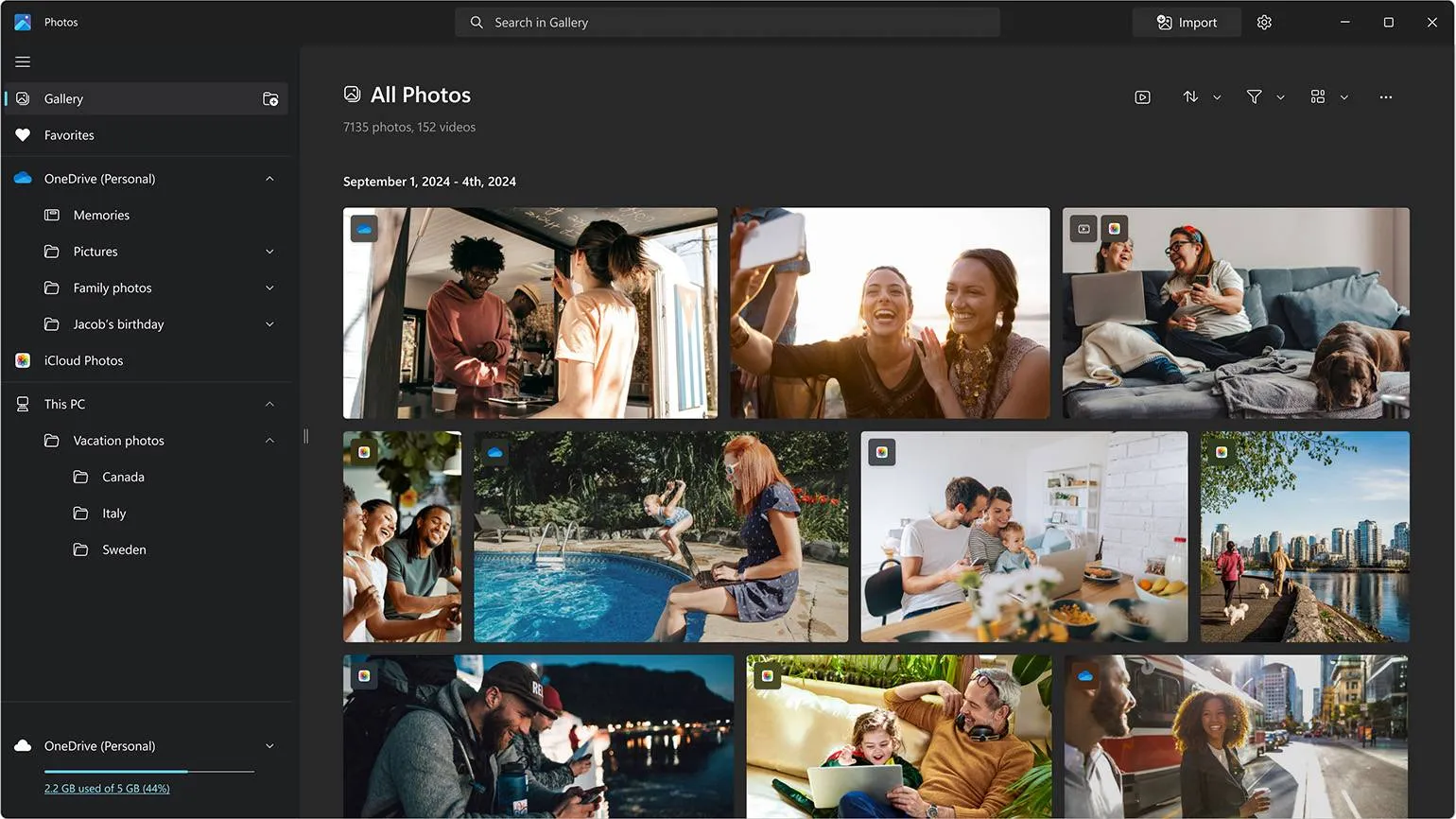
Let's start with the standard image viewer for Windows. Its functionality meets the needs of many users, allowing you to view, sort and perform basic editing of photos. While it's not suitable for professional retouching, it can be used to crop images and manually adjust color correction or use the auto-enhance feature. This viewer is an excellent choice for those seeking simplicity and ease of use when working with photos.
It offers file previews and search capabilities across various formats. Integration with cloud storage is also provided, which simplifies access to your data and increases the convenience of working with it.
The advantages of using this product are its high quality and efficiency. It helps to improve results and increase productivity. Users note the ease of use, which allows you to save time and effort. The product is also characterized by reliability and durability, making it a worthwhile investment. Furthermore, positive customer reviews confirm its market demand. Using this product can significantly improve overall performance, making it an ideal choice for those striving for success.
- Free.
- Russian language support.
- Built-in by default.
- All basic features are included.
When considering the disadvantages, it is important to consider various aspects that may influence your decision. Disadvantages may vary depending on the specific situation or product. For example, one of the main downsides may be the high cost, making the product less accessible to a wider audience. Another important aspect is the possibility of insufficient functionality, which may limit users in their tasks. It is also worth noting potential compatibility issues that may arise when using certain technologies or software. Finally, insufficient support from the manufacturer may lead to difficulties during operation. Given these downsides, it's important to carefully weigh the pros and cons before making a decision.
- No deep editing tools.
- Not convenient to use on a phone.
A Telegram channel for photography enthusiasts offers unique materials and useful tips. Here you will find inspiration, training, and discussions on various aspects of photography. Join our community to share your work, receive feedback, and learn about new trends in photography. Read articles, watch video tutorials, and participate in competitions to improve your skills and broaden your horizons. This channel will become your reliable assistant in the world of photography.
We invite you to explore a variety of literary works. Subscribe to our resource to stay up to date with new publications by talented Russian authors. We monitor global competitions and share useful creative tips from experienced writers. Join us to expand your knowledge of literature and be inspired to create your own works.
A Telegram channel for photography enthusiasts. Here you will find interesting tips, tutorials, and inspiration for creating high-quality photographs. We discuss various techniques, share experiences, and analyze the work of participants. Join our community to improve your skills and expand your horizons in the world of photography.
If you are interested in a variety of literary works, subscribe to our resource. We publish works by talented Russian authors, follow global competitions, and share practical advice from experienced writers. Stay with us to discover new horizons in the world of literature.
Google Photos
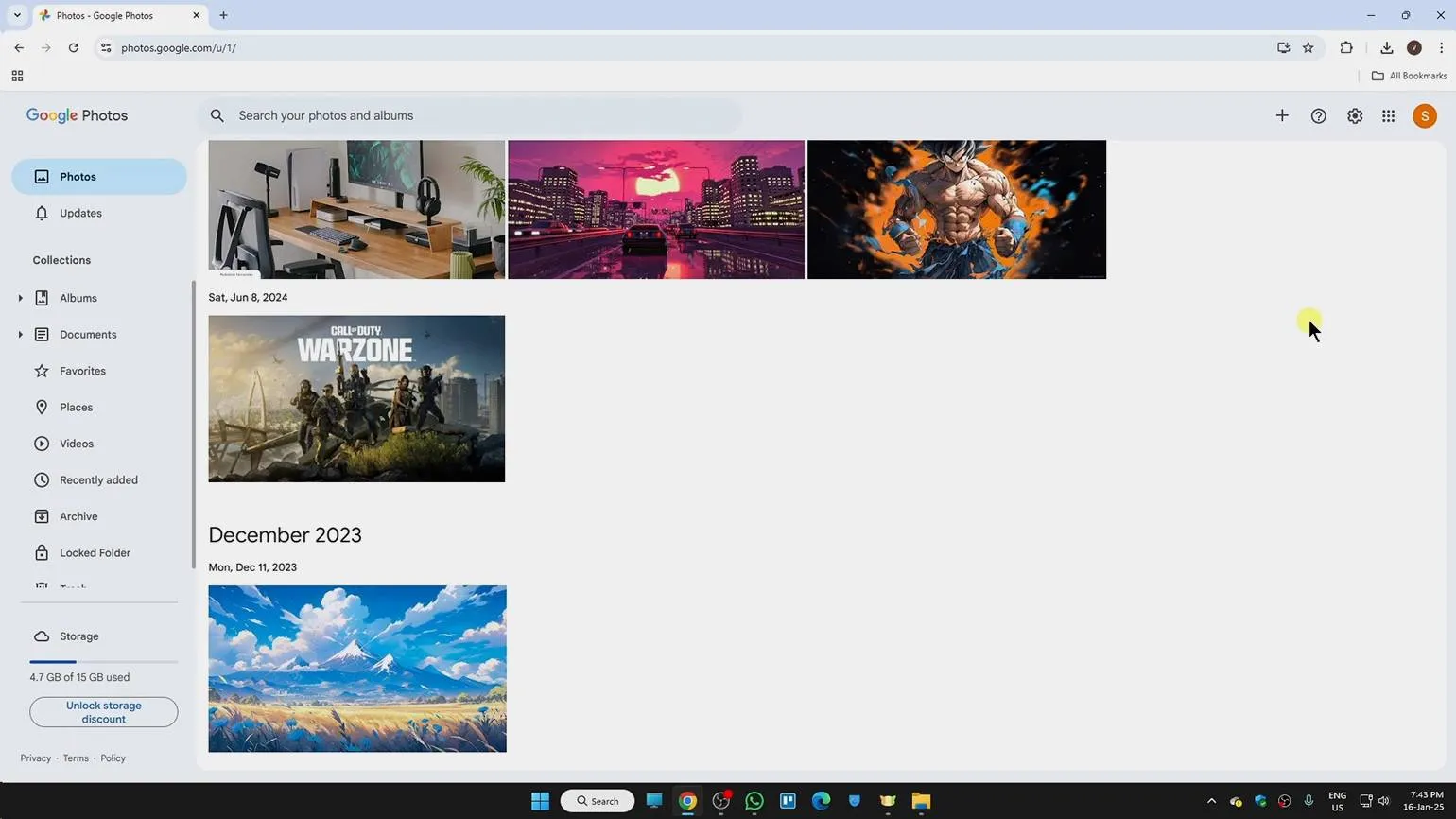
A popular service for storing, sorting, and viewing photos. This tool allows users to effectively manage their images, providing convenient access and organization.
Google actively uses artificial intelligence technologies to improve the user experience. The service offers an AI editor that allows you to quickly process photos, although some features require a paid subscription. A convenient search system allows you to find images by geolocation, faces, objects, and even text in photos, without the need to add tags. This makes searching more intuitive and efficient, significantly simplifying the work with media content.
Now you can automatically share photos with selected people, and the new version of albums includes a QR code sharing feature. This simplifies the process of sharing images and makes it more accessible to users.
Advantages
- Clear interface.
- Russian language support.
- Access to photos from any devices.
- Convenient for those who take a lot of photos with their smartphone.
The downsides of using certain products or services can significantly influence consumer choices. Key drawbacks include high cost, low quality, limited functionality, and insufficient manufacturer support. These factors can lead to user frustration and a negative experience. Additionally, some products may have negative health or environmental impacts, which should also be considered when making a decision. It's important to carefully consider all the downsides to make an informed choice and avoid potential problems.
- Free storage of only 15 GB of information (including mail and Google Drive).
- No advanced editing tools.
FastStone Image Viewer
An easy-to-use and feature-rich image viewing and editing program that offers free access and Russian language support.
FastStone offers the ability to convert files to various formats, allowing users to adapt images to their needs. In addition, the program provides tools for applying color filters, adding text and watermarks to photos. Support for batch processing of images greatly simplifies working with large numbers of images, and the functionality for working with metadata allows you to manage file information. FastStone is a convenient solution for editing and organizing images, suitable for both professionals and amateurs.
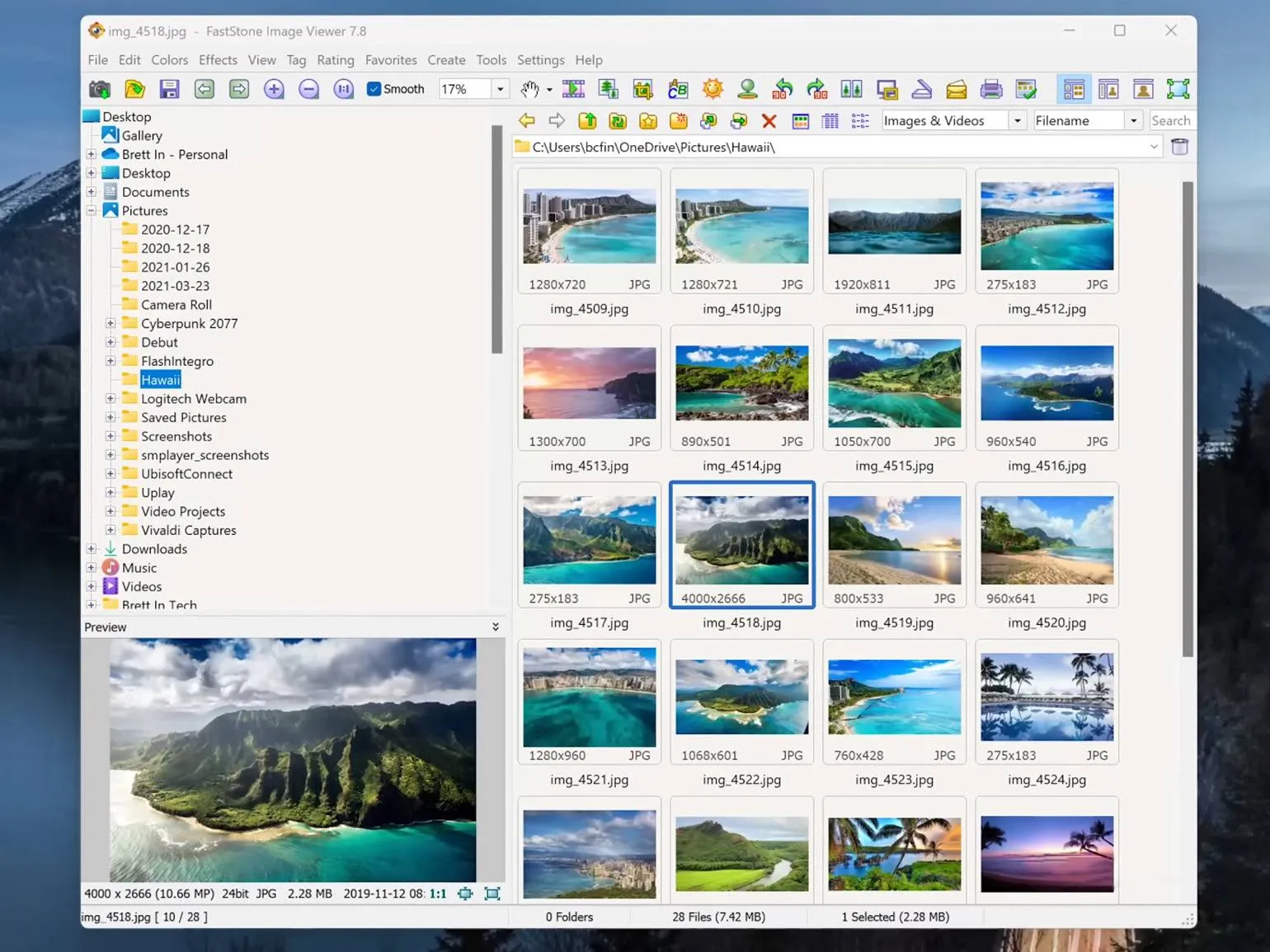
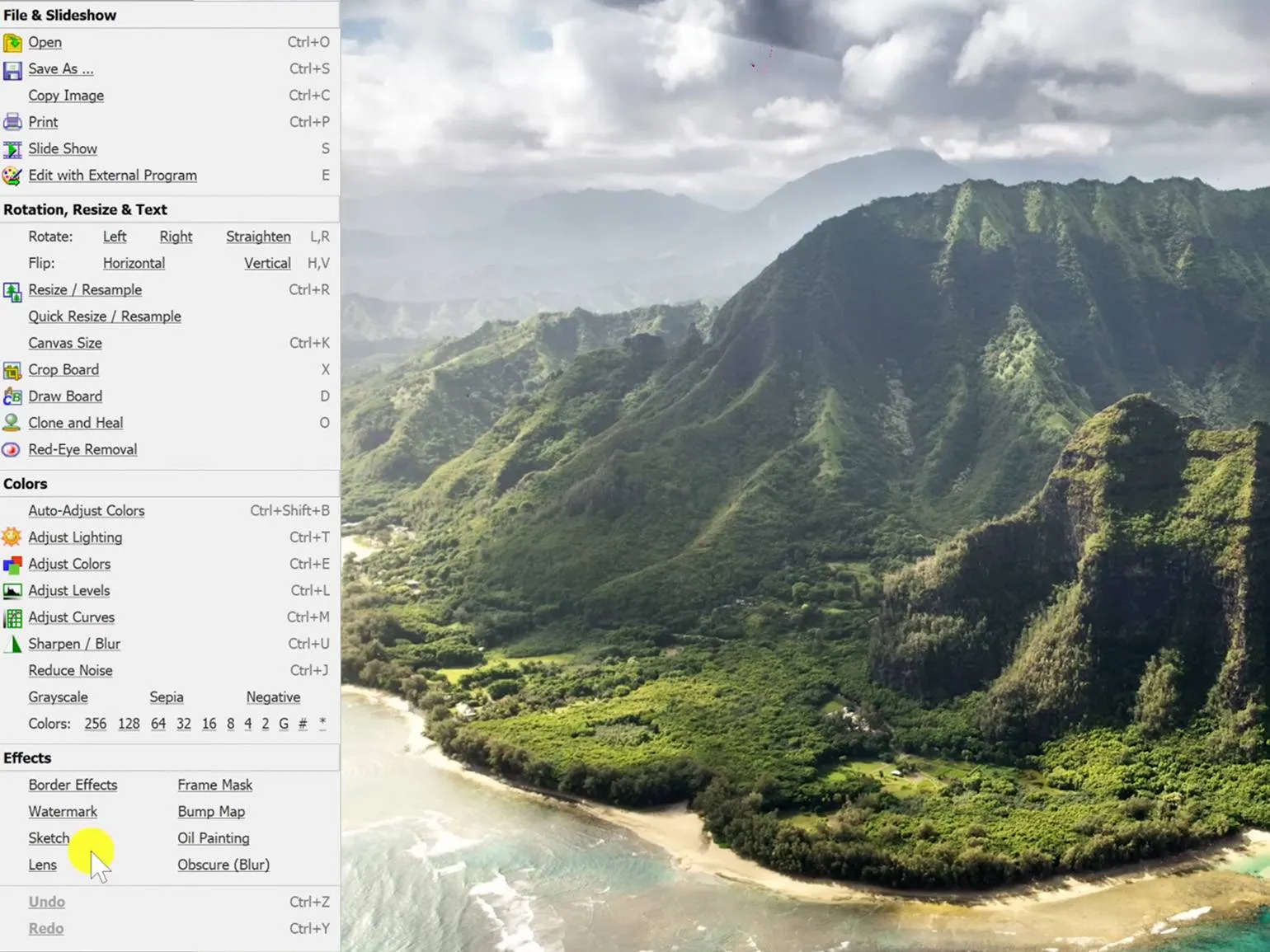
The advantages of using this product are its high quality, reliability and affordability. It provides excellent results, which makes it an ideal choice for consumers. Among the key advantages, we can highlight the ease of use, which allows you to easily integrate it into your daily practice. In addition, the product is durable, which guarantees a long service life and reduces replacement costs. It is also worth noting its versatility, which allows it to be used in various fields. Optimized for various conditions, it ensures stable operation and efficiency. All these factors make the product attractive to a wide range of users.
- Free.
- Russian language available.
- Clear interface.
- Fast operation.
- Batch photo processing.
The disadvantages of using certain products or services can significantly influence a consumer's choice. Firstly, the high price may make them inaccessible to many. Secondly, some products may have a limited lifespan, leading to additional replacement costs. Furthermore, insufficient functionality or difficulty in use can lead to frustration and a negative experience. Possible side effects or negative health consequences should also be considered. Finally, a lack of support from the manufacturer or supplier may leave the user without help should problems arise. Therefore, it is important to carefully weigh all the disadvantages before making a final purchase decision.
- Limited number of editing tools.
- No synchronization with cloud servers.
- Does not support the PDF format.
XnView MP
A free program for viewing, sorting, and resizing images that supports many file formats. It also allows you to open audio files in AVI and MP3 formats, which makes it a universal tool for working with multimedia content.
Working with a large volume of images becomes more convenient thanks to software that allows you to effectively catalog photos by format and various criteria. This simplifies searching and managing images, which is especially important for photography and design professionals. Using such software helps optimize the workflow and provides quick access to the necessary materials.
A benefit for solo photographers is the ability to compare up to four images simultaneously on a single screen. This significantly simplifies the process of selecting and editing photos, allowing you to better evaluate the composition, color palette, and details of each image. The ability to view multiple images simultaneously helps make more informed decisions and improves the quality of the final result.
The MP version, unlike the classic version, features face detection. This does not automatically search for personal information about people in photos, and all data remains on the device, not online. The program recognizes faces in images, and the user is given the option to manually assign names. Tags created in this way can be used to easily search and sort photos in the archive. This feature significantly simplifies the organization of photo materials and improves the user experience.
The MP version supports Unicode, which ensures correct processing of information in any language of the world. This makes MP a universal tool for global communication and data exchange. Unicode support avoids encoding issues and ensures that text is displayed correctly, regardless of language.
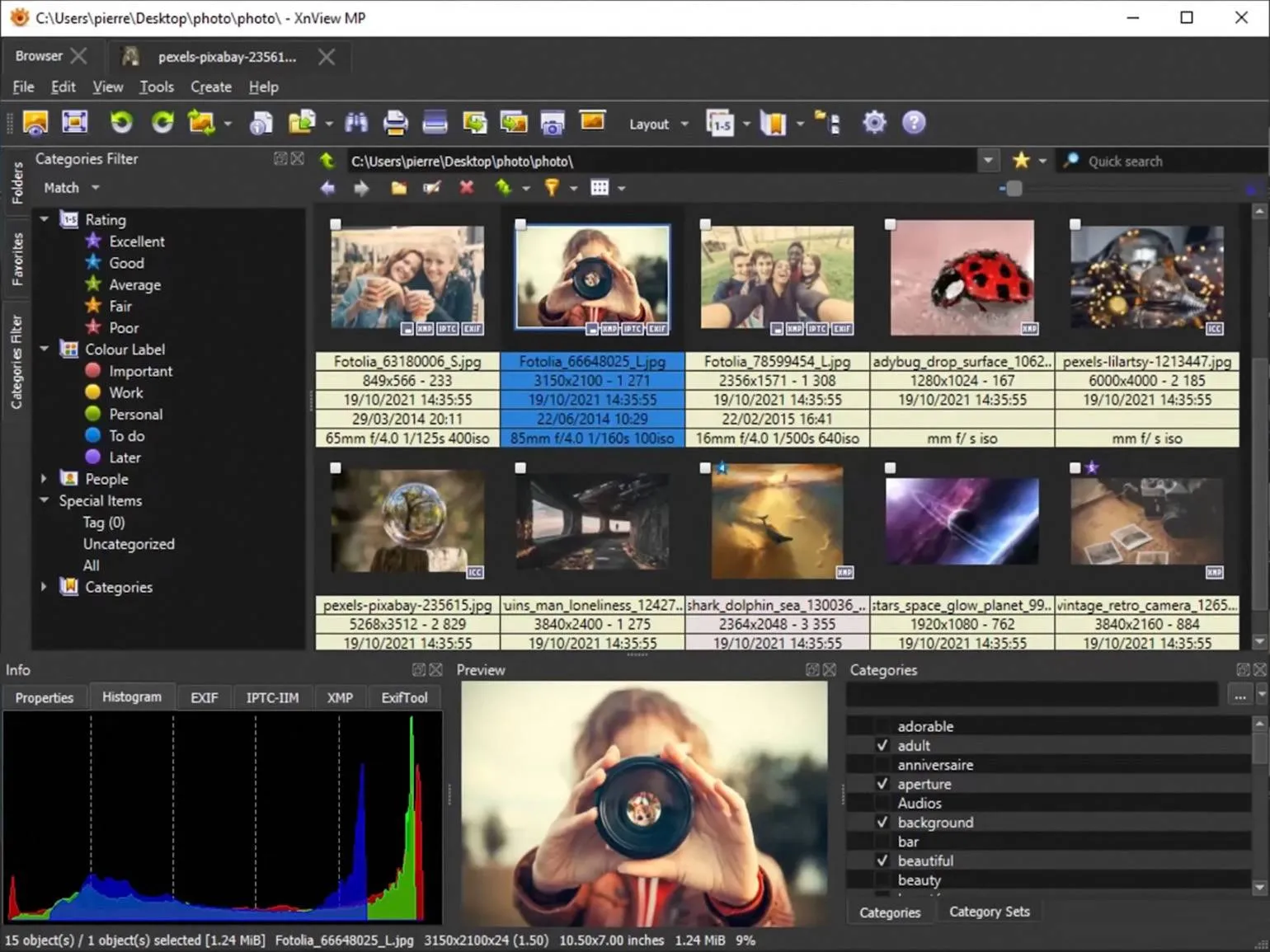
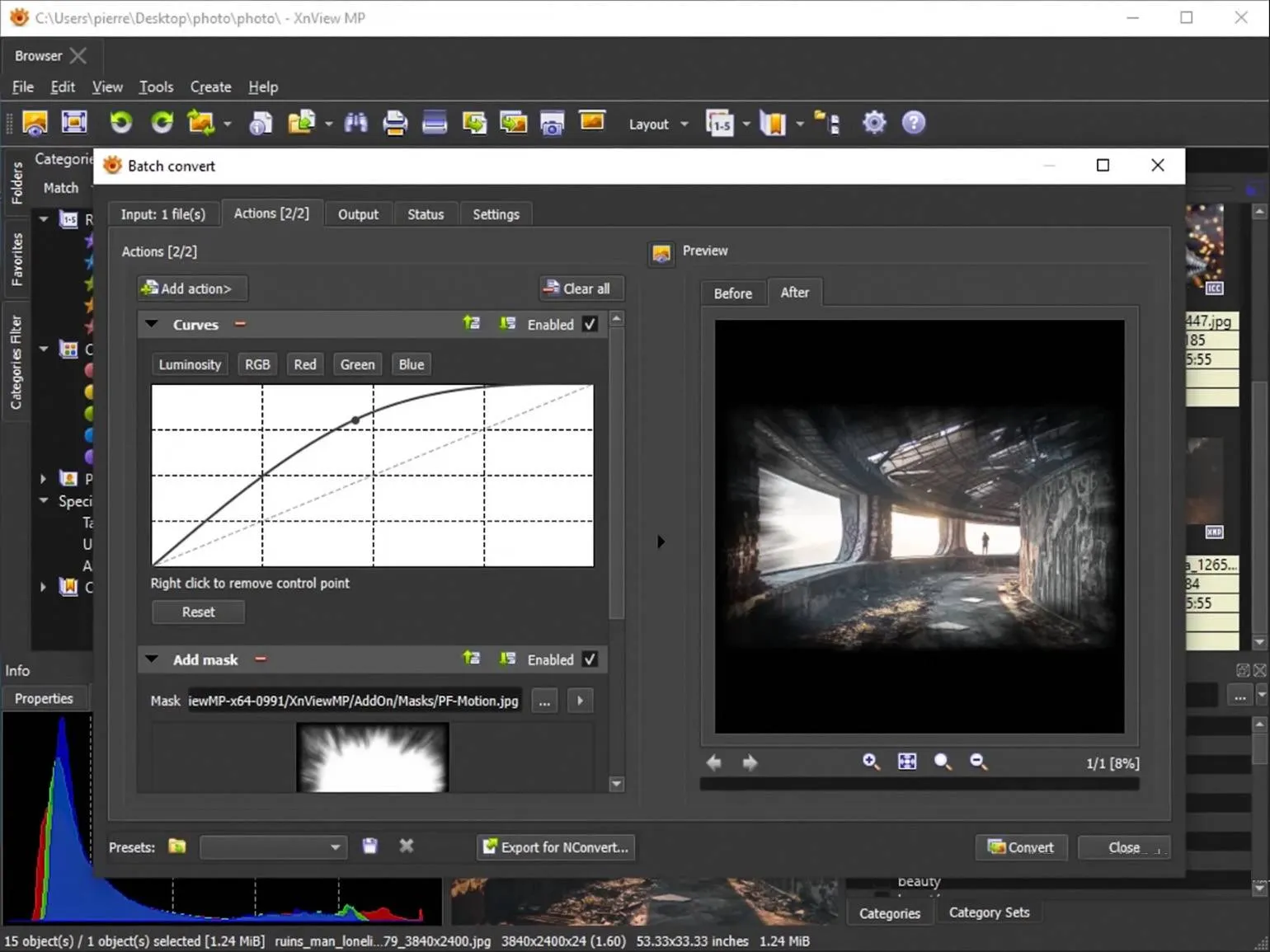
The advantages of using our services lie in the high quality of the solutions provided. We guarantee an individual approach to each client, which allows us to effectively solve problems of varying complexity. Our team of professionals has extensive experience, which ensures reliability and efficiency of work. We use modern technologies and tools, which allows us to remain competitive in the market. Also, an important aspect is the affordable cost of services, which makes them attractive to a wide range of clients. Our reputation is supported by positive reviews and successful projects, demonstrating our high level of professionalism and responsibility.
- Free for personal use.
- Russian language available.
- Convenient for working with large numbers of images.
- Supports multiple file formats.
The disadvantages of using certain products or services can significantly influence a consumer's choice. Key drawbacks include high price, low quality, limited service life, difficulty of use, and lack of required features. These factors can lead to user dissatisfaction and negative reviews. When choosing a product, it is important to consider all the disadvantages to avoid disappointment and make the best choice. Considering the shortcomings will not only help improve the product but also increase customer satisfaction.
- The interface is difficult for a beginner.
- There are no advanced photo editing tools.
IrfanView
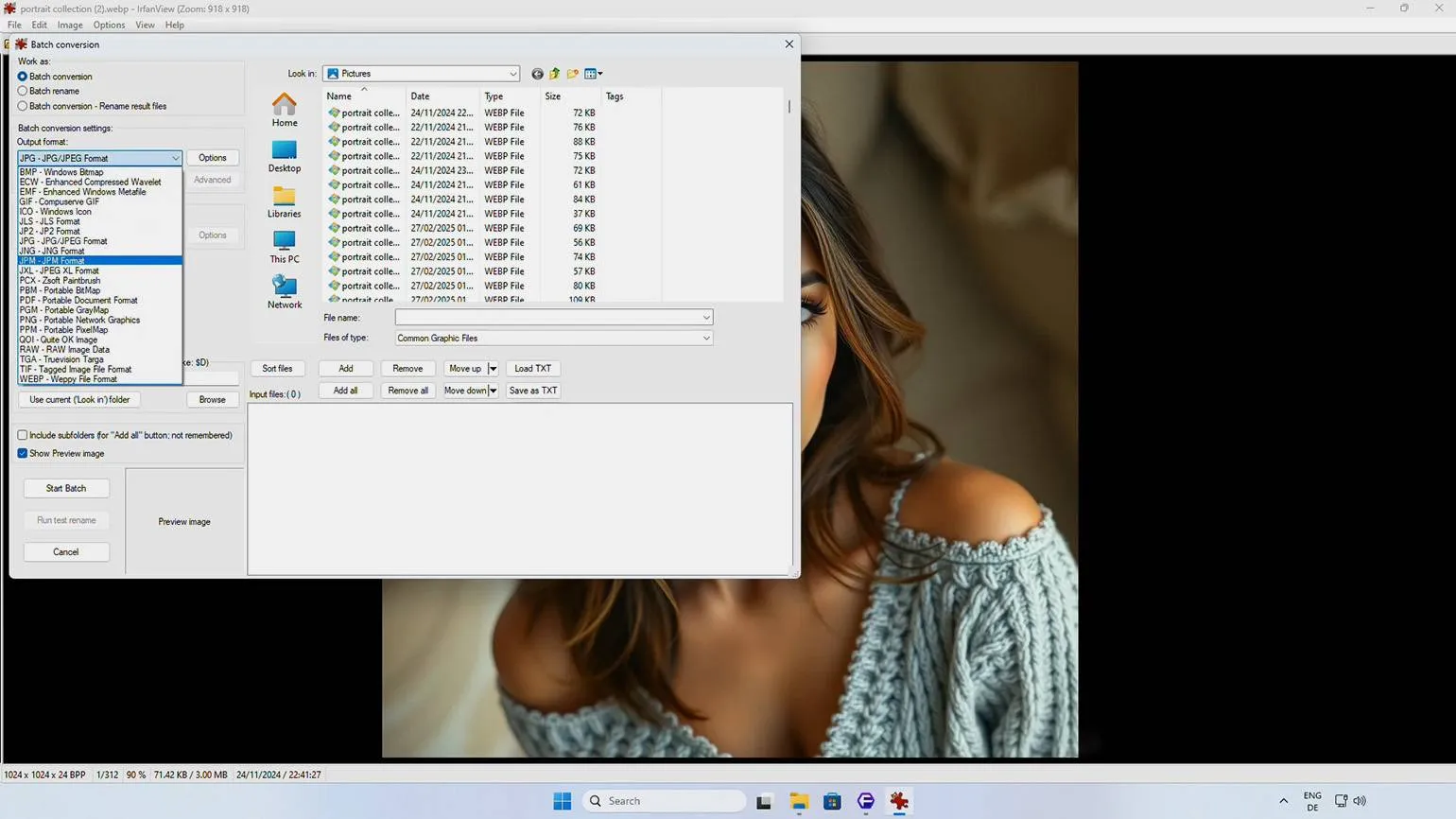
One of the most famous programs, which has been around for almost 30 years, was the first to provide the ability to view animated files on the Windows operating system. Since then, the developers have regularly updated and added new features, which ensures constant interest in this software. As a result, millions of users continue to download this software, appreciating its functionality and convenience.
The program has a compact size of only 6 MB and provides high speed. It supports many file formats and provides the ability to batch process images.
By default, the interface is in English. To use the program in Russian, you need to install a special add-on.
Dark mode can be an important feature for users. It helps reduce eye strain, especially in low-light conditions. Many people prefer dark mode because it helps conserve battery life on devices with OLED screens. In addition, dark mode can improve the readability of text and make the interface more stylish and modern.
Benefits
Benefits are the key aspects that make a product or service more attractive to consumers. They may include high quality, affordable prices, reliability, and unique features. Understanding and analyzing the advantages helps not only attract new customers but also retain existing ones. In addition, focusing on the benefits can significantly increase competitiveness in the market. A detailed description of all the positive aspects of the product allows potential buyers to better understand its value and make a purchasing decision.
- Free for non-commercial use.
- Russian language can be configured.
- Supports a large number of file formats.
- Lightweight.
- Works fast.
- Supports Unicode.
Cons
Each product or service has its drawbacks that are important to consider before making a decision. In this context, several key disadvantages can be identified that may influence your choice. Firstly, this may be the high cost, which often does not live up to expectations. Secondly, possible quality issues that may appear during use. Third, insufficient support from the manufacturer or supplier, which can lead to difficulties in resolving issues that arise. It is also worth paying attention to limited functionality, which may not meet all your needs. Finally, insufficient information about the product can make it difficult to choose and use. Understanding these disadvantages will help you make a more informed choice and avoid unpleasant situations in the future.
- Outdated interface.
- Limited image editing functions.
- Some functions require plugins.
Tonfotos
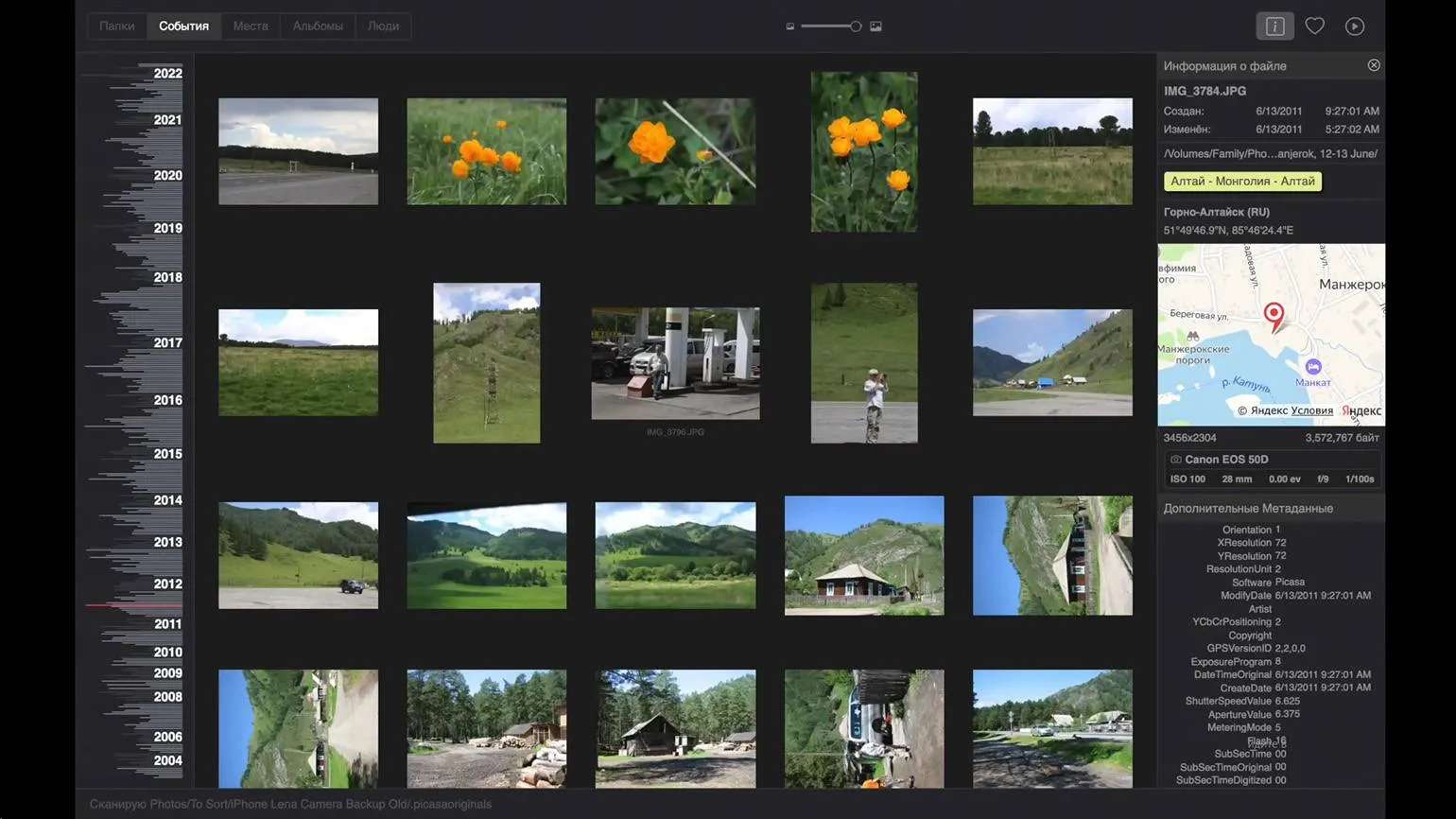
Russian software based on artificial intelligence technologies offers an effective solution for managing family photo archives. This application allows users to conveniently organize, sort, and store photos using advanced AI algorithms for automatic classification and search of images. Unique features like facial recognition and automatic album creation make it the ideal tool for preserving family memories digitally.
Face recognition allows the user to tag a person in one image, and the artificial intelligence then searches for them in other photos. A card with reference information can be created for each person, allowing the program to create a family tree by connecting relatives. The program offers family sharing, allowing up to five users to use it, but this option is only available in the paid version.
One of the key features is an interactive map that marks the locations where photos were taken. This map allows users to easily find and explore locations, adding an interactive element to the experience.
Images from the archive can be stored on various media, including portable hard drives. This ensures constant access to archived data at any time.
The advantages of using the product are its high efficiency and reliability. It helps to significantly improve productivity and optimize work processes. Users note that thanks to this product, they can reduce the time it takes to complete tasks and improve the quality of the final result. Furthermore, its ease of use and the availability of essential features make it an ideal choice for professionals in various fields. The tool also offers excellent user support, which facilitates the quick resolution of any questions or issues that arise. Overall, the benefits of this product make it an indispensable assistant in everyday activities.
- There is a free version.
- You can automatically save images from Telegram.
- Convenient for creating a family archive.
- Pleasant interface.
- Easy access to files stored in different storage locations.
Cons
Despite the many advantages, every situation or product has its drawbacks. It is important to consider the disadvantages to make an informed choice. For example, in the case of technology, compatibility issues often arise. Also, high maintenance costs can be a significant obstacle. No less important is the issue of security, which is becoming increasingly relevant in today's environment. In addition, some solutions may require significant time investment in training and user adaptation. All these aspects should be carefully considered before making a decision.
- The free version allows you to tag a maximum of 12 people.
- Geotags are based on Yandex Maps, which may be inconvenient abroad.
- Limited photo editing tools.
Imagine Viewer
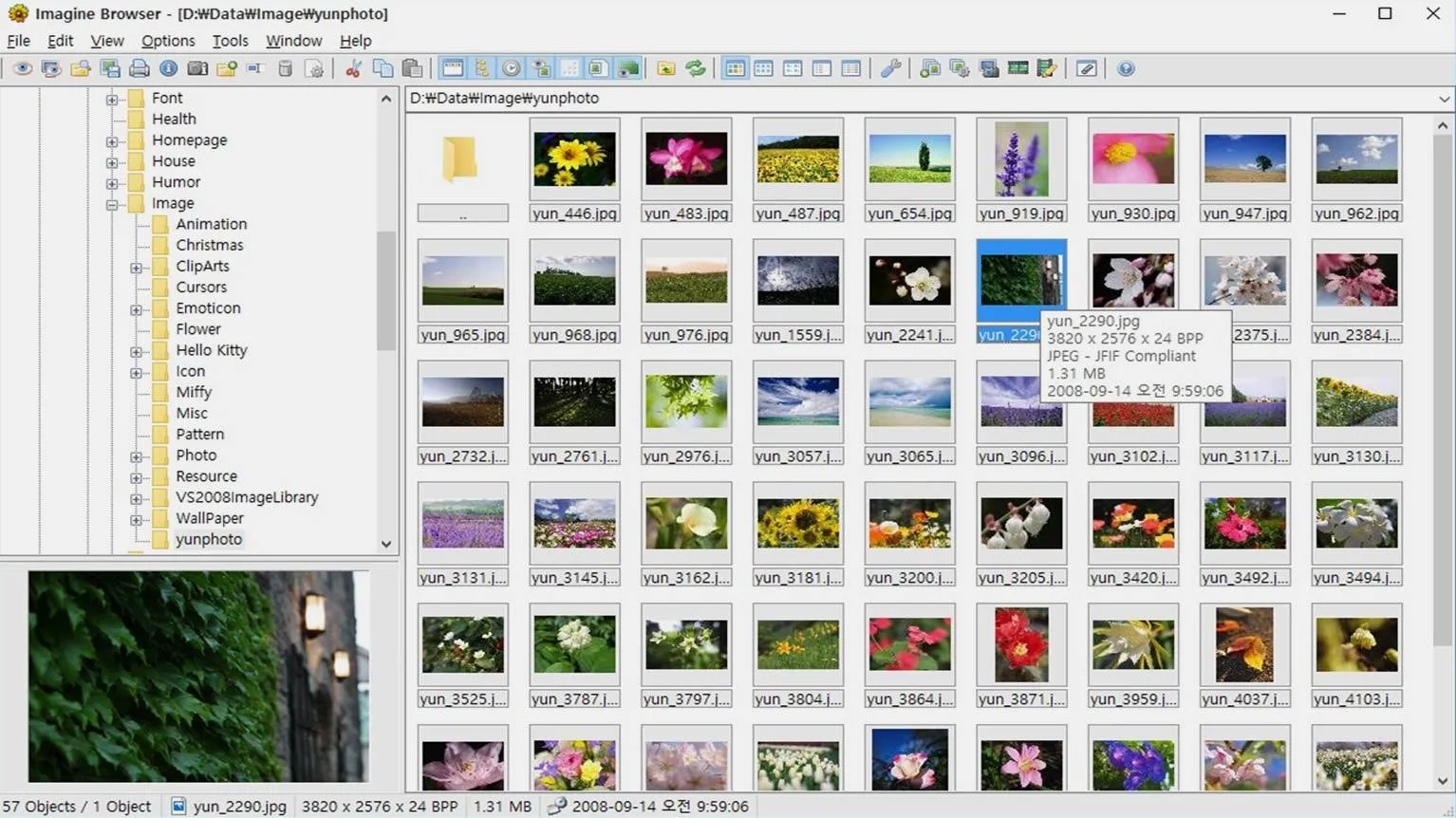
An easy-to-use program for viewing and basic editing of images that will not put a strain on older computers. It is ideal for users who need fast and efficient work with photos without complex features and high system requirements.
A lightweight and fast tool that supports many file formats, including RAW. It allows you to process archived images and animations. A convenient function for batch renaming and converting files greatly simplifies the work. The program offers visual previews of photos and basic color correction tools, making it an ideal choice for photographers and designers.
A portable version is available, which requires no installation. It allows you to run the program directly from a flash drive or other storage device, making it more convenient and flexible to use. Portable applications are ideal for working on different computers without the need for installation and configuration.
Advantages
- Free.
- Russian language available.
- Portable version available.
- Easy to use use.
- Lightweight.
The disadvantages of using certain products or services can significantly influence your purchasing decision. First, it is important to consider possible negative health or environmental impacts. For example, some chemicals used in production may cause allergic reactions or have a negative impact on the environment. Secondly, it is worth paying attention to the high cost, which may not justify the expected quality or durability. Finally, insufficient support from the manufacturer or limited availability of spare parts can also negatively affect user satisfaction. Given these factors, it is important to carefully analyze all the disadvantages before making a purchasing decision.
- Outdated interface.
- Some features require the installation of plugins.
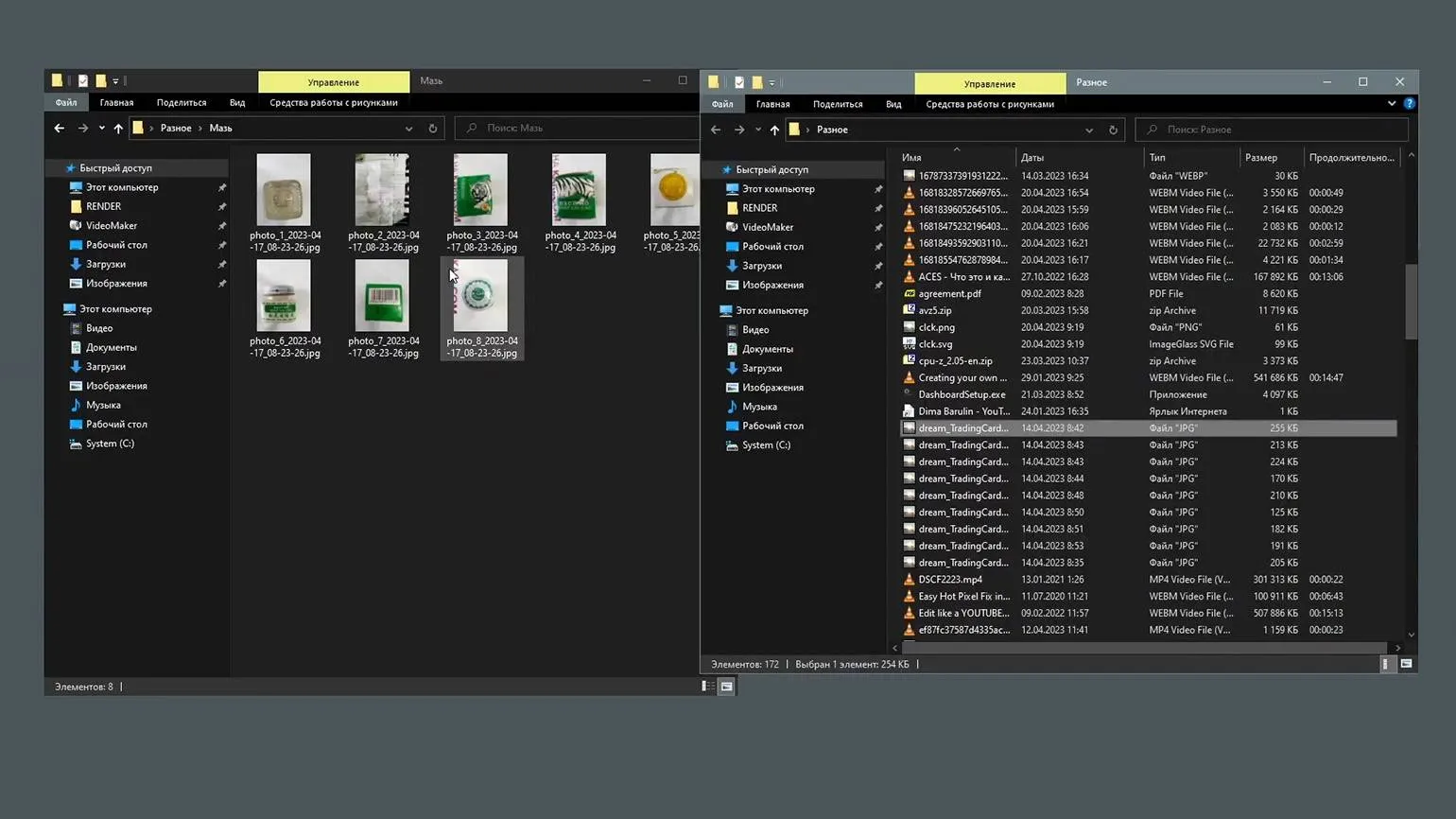
JPEGView
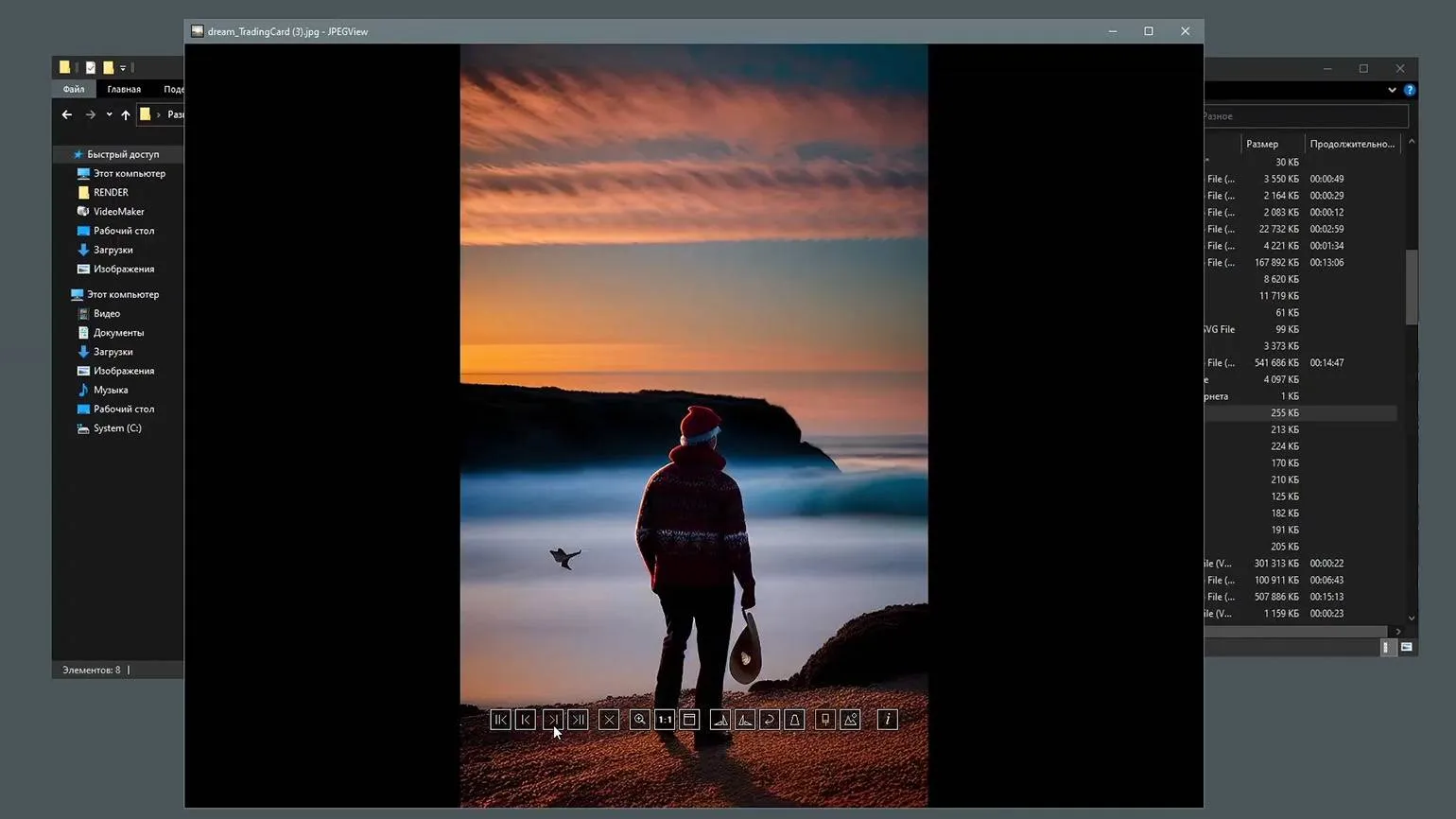
A convenient and fast photo viewer. Despite its name, it supports not only JPEG files, but also other popular image formats. This makes it a versatile tool for viewing and managing your photos.
The program takes up minimal space on your device and offers a portable version for ease of use. It's ideal for simple photo viewing, while still including all the essential basic functions for sorting and editing images.
Created in a minimalist and functional style, the design remains simple and straightforward.
The interface is available in Russian. This allows users to easily adapt to the system and use it in their native language, significantly simplifying interaction. Selecting Russian in the interface settings improves perception and makes working with the application more comfortable.
The advantages of using this product are its high quality and reliability. It provides excellent results, making it an ideal choice for users looking for effective solutions. In addition, the product has an affordable price, which makes it attractive to a wide audience. Also worth noting is the ease of use and ease of maintenance, which saves time and effort. Ultimately, choosing this product is a smart decision for those who value quality and effectiveness.
- Free.
- Russian language available.
- Fast.
- Portable version available.
There are several downsides to using this product. Firstly, its cost may be higher than similar products on the market, which may discourage potential buyers. Secondly, some users note a lack of effectiveness in certain conditions, which may reduce confidence in the product. Furthermore, difficulty of use or the lack of necessary instructions may be confusing for beginners. Finally, limited availability in stores may be an obstacle for those wishing to purchase it. These shortcomings are worth considering when making a purchasing decision.
- Lack of advanced editing tools.
- Atypical interface.
ACDSee Photo Studio Ultimate
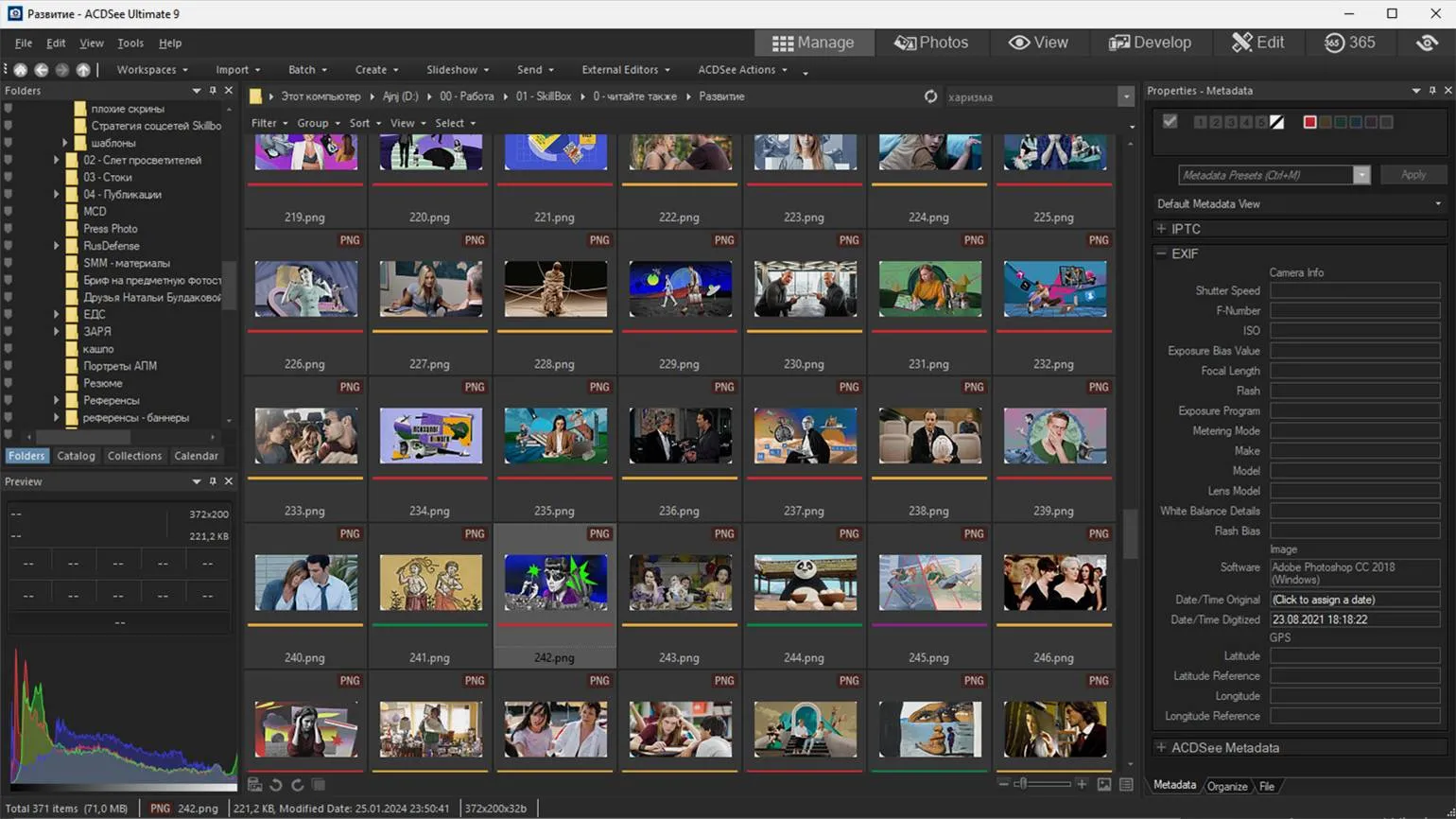
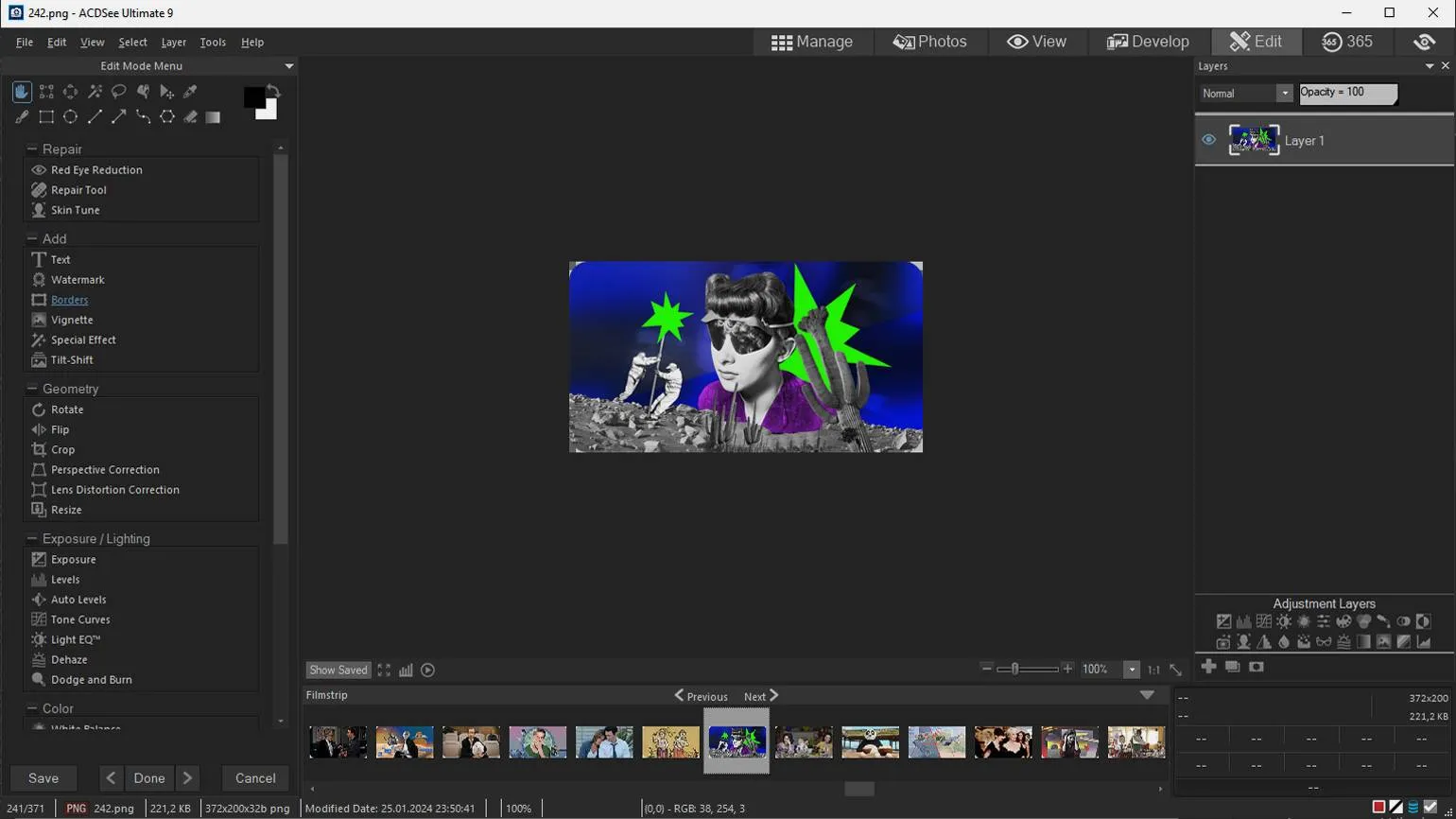
This powerful program is ideal for professional use. The developers emphasized the versatility of the application. The software not only allows you to view and catalog photos, but also provides capabilities for in-depth image editing. The program allows you to work with layers, which allows you to professionally adjust colors and achieve high-quality results.
The software is valued for its effective work with RAW files. In the latest version, the developers have introduced a number of useful tools based on artificial intelligence. One of these tools is the AI Super-Resolution function, which allows you to increase the resolution of images and reduce noise. This function significantly improves the quality of photos, making the program indispensable for photographers and designers.
The program is paid. A monthly subscription is available for $8.90, with the option to purchase a perpetual license for $79.90.
The benefits of using a product or service can significantly influence consumer choice. The main advantages include high quality, affordability, and reliability. These factors make the product attractive to a wide audience, increasing its competitiveness in the market.
In addition, positive user reviews help build trust in the product and its manufacturer, which is also an important aspect. Users value stable operation and durability, which makes the product more desirable.
Don't forget about the time and resource-saving opportunities this product provides. All these advantages make it an optimal choice for consumers seeking quality and efficiency.
- Versatility.
- RAW processing.
- All the basic photo editing functions are available.
- Useful AI tools.
Cons
Despite the numerous advantages, using different products or services can also have their drawbacks. It is important to consider these disadvantages to form an objective opinion and make an informed decision.
Firstly, many products can be expensive, which limits their availability to a wide audience. High cost can be a significant barrier for potential users.
Secondly, some services may not meet customer expectations. This can manifest itself in ineffectiveness or poor service quality, leading to frustration and loss of trust.
A third drawback is potential dependence on certain technologies or services. This can limit choice and flexibility in the future, especially if the market changes or new alternatives emerge.
It's also worth noting that some products may have negative health or environmental impacts. For example, the use of certain chemicals can lead to long-term consequences for both humans and the ecosystem as a whole.
Finally, insufficient support from manufacturers or service providers can cause difficulties during operation, which is also a significant disadvantage.
Therefore, it is important to carefully weigh the pros and cons before choosing a product or service to avoid possible negative consequences.
- Paid.
- May slow down a weak PC.
- May be difficult for a beginner.
Adobe Bridge
A free Adobe program is available to all users who have an Adobe ID. A subscription to the company's paid products is not required to use this program.
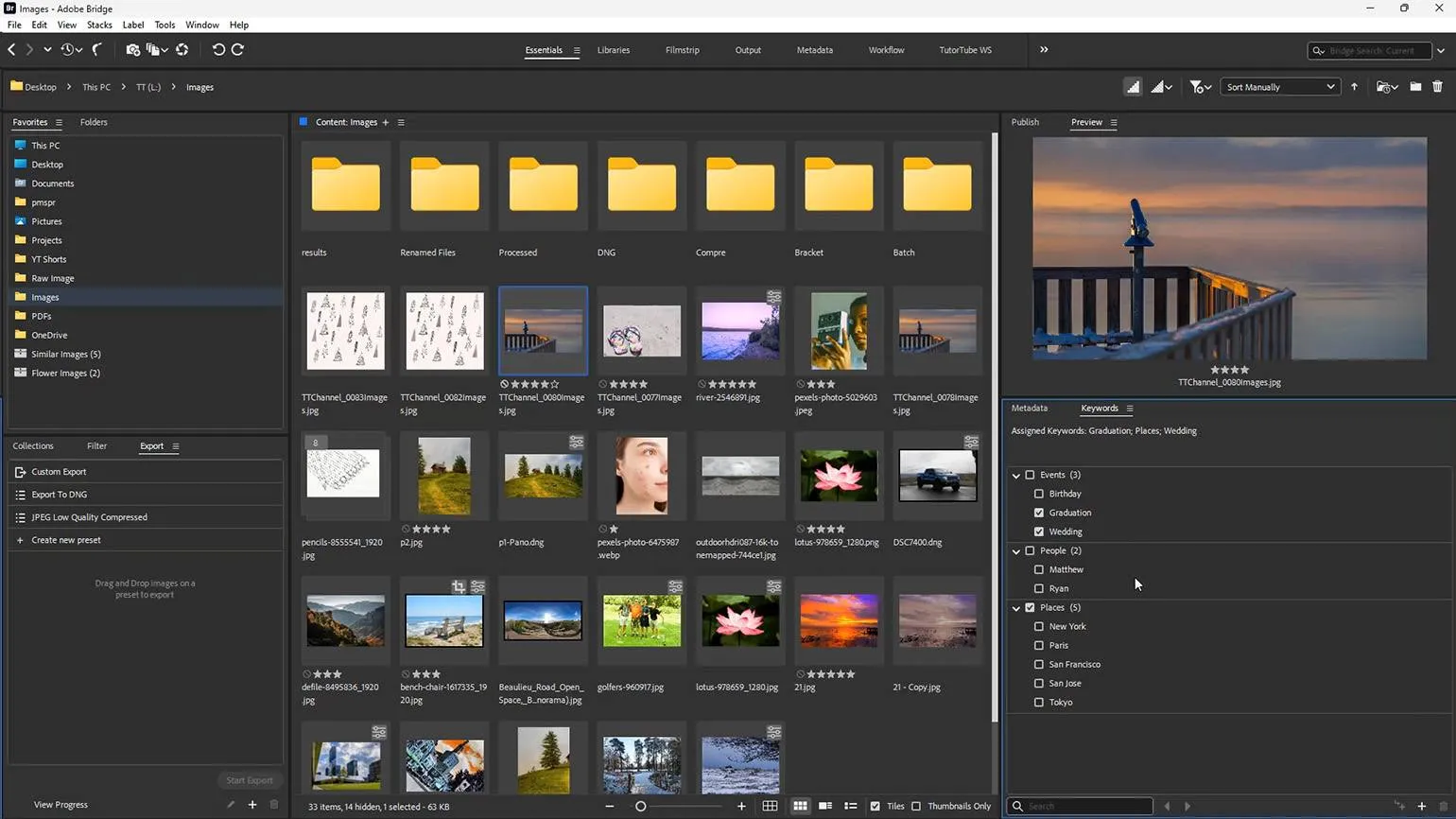
The tool is convenient for sorting and tagging images, which is especially important when working with large volumes of files. It allows you to rank photos by rating and add keywords, making it easier to find and organize content. It also allows you to edit metadata, including attribution, and quickly preview RAW files. This functionality makes working with images more efficient and organized, which is especially important for photography and design professionals.
The program does not offer advanced photo editing features, but it does allow for easy syncing with other Adobe products with a subscription. This allows users to seamlessly integrate their workflows and take advantage of Adobe's full suite of professional imaging tools.
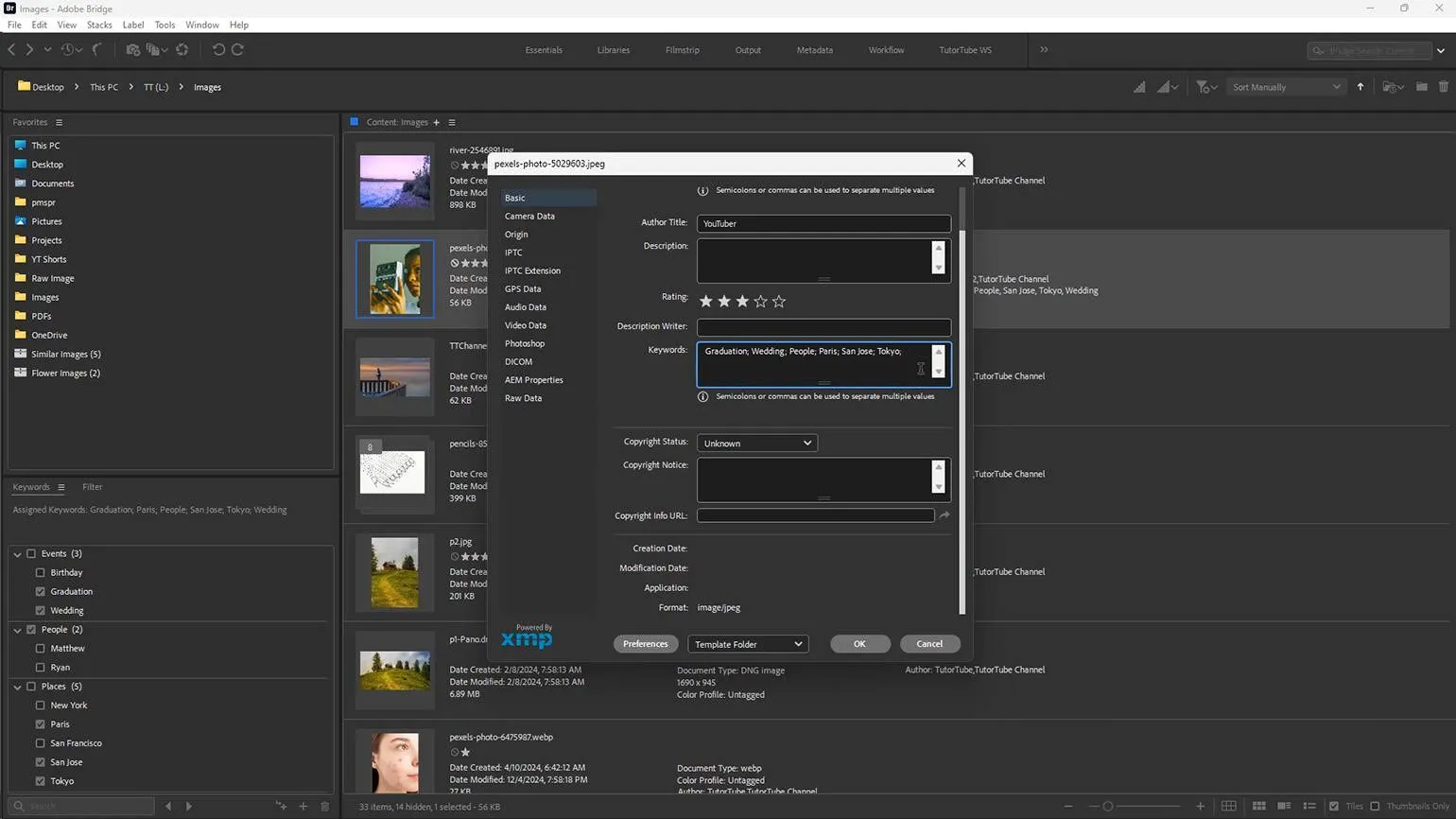
The advantages of using this product are its efficiency and reliability. It provides users with many useful features that simplify the completion of tasks. High-quality materials guarantee durability and resistance to external influences. In addition, the product has a user-friendly interface, which makes it accessible to a wide audience. The presence of various settings allows you to adapt it to the individual needs of each user. This approach helps optimize the workflow and improve overall productivity.
- Free.
- Good photo sorting tools.
- Convenient for users of other Adobe products.
Disadvantages
Every product or service has its drawbacks that are important to consider before making a decision. The main disadvantages include high cost, limited features, and possible compatibility issues. Also worth paying attention to is insufficient support from manufacturers and difficulty in maintenance. By considering these aspects, potential users will be able to make a more informed choice and avoid disappointment.
- No built-in editing features.
- You need to enter your Adobe ID every 30 days.
Photo Mechanic
A professional program, highly valued by photojournalists for its speed and effectiveness. It provides fast and high-quality image processing, making it an indispensable tool in photojournalism.
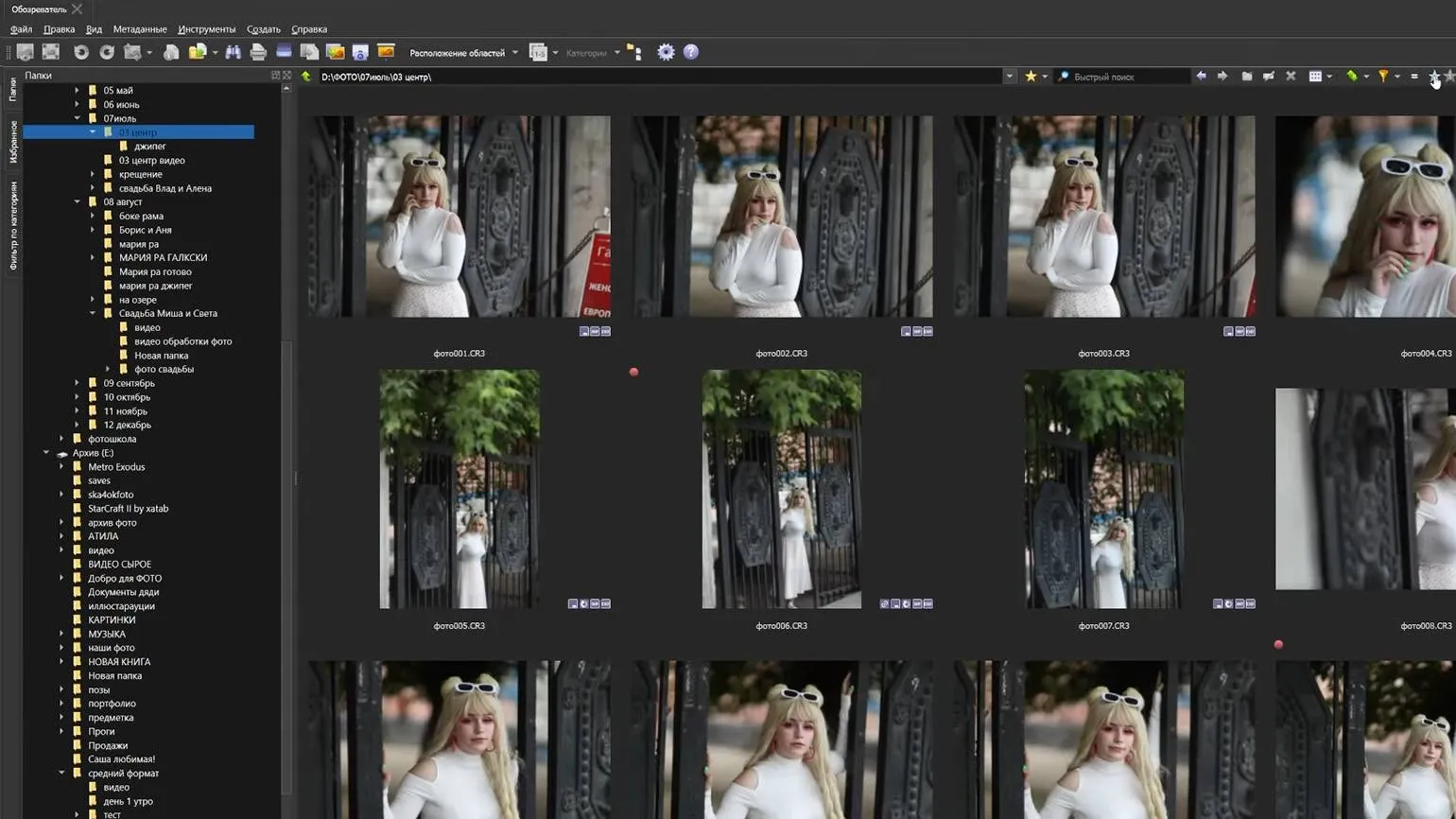
This feature is especially useful when you need to quickly review a large series of photos and are short on time. It allows you to view image previews while transferring files from the memory card to your computer. This significantly speeds up the workflow and helps you quickly select the right photos.
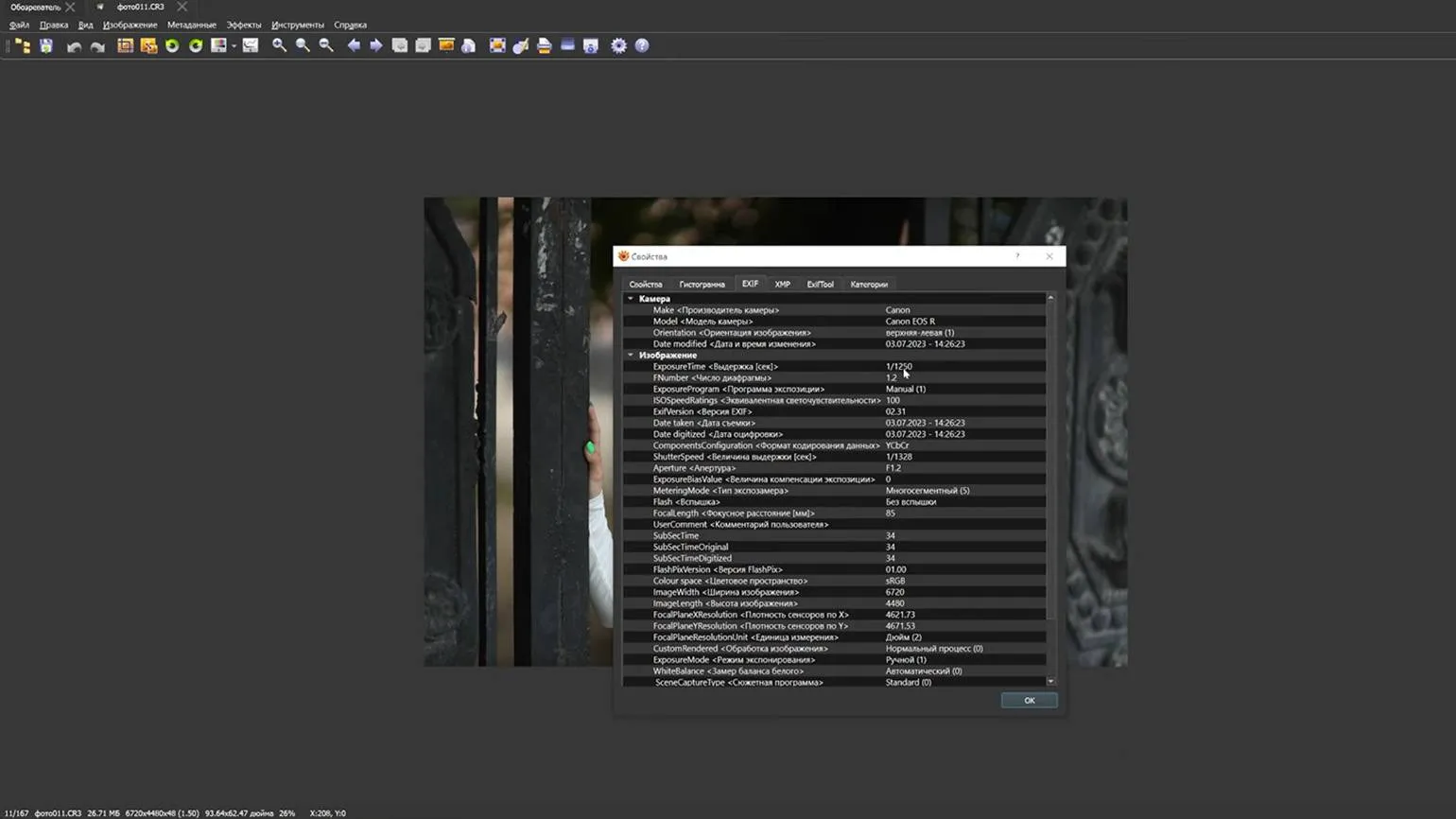
Quickly viewing RAW files allows you to effectively manage your photo gallery. You can easily organize the image display sequence and use color tags to rank photos. Adding captions to photos and working with metadata significantly simplifies the process. Selected images can be instantly transferred to Lightroom or Photoshop for further retouching, significantly speeding up the workflow and improving the quality of the final photos.
Despite its extensive functionality, the software is characterized by a simple and intuitive interface.
The program is available on a paid basis: the standard version is available for €16.18 per month or €160.77 per year. A perpetual license costs €322.62. There is also a 30-day free trial period, allowing you to evaluate the functionality of the program before purchasing.
Advantages
- Quick selection of cards even when working with RAW files.
- Integration with popular photo editors.
- Convenient photo sorting functions.
- Editing metadata.
The disadvantages of using the product may include various aspects that are worth considering before purchasing. Firstly, the high price may not always justify the quality or functionality. Secondly, some users report difficulties in operation or a less intuitive interface, which may require additional time to learn. Thirdly, limited manufacturer support or a lack of regular updates may be a serious obstacle to long-term use. Finally, don't forget about possible negative reviews from other consumers, which may point out shortcomings that are not immediately obvious. Given all these factors, it is important to carefully weigh the pros and cons before making a purchase decision.
- Paid.
- No tools for advanced post-processing.
Nomacs
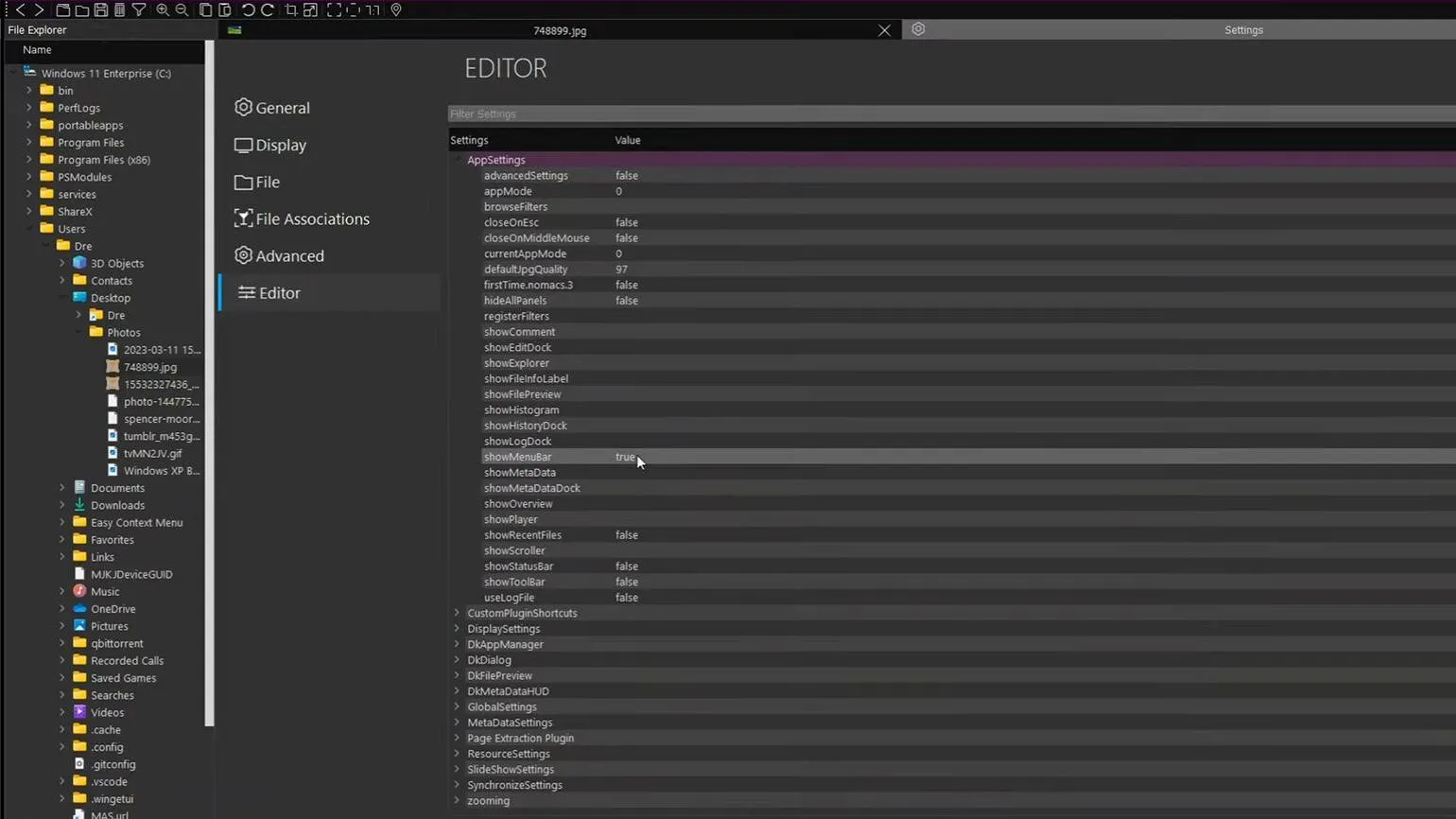
A free file viewer that supports popular formats, including RAW and PSD. It offers basic editing features, such as cropping and rotating images, color correction, and file resizing. Metadata editing is also available. This tool is ideal for users looking for a simple and effective solution for working with images.
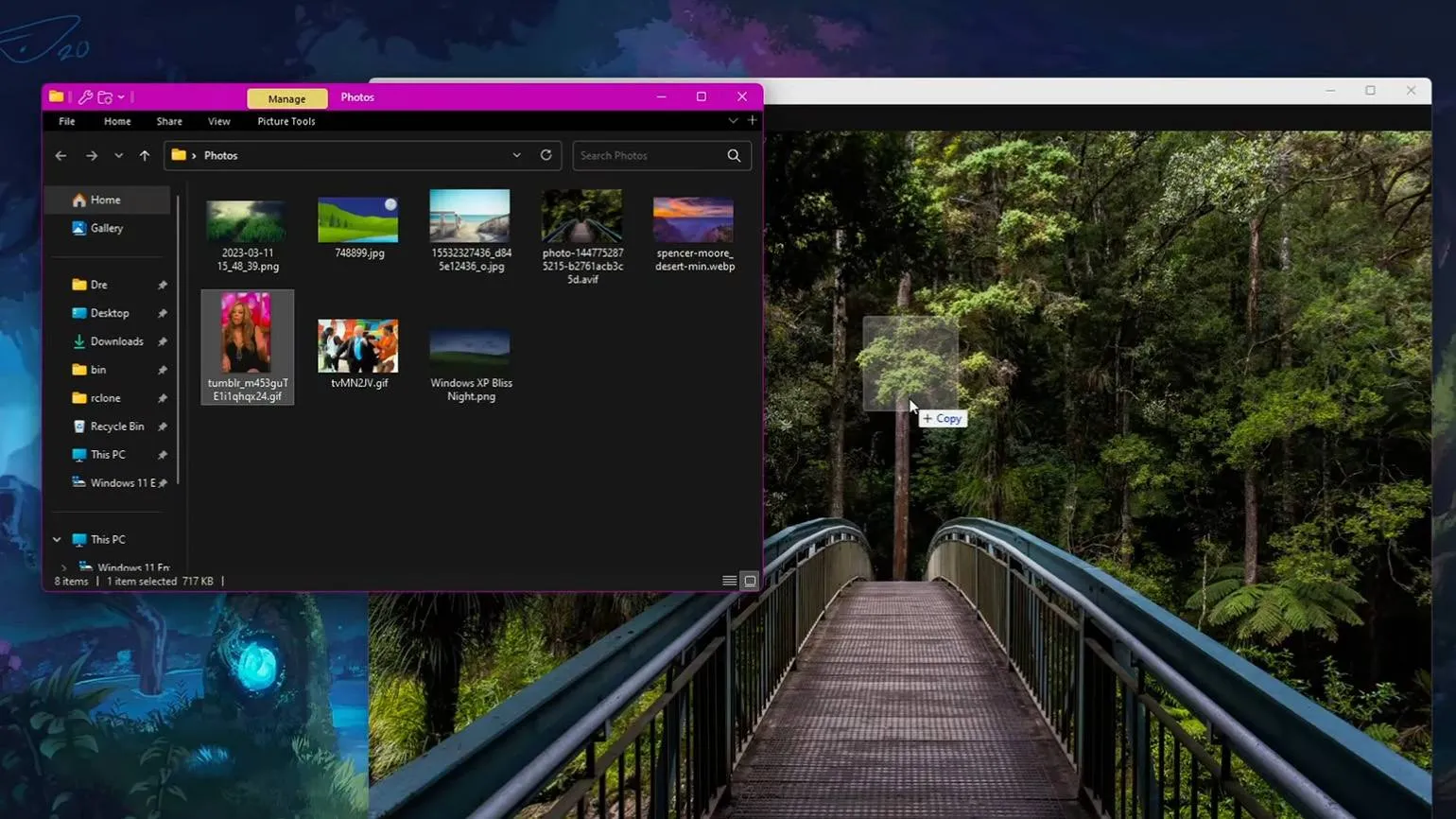
The main advantage of this program is the ability to run two instances simultaneously on one computer, allowing you to synchronize the work of windows. This is especially useful for comparing images, for example, the original and the processed version. In addition, synchronization can be configured to work with programs on various devices, which greatly simplifies the process of analysis and editing.
A portable version is available.
Advantages
- Free.
- Convenient for comparing photos.
- There is a portable version.
The disadvantages of using different technologies can vary depending on the context and the specifics of their application. For example, some technologies may require significant training and implementation costs, which can be a barrier for small companies. Additionally, certain solutions may have limited functionality or be incompatible with existing systems. Data security and potential operational disruptions are also a concern. Effectively managing these vulnerabilities requires careful analysis and planning to minimize potential issues and ensure successful use of the technology.
- No in-depth editing tools.
- Rarely improved, as the program is developed by a community of enthusiasts.
Visum Photo Viewer
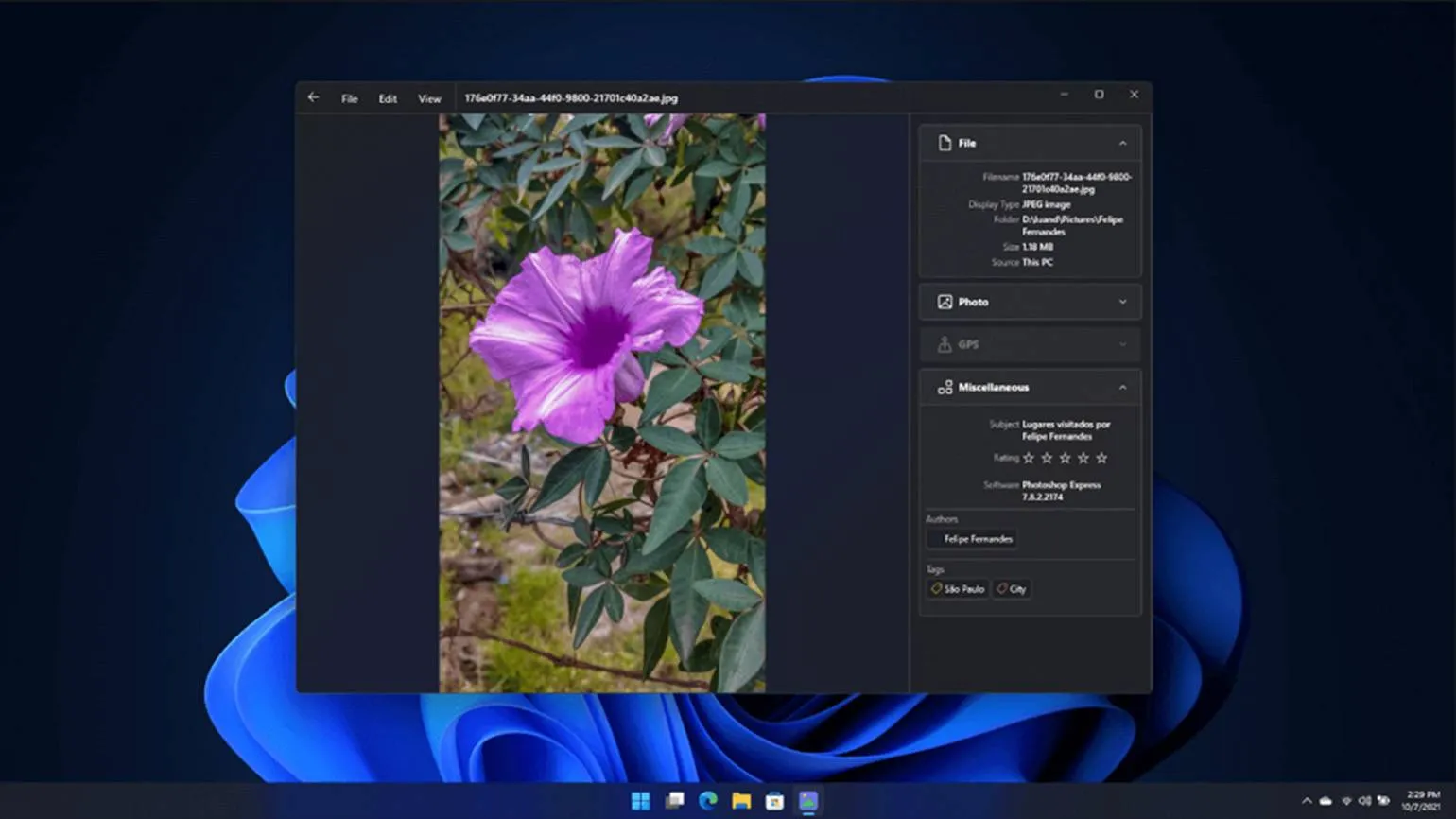
A free application that takes up minimal space on your device and is easy to use.
The program is aimed at users who prefer fast and functional solutions without unnecessary frills. It also satisfies the needs of those who value minimalist and "clean" design.
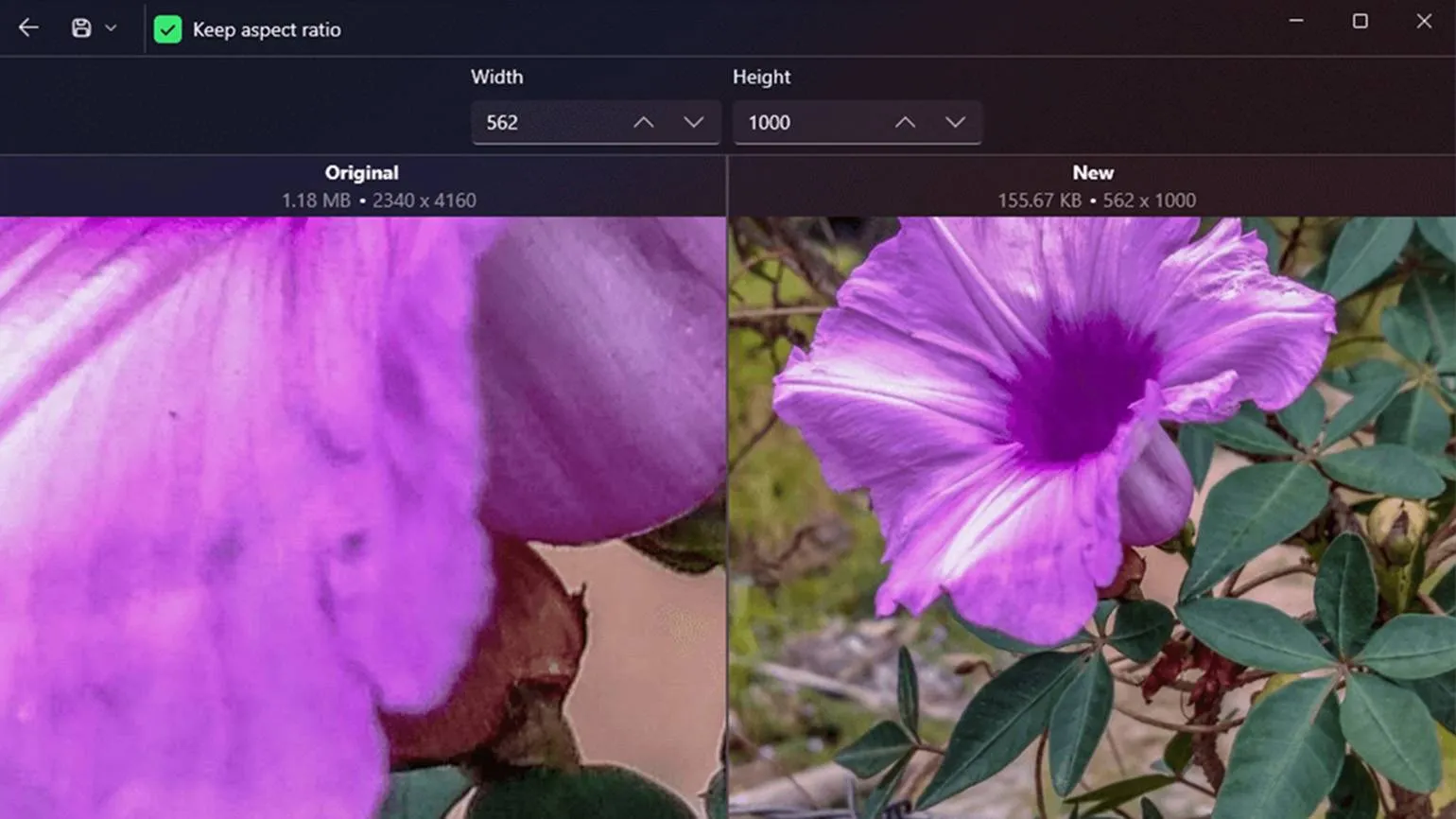
It supports all major file formats, allows you to crop images, resize them, and perform basic color correction. A preview function is also available, which allows you to quickly drag photos into other applications for further work.
Advantages
- Free.
- Concise interface.
The disadvantages of using certain products or services can significantly influence consumer choice. Firstly, it is worth noting the high price, which can be a decisive factor for many buyers. Secondly, some products may have insufficient functionality or do not meet the declared characteristics. The third point is possible problems with service and repair, which can lead to additional costs and inconvenience. It is also worth considering that not all products come with a warranty, which adds risk to the consumer. Finally, the lack of support from the manufacturer can leave the user in a difficult position if problems arise. These disadvantages should be carefully considered before making a purchase decision.
- No metadata editing.
- No advanced editing tools.
Zoner Photo Studio
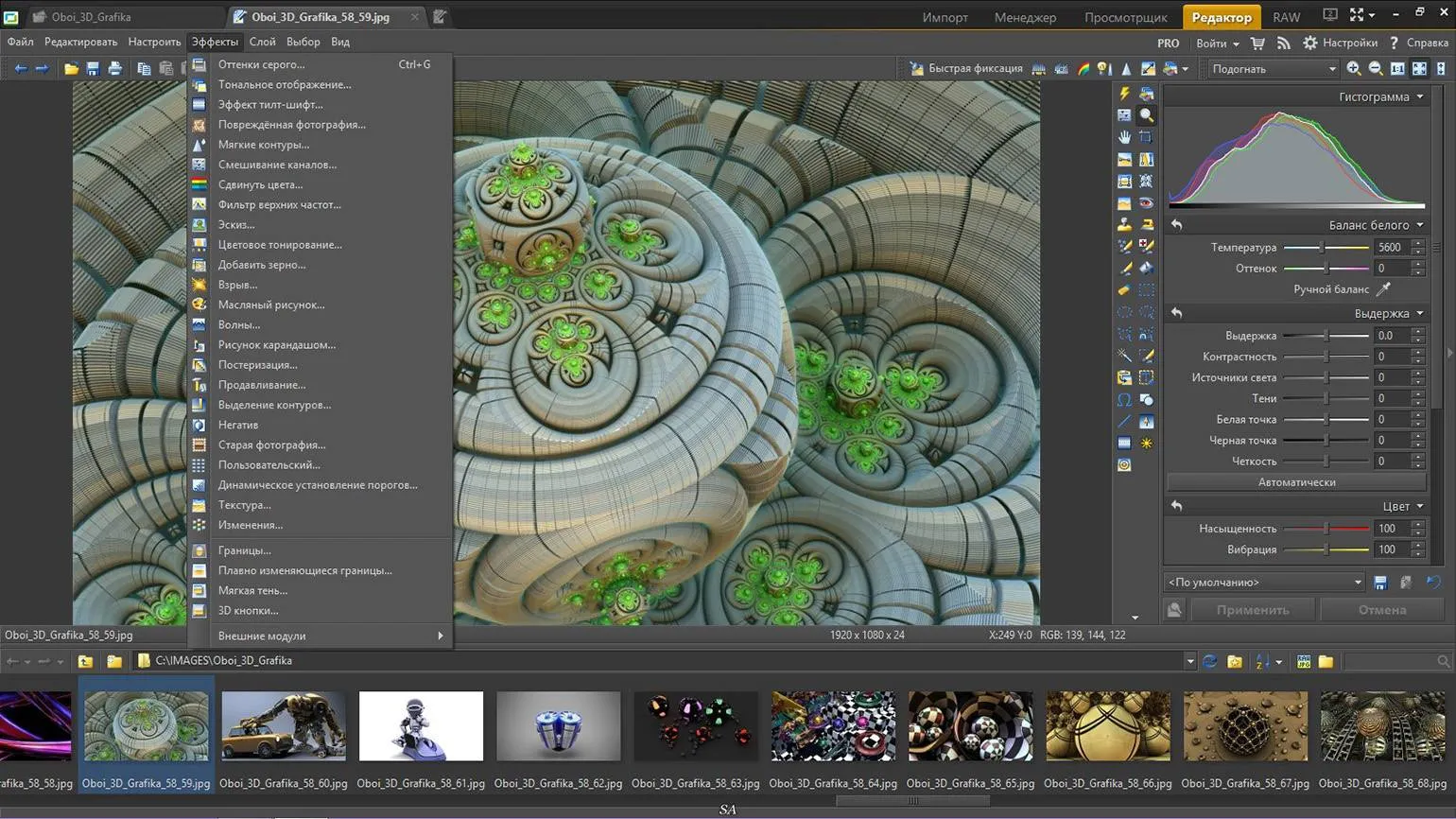
The developers present their program as a universal solution for working with photos and videos. It offers extensive functionality, allowing users to effectively edit and process visual content.
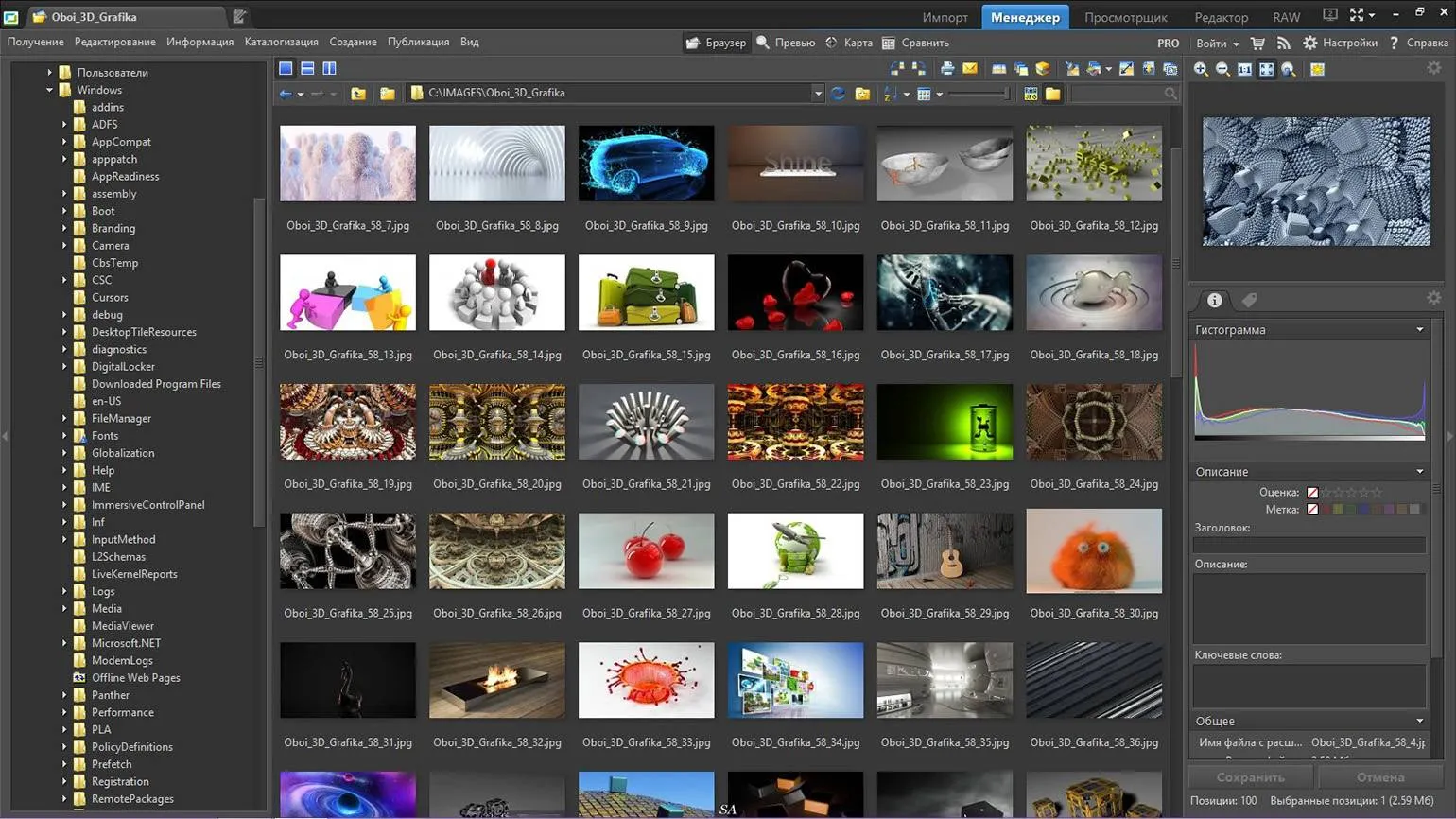
The program supports major file formats, which makes it convenient for working with various types of images. However, the free version only allows working with RAW previews. For full editing of RAW files, you need to purchase a license. This limitation may impact users who want to utilize the program's full capabilities without incurring additional costs.
The program efficiently processes batches of photos, allowing users to not only view, sort, and edit them but also share them on social media or print them. It also includes basic video tools, making it a versatile solution for multimedia content processing.
The program is available for a fee, with a monthly subscription costing $5.99 and an annual subscription costing $59. Users can take advantage of a free 7-day trial period, which allows them to evaluate all the benefits of the service before purchasing.
The advantages of using this product are its high efficiency and reliability. It offers unique solutions that help users achieve their goals. Ease of use and accessibility make it attractive to a wide audience. In addition, the product has a long service life and requires minimal maintenance, which is also a significant plus. Its innovative development approach allows it to remain competitive in the market, ensuring high quality and user satisfaction.
- Wide functionality.
- Can work with video.
- AI tools are available.
Cons
Despite the obvious advantages, there are also disadvantages worth considering. Firstly, insufficient reliability can lead to operational issues. Secondly, high maintenance costs can be a significant burden on the budget. Also, don't forget about possible functionality limitations that can negatively impact the user experience. Finally, the complexity of integration with other systems can cause additional difficulties. Considering these downsides will help you make a more informed decision.
- Paid.
- Can be complex for beginners.
ImageGlass
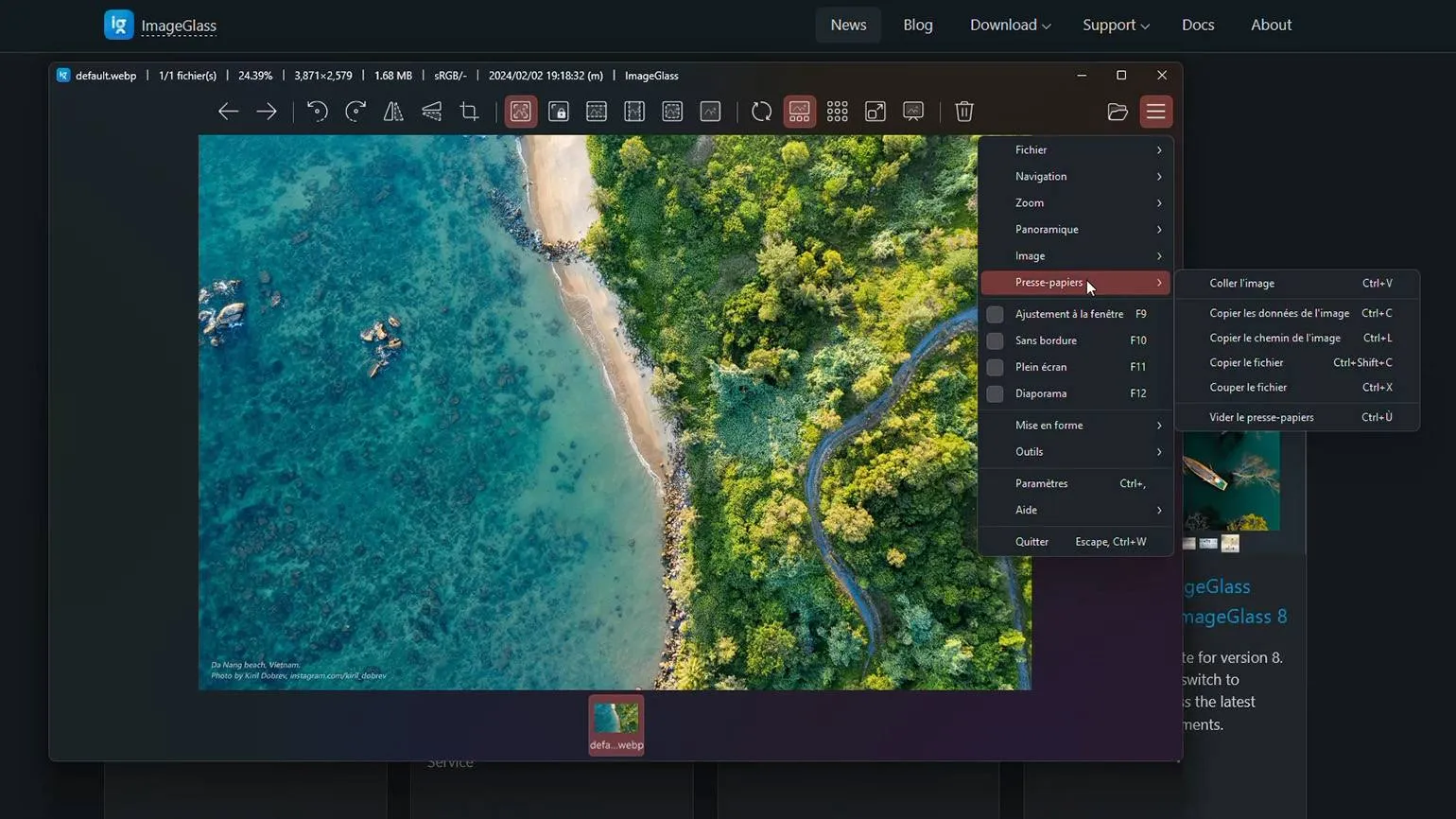
A simple and free viewer that doesn't slow down your computer. This tool is ideal for viewing various files and documents without the need to install bulky programs. Its lightweight structure ensures fast loading and smooth operation, making it an excellent choice for users who value speed and efficiency. Choose our viewer for a comfortable and seamless experience with your files.
The program supports over 80 different file formats, including RAW. It allows you to quickly view photos, sort them, resize them, and convert files to other formats. This makes it an indispensable tool for professional and amateur photographers, providing convenient image management and streamlined workflow.
The program features a modern, minimalist interface for ease of use. It offers flexible settings to tailor its functionality to individual user needs. Furthermore, the program supports integration with various third-party applications, expanding its capabilities. A portable version is also available, making it even more convenient to use.
Advantages
- Free and ad-free.
- Intuitive interface.
- Portable version available version.
- Compatible with other programs.
Cons
When considering various aspects, it's important to consider any shortcomings that may affect the overall experience. For example, various problems may arise when using certain services or products. These include high costs, poor service quality, limited functionality, and difficulties with technical support.
Furthermore, many users lack information about the product, making it difficult to choose. Negative reviews from other customers can also be a significant factor influencing a purchase decision. It is important to consider these disadvantages in order to make an informed choice and avoid disappointment in the future.
- There are almost no photo editing tools.

Please pay attention to the following materials:
Minecraft and GTA have become unique platforms for modern art. These games give users the opportunity not only to play, but also to create, creating their own worlds and works. In Minecraft, artists can construct large-scale buildings, sculptures, and even create interactive projects using blocks and textures. This allows them to experiment with shapes and colors, making the game a true sandbox for creative ideas.
GTA, in turn, offers players a vast open world where they can create cinematic projects and host exhibitions. Artists use the Rockstar Editor to realize their concepts, including creating original characters and scenarios. These games become not only a place for entertainment but also a platform for self-expression, inspiring new generations of artists.
Contemporary art in such virtual spaces attracts a wide audience and changes the perception of traditional art. Virtual exhibitions and events held in Minecraft and GTA allow people from all over the world to interact with art, transcending physical boundaries. This new direction in art opens up endless possibilities for creative experimentation and audience interaction, making art accessible and relevant.
Profession Photographer
You will learn how to take professional photos from scratch. You will learn how to organize shoots, process frames, manage models and a team. Find your style, build an impressive portfolio, and start making money doing what you love.
Find out more